



Writer: Laura Bernheim


Editor: Britain Simons


Reviewer: Lillian Castro

Key Takeaways
I found the best Microsoft Exchange hosts, plus even better bundled email and hosting options. Here are my top recommendations:
Finding the best hosting for Microsoft Exchange email services empowers you to leverage powerful communication and collaboration tools without the cost and headaches of managing the email hosting infrastructure.
Microsoft Exchange Server requires a fair amount of computing resources and other configurations not common to most entry-level web hosting plans, so identifying the best options can be somewhat challenging. We’ve scoured the internet for reliable hosting providers that offer Exchange email services as individual mailboxes or as part of the larger Microsoft 365 suite.
-
Navigate This Article:
Top 3: Best Website Plus Email Hosting Bundles
I know you’re itching to jump right into the Microsoft ecosystem for your business email, but we’d be doing you a disservice if we didn’t bring this to your attention. Microsoft Exchange costs can stack up quickly, and if you’re a mom-and-pop shop or small eCommerce business, you may be overpaying without knowing it. You get charged per user, per month. That adds up quickly.
Exchange is built for companies with IT departments, compliance rules, and a lot of seats. Most small businesses just need a branded inbox that works, integrated into the website they’re budgeting for. That’s the case for bundling. These hosts give you a simple solution. Get free (or super cheap) email with your website host. These three hosts do it best for small businesses, artists, and eCommerce shops.
Important: Bundling your website + email is almost universally better. Hosting services use email as an easy bonus add on to sweeten the deal, so that means it’s usually a free cherry on top for you.
Let’s take a look at their base offer for Business Email and Bundled:
1. Hostinger.com

Monthly Starting Price $0.39
- Best overall value: The most complete AI-powered business email at the lowest price
- With Standard, Kodee AI writes, replies, and summarizes emails in your tone and voice
- Smart inbox auto-organizes priority emails and urgent replies
- Spam and virus filters block 99.9% of malicious emails
- Works with Outlook, Apple Mail, Gmail, and all major email apps
- Get started on Hostinger now.


Sead Fadilpasic

| Money Back Guarantee | Disk Space | Domain Name | Setup Time |
|---|---|---|---|
| 30 days | 5 GB SSD – 50 GB SSD | FREE (1 year) | 3 minutes |
Hostinger is the no-brainer for a solo artist, creator, mom-and-pop, or tiny shop that wants a site and a branded inbox in one checkout. The AI builder gets you live fast, and email comes included for your first year with 2 to 5 addresses per site, depending on tier. That covers you, a support@ address, and maybe a partner, with no Exchange license in sight.
The bundled offer from Hostinger may be too good to pass up:
Bundled Hostinger (Website Hosting + Email)
Hostinger is one of my favorite email hosts for businesses because it offers many unlimited features. It blows other hosts out of the water regarding the number of emails, domains, and bandwidth it supports. The base plan provides up to 100 email accounts, which is 20 times more than IONOS.
See our full review of Hostinger >>
2. InMotionHosting.com

Monthly Starting Price $1.50
- FREE Calendar & Contacts & Anti-Spam/ Anti-Virus
- Custom Logo + Color Theme (upgrade)
- Unlimited Read Receipts & Email Templates (upgrade)
- Data Encryption w/Business Auto-Reply
- Business-class hardware and eCommerce-ready
- 10 – 100 GB SSD storage + One-Click Import
- Get started on InMotion now.


Dave McQuilling

| Money Back Guarantee | Disk Space | Domain Name | Setup Time |
|---|---|---|---|
| 90 days | 10 GB | Select Plans | 5 minutes |
InMotion is where growing teams land. Every shared hosting tier includes unlimited email addresses, so hiring your sixth employee doesn’t mean buying a sixth license. Per-inbox storage scales with your plan, a dedicated IP is available on the Pro tier, and the 90-day money-back window gives you plenty of time to test-drive the setup.
Take advantage of InMotion’s free email, real human support, and cPanel when you bundle:
Bundled InMotion (Website Hosting + Email)
InMotion Hosting is budget-friendly by default, but you can save even more when you sign up for one of its long-term contracts. Currently, it offers one- to three-year contracts, but no month-to-month options for its shared hosting plans.
See our full review of InMotion >>
3. SiteGround.com

Monthly Starting Price $1.99
- Free unlimited business email included with all hosting plans
- AI security blocks 99.99% of spam, viruses, and phishing
- Access via webmail, Outlook, Apple Mail, Gmail, and mobile
- Built on Google Cloud with 99.9% uptime and free CDN across 170+ locations
- 4.9/5 Trustpilot rating with 98% customer satisfaction
- Get started on SiteGround now.


Lynn Cadet

| Money Back Guarantee | Disk Space | Domain Name | Setup Time |
|---|---|---|---|
| 30 days | 10 GB SSD – 100 GB Google Cloud SSD | FREE (1 Year) | 6 minutes |
SiteGround is a premium email host that offers some delectable discounts for first-time customers. SiteGround is the pick if you want unlimited mailboxes with no upgrade tier to think about. Email comes included on every hosting plan, and the Google Cloud infrastructure behind it keeps your store snappy during a sale.
SiteGround Bundled-Only Highlights
- (GrowBig) Unlimited websites and traffic
- Free unlimited email accounts
- Free domain and site migrations
- Free SSL, CDN and backups
- Real support, real humans 24/7
- AI WordPress Agent, content generation and free AI credits (tokens)
Campaigns run through its separate Email Marketing platform, and the price steps up noticeably at renewal, so mark your calendar. You can save more than 80% on your first year of hosting. SiteGround is best for customers with a little wiggle room in their budgets, as renewal costs are significantly more expensive than those of competitors. However, I think it’s worth it.
See our full review of SiteGround >>
Exchange isn’t the villain here. It earns its price in a few specific situations:
- Your team lives in Outlook desktop and Teams all day
- You need compliance tools like retention policies and eDiscovery
- You have shared mailboxes, delegated calendars, or an IT admin managing dozens of seats
If none of those sound like you, start with a bundle. You can always move to Exchange later, and you’ll know exactly why you’re paying for it.
Best Hosting With Microsoft Exchange and Microsoft 365
Exchange Online is the email engine, and Microsoft 365 is the suite built around it. The Business Basic tier adds Teams, OneDrive, and web versions of Word and Excel on top of the same Exchange inbox, and the pricier tiers add desktop apps and security tools.
That’s a great package if your team already lives in Outlook and Teams. If you just need a branded inbox next to your website, you’re paying for a lot of software you’ll never open. Microsoft began moving its services and software programs to cloud infrastructure as Microsoft 365 in 2011, including popular programs such as Microsoft Word, PowerPoint, and Excel, along with Exchange and Outlook.
By 2017, Microsoft 365 revenue surpassed that generated from traditional licenses; the software suite currently boasts more than 345 million paid subscribers. Many hosts, including those we list here, have capitalized on the stellar growth to offer Microsoft 365 either as a paid upgrade or as a free trial to their customers. Read on for the specific details with each plan.
4. Bluehost.com

Monthly Starting Price $1.67
- Up to 100GB email storage
- Unlimited Templates & Contact Groups (Plus)
- FREE spam filtering, vacation responder & antivirus
- Rich webmail, iOS and Android apps
- Shared Calendar, Contacts, and Tasks
- Get started on Bluehost now.
Sead Fadilpasic
| Money Back Guarantee | Disk Space | Domain Name | Setup Time |
|---|---|---|---|
| 30 days | 10 GB NVMe SSD | FREE (1 year) | 5 minutes |
Bluehost rounds out the list as the WordPress and speed pick. It’s built for shops creating their site in WordPress that also want a branded inbox. Its free cPanel email covers a couple of mailboxes, and bigger teams step up to paid cPanel email or Professional Email, so it fits best when your team is small, or you already plan to upgrade.
What better way to run your online business than by pairing one of the best productivity suites with one of the world’s most trusted and largest web hosts? Bluehost is highly regarded for its beginner-friendly services and rich WordPress expertise, so it can be easy to overlook the company’s superb VPS, managed, and dedicated hosting.
You can combine Microsoft 365 with all those plans at checkout. Bluehost even gives new shared hosting customers a free Microsoft 365 mailbox for 30 days, while the annual plans cost between $2.99 and $9.99 per license per month. The top-tier Business Pro package even comes with Microsoft Access and Publisher desktop licenses, plus tools for overseeing bookings, invoicing, and customer management.
5. IONOS.com

Monthly Starting Price $1.10
- Business email with a personal consultant — unique to IONOS
- Choice of IONOS mail, Microsoft 365, or Google Workspace
- Free domain included, completely ad-free, no data selling
- AI email assistant for writing, scheduling, and smart replies
- Spam filter, virus protection, and 24/7 award-winning support
- Get started on IONOS now.


Christina Lewis

| Money Back Guarantee | Disk Space | Domain Name | Setup Time |
|---|---|---|---|
| 30 days | 2 GB – 50 GB | FREE (1 year) | 4 minutes |
1&1 IONOS leads the way in affordability and flexibility, making it a clear choice for those with specific, demanding email hosting needs.
Customers can choose from standard webmail or multiple business-oriented plans for Google Workspace, Microsoft Exchange, and Microsoft 365. Microsoft 365 is available for just $1 per month per user, or set up Exchange 2019 mailboxes for just $4.50 per month.
Whichever option you choose, 1&1 IONOS provides massive 50GB Exchange mailboxes and collaboration tools, along with premium virus protection and spam filters.
The 1&1 IONOS platform closely follows the Microsoft Preferred Architecture recommendations, ensuring highly reliable and performant service. The host’s ISO-certified datacenters are georedundant with no single point of failure and protect your data in accordance with global privacy regulations.
6. DreamHost.com

Monthly Starting Price $1.67
- 25 GB storage per mailbox with ad-free webmail included
- Works with any domain even if hosted or registered elsewhere
- Advanced spam, virus, and phishing filters that auto-adapt to new threats
- Full IMAP sync across desktop, mobile, tablet, and smartwatch
- 100% uptime guarantee and 24/7 in-house support
- Get started on DreamHost now.
Christina Lewis
| Money Back Guarantee | Disk Space | Domain Name | Setup Time |
|---|---|---|---|
| 30 days | 25 GB per mailbox | FREE (1 year) | 4 minutes |
Despite predominantly maintaining Linux infrastructure, DreamHost supports a variety of email services with its customary excellent pricing and customer service.
Their basic email packages come with no long-term commitments or contracts, allowing you to try out DreamHost without worrying about being stuck in an unsatisfactory arrangement.
Inboxes come with 25GB of storage and a streamlined interface accessible on any device. Enjoy a smart spam filter that adapts to emerging threats and intercepts potentially dangerous messages before they hit your mailbox.
7. HostGator.com

Monthly Starting Price $1.99
- (Plus) Unlimited email templates, groups and read receipts
- FREE calendar, contacts and vacation responder
- Webmail access via Horde and Roundcube
- FREE SpamAssassin and Anti-virus
- (Ultra) AI summary, writing assistant + Invoice, designer & Titan Drive
- Get started on HostGator now.
Lynn Cadet
| Money Back Guarantee | Disk Space | Domain Name | Setup Time |
|---|---|---|---|
| 30 days | 10 GB SSD – 100 GB SSD | FREE (1 year) | 4 minutes |
Always one of our favorite hosts to grow with, HostGator enables customers to use either Microsoft 365 or Exchange servers. The Austin-based hosting provider, however, does not make Microsoft Exchange licenses available; you’d have to purchase the program separately and install it yourself on a Windows-based dedicated server. You’d be responsible for the configuration, management, and maintenance of your Exchange server, which is why we are focusing more on the company’s hosted Microsoft 365 experience.
Similar to sister company Bluehost, HostGator’s Microsoft 365 plans cost from $2.99 to $9.99 per user per month for annual plans. In addition to high-quality email and productivity software, HostGator’s well-equipped plans include a full suite of drag-and-drop website builder tools, unlimited bandwidth, advertising credits, and a longer-than-average 45-day money-back guarantee.
8. AccuWebHosting.com

Monthly Starting Price $6.33
- Performant Windows VPS with SSDs available
- Choice of Windows Server 2019, 2022, or 2025
- 99.9% uptime guarantee with Windows VPS
- Full admin access and FREE backups
- Option to get a FREE VPS for 1 month!
- Get started on Accuwebhosting now.


Jack Wallen

| Setup Time | Disk Space | CPU | RAM |
|---|---|---|---|
| 6 minutes | 40 GB – 200 GB SSD | 1-4 vCPU | 1-16 GB |
A prominent and affordable Windows hosting option, AccuWebHosting makes it surprisingly hard to add Exchange to your hosting environment — but it can be done. The company offers a free MailEnable email server at checkout, or several SmarterMail Professional packages as paid upgrades. But as a Windows VPS or cloud hosting customer, AccuWebHosting’s knowledge base is quick to direct you to the wide variety of available Exchange licenses.
Exchange Server 2013 is available in Standard, Standard Plus, Enterprise, and Enterprise Plus flavors and is priced between $2.50 and $7.45 per mailbox per month. Each option is sold as a Subscriber Access License rather than a server license, meaning it’s required for each user or device that accesses the inbox.
9. NetworkSolutions.com

Monthly Starting Price $2.39
- Trusted domain registrar since 1979 — the world’s first
- 1-click installs, staging environments, and SSH access
- Daily malware scans and free SSL (Essential plan+)
- Drag-and-drop AI website builder included
- 24/7 expert support via phone and live chat
- Get started on Network Solutions now.
Christina Lewis
| Money Back Guarantee | Disk Space | Domain Name | Setup Time |
|---|---|---|---|
| N/A | 10 GB | N/A | 7 minutes |
Network Solutions is a long-time player in the web hosting industry. The host got its start in 1979, decades before some of the other hosts on this list. Although it may not be the first choice among modern hosting solutions, it still holds its own when it comes to hosting for Microsoft Exchange.
Its Starter plan offers a low rate of just $2.39 per month when you sign up for a one-year plan or longer. If the 15 gigabytes of disk space in its smallest plan doesn’t suit you, you can upgrade to three higher-tiered plans for up to unlimited disk space and emails.
10. GoDaddy.com

Monthly Starting Price $5.99
- Professional email solutions on your domain
- Microsoft Outlook and Office 365 available
- World-class data security and spam filtering
- HIPAA-compliance features with premium plans
- 99.9% uptime guaranteed
- Get started on GoDaddy now.
Lynn Cadet
| Money Back Guarantee | Disk Space | Domain Name | Setup Time |
|---|---|---|---|
| 30 days | 25 GB – 100 GB | FREE (1 year) | 4 minutes |
Not too long ago, we could include GoDaddy in the other section of this article. The world’s largest domain registrar switched customers from Microsoft-hosted Exchange environments to Microsoft 365 — offering 10 times the email storage and 1TB of space in the Microsoft OneDrive cloud, along with helpful tools such as Skype and video conferencing.
GoDaddy’s Microsoft 365 packages range from $7.99 to $17.99 per user per month — and those are just introductory rates. The company has long been criticized for high renewal prices, which in this case range from $11 to $26 per license per month. We deeply respect all that GoDaddy has done of late to modernize its infrastructure and improve its US-based support, but don’t be surprised if you’re looking for GoDaddy alternatives in a year or so.
11. HostPapa.com

Monthly Starting Price $2.95
- FREE drag-and-drop HostPapa website builder
- Host unlimited WordPress sites on one account
- 24/7 support via phone, email, and live chat
- FREE domain registration and email accounts
- 99.9% uptime guarantee and unlimited bandwidth
- Get started on HostPapa now.


Laura Bernheim
| Money Back Guarantee | Disk Space | Domain Name | Setup Time |
|---|---|---|---|
| 30 days | 100 GB SSD – Unlimited SSD | FREE (1 year) | 5 minutes |
You have to give HostPapa credit: The Canadian hosting provider is eager to serve customers a wide variety of flexible email solutions. HostPapa offers two branded email packages for just $1 or $2 per mailbox per month, Google Workspace for $6 to $12 per user per month, and Microsoft 365 for ~$7 to $12.99 per user per month. Whichever platform, we’ve found the company’s support channels to be super helpful and reliable when it comes to setting up accounts and migrating your data.
However, HostPapa’s deals become quite intriguing due to their genuine focus on small and medium businesses. Each Microsoft 365 plan supports up to 300 users per account. While this limit won’t affect most users, larger organizations may need to explore other options or consider starting a secondary account with HostPapa. If that’s the case, you might be ready to look elsewhere.
Originally developed for large, corporate customers, Microsoft Exchange provides increased productivity, communication, and collaboration via enhanced email and shared calendar platforms, plus contact and task management tools.
Exchange & Bundled Email Q&A
You may still have questions, and we have answers. Jump to…
The Basics
- What Is “Email Hosting” and Why Does It Matter? >>
- Is Microsoft Exchange Overkill for a Small Business? >>
- How Much Does Exchange Cost Compared to Bundled Email? >>
- Can I Still Use Outlook With Hosting-Bundled Email? >>
- What Is the Difference Between SMTP, IMAP and POP3? >>
- Who Has the Best Email Hosting Service? >>
- How Do I Stop My Business Emails From Going to Spam? >>
- How Much Should Email Hosting Cost? >>
- What Is the Difference Between Exchange, Exchange Online, and Microsoft 365 (Formerly Office 365)?
What Is “Email Hosting” and Why Does It Matter?
Generally speaking, a professional email address is a custom-domain email address tied to your business name.
Email hosting is a service that stores and manages your email accounts on a dedicated server, allowing you to send, receive, and organize messages using a custom domain address — think info@[yourbusiness].com instead of a generic free account, e.g., [yourbusiness]@gmail.com.
In plain terms, it’s the behind-the-scenes infrastructure that keeps your inbox running, your emails delivered, and your business communications looking professional.
If you sell cat pajamas and your business is Cat Pajama Time, then your email should reflect that. Think info@catpajamatime.com (no affiliation with any real company). Think info@[yourbusiness].com instead of yourbusiness2003@gmail.com.
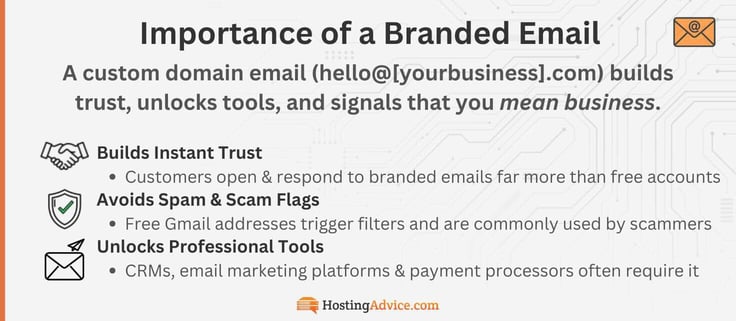
It may seem like a small detail, but it makes a real difference. When potential customers, partners, and affiliates get an email from a branded domain, they’re much more likely to trust it, open it, and reply.
Free Gmail or Outlook addresses, on the other hand, can trigger spam filters, break content deliverability rules, and get dismissed as unprofessional, or worse — be associated with scammers who routinely use free accounts to impersonate businesses.
Trust is only part of the story. Some professional tools simply won’t work without a custom domain email, let alone custom inboxes. Email marketing platforms, CRM integrations, and some payment processors require a business-verified address before you can get started.
The good news? Every provider on this list gives you the ability to create one — and if you’re already paying for hosting, you likely already have access to it at no extra cost or for a competitive deal.
Is Microsoft Exchange Overkill for a Small Business?
For most mom-and-pop shops, yes. Exchange is designed for organizations that need centralized admin, compliance controls, and deep calendar sharing across many users. If you’re a handful of people sending quotes and answering customers, you’re paying for infrastructure you’ll never touch.
The tipping point is usually team size and compliance. Once you have dozens of seats or legal retention requirements, Exchange starts to pay for itself.
How Much Does Exchange Cost Compared to Bundled Email?
Let’s cover some of the basics to ensure everyone understands what that means. You can find free email hosting as part of most web hosting plans, but providers don’t always support Exchange hosting. (Don’t understand the differences between email hosting and web hosting? Check out this guide comparing the two.)
Exchange Online starts around $4 per user per month, with Business Basic at $7 per user per month, both on annual commitments. Your website hosting is a separate bill on top of that.
With a bundled host, email rides along with the hosting plan you’re already buying. InMotion and SiteGround include unlimited addresses, and Hostinger includes a few for your first year. Watch the renewal rates, since intro pricing climbs at every host on this list.
Can I Still Use Outlook With Hosting-Bundled Email?
Yes. Outlook connects to any standard IMAP and SMTP account, so you can keep the interface you like without paying for Exchange licensing. Your host’s setup guide will give you the server settings.
What you give up is some of the Exchange-specific polish, like shared mailboxes and seamless calendar and contact syncing. For a small team, that trade is usually worth the savings.
You’ll commonly see a bunch of acronyms when comparing email hosts’ packages; Exchange offers all the functionality of IMAP, the modern protocol for accessing your messages from various devices and geographic locations. Although IMAP is free to implement, Exchange is a proprietary system that requires license purchases — but it comes with more business-friendly features.
What Is the Difference Between SMTP, IMAP and POP3?
SMTP is used to send your emails to recipients, e.g., the mail carrier!
SMTP (Simple Mail Transfer Protocol) is the protocol used by mail servers to send and receive email. User-level email clients (like Gmail, Yahoo, or Apple Mail) typically use an SMTP service to get your message to a server for delivery.
Both IMAP and POP3 are protocols that control how your email client (Outlook, Apple Mail, Gmail, etc.) retrieves messages from your mail server — but they behave very differently, and choosing the wrong one can cause real headaches.
IMAP (Internet Message Access Protocol) keeps your emails stored on the server and syncs them across all your devices (iPhone, computer, etc.) in real time. Read an email on your phone, and it shows as read on your laptop too.
You get the idea for IMAP. Move a spam email to Junk — it gets synced. Delete something on your tablet, and it’s gone everywhere. It’s one of those features that disappear into the background and just works! For anyone using email across multiple devices (which is basically everyone), IMAP is the right choice. Supported by all eight providers on this list.
POP3 (Post Office Protocol) downloads your emails to one device and typically deletes them from the server. It’s a bit outdated, and was designed for a world where people checked email from a single desktop computer.
Unless you have a very specific reason to use it, like extremely limited server storage, there’s almost no scenario where POP3 is the better option for a modern business. Don’t worry about it.
The short version: use IMAP. Always.
Who Has the Best Email Hosting Service?
There’s a whole other world out there beyond Microsoft Exchange and Microsoft 365, we promise. If you’re not as attached to Exchange, that opens up many more possibilities. Liquid Web tops our list for web hosting with Exchange email services, but there are many more fish in the sea.
Don’t be afraid to drop a line in the ocean and test the waters. Hosts that don’t offer Microsoft 365 will likely offer Google Workspace, Google’s alternative, which closely mirrors the features and available software of Microsoft 365. Instead of Microsoft Word, you have Google Docs. Excel vs. Sheets, PowerPoint vs. Slides, Outlook vs. Gmail… the list goes on.
Click here for an in-depth comparison of which might work best for your specific situation.
Plus, believe it or not, many of our favorite web and email hosting providers don’t offer either Microsoft 365 or Google Workspace. You can always add services on your own later, so why not give hosting providers’ internal email offerings a chance? Web hosting frequently comes with free unlimited email inboxes, spam filters, and daily backups, plus tons of other options. In fact, our top-ranked email hosting provider overall, which we’ve reviewed below, does all the above and more:
ScalaHosting.com

Monthly Starting Price $4.95
- Professional business email with FREE custom domain included
- Ample email storage from 50 to 150 GB
- Spam protection and daily backups
- Compatibility with POP3, IMAP, and SMTP
- Up to unlimited emails with the cloud email plan
- Get started on ScalaHosting now.
Laura Bernheim
| Money Back Guarantee | Disk Space | Domain Name | Setup Time |
|---|---|---|---|
| Anytime | 50 GB – Unlimited GB | FREE (1 year) | 6 minutes |
I admire ScalaHosting for its dedication to quality support and infrastructure. Its base plan may not offer as many email accounts as Hostinger’s (few web hosts do), but it lets you upgrade to a cloud-based plan that offers unlimited email accounts.
How Do I Stop My Business Emails From Going to Spam?
I get it. This is one of the most frustrating problems that pops up, but it happens all the time. Inbox providers like Google will flag unrecognized emails, especially if you’re using a free cPanel email account on a shared hosting server. So, let’s fix it.
The most common culprit is a shared server IP address with a bad reputation. This isn’t something we usually think about, but if your hosting plan puts your website on “Shared Servers” with hundreds of other sites, and one of those “other” sites gets flagged for spam, your IP address goes down with the ship. It gets blacklisted by association.
Shared servers are standard on most entry-level plans, so it’s not your fault. Do not pass GO, do not collect $200… Your emails just go straight to spam with no warning, until one of your customers mentions they haven’t seen your emails in a while.
Quick note: This is exactly why Bluehost and InMotion’s Professional Email upgrades use dedicated email infrastructure with built-in reputation management — it’s not just a premium feature; it’s a real solution to a real problem.
Beyond IP reputation, the other main fixes are:
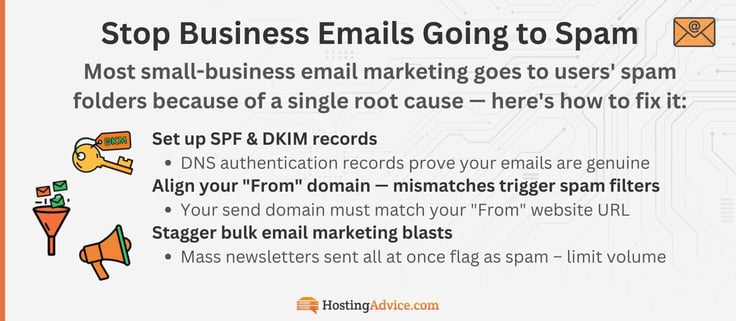
- Set up SPF and DKIM records: these are DNS authentication records that prove (to receiving mail servers) that your emails are genuinely coming from your domain. Most hosts walk you through this in their control panel, and IONOS makes it particularly straightforward. It’s a must.
- Align your “From” domain with your sending domain: if your domain is yourbusiness.com but your emails say they’re coming from somewhere else, spam filters will flag it. Another reason for a domain-based email. They should be exactly the same. Spammers are known to exploit this by creating small variations.
- Avoid blasting mass newsletters all at once: stagger large sends. In my experience, I can almost guarantee this is what got you in trouble. Hostinger caps Starter plan users at 1,000 emails per day, and IONOS at 500 per hour for exactly this reason. You thought it was just because they’re stingy? Nope, they’re protecting their server reputation. Sudden high-volume sends from a new domain are a classic spam signal.
If you’re consistently landing in spam despite following these steps, it’s a strong signal that it’s time to upgrade from free cPanel email to a dedicated professional email plan. The tools dramatically improve.
How Much Should Email Hosting Cost?
As you can probably tell from our list, email hosting can vary wildly — it all depends on the type of services you require. Are you a one-man-band operation that just needs a simple hello@domain.com inbox? Or are you a large online store constantly responding to orders, customer questions, and requests for support? What about businesses that need to schedule meetings, share files, and coordinate projects?
Opening a generic email address on Gmail, Hotmail, or Yahoo is totally free — however, that usually won’t cut it in the business world. You’ll have to consider at the very least registering a custom domain name, which doesn’t cost much. In fact, like email hosting, a domain name is often included free for at least the first year of web hosting.
When you need to cover more ground with your business email communications, such as adding CRM hosting or email marketing services, you can easily add additional computing power and organizational capacity. Exchange, Microsoft 365, Google Workspace, and other professional solutions are often available on an individual mailbox basis for roughly $3 to $15 per user per month depending on your needs.
If you’re a larger organization that needs to serve the emailing needs of hundreds of employees, consider upgrading to a VPS or dedicated hosting plan with a Microsoft Exchange Server license. An Exchange server will support up to 2,000 users, and the license will cost a few hundred dollars.
What Is the Difference Between Exchange, Exchange Online, and Microsoft 365 (Formerly Office 365)?
Simply put, Microsoft Exchange is a software program that manages your emails, calendars, and tasks. It lives on a server that receives and stores your messages and invites from other servers and networks.
Exchange centralizes your emails into one database that can be accessed by many devices in many different geographic areas. Microsoft Exchange Online is the version of Exchange that Microsoft hosts for you in the cloud. The older Exchange Server version runs on physical servers your business owns and maintains.
For those who just need basic email, Microsoft 365 may be a bit overwhelming and expensive; a standalone Exchange Online plan will be a better fit.

Originally, many businesses relied on POP3 email, which downloads messages from the server to a single computer, often leaving no backup if that device fails. Modern email, including the email bundled with most web hosting plans, typically supports IMAP, which keeps your inbox synced across every device instead.
Microsoft 365 takes the idea further. It’s a collection of software for email, documents, presentations, spreadsheets, and more business applications, with Exchange included alongside familiar programs like Word, Excel, and PowerPoint. Microsoft renamed most Microsoft 365 plans to Microsoft 365 in 2020, though you’ll still see the old name on some enterprise plans.
Microsoft 365 is designed to centralize all your documents in the cloud rather than on individual devices. While you can install the programs directly on your laptop, you also have the option to use the tools online for easier collaboration with others.
There’s also a third option most small businesses overlook: email bundled with your web hosting. You get branded inboxes alongside your website without per-user licensing, and Outlook can connect to them over IMAP. That’s the route the hosts below are built around.
Best Email Hosting Alternatives for Small Business
As we mentioned earlier, Exchange and Microsoft 365 aren’t your only business email options. Once you step away from the big names, you’ll find alternatives that are surprisingly similar and far more affordable. The easiest swap of all is email bundled with your web hosting.
That’s the idea behind our top three. Hostinger pairs an inbox with its site builder, while InMotion and SiteGround include unlimited email addresses on every hosting plan. For a small shop, that means one bill instead of two.
Two more bundled options are worth a look. Bluehost includes a couple of free mailboxes with its WordPress hosting and offers paid email tiers for more. IONOS includes a professional email address with its hosting plans, with mailbox counts that rise by plan, and it also sells Exchange-based email if you want Outlook without leaving your host.
If you’d rather go standalone, Google Workspace is still the obvious alternative to Microsoft 365, offering the right tools to boost your productivity and peace of mind. If you carefully review all of your options, you’ll find the best email hosting service for your specific needs.
These hosted email services cover a wide range of feature sets and price points, and they just scratch the surface of what’s out there. Don’t be afraid to shop around for exactly the right tools to boost your business.