



Writer: Laura Bernheim


Editor: Britain Simons


Reviewer: Lillian Castro

Key Takeaways
Our experts compared today’s leading email hosting providers to help you find the best balance of price, support, AI integration, and top features for your business.
Cheap doesn’t necessarily equate to high-quality service. Finding affordable email hosting services that offer reliable email delivery, business tools, and storage can be challenging, but we’ve found the most trustworthy options. Not to mention, the hosting providers on our list may have completely different offers for standalone email, upgraded pro email, and bundled email (web hosting + email).
And given how many businesses use email to promote products and otherwise connect with customers, finding one of the best email hosts without breaking the bank is doubly impressive. In fact, about 64% of small businesses use email marketing to reach customers.
While browsing countless websites to find the perfect service might be necessary, our reviews aim to offer a more convenient and detailed guide to discovering powerful and affordable email hosting services. Let’s explore some of the best budget-friendly options available today.
-
Navigate This Article:
Top 3: Email Host Comparison Chart
Here’s a quick overview of our top picks for the most budget-friendly email hosting providers. We’ve compared prices, storage capacities, AI integration, and unique features to offer you a comprehensive preview of each host for every budget.
If your business just needs a cheap email host, go with Hostinger $0.39/mo that packs in Kodee AI, smart inbox, spam, and virus filters. If your team needs to hit the ground running with email marketing campaigns, access to Titan professional email, admin controls, AI, and productivity tools, try Hosting.com. Are you an artist, solopreneur, or creative? IONOS is the best option.
Top 3 Cheap Email Hosts
| Our Top 3 Picks | Price | Storage | Unique Benefits | Best For |
|---|---|---|---|---|
| Hostinger | $0.39/mo | 5GB–50GB | -Kodee AI writes, replies, and summarizes emails in your tone -Agentic Mail: dedicated inboxes and triggered actions for AI agents -50 email aliases | Budget-conscious small businesses that want AI-powered inbox tools at the lowest price on this list |
| Hosting.com | $2.99/mo | 10GB–100GB | -Titan Smart Write drafts and refines emails in your tone -Built-in appointment booking and read receipts -100% delivery guarantee | Businesses that want unlimited email addresses without a trial expiration – perfect for email marketing campaigns |
| IONOS | $1.10/mo | 2GB–50GB | -Personal consultant assigned to your account, unique to IONOS -Choice of IONOS mail, Microsoft 365, or Google Workspace -AI assistant for writing, scheduling, and smart replies | Artists, solopreneurs, and small businesses that want security and hands-on setup help, with a professional domain |
Read on below for in-depth reviews of the cheapest email hosting services: Hostinger, Hosting.com, IONOS, Bluehost, HostGator, InMotion, Dreamhost, ScalaHosting, SiteGround, and more.
Check out the Full “12 Cheapest” comparison table >>
1. Hostinger ($0.39/month) — Cheapest Email Hosting
Whether you’re looking for web hosting or email services, you’ll find that Hostinger has some of the most affordable prices on the market. Its entry-level email package has a starting price of $0.39 per month, making it the cheapest email host on the list. But that’s not to say its features are anywhere near subpar.
Hostinger.com

Monthly Starting Price $0.39
- Best overall value: The most complete AI-powered business email at the lowest price
- With Standard, Kodee AI writes, replies, and summarizes emails in your tone and voice
- Smart inbox auto-organizes priority emails and urgent replies
- Spam and virus filters block 99.9% of malicious emails
- Works with Outlook, Apple Mail, Gmail, and all major email apps
- Get started on Hostinger now.


Sead Fadilpasic

| Money Back Guarantee | Disk Space | Domain Name | Setup Time |
|---|---|---|---|
| 30 days | 5 GB SSD – 50 GB SSD | FREE (1 year) | 3 minutes |
The price stays locked in for the first 48-month term. Hostinger’s email hosting is incredibly budget-friendly, especially considering the numerous benefits it offers. This provider combines a robust suite of email hosting options with fast and dependable website hosting.
Pros
- Get a professional email in minutes
- Antivirus checks and email spam protection
- Send up to 3,000 emails a day
- Support for iOS and Android
- Domain-based email addresses
Cons
- Extra cost for each additional mailbox
Hostinger empowers you to enhance your sending capabilities and boost productivity. With scalable storage, you can send up to 3,000 emails daily and set up 50 automatic forwarding rules. The email servers support IMAP, POP3, and SMTP by default, allowing you to use any email client you prefer.
Even better, Hostinger’s migration tool means you won’t lose your previous emails when you subscribe to Hostinger’s email hosting service. You can manage all your previous, current, and future emails safely and quickly from the host’s easy-to-use webmail platform.
When it comes to security, Hostinger protects your accounts from spam emails, malware, ransomware, and phishing attacks.
Hostinger Email Highlights
- Spam, virus, phishing protection
- Access email on any app or device
- Track all mailbox activity with audit logs
- Keep data safe with end-to-end encryption
- Fast, clean, and easy-to-use webmail
- Set auto-replies for when you’re away
See our full review of Hostinger >>
2. Hosting.com ($2.99/month) — Best Overall Service
Hosting.com is known for its supercharged servers and a lengthy list of compatible technologies.
The web host offers four main web hosting plans, each featuring email accounts and ample SSD storage. Most plans come with unlimited storage and automatic backups, with the Turbo Boost and Turbo Max plans promising speeds up to 20 times faster.
Affordability aside, hosting.com also comes with the following features:
Hosting.com

Monthly Starting Price $2.99
- Powered by Titan — appointment booking, email campaigns, and read receipts built in
- AI Smart Write drafts and refines emails in your tone and style
- Advanced anti-spam, anti-virus, and phishing protection — 100% delivery guaranteed
- Outlook, Apple Mail, iOS, Android, & all major clients supported
- Free email migration and 24/7/365 in-house support
- Get started on hosting.com now.


Christina Lewis

| Money Back Guarantee | Disk Space | Domain Name | Setup Time |
|---|---|---|---|
| 30 days | 10 GB – 100 GB | FREE (1 year) | 4 minutes |
Another hosting.com benefit is its advanced spam filtering feature, which routes incoming messages to be scanned for potential viruses and spam. If the mail server detects spam or viruses in the email, it redirects the email to a separate storage for retrieval if necessary.
Pros
- Built in tools for email marketing campaigns
- Free domain (first year)
- Smart Write (AI Responses)
- Calendar & Contacts
- Webmail and native apps for iOS and Android (Secure POP3, IMAP, and SMTP)
Cons
- Limited to 50 read receipts (base plan)
But here’s the thing, when an email successfully passes the security test, it lands safely in your inbox. This feature significantly reduces the chances of receiving emails with harmful attachments, links, or other threats.
Hosting.com provides an exhaustive list of one-click software installations that simplify tasks you’re looking to accomplish. The company covers all your email needs for subscriber list management, email marketing, webmail interfaces, and much more.
Hosting.com Email Highlights
- Professional and branded email @yourdomain
- Titan: email campaigns, tracking, designer and appointments
- Bundled: Unlimited MariaDB databases, bandwidth & mail space
- Rich Webmail, Calendar, Contacts, and apps for iOS and Android
- Anti-Spam, Anti-Virus, and Ad-free
- 24/7 year round in-house support
- Smart Write (AI Responses)
- Free migration
See our full review of Hosting.com>>
3. IONOS ($1.10/month) — Cheap Plans for Business
Email services are commonly bundled into basic web hosting packages, which makes for a killer bargain. Some of the veteran hosting providers, however, have plans specifically targeting email hosting customers. IONOS sets the bar high with business email plans starting at $1.10 per month.
IONOS.com

Monthly Starting Price $1.10
- Business email with a personal consultant — unique to IONOS
- Choice of IONOS mail, Microsoft 365, or Google Workspace
- Free domain included, completely ad-free, no data selling
- AI email assistant for writing, scheduling, and smart replies
- Spam filter, virus protection, and 24/7 award-winning support
- Get started on IONOS now.
Christina Lewis
| Money Back Guarantee | Disk Space | Domain Name | Setup Time |
|---|---|---|---|
| 30 days | 2 GB – 50 GB | FREE (1 year) | 4 minutes |
The company’s business email hosting plans give you plenty of room to grow your customer base and include a wide range of features to keep your business running smoothly.
Pros
- The go-to for artists, creatives and solopreneurs
- Free domain included
- Multiple email client support & address book
- AI Email Assistant for Webmail (optional)
- Anti-phishing protection
Cons
- Only 2GB of base storage (scalable)
You also get a free domain name for the first year of your subscription — or longer for premium plan holders. While the IONOS email service is ideal for small businesses, the company services mid-size to enterprise clients with Microsoft Exchange and Google Workspace packages.
IONOS Email Highlights
- Highest security standards
- Personalized email addresses
- Access your emails from anywhere
- Full IMAP (Internet Message Access Protocol)
- Completely Ad-free
- Spam filter and virus protection
See our full review of IONOS >>
4. Bluehost ($1.67/month) — Best Email/Web Hosting Bundle
Bluehost has been around since 2003 and boasts more than 2 million domains under management. Its Professional Email lineup, powered by Titan, gives you a clear three-tier path — start small, then scale up to AI tools and marketing features as your team grows.
Bluehost’s Professional Email pricing scales per user as your team grows. Bluehost’s primary goal is to provide web hosting services that accommodate every aspect of the site owner’s needs, so if you already host your site with Bluehost, it’s an easy addition.
Important Note: Bluehost frequently changes its featured promo offers. If the landing page is not “Business Email”, simply click Hosting in the top menu, and the very last option is Business Email (under the Email & Productivity sub-menu). Click that to find the offer below.
Bluehost.com

Monthly Starting Price $1.67
- Up to 100GB email storage
- Unlimited Templates & Contact Groups (Plus)
- FREE spam filtering, vacation responder & antivirus
- Rich webmail, iOS and Android apps
- Shared Calendar, Contacts, and Tasks
- Get started on Bluehost now.
Sead Fadilpasic
| Money Back Guarantee | Disk Space | Domain Name | Setup Time |
|---|---|---|---|
| 30 days | 10 GB NVMe SSD | FREE (1 year) | 5 minutes |
We’ve covered how each Bluehost Webhosting account comes with a 3-month free trial of professional email hosting, but the offer for standalone Business Email is a bit different. Bluehost’s pricing is per-user, meaning what you pay scales directly with team size (multiply the plan by the number of users).
Pros
- Grammar, spell check & one-click undo
- Syncing across devices & apps
- Data encryption included
- Antivirus and spam protection
- Clear upgrade path: storage, AI tools & team features
Cons
- Each user multipies the cost (1 user × $1.67)
- AI features (Email AI, AI Summary) only on Ultra tier
Bluehost’s domain manager and account management tools make it easy to manage professional emails: spam protection, encryption, calendar, and contacts. Their premium “Plus” adds Titan Drive storage, two-factor authentication, and priority inbox sorting. Ultra is where they pack it in (at a cost): full Email AI, AI-powered summaries, an invoice builder, and email campaign tools.
Thinking about bundling your hosting and professional email with Bluehost? Similar to InMotion, it can get confusing because they offer “Free email” and, separately, “Professional Email” with a 30-day/free trial (via Titan).
Bluehost Bundled (Email + Hosting) Highlights
| Feature | cPanel Email Accounts (Free) | Professional Email (30-Day Trial) |
|---|---|---|
| Deliverability ⚠️ Most overlooked feature | Tied to shared server IP — if another site on your server gets blacklisted, your emails get flagged as spam too | Dedicated email infrastructure. It has built-in reputation management for reliable inbox delivery (avoid landing in spam) |
| Storage Capacity | Shared with your main hosting disk space (typically 5–15 GB depending on plan) | Dedicated cloud storage (25–100 GB) per mailbox (doesn’t eat into your website SSD) |
| Interface & Access | Basic webmail clients — Roundcube or Horde | Dedicated & intuitive Titan inbox platform + mobile apps |
| Productivity Tools | Bare minimum — spam and basic filters managed directly via cPanel. Minor security vulnerabilities. | Built-in shared calendars, email templates, read receipts, and send-later scheduling with robust security and spam filtering. |
| Cost | 100% free — included permanently with your web hosting plan | Free for the first 30 days (1 mailbox), then $1.99 – $10.99/mo depending on the tier (10 GB – 100 GB) |
Bluehost Email Highlights
- Advanced anti-spam and anti-virus protection
- Data encryption (every tier)
- Grammar and spell check
- One-click undo send
- Allowlist and block sender controls
- Calendar and contacts included
- Vacation responder for automatic replies
- Clear upgrade path to AI tools and team features (Plus/Ultra)
See our full review of Bluehost >>
5. HostGator ($1.99/month) — Advanced Security & Bundled Hosting
HostGator makes our list as one of the world’s most popular web hosts, powered by Titan. For less than $2 per month, HostGator’s robust email hosting plan comes with calendar & contacts, vacation responder, allow list, and undo send. Start with the essentials, then unlock AI tools and team features.
Before we even look at the company’s email hosting service, it’s important to note that they push adding email to their web hosting service: a free custom domain, a custom-built website builder, and more. The link below has both (email + hosting), but it’s easy to navigate to their standalone email service (see note). Like Bluehost, HostGator sells Professional Email as its own standalone product.
Important Note: HostGator tends to feature Powerful Web Hosting. If the landing page is not “Professional Email”, simply click the HostGator (Logo) in the top left corner. Then, Products (in the top menu, and click Professional Email (sub-menu).
HostGator.com

Monthly Starting Price $1.99
- (Plus) Unlimited email templates, groups and read receipts
- FREE calendar, contacts and vacation responder
- Webmail access via Horde and Roundcube
- FREE SpamAssassin and Anti-virus
- (Ultra) AI summary, writing assistant + Invoice, designer & Titan Drive
- Get started on HostGator now.


Lynn Cadet

| Money Back Guarantee | Disk Space | Domain Name | Setup Time |
|---|---|---|---|
| 30 days | 10 GB SSD – 100 GB SSD | FREE (1 year) | 4 minutes |
For web hosting and those who need extra help on the design front, HostGator’s proprietary drag-and-drop builder will help you visually create and customize your site’s look and feel, with 4,500 templates to inspire a cohesive design for your brand. A standalone professional email has similar dedicated tools. Upgrade to Email Ultra, and get Email AI and Email Designer.
Pro Email comes with $1.99/month introductory price and renews at $2.99/month afterward (still competitive). It adds team chat, email templates, and more! You can add lead capture forms and landing pages to your site, then set up automated transactional emails to further attract and engage your audience with consistent branding.
Pros
- Webmail, iOS, and Android apps
- Data encryption and two-factor authentication
- Built-in migration tools: 1-click email import
- Auto-responders, Calendar, and Contacts
- Guaranteed delivery backed by Titan
Cons
- Limited to one email template
- Upgrade to access AI writing and email campaign tools
If you’re looking for a little extra with your email, HostGator also offers Google Workspace subscriptions, providing all the communication, collaboration, storage, and management tools you could need. The jump from base to Professional Email Plus get you 50GB storage, 1GB Titan Drive, unlimited read receipts and templates, two-factor authentication, and priority inbox sorting.
Ultra includes built-in Email AI for drafting and summarizing, trackable email campaigns, an invoice builder, and calendar bookings — all without leaving the inbox. HostGator, which we’ve found to be reliable for pretty much everything, offers a longer-than-average 45-day money-back guarantee. Prefer bundled hosting + email instead?
HostGator Web Hosting + Email (bundled) is worth a look:
Bundled HostGator (Website Hosting + Email)
You’ll find so many great features at HostGator, all available for free. I’m talking about unmetered bandwidth, domain registration, SSL certificates, and even Google Ad credits (for Baby and Business plans).
HostGator Professional Email Highlights
- Calendar, Contacts & Vacation responder
- Advanced Anti-Spam & Anti-Virus
- Data Encryption
- (Plus) Titan drive, Turbo search, Alias & Priority Inbox
- 24/7 Support
- (Ultra) AI features, Invoice & Link tracking
See our full review of HostGator >>
6. InMotion Hosting ($1.50/month) — Cheap Email Hosting With Powerful SSDs
InMotion Hosting describes itself as “the last host you’ll need.” For less than $3 per month when you bundle hosting and professional email, which is ideal for beginners and WordPress users, you can create a free email address on this platform. Although the standalone email is excellent.
For a remarkably low price, its Professional Email lineup, powered by Titan, has a three-tiered structure that scales cleanly from solo founders to large organizations with complex needs. Like Bluehost and HostGator, InMotion sells Professional Email as its own standalone product. You can take advantage of their Professional Email, regardless of your current hosting plan.
Important Note: InMotion features its Scalable Shared Hosting opt-in with email, over standalone email, but you can use InMotion email with most web hosts. Once on the landing page, simply scroll down to the very bottom. Then, go to Hosting Tools > Professional Email (the very last option).
InMotionHosting.com

Monthly Starting Price $1.50
- FREE Calendar & Contacts & Anti-Spam/ Anti-Virus
- Custom Logo + Color Theme (upgrade)
- Unlimited Read Receipts & Email Templates (upgrade)
- Data Encryption w/Business Auto-Reply
- Business-class hardware and eCommerce-ready
- 10 – 100 GB SSD storage + One-Click Import
- Get started on InMotion now.


Dave McQuilling

| Money Back Guarantee | Disk Space | Domain Name | Setup Time |
|---|---|---|---|
| 90 days | 10 GB | Select Plans | 5 minutes |
Under shared hosting, InMotion Hosting plans come in four categories: Lite, Launch, Power, and Pro. All four plans feature high-powered SSD drives, unlimited bandwidth, and free email addresses. Email only? InMotion’s Growth plan starts at $1.50/month per mailbox, renewing at $3.00/month.
InMotion hosting enhances WordPress performance using the NGINX web server, the latest PHP versions, and a free content delivery network, all designed to speed up load times. Thanks to automatic security patches and updates, along with a free SSL certificate, you can focus on managing your site without worry.
Pros
- Scalable three-tier structure: Growth, Business & Enterprise
- Advanced anti-spam, anti-virus, and data encryption
- One-click import & Email on any device (IMAP)
- 24/7 support from real people
- Ample storage per inbox for higher-tiered plans
- AI writing tools and email campaigns (top tier)
Cons
- Higher renewal costs
The business tier is where InMotion starts to shine: 50GB of storage, custom branding with a logo and color theme, unlimited read receipts, HTML email templates, and team chat. Enterprise tier is built for organizations that depend on full resources: 100GB storage, automatic daily backups, AI writing tools and email summaries, trackable email campaigns, an invoice builder, and appointment scheduling.
For either Professional Email or bundled hosting, we regularly rank InMotion among our favorite web and email hosts for its powerful hardware, friendly support, and helpful account management portal that comes with wizards for everything from changing your MX record to connecting a Google Workspace account. Prefer bundled hosting + email instead?
InMotion free email w/hosting includes cPanel when you bundle:
Bundled InMotion (Website Hosting + Email)
InMotion Hosting is budget-friendly by default, but you can save even more when you sign up for one of its long-term contracts. Currently, it offers one to three-year contracts, but no month-to-month options for its shared hosting plans.
But it can get confusing, since they offer “Free email” and separately “Professional Email” with a 30-day/free trial (via Titan).
InMotion Bundled (Professional Email + Hosting) Highlights
| Feature | cPanel Email (Free) | Professional Email (30-Day Trial) |
|---|---|---|
| Hosting | Hosted on your cPanel server — Access via Roundcube | Microsoft 365 or Titan Cloud-based, premium servers |
| Storage Limits | Shares space with your website (5-20 GB storage) | Dedicated storage (up to 100 GB per inbox) |
| Features | Standard Webmail, cPanel management, IMAP/POP3 (basic spam filters) | Advanced security, data encryption, read receipts, and send-later scheduling |
| Apps & Mobile | Browser-only or via generic third-party apps (e.g., Outlook) | Dedicated mobile app and seamless desktop client integration – Microsoft 365/Outlook app |
| Cost | Free “Unlimited Accounts” — included with hosting, permanently | Free trial for 30 days, then paid subscription |
InMotion Email Only Highlights
- Titan “Professional Email”
- Seamless Collaboration Tools & Business Auto-Reply
- Advanced Anti-Spam & Anti-Virus
- Calendar & Contacts
- Data Encryption, Intuitive Features and Robust Security
- (Upgrade) AI Writing Tools & Email Summary
See our full review of InMotion >>
7. DreamHost ($1.67/month) — Unlimited Email Hosting for Business
If you own a small business, DreamHost has an email hosting platform specifically tailored for your business needs. This popular web host offers one plan with everything included and 25GB of storage per mailbox.
While the plans present solid deals on professional email hosting, DreamHost’s web hosting plan has even more affordable capabilities. Customers get this standalone Professional Email product with smart automation (and forwarding), works with any domain host, SSL and TLS encryption, filters and organization, and 25 GB massive storage (email doesn’t need as much as web hosting).
DreamHost does offer a separate 3-month free trial of Professional Email, but only when bundled with a web hosting plan — a different product from the one priced here (see note below).
Important Note: DreamHost features its Scalable Shared Hosting Web Hosting Launch opt-in with “3 Months Free – 20 Mailboxes”, over standalone email. To get the “Professional Email. Generous Inbox.” offer, simply hover over the top menu, go to Email > Email Hosting (the first option).
DreamHost.com

Monthly Starting Price $1.67
- 25 GB storage per mailbox with ad-free webmail included
- Works with any domain even if hosted or registered elsewhere
- Advanced spam, virus, and phishing filters that auto-adapt to new threats
- Full IMAP sync across desktop, mobile, tablet, and smartwatch
- 100% uptime guarantee and 24/7 in-house support
- Get started on DreamHost now.
Christina Lewis
| Money Back Guarantee | Disk Space | Domain Name | Setup Time |
|---|---|---|---|
| 30 days | 25 GB per mailbox | FREE (1 year) | 4 minutes |
The first thing DreamHost promises is a direct path to easily establish email addresses that match domain names. This aspect is crucial if you own a business, whether big or small, and you want to send out transactional emails to clients without losing your identity.
Pros
- Ample storage per mailbox
- Ad-free webmail accounts
- Free inbound spam filtering
- Mobile and desktop sync
Cons
- Extra cost for each additional mailbox
Easily integrate with this leading email marketing platform, check your messages on any device, and rely on DreamHost’s virus scans to keep your inbox safe. They keep things straightforward because there’s no Plus or Ultra tier hiding (no secret upsells) — just one plan with smart automation, mail forwarding, custom folders and filtering, and industry-standard encryption.
In addition to the features mentioned above, DreamHost backs its email accounts with a 100% uptime guarantee, including protection from malware and spam. This email host also includes browser-based access to your email accounts from any device. Prefer bundled hosting + email instead?
This DreamHost bundle includes an easy-to-use Control Panel, AI builds, and monitoring:
Bundled DreamHost (Website Hosting + Email)
Where DreamHost stands apart from most hosts reviewed here is its Custom Control Panel dashboard. Email and site management tools live in the same clean, centralized control panel, so it’s intuitive and reliable. Pair that with unmetered bandwidth and strong AI features, and you have a winner!
DreamHost Email Only Highlights
See our full review of DreamHost >>
8. ScalaHosting ($4.95/month) — Best for Unlimited Mailboxes
ScalaHosting built its reputation on cloud VPS hosting, and its business email hosting carries the same enterprise-grade infrastructure down to the entry-level plan. Most budget email hosts cap mailboxes. ScalaHosting’s reasonable top-tier Cloud option gives you unlimited accounts and domains, with no mailbox size Limit starting at the base plan
ScalaHosting has excellent 24/7/365 customer support. The 98.9% customer satisfaction rating is the real deal for troubleshooting any issues that come up. The anytime money-back guarantee is a perk, but this is the kind of email host you stick with for a long time.
ScalaHosting.com

Monthly Starting Price $4.95
- Professional business email with FREE custom domain included
- Ample email storage from 50 to 150 GB
- Spam protection and daily backups
- Compatibility with POP3, IMAP, and SMTP
- Up to unlimited emails with the cloud email plan
- Get started on ScalaHosting now.


Laura Bernheim
| Money Back Guarantee | Disk Space | Domain Name | Setup Time |
|---|---|---|---|
| Anytime | 50 GB – Unlimited GB | FREE (1 year) | 6 minutes |
They’ll professionally configure all your SPF, DKIM, and DMARC to authenticate your emails. This will save you trouble with marketing campaigns and ensure your emails don’t get flagged as spam.
Pros
- No mailbox size limit or inode limit starting w/entry-level
- Unconditional money-back guarantee (any time)
- Unlimited mailboxes & domains (cloud tier)
- Dedicated IP address option (Cloud VPS)
- Daily offsite backups (every plan)
Cons
- Higher starting price than other budget competitors
One standout here is the deliverability angle: ScalaHosting monitors popular blacklists directly and offers a dedicated IP address on its Cloud VPS plans specifically to keep your business email out of spam folders — a feature usually reserved for pricier “Professional Email” upgrades elsewhere on this list.
This ScalaHosting bundle includes Unlimited Email and Websites (Start tier):
Bundled ScalaHosting (Website Hosting + Email)
If you want unlimited email and impressive offerings go with bundled.
ScalaHosting Email Highlights
- Free, effortless, no-downtime email migration
- 24/7 expert technical support
- Professional SPF, DKIM, and DMARC auto-configured
- Unconditional money-back guarantee
- No mailbox size limit or inode limit
- Advanced SPAM filtering on every plan
- Daily offsite backups
- Dedicated IP address on Cloud VPS plans to avoid blacklisting
See our full review of ScalaHosting >>
9. SiteGround ($2.99/month) — Best Unlimited Email + Hosting
SiteGround has been gaining ground over the past few years, thanks to its excellent reputation when it comes to speed and customer service. This web host serves more than 2 million customers worldwide. SiteGround email is only bundled.
Note: While complimentary unlimited email hosting is included with all plans, SiteGround does not provide dedicated IP addresses for standalone professional email. That means if you don’t host your site on SiteGround, there’s no standalone email service to consider.
But there’s a good reason SiteGround deserves a featured place on this list. I’ve always loved its simplicity, and I know I’m not the only one who thinks so. The company’s shared hosting plan comes in three categories: StartUp, GrowBig, and GoGeek — all of which include unlimited free email accounts with AI security, 99.9% uptime, free CDN, and are built on Google Cloud.
SiteGround hosting, plus email — let’s take a look at what $2.99 per month gets you.
SiteGround.com

Monthly Starting Price $2.99
- Free unlimited business email included with all hosting plans
- AI security blocks 99.99% of spam, viruses, and phishing
- Access via webmail, Outlook, Apple Mail, Gmail, and mobile
- Built on Google Cloud with 99.9% uptime and free CDN across 170+ locations
- 4.9/5 Trustpilot rating with 98% customer satisfaction
- Get started on SiteGround now.
Lynn Cadet
| Money Back Guarantee | Disk Space | Domain Name | Setup Time |
|---|---|---|---|
| 30 days | 10 GB SSD – 100 GB Google Cloud SSD | FREE (1 Year) | 6 minutes |
SiteGround’s hosting platform lets you create unlimited email addresses, forwarders, and autoresponders at no extra cost. It also grants you access to a user-friendly webmail interface to manage your messages from one platform.
Pros
- Responsive customer support
- Unlimited email accounts with every plan
- Free email migrator and domain registration
- Built-in daily backups
Cons
- High renewal costs per plan
- Several upsells within account dashboard
The top-rated web host pairs excellently with WordPress, even offering managed services for the content management system and WooCommerce-based online stores.
Even better, we adore SiteGround for its approach to customer service. The web hosting company doesn’t promise 24/7 support and delivers lengthy delays in getting a response, unlike an unfortunate number of hosting providers.
SiteGround assures you a response to phone and chat inquiries in just a minute or less, while email tickets get addressed within 15 minutes. Impressively, 90% of issues are resolved on the first contact.
SiteGround (Bundled-Only) Highlights
- (GrowBig) Unlimited websites & traffic
- Free unlimited email accounts
- Fast Google storage 10-100 GB
- Free domain & site migrations
- Built on Google Cloud with 99.9% uptime
- Free SSL, CDN & backups
- Real support, real humans 24/7
- AI WordPress Agent, content generation & free AI credits (tokens)
See our full review of SiteGround >>
The Final Three: Worth Knowing, but Not Budget Friendly
Rounding out this list are three well-known names that technically qualify as “cheap” email hosting — until you look closer.
- Rackspace
- Microsoft Exchange
- Google Workspace
These are all reputable, enterprise-grade platforms with real strengths, but none of them are built to compete on price the way the providers above are. Between rising rates, per-seat billing, and features most small businesses won’t touch, they tend to make more sense for larger teams with specific needs than for anyone shopping on a budget.
Still worth understanding what they offer, but don’t expect them to be the bargain the rest of this list delivers. The options above are compelling and competitive because of these household names.
10. Rackspace ($10/month) — Email Hosting for Enterprise
Rackspace has some of the best features you could ever wish for in an email hosting service. Largely trusted by businesses for its premier and powerful cloud solutions, Rackspace lends its dedicated customer support expertise to email hosting.
With this service, you can access your emails from anywhere, anytime, and from any device connected to the internet. Here’s a list of some of the best features in their basic plan, which costs $10 per month. Plus (+$2/mo) adds ActiveSync, shared calendars, and Office-compatible apps; Archiving (+$6/mo) adds unlimited archived storage.

As do most other email hosts, Rackspace uses Internet Message Access Protocol, or IMAP, for effective and instant cross-platform messaging.
Pros
- 14-day free trial
- Spam and virus protection
- Free and easy migrations
- Compatible with Outlook and mobile
- Ample storage per mailbox
Cons
- No shared calendar and contacts included in base plan
- No ActiveSync across desktop and mobile with base plan
Unlike most email hosting services we have reviewed so far, Rackspace email comes with a free 14-day trial and does not have long-term commitments. You can cancel your subscription anytime and for any reason.
The basic plan comes with a large mailbox and all the basics (25GB mailbox + 30GB file storage). You’ll have to upgrade to one of the higher-tier plans if you need features such as instant messaging, calendars, contacts, Microsoft Office compatibility, and more storage space.
Windows users will especially appreciate the included ActiveSync across mobile and desktop devices, along with Microsoft-compatible productivity apps. Follow this link to learn more about Rackspace Email.
11. Microsoft Exchange Online 1 ($4.00/user/month) — Reliable Branded Email
It’s no surprise that one of the world’s leading tech companies has found its way onto this list. For just $4.00/mo, Microsoft offers a secure, reliable business-class email service through Exchange Online (Plan 1): the most affordable tier. But it’s a single-user license. The $7.00/mo Microsoft 365 Business Basic is essential for 1-300 employees.
With Exchange Online, the most affordable option, users can connect their accounts to the familiar supported versions of Microsoft Outlook applications or rely on the web-based client. This rate requires payment annually, not month-to-month, and auto-renews at the same price each year unless canceled, including Microsoft365.com access.
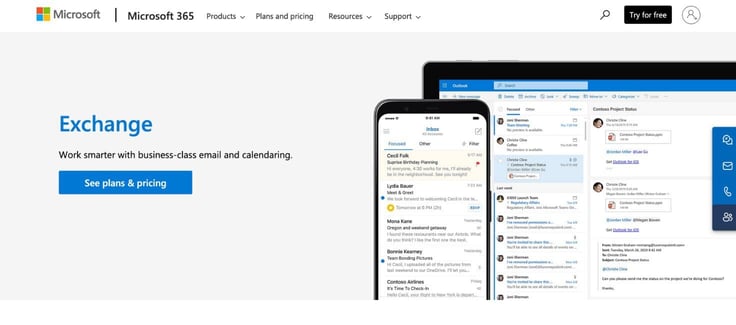
Below are some additional features to expect from Microsoft’s email hosting service:
Pros
- Custom business email (you@example.com)
- Advanced email filters and organization
- Large email size capacity
- Built-in data loss prevention policies
- Automatic spam and malware filtering
- Built-in data loss prevention (DLP)
Cons
- Storage caps at 50GB primary (lower than several competitors)
- Productivity tools are only included in highest tier
- No free trial & Pricey compared to other hosts on the list
- Some initial setup complexity
To secure this low price, however, you’ll need to make an annual commitment when you first sign up for Microsoft Exchange. If you are looking for monthly payments, Microsoft’s email hosting service may not be the best option for you. If you need more than 50GB per user, you must upgrade. To learn more about hosting with Microsoft Exchange Email, visit this page.
One more thing: The lower-tiered email hosting plans do not inherently come with other Microsoft products, such as Office applications, cloud storage, or video conferencing. For that, you’ll need to sign up for the highest-tiered (and most expensive) subscription.
12. Google Workspace ($7.00/user/month) — Best Features for Small Business
Another tech giant, Google, has one of the best email hosting services offered through its Google Workspace platform, formerly known as G Suite. Right now, new customers get 50% off the Starter plan for the first 12 months (deal capped at 20 users), bringing the entry price down to $3.50/user/month, then reverts to the standard $7.00/user/month rate.
The company’s email hosting service boasts many perks, including Gemini AI assistant in Gmail. There are benefits offered across four tiers: Starter, Standard, Plus, and Enterprise. You can also try any plan for free for 14 days before committing.
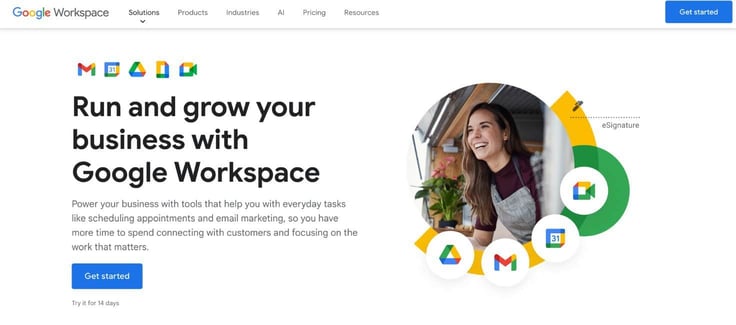
The Business Starter plan renews at $7.00 per month, which is a bit more expensive than the others on this list. So what does this plan have to offer? Let’s take a look.
Pros
- A complete suite of Google collaboration tools
- User access and permissions control
- Custom business email addresses
- Spam and phishing protection
- 14-day free trial
- Gemini AI built into Gmail for writing and summarizing
Cons
- Pricey compared to other plans on the list, after promo
- No offline option for apps
- Promotional rate is capped at the first 20 users only
- 30GB storage is modest. Standard Tier’s 2TB is a steep upgrade
Google needs no introduction when it comes to cloud hosting services, or even email. Gmail cornered 29.7% of the email client market in 2024, making it by far the most popular browser-based option. To be fair, that includes free Gmail accounts (example@gmail.com).
Google’s email hosting services may be more expensive than the others we have reviewed so far, but the packages come with additional benefits that boost overall value, especially Gemini AI, now built directly into Gmail rather than as an add-on.
Gmail’s smooth onboarding process has gained global popularity. Chances are, users know a thing or two about Google Workspace and have already interacted with the platform’s super-simple interfaces. The competitors are all undercutting Google to gain your business, and they’re not cutting corners.
We never hesitate to recommend a powerhouse like Google, which perfectly blends cutting-edge technologies with incredibly user-friendly experiences, but Gemini is also a free service. So why not take advantage of a better offer from industry-standard hosting email providers?
12 Cheapest Email Hosts: Full Comparison Chart
At a glance: here’s how all 12 cheapest email hosting services compare on price, storage, standout features, and who each one actually makes sense for.
Full comparison chart:
| Host | Price | Storage & Bandwidth | Unique Benefits | Best For |
|---|---|---|---|---|
| 1. Hostinger | $0.39/mo | 5GB–50GB SSD; sends up to 3,000 emails/day | Kodee AI writes, replies, and summarizes emails in your tone; smart inbox auto-organizes priority mail | Budget-conscious solopreneurs and multi-site owners who want AI-powered inbox tools at the lowest price |
| 2. Hosting.com | $2.99/mo | 10GB–100GB; unlimited bandwidth (bundled) | Titan AI Smart Write drafts emails in your tone; appointment booking and read receipts are built in | Businesses that want hands-on support to launch email marketing campaigns and the ability to scale |
| 3. IONOS | $1.10/mo | 2GB, upgradeable to 50GB; sends up to 500 emails/hour | Personal consultant assigned to your account; choice of IONOS mail, Microsoft 365, or Google Workspace | Artists, Solopreneurs, and Small businesses that want security plus a professional email for basic use |
| 4. Bluehost | $1.67/mo | 10GB–100GB; unlimited bandwidth (bundled) | Real-time anti-phishing; Google Workspace integration; free permanent cPanel email | WordPress site owners who want a free, permanent email option with a clear upgrade path |
| 5. HostGator | $1.99/mo (Pro Email separate, renews $2.99/mo) | 10GB–100GB SSD; unmetered bandwidth (bundled) | Free SpamAssassin and antivirus; Titan Drive on Ultra tier; full IMAP mobile access | Users who check email on the go and want mobile-friendly access without extra setup |
| 6. InMotion Hosting | $1.50/mo | 10GB free tier (bundled); Professional Email scales 10GB-100GB; unlimited bandwidth | Free domain registration; SPAM Safe™ IMAP; business-class hardware | Growing businesses that expect to scale their email needs over time |
| 7. DreamHost | $1.67/mailbox/mo (renews $1.99) | 25GB per mailbox; unmetered bandwidth | Ad-free webmail; spam filters that auto-adapt to new threats; 100% uptime guarantee | Businesses wanting generous per-mailbox storage with a path to unlimited on DreamPress/VPS |
| 8. ScalaHosting | $4.95/mo (renews $12.95/mo) | 50GB–150GB (unlimited on Cloud tier); fast NVMe SSD | -Free, effortless, no-downtime email migration -Professional SPF, DKIM & DMARC configured automatically -Anytime unconditional money-back guarantee | Businesses wanting unlimited mailboxes and domains without per-account pricing |
| 9. SiteGround | $2.99/mo (bundled only) | 10GB–100GB Google Cloud SSD; unmetered bandwidth | AI security blocks 99.99% of spam/viruses; built on Google Cloud; 99.9% uptime | Businesses that want unlimited email bundled with managed WordPress hosting |
| Alt. (10.) Rackspace | $10.00/mailbox/mo direct (Standard, monthly) | 25GB per mailbox; N/A | 100% uptime SLA; Cloud Drive and Office-compatible apps on Email Plus tier | Enterprises that already budget for premium, dedicated business-class email |
| Alt. (11.) Microsoft Exchange | $4.00/user/mo (Single User license) | 50 GB primary and 50 GB archive | Built-in data loss prevention policies, advanced email filters, and organization | Enterprises wanting business-class email with an annual commitment |
| Alt. (12.) Google Workspace | $3.50/user/mo | 30GB pooled storage per user | Full productivity suite (Docs, Meet, Calendar); Gemini AI in Gmail | Small businesses wanting complete collaboration tools bundled with email |
With the numbers laid out side by side, a clear pattern emerges: the cheapest sticker price isn’t always the cheapest long-term option, and “unlimited” rarely means unlimited without a few conditions attached. Before you commit to any of these providers, here are the questions we get asked most.
Top Questions: Email Hosting Q&A
You may still have questions, and we have answers. Jump to…
The Basics
- What Is Email Hosting? >>
- Website Hosting vs. Email Hosting: What’s the Difference? >>
- How Do I Choose the Best Email Hosting Plan? >>
- What Is the Best Email Hosting Provider for a Small Business? >>
Tech Specs & Features
- What Features Should You Look for in Email Hosting? >>
- Which Hosts Offer the Best AI Email Tools? >>
- How Do I Stop My Business Emails From Going to Spam? >>
- How much Email Storage do You Need? >>
- What Is the Difference Between IMAP and POP3? >>
Cheap Cost Savings vs Value
What Is Email Hosting?
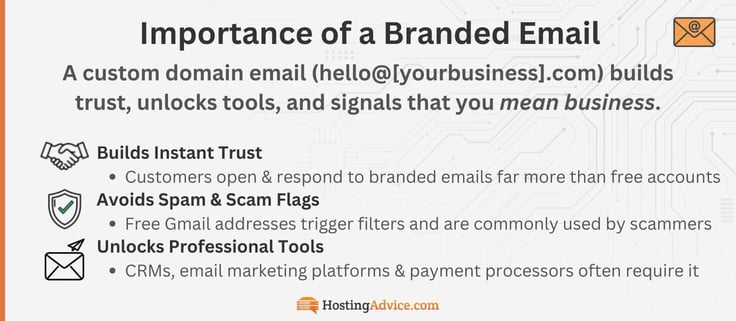
On the technical side, email hosting refers to a service in which a hosting provider rents out portions of its servers to its customers, so you can have a dedicated professional email. A professional email address is a custom-domain email tied to your business name — think info@yourbusiness.com instead of yourbusiness2003@gmail.com.
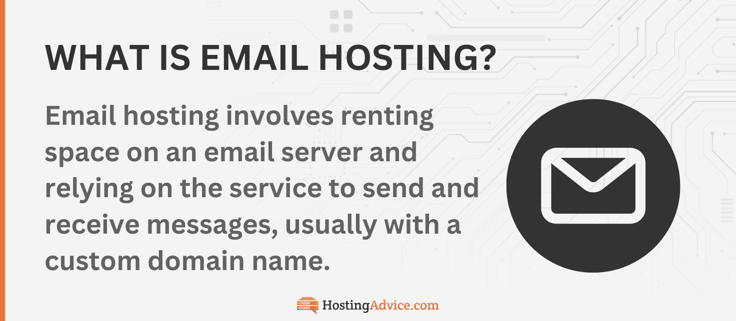
It sounds like a small detail, but it matters. Customers are more likely to trust, open, and respond to a branded email than a free one. Some tools like CRMs, payment processors, and email marketing platforms flat-out require a business-verified domain before they’ll let you in.
Every email you receive or send must first pass through an email server. When you think about a mail server, it basically works like your neighborhood mailman. Your mail has to go through the mailman and be sorted at the post office to reach its destination. This is exactly what mail servers do.
The server can even scan the email for malicious content and then determine whether the email is incoming or outgoing. The only difference is their actions are faster and invisible. A web server receives browser requests and delivers a website to visitors, while a mail server receives, routes, and delivers email messages.
SMTP (Simple Mail Transfer Protocol) is the protocol used by mail servers to send and receive email. User-level email clients (like Gmail, Yahoo, or Apple Mail) typically use an SMTP service to get your message to a server for delivery.
For incoming emails, the common protocols are POP3 or IMAP — we’ll go over those in more detail (see below).
Website Hosting vs. Email Hosting: What’s the Difference?
Website hosting and email hosting may sound like the same thing, but they’re not. Website hosting is when you make your website accessible online. To do this, you’ll need to store and serve website files on a server provided by the hosting company.
Here’s how this type of hosting works: when someone types your website’s domain name (like www.YourWebsiteName.com) or clicks a link, the server delivers the requested file to their browser. This allows them to view the content they want on your website.
For example, let’s say you run a blog. You’ve just finished publishing and sharing a new blog post with your readers. When they click on the blog title, the website will send a request to the server provided by the web host.
The server will find the requested information from its heap of web files, in this case, the blog you wrote, and then share it with the reader.
Email hosting operates in a similar fashion, but it specifically focuses on managing emails. In this setup, the web hosting company handles and supports email accounts along with related services.
With email hosting, you can create and use customized email addresses with your own domain name (e.g., info@YourWebsiteName.com). Once you’ve created the email account, the web host will provide the server that stores email messages and related data. That way, you can view, receive, and send emails.
Whenever you encounter this question, remember the main difference is that website hosting is all about managing website files, whereas email hosting focuses on handling email accounts and messages.
How Do I Choose the Best Email Hosting Plan?
With more than an estimated 4 billion active email users worldwide, email communication is even more popular than social media, which tallies an estimated 3.8 billion users.
The best email hosting package for you depends on several factors: budget, features, users, media, and more. For example, if you want to create multiple email accounts and have no definite number in mind, you may consider an email hosting plan that offers unlimited email accounts. See if these questions narrow down the best choice for you!
Questions to Narrow Down the Best Professional Email Host:
| Top Priority Need | Best Email Host | Notes |
|---|---|---|
| Tightest budget? | Hostinger ($0.39/mo) | Cheapest entry price on the list, though on a 48-month prepaid term |
| High email volume and marketing concerns? | Hosting.com, SiteGround | No daily/hourly sending caps disclosed, unlike Hostinger (3,000/day) or IONOS (500/hr) |
| Need multiple email accounts for employees and departments? | SiteGround, Hosting.com, ScalaHosting (Cloud tier) | Genuinely unlimited mailboxes, not capped-then-upgrade |
| Solopreneur, Artist, or Influencer & need just 1–2 accounts to start? | IONOS, Hostinger | Built for solo or small-team use at the lowest cost per mailbox |
| Transfer large media-heavy files often? | ScalaHosting (50–150GB+), Hosting.com (up to 100GB) | Highest storage ceilings on this list |
| Storage isn’t a priority, just need the basics for a cheap price? | IONOS (2GB), Hostinger (5GB) | Lowest storage, lowest price — fine for light, text-only use |
| Want AI writing tools without paying extra? | Hostinger, Hosting.com (base tier) | Only two hosts with AI included at entry pricing, not gated behind an upgrade |
| Deliverability and avoiding your email blasts hitting customer spam folders? | ScalaHosting | Dedicated IP addresses and auto-configured SPF/DKIM/DMARC |
| Want a flat rate, no frills, and no constant upsells? | DreamHost | One plan, everything included, no Plus/Ultra upsell ladder |
| Growing team that’ll need to scale to a larger enterprise? | Bluehost, HostGator, InMotion | Clear three-tier upgrade paths from entry to AI-powered top tier |
So, what’s the top pick based on this list? It can go two ways.
If price is the deciding factor, Hostinger wins outright. It’s the cheapest entry point, with AI tools included, no upgrade required to get business email essentials. But if you want room to grow without hitting a wall, Hosting.com is the stronger long-term bet: unlimited accounts, no sending caps, generous storage, and the same AI-at-base-tier value as Hostinger, just with fewer limits attached.
But don’t pay for more than you need. Even with these email hosts, you can upgrade later.
What is the Best Email Hosting Provider for a Small Business in 2026?
When it comes to the best email hosting for small businesses, Google Workspace has been the dominant email hosting provider, but at a cost. You’ll pay a premium for the Google name. If you know how to use Gmail, you shouldn’t have a problem using the business-grade email hosting service.
Google Workspace: Premium Email at a Cost
Google Workspace has four pricing plans: Business Starter, Business Standard, Business Plus, Enterprise. The best thing about all these plans is that they include the full suite of productivity tools from Google, such as video and voice conferencing, shared calendars, spreadsheets, and more.
In one way or another, you will need the products mentioned above when running your small business. Google Workspace earns its spot on this list for Gemini AI and its full collaboration suite, but it’s also the priciest option here once the promotional rate ends.
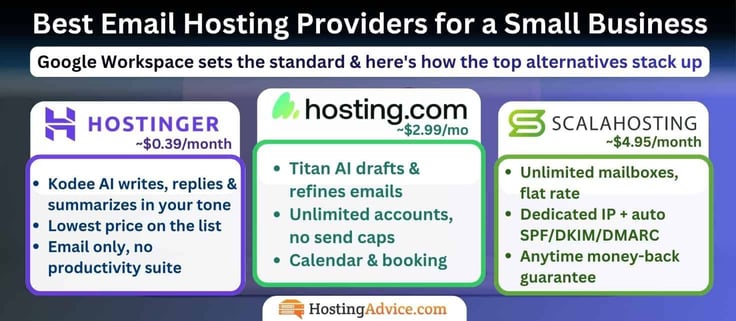
If the productivity apps aren’t the deciding factor for you, and you just need a great business email, these three are worth a look instead:
The Deciding Factors: if you want Google’s AI-and-collaboration formula for less money, Hosting.com is the closest match. If you just want excellent AI-assisted email and nothing else, choose Hostinger. If per-seat pricing is the real problem, ScalaHosting’s flat rate solves it.
1. Hosting.com ($2.99/mo): Best Overall Alternative
The closest match feature-for-feature. Titan AI (Smart Write) handles drafting and refining emails much like Gemini does in Gmail, and you still get calendar, contacts, and appointment booking built in. The real win is price: $2.99/month against Google’s $3.50–$7/user, with unlimited accounts and no sending caps to worry about.
2. Hostinger ($0.39/mo): Best Budget Alternative
Hostinger’s basic email plan is priced at $0.39 per month and remains affordable at $1.59/mo after renewal, making it the most cost-effective option in the long term. Start there, then scale. Kodee AI writes, replies, and summarizes emails in your tone. The trade-off is scope. You’re getting a great inbox, not a full productivity suite (Docs, Sheets, and Meet).
Hostinger’s Business Email Premium Plan is also worth checking out for under $2/mo. With 50GB of email storage, free antivirus check, one-click imports, 30 email aliases, agentic mail, and unlimited search, reply, summarize, and write (all with AI tools) for small businesses.
3. ScalaHosting ($4.95/mo): Best for Teams with Unlimited Mailboxes
Google Workspace charges per user, which adds up fast for growing teams. ScalaHosting flips that model. Its Cloud tier includes unlimited mailboxes and domains for one flat rate, plus a dedicated IP address and auto-configured SPF/DKIM/DMARC that Google doesn’t offer at any tier. You lose the AI writing assistant and the productivity suite, but you gain a support team that answers in an average of 15 seconds and an unconditional money-back guarantee, any time.
What Features Should You Look for in Email Hosting?
Email hosting providers manage the servers that contain the email accounts for your business. Such companies provide powerful tools created to make the transfer of emails from one party to another even more effective.
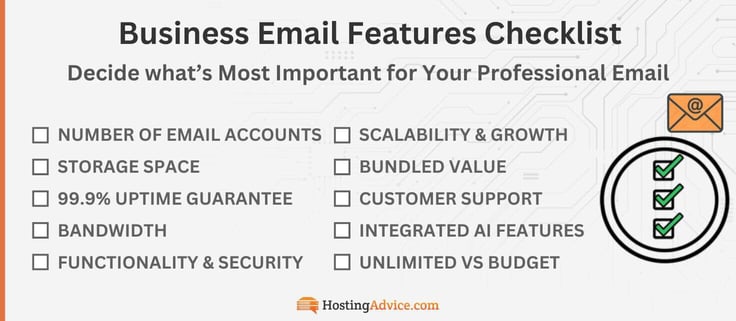
You can go through this list with your top choice!
Essential Email Hosting Checklist — 9 Things to Check Before You Buy:
- Number of accounts: How many separate branded addresses you actually need (support@, sales@, info@, etc.) vs. forwarding-only addresses (aliases)
- Storage space (per mailbox): The space available for messages, attachments, and synced copies across devices. 10GB minimum baseline, more if you send attachments often
- 99.9% Uptime guarantee: The percentage of time your inbox stays live and accessible. 99.9% standard, 99.99% is better
- Bandwidth/ Sending limits: Rather than bandwidth in the web-hosting sense, email hosts cap how many messages you can send per day or per hour (to avoid spam flagging). Check daily/hourly caps if you run marketing campaigns
- Functionality: Look for one-click software installations and integrations for tools like forms, subscriber list managers, marketing automation, CRM software, and other related programs.
- Security features: A good email host will protect its clients’ accounts from cybercrimes such as phishing, sending malicious files, and spam. Baseline expectations include SSL certificates, spam and virus filtering, and malware scanning included by default. For an extra layer, look for SPF/DKIM/DMARC and a dedicated IP. A dedicated IP address is a unique identifier that only your email traffic can use to prevent your emails from being sent to spam.
- Scalability & Growth: If you project your growth, is the top tier for your chosen host adequate? Can you add mailboxes without migrating everything?
- Trial vs. permanent pricing: Confirm the renewal rate before you commit. The baked-in features may be worth a steep renewal price, or a cheap option may be just enough
- Customer Support quality: Having access to real humans is still better. Also, which channels do you prefer? Chat? Phone? Be sure to check
- AI tools: This is where hosts differentiate today: AI-assisted writing, replying, and summarizing built into the inbox versus locked behind a paid upgrade. Can you do email templates? Are features built in from day one, or locked behind an upgrade?
- Bundle for Unlimited: Some hosts actually offer unlimited email if you simply host your website on their servers. Many webmail platforms, including Roundcube and Horde, are free. These email client dashboards are the interface through which you access your inbox.
Emails help in marketing, mobilizing, and triggering a particular reaction from the recipients. They make a huge difference in the world of digital marketing. An email hosting service, therefore, is well-equipped with the right tools and technologies to achieve your goals.
Which Hosts Offer the Best AI Email Tools in 2026?
In 2026, the biggest differentiator is AI, which makes day-to-day management much easier. 77.5% of business executives use AI to personalize marketing emails. Another perk worth checking for is compatibility with popular email clients like Zoho Mail, Microsoft Outlook, and Apple Mail. Most budget hosts support this out of the box, but not all.
The perks, automation, and functionality race has moved decisively into AI-powered inbox management, and it’s worth knowing which providers have made meaningful investments here versus which ones are still offering the same feature list from five years ago.
AI Email Tools by Host:
| Email Host | AI Writing & Reply Assist | AI Summaries | AI Templates & Campaign Tools | Price Tier/ Available At | Notes |
|---|---|---|---|---|---|
| Hostinger | Kodee AI writes, replies in your tone | Kodee AI summarizes emails | N/A | Standard tier and up (base price) | Only host with Agentic Mail — dedicated inboxes and triggered actions for AI agents |
| Hosting.com | Smart Write drafts/refines (Pro tier+); full Titan AI Reply & Compose (Ultra) | AI Summary (Ultra tier only) | Email campaigns, appointment booking (Premium tier+) | Base tier gets Smart Write; full AI suite requires Ultra ($5.99/mailbox) | Read receipts and Titan Drive are bundled alongside AI on upper tiers |
| IONOS | AI Email Assistant handles writing, scheduling, smart replies | N/A | N/A | Optional add-on for Webmail | Pairs AI with an assigned personal consultant (Unique to IONOS) |
| Bluehost | Email AI (Ultra tier only) | AI Summary (Ultra tier only) | Signature Designer, Email Designer, Email Campaigns (Ultra) | Locked behind Ultra ($5.83/mo) — not on base or Plus | No AI at the entry price point |
| HostGator | Email AI (Ultra tier only) | AI Summary (Ultra tier only) | Email Campaigns, Invoice Builder, Calendar Bookings (Ultra) | Locked behind Ultra ($5.83/mo) — matches Bluehost’s structure exactly | Same Titan-powered Ultra tier as Bluehost |
| InMotion | AI Writing Tools (Enterprise tier only) | AI Email Summary (Enterprise tier only) | Email Campaigns, Advanced Tracking, Invoice Builder (Enterprise) | Locked behind Enterprise ($5.24/mailbox) | Same three-tier Titan structure as Bluehost/HostGator, different tier names |
| DreamHost | Not inbox-specific (AI tools focus on site-building and content creation) | N/A | N/A | N/A | Best for WordPress content workflows, not email management |
| SiteGround | Not inbox-specific (AI tools focus on WordPress themes) | N/A | N/A | N/A | No dedicated AI inbox features at this time |
| Google Workspace | Gemini in Gmail: smart replies, writing suggestions | Gemini can summarize threads (Standard tier+) | Not specified for Starter tier | Basic Gemini access at Starter ($3.50–$7/user); expanded access at Standard+ | Most mature standalone AI implementation on this list, at the highest price point |
| Microsoft Exchange | Copilot Chat: writing assistance, web-grounded chat | Copilot Chat: data analysis and summarization | N/A | Included free with eligible Microsoft 365 subscription; requires Azure subscription for agents | AI access depends on which Microsoft 365 tier you’re on, not Exchange itself |
| ScalaHosting | Not currently offered | Not currently offered | Not currently offered | N/A | Markets human support instead of AI as its differentiator |
| Rackspace | Not currently offered | Not currently offered | Not currently offered | N/A | Same — “Fanatical Support®” human-first positioning, no AI features found |
The takeaway: if AI-assisted email is a priority, Hostinger offers it standard at the lowest price on this list, with Hosting.com and Google Workspace close behind at their respective price points. Everyone else either gates it behind an upgrade or hasn’t prioritized it yet.
Spam filtering, template libraries, and one-click integrations with tools like Google Workspace and Microsoft 365 still matter for day-to-day usability — but AI is quickly becoming the feature that separates a modern email host from one still running last decade’s feature list.
What is Titan and Why Would People Upgrade?
Titan’s whole pitch is that a free inbox gets you a professional-looking email, but it doesn’t get you a business toolset. As we’ve discovered, the professional email offerings are better and better, so you may never need to upgrade, but it’s important to know why people do. Once you’re actually running a growing eCommerce site, the gaps in email marketing needs start to show up:
- No way to know if a quote got read
- No scheduling link
- No AI helping you write faster
- No way to send more than a handful of messages a day without tripping spam filters.
Titan fills every one of those gaps, and on the top Ultra tier, it turns your inbox into something closer to a lightweight CRM. You don’t have to jump into the deep end of email marketing just yet. With Bluehost, HostGator, InMotion, and Hosting.com, you can upgrade if and when you’re ready. The option will be there.
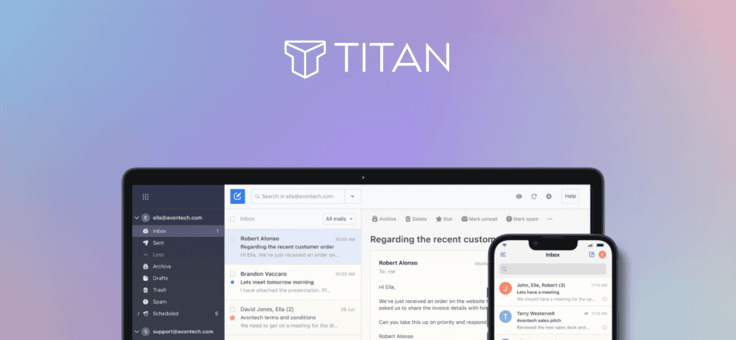
AI & Writing Tools
- Titan AI (compose, reply): drafts full emails or replies from a prompt, pick Professional, Casual, or Friendly tone, and it works in multiple languages
- AI Summary: condenses a long thread into the two or three lines that actually matter, so you’re not scrolling through twelve replies to find the decision
- Grammar & Spell Check: catches errors before they go out and make you look sloppy in front of a client
Sales & Marketing Tools
- Titan AI (compose, reply): drafts full emails or replies from a prompt, pick Professional, Casual, or Friendly tone, and it works in multiple languages
- AI Summary: condenses a long thread into the two or three lines that actually matter, so you’re not scrolling through twelve replies to find the decision
- Email Campaigns: send bulk, personalized emails without switching to a separate marketing platform
- Email Designer: build visually engaging, branded emails instead of plain text
- Titan Bookings (Appointment Booking): a scheduling page clients book directly, no back-and-forth
- Invoice Builder: create, send, and track invoices right from the inbox, no separate accounting tool needed
- Attachment & Link Tracking: see who opened a file or clicked a link, not just who opened the email
Productivity
- Read Receipts: know the second your pitch gets opened
- Send Later: write at midnight, land in someone’s inbox at 9am
- Follow-Up Reminders: a nudge when a thread’s gone quiet
- Email Templates: save your best responses and reuse them
- Priority Inbox: important messages surface automatically, noise gets pushed down
- Contact Groups: email a whole team or client list in one click
- Signature Designer: a signature that actually looks designed, with social icons and branding
- Undo Send: the “wait, no” button for a typo or missing attachment
Storage & Backup
- Titan Drive: dedicated cloud storage separate from your inbox
- Email Backup: automatic backup with restore anytime
Security & Deliverability
- Custom DKIM: proves to receiving servers you’re a legitimate sender, not a spoofer
- Advanced anti-spam and anti-virus: filters both directions, inbound and outbound
- Two-factor authentication and data encryption
- Higher sending limits by tier: the free tiers on most hosts cap out fast; Titan’s top tier allows up to 2,000 emails a day per mailbox, a real ceiling for anyone running actual campaigns
The honest way to think about it: a solo freelancer sending the occasional invoice will use maybe three things on this list. A five-person sales team running outreach, sending quotes, and booking calls will use almost all of it, and that’s exactly who Titan is built for.
Hosts like Bluehost, HostGator, InMotion, and Hosting.com plug directly into Titan, and it’s the same underlying product across all four, just priced and packaged slightly differently depending on which host is reselling it.
Average cost to upgrade: landing right around $5 to $6 a month per mailbox for the full Titan Ultra tier with AI compose, AI summary, email campaigns, and invoicing. HostGator‘s entry Pro tier is the cheapest door in at $1.99–$2.99/mo, but that only gets you the basics, no AI, no campaigns. If AI and marketing tools are the actual goal, budget for the Ultra-equivalent tier on whichever of these four hosts you’re using.
How Do I Stop My Business Emails From Going to Spam?
Shared IP addresses are the most common culprit. If your hosting plan puts your email on a server with hundreds of other accounts, and one of them gets flagged for spam, your deliverability can take the hit too. Do not pass GO, do not collect $200… Your emails just go straight to spam with no warning, until one of your customers mentions they haven’t seen your emails in a while.
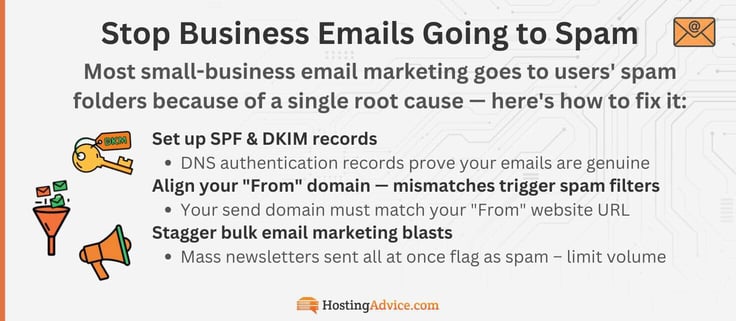
Beyond IP reputation, the other main fixes are:
- Set up SPF, DKIM, and DMARC records: these are DNS authentication records that prove (to receiving mail servers) that your emails are genuinely coming from your domain. Most hosts walk you through this in their control panel, and IONOS makes it particularly straightforward. It’s a must.
- Align your “From” domain with your sending domain: if your domain is yourbusiness.com but your emails say they’re coming from somewhere else, spam filters will flag it. Another reason for a domain-based email. They should be exactly the same. Spammers are known to exploit this by creating small variations. Get a dedicated IP address if deliverability is a high priority.
- Avoid blasting mass newsletters all at once: stagger large sends. In my experience, I can almost guarantee this is what got you in trouble. Hostinger caps Starter plan users at 1,000 emails per day, and IONOS at 500 per hour for exactly this reason. You thought it was just because they’re stingy? Nope, they’re protecting their server reputation. Sudden high-volume sends from a new domain are a classic spam signal.
Quick note: This is exactly why Bluehost and InMotion’s Professional Email upgrades use dedicated email infrastructure with built-in reputation management — it’s not just a premium feature, it’s a real solution to a real problem.
If you’re consistently landing in spam despite doing everything right, that’s usually the clearest sign it’s time to move to a host with dedicated IP infrastructure rather than trying to fix it from a shared server. Your email host may be able to help through the root server if you contact support.
How much Email Storage do You Need?
Emails generally do not take up much space. At their core, each email is essentially a text file. 2GB of storage can hold around 26,400 individual emails. So if you’re not a media company (sending full-resolution photos or HDR videos), then you don’t have to worry about inbox space for a while.
Email Storage Demands
(Example Files, Elements & Media)
- File Attachments (PDFs, docs, spreadsheets)
- Images & Media Attachements (newsletters & marketing)
- Spam and Junk folders
- Full Email Body Text & HTML Formatting
- Duplicate & Synced Copies (sent + received threads)
- Calendar Invites, Signatures & Metadata
- Available Storage
For the average small business, 2GB-5GB is plenty for a few years of professional communications. 10GB gives a ton of padding if you like to overprepare. If you run massive email campaigns, look to start with 5GB and go up to 20GB.
Now, if you will be sending heavy media files via your new professional email, it's best to figure out now what will take up the most space. Do you plan to send or receive large files via email and pay for cloud storage?
If so, you'll want an email hosting provider that offers generous storage to handle photos, mockups, slideshows, and videos.
You can work around sending large files by uploading files to a cheap cloud drive like Google Drive, iDrive, or Dropbox.. Then, simply share the weblink to that file. Implement a company-wide embed link-sharing policy (over "weighty" attachments) to save on email storage.
If you choose to use a business email provider with limited storage, be aware that file attachments, PDFs, media, spam, and marketing elements take up the most space.
You'll want to aim for at least 10 gigabytes of storage as a baseline for a media company. Even better, InMotion and SiteGround offer significantly more storage headroom as you scale. Whatever you choose, know that a few GB of storage goes a long way for a professional inbox!
What Is the Difference Between SMTP, IMAP, and POP3?
We've gone over SMTP. It's used to send your emails to recipients, e.g., the mail carrier!
SMTP (Simple Mail Transfer Protocol) is the protocol used by mail servers to send and receive email. User-level email clients (like Gmail, Yahoo, or Apple Mail) typically use an SMTP service to get your message to a server for delivery.
Both IMAP and POP3 are protocols that control how your email client (Outlook, Apple Mail, Gmail, etc.) retrieves messages from your mail server — but they behave very differently, and choosing the wrong one can cause real headaches.
IMAP (Internet Message Access Protocol) keeps your emails stored on the server and syncs them across all your devices (iPhone, computer, etc.) in real time. Read an email on your phone, and it shows as read on your laptop too.
For anyone using email across multiple devices (which is basically everyone), IMAP is the main protocol. It keeps mail inboxes synced. It's one of those features that disappear into the background and just works!
POP3 (Post Office Protocol) downloads your emails to one device (on the server temporarily) and typically deletes them from the server, after an email program downloads it. It's a bit outdated, and was designed for a world where people checked email from a single desktop computer.
Most hosts support all three protocols: SMTP, POP3, and IMAP. Unless you have a very specific reason to use it, like extremely limited server storage, there's almost no scenario where POP3 is the better option for a modern business. Don't worry about it.
The short version: use IMAP. Always.
Can I Get Email Hosting for Free?
You can get email hosting for free when you purchase a cheap web hosting plan from one of the providers we listed above. These plans usually come with premium features, such as a free domain name to match your website's branding, and creating a branded email address is usually built right into your existing account at no extra cost.
The catch?
- You may need cPanel, WordPress, or managed hosting to access a free tool like Roundcube
- It will likely use your site storage SSD and have send limits (500-1000 email/day)
- It will generally be bare bones, without all the fancy marketing tools in pro services (Titan & Outlook)
So, the real question is: why aren't you already making the most of your plan?
At the end of the day, any business-branded email is better than nothing. So, we'll go over the cPanel setup process. It's generally easy to set up (depending on your host).
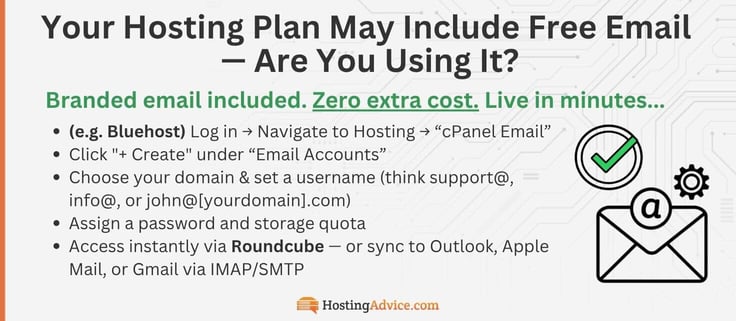
Bluehost (a great example):
- Log in & Navigate to Hosting
- Click cPanel Email
- Click "+ Create" under Email Accounts
- Choose your domain & set a username (think support@, info@, or john@[yourdomain].com)
- Assign a password and storage quota
And your professional email is live in minutes — no separate purchase required. You can read more with our full guide HERE.
From there, you can access it instantly via the built-in Roundcube webmail client (in Bluehost), or connect it to external apps like Outlook, Apple Mail, or Gmail using IMAP/SMTP for seamless multi-device syncing.
Alternatively, you can sign up for a free email provider like Gmail or Yahoo, but a free email is not a professional email. These free providers don't offer the same premium features as paid email hosts. You'll have less storage, fewer features, and a non-custom email domain, such as example@gmail.com.
What Is the Cheapest Email Hosting Service?
Email hosting services come with different packages and features. Therefore, it is not easy to conclude that a particular web hosting plan is always going to be the cheapest or best option for everyone's needs.
That being said, here are some of the most affordable options we've found that let you connect your email address to a custom domain name:
- Cheapest overall for business: Hostinger ($0.39 per month)
- Cheapest for email marketing: Hosting.com ($2.99 per month)
- Cheapest plan for artists, influencers and small business: IONOS ($1.10 per month)
- Cheapest (bundled) plan with unlimited email: (with website hosting) SiteGround ($2.99 per month)
- Cheapest plan with advanced security: HostGator ($1.99 per month)
- Cheapest plan with powerful NVMe SSD Storage: InMotion Hosting ($1.50 per month)
Some of these email hosts may appear even cheaper thanks to a promotion. You'll always want to pay attention to renewal prices (see renewal comparison chart), once your initial term ends. The fluctuating prices, due to market competition, keep these email hosting services affordable.
If you start with a provider that emphasizes affordable emailing, chances are they'll have favorable rates on the other stuff as well.
Right now, Hostinger $0.39/mo holds the title of the cheapest email host. But who knows? Tomorrow, or maybe next year, the situation could change. However, given the demand for email hosting, anything below $10 per month is relatively cheap — assuming the plan comes with the features to justify the higher price tag.
On the other hand, setting up a private email server from scratch, like building a website from the ground up, can cost hundreds of dollars, plus double figures each month to oversee. It's possible, but unnecessary.
Check out our list of the largest domain registrars in the world. This should help you get started whenever you need a domain to create your professional email address. You can purchase it separately from any website or email host.
Can I Get a Business Email Without Buying Web Hosting?
Well... sorta. You need email hosting, but the service often goes hand in hand with web hosting. It is very uncommon for a business to have a professional email, but no website to be found. You can buy your domain, web host, and email host separately and connect them.
Remember: Web hosting involves the tools needed to run your website, while email hosting focuses on sending, receiving, and storing messages.
Nearly 376.5 billion emails are sent each day, with nearly three-quarters of millennials preferring email as their favorite way to interact with a business. You'll need a landing page, at minimum, to send your potential customers to after they engage. At minimum, it requires you to purchase a domain from a domain registrar for the email, e.g., john@[yourdomain].com instead of john@gmail.com.
It's more likely you have a website and are shopping around for a connected email address with the same domain. Email hosting is one of the best ways to attain scalability for your email needs. When your small business expands, so does your email hosting plan. In that case, it is fairly common to have a separate host for email and website. Most providers walk you through this process during setup.
You just need to connect the two providers through DNS records. The best part is that it can be done with just a few clicks!
To connect your new business email to your current web host:
- You already own a domain: Whether it's registered through your web host or somewhere else, this is the one non-negotiable (email hosting needs a domain to attach to). Buy one if need be.
- Pick a standalone email host: Choose one (like Hostinger, Hosting.com, or ScalaHosting) instead of bundling with your existing web host, if their email offer is cheaper or better suited to your needs.
- Point your domain's MX records to the new email provider: This is a quick DNS change, usually a few fields in your domain registrar's dashboard. Most hosts provide exact instructions during checkout.
- Migrate existing mail if needed: Most providers include free migration tools to move old messages and contacts over without losing anything.
Once DNS propagates, usually within a few hours, your email runs independently of your website host, and each can scale on its own timeline. If you have the same host for your website and email, it make things much easier.
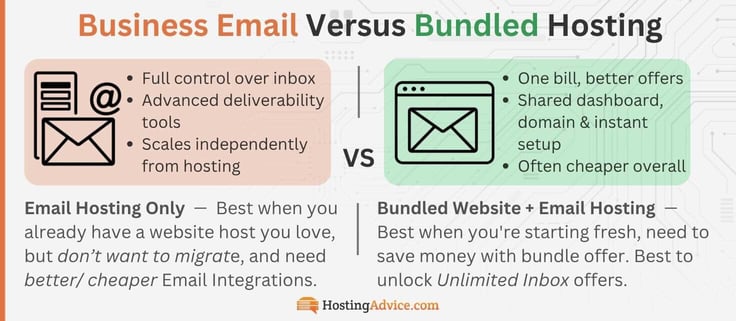
Email Hosting Only: Best when you already have a website host you love: full control over your inbox, dedicated deliverability tools, scales independently from your hosting.
Bundled Website + Email Hosting (same host): Best when you're starting fresh or want one dashboard: one bill, shared domain setup, often cheaper overall.
Will My Email Hosting Price Go Up After the First Year?
Every price on this list looks better on day one than it does on day 365. That's not a knock on any single provider, that's just how all email hosting pricing works. The intro offer period is a great time to take advantage of cheap pricing to get into a good workflow and operate your business email. Some of these providers permanently lock in unlimited email and other perks.
Some generous free trials are worth noting, but know the renewal price. Here's exactly which is which, so nothing catches you off guard at checkout, or worse, a year later.
Email Hosting Renewal Price:
| Provider | Promotional Price | Renewal / After Trial | Perks That Stay |
|---|---|---|---|
| Hostinger | $0.39/mo (Starter, 48-month prepaid term) | Renews at $1.59/mo (48-month term) | -Agentic Mail (dedicated inboxes + triggered actions for AI agents) -Spam, virus & phishing protection -End-to-end encryption |
| IONOS | $1.10/mo (Mail Basic 1, 3-year term) | Renews at $2/mo | -Free domain (as long as account stays active) -Ad-free email, no data selling -Spam filter and virus protection |
| Hosting.com | $2.99/mo (1-year discount term) | Standard ongoing discount | -Professional email "@yourdomain" -Rich webmail, calendar & contacts -Smart Write AI-powered responses |
| Bluehost | $1.67/mo | Renews at $2.50/mo (Bundled hosting + email: Free cPanel email is permanent; Professional Email is a 30-day trial) | -10GB email storage -Advanced anti-spam & anti-virus -Data encryption -Real perks come with web hosting |
| HostGator | $1.99/mo | Pro Email trial renews at $2.99/mo | -10GB email storage -Advanced anti-spam & anti-virus -Data encryption |
| InMotion | $1.50/mo (Growth tier, per mailbox) | Renews at $3.00/mo per mailbox (Email + Shared Hosting: Free cPanel email; Professional Email 30-day trial) | -10GB email storage -Advanced anti-spam & anti-virus -Data encryption |
| DreamHost | $1.67/mailbox/mo (Professional Email, annual billing) | Renews at $1.99/mailbox/mo (Auto-renews after 1 year) | -25GB mailbox storage -Advanced spam, virus & phishing protection -Automatic backups |
| ScalaHosting | $4.95/mo (StartUp tier) | ⚠️ Renews at $12.95/mo (Promotional intro offer, save 62%) | -No mailbox size limit or inode limit -Advanced SPAM filtering -Anytime unconditional money-back guarantee |
| SiteGround (Bundled ONLY) | $2.99/mo (StartUp, bundled hosting, prepaid 12 months) | ⚠️ Renews at $17.99/mo — steepest jump of any provider on this list, but includes web hosting. | Permanent (bundled) email included for the life of the plan, not a trial: -Unlimited email accounts (StartUp: 1 site; GrowBig/GoGeek: unlimited sites) -Free spam protection -Webmail access included |
| Rackspace | $10.00/mailbox/mo direct (Standard, monthly) | No discount, 14-day free trial | No long-term contract: -24/7/365 support -100% uptime guarantee -Premium spam & virus protection |
| Microsoft Exchange | $4.00/user/mo (Plan 1, paid yearly) | No Discount; Auto-renews annually | -Custom business email (you@example.com) -Automatic spam and malware filtering -100GB archive storage per user |
| Google Workspace | $3.50/user/mo (12 months at 50% off) | $7.00/user/mo standard rate after 12 months | -Custom business email (you@example.com) -Phishing and spam protection blocking 99.9%+ of attacks -Gemini AI assistant in Gmail |
The cheapest number on a pricing page rarely tells the whole story. A provider offering "unlimited email" permanently at $2.99/month may end up cheaper long-term than one advertising $0.59/month that renews at triple the price after year one.
Before you commit to any host on this list, check two things right here: is this rate permanent or promotional, and what does it renew at? Five minutes of due diligence now saves you a surprise credit card charge later on.
Final Takeaway: Pair Your Domain with the Cheapest Email Host
The cheapest sticker price rarely tells the whole story. That's been the throughline of this entire list. Some of the most affordable entry rates renew at double or triple the cost a year later, or sacrifice on features, storage, or specs. Some "unlimited" plans come only when you bundle.
The right pick often has less to do with price and more to do with what you actually need: AI-assisted writing, unlimited mailboxes, dedicated deliverability, or just a flat rate you buy and forget. Finding a cheap email host is a great start, but it's rarely the last piece you'll need. Once your inbox is sorted, chances are you'll also be looking at:
- WordPress install (like on Hostinger or Bluehost)
- Website themes & site builders
- Premium tools and plugins
- Web hosting security
The good news is you can always find the answers with our HostHelper™
AI Hosting Advisor tool and cheap web hosting deals on HostingAdvice.com. That's exactly why bundling with a provider you trust, and one that handles email, hosting, and everything around it under one roof, often saves more money and headaches than chasing the cheapest email plan.
Don't forget, our in-depth reviews break down exactly what you need to know about these providers: their services, pricing, pros and cons, and whether they're the right fit for what you're building. Also, be sure to follow us on social media!