

Writer: Lynn Cadet


Editor: Lillian Castro


Reviewer: Christina Lewis

For students searching for web hosting, the main challenge is often the lack of a budget for larger projects. Many simply can’t manage the upfront cost of a high-powered web hosting plan that can run between $100 and $200 a year.
That being said, students have two solid options when it comes to web hosting:
- Use an always-free hosting plan, which will have significant limitations.
- Use a cheap web hosting plan that comes with everything you need for a quality hosting experience. IONOS’ plans start for as little as $1.00/month.
I know you’re here for free web hosting. However, these plans tend to be very limited in resources and don’t come with perks like a custom domain name or free website templates. And trust me, these are important if you’re a beginner. Because of this, I’ll give you several options for both types of plans, starting with my top recommendations.
-
Navigate This Article:
The Best Cheap Hosting Plans for Students: Starting at $1.00/Month
The hosting plans listed below are super affordable and provide everything required for hosting a school project, blog, review site, or online store. Consider these options when your entrepreneurial spirit rises, and you devise a great idea for a side hustle. The best is when you get a free domain name included with the hosting plan on sign-up, as this saves about $10-$20 per year on average.
1. IONOS.com

Monthly Starting Price $1.00
- Most affordable option: Pay just $12 at checkout
- 1-click WordPress install gets you online in minutes
- Unlimited websites, storage, and databases
- Daily backups, free SSL, and 24/7 support
- Free professional email included
- Get started on IONOS now.


Christina Lewis
| Money Back Guarantee | Disk Space | Domain Name | Setup Time |
|---|---|---|---|
| 30 days | 10 GB SSD | FREE (1 year) | 4 minutes |
IONOS is one of the cheapest and best-value hosting providers on the market. Plus, getting a 30-day free trial via a money-back guarantee is easy if you decide the host isn’t right for you. However, given the host’s stellar reputation and service, that’s unlikely.
When you purchase a hosting plan from IONOS, you get all the standard bells and whistles of a shared hosting plan. These include access to a free website builder, a free domain name for your first year, and a free SSL certificate. Plus, the host uses SSDs, meaning your site will enjoy up to three times faster speeds.
2. Hostinger.com

Monthly Starting Price $2.69
- Best overall value: Nothing at this price comes close feature-for-feature.
- AI builds your site in minutes — no technical skills needed
- Up to 3 websites with free SSL
- Weekly backups and managed WordPress
- 2 business mailboxes free for 1 year
- Get started on Hostinger now.


Sead Fadilpasic

| Money Back Guarantee | Disk Space | Domain Name | Setup Time |
|---|---|---|---|
| 30 days | 20 GB SSD | FREE (1 year) | 3 minutes |
Hostinger is one of the best value hosting options for students, with plans starting at just $2.69/month — less than most people spend on a coffee.
For that price, you get 20 GB of SSD storage, a free domain, free SSL, and hPanel, Hostinger’s own intuitive control panel that makes managing your hosting account straightforward even if you’ve never done it before.
The plan supports one website and includes free Cloudflare CDN integration, weekly backups, and managed WordPress — more than enough to host a portfolio, résumé site, or student blog without worrying about performance or security.
3. Kamatera.com

Monthly Starting Price $4.00
- Customize your cloud environment for FREE
- Work with a dedicated account manager
- Dozens of Windows & Linux OS choices
- Complimentary live chat support open 24/7
- Launch in less than 60 seconds
- Get started on Kamatera now.


Surajdeep Singh

| Money Back Guarantee | Disk Space | Domain Name | Setup Time |
|---|---|---|---|
| 30-day FREE trial | 20 GB SSD – 4 TB SSD | New or Transfer | 3 minutes |
Kamatera is a great choice for students because it offers a free trial of its premium hosting services. Even though the offer is only valid for one month, that should be enough to access the required software resources for a student assignment.
Once you sign up for a 30-day free trial, you’ll need to verify your billing address, email, and phone number with an SMS code. You get $100 worth of free credits for your cloud server on the 30-day free trial. Each cloud server includes 1000 GB of cloud block storage and 1000 GB of outgoing internet traffic for bandwidth.
You have to finish credit card verification to access the platform on the free plan, which allows you to custom-configure a cloud server with any programming language, web server framework, and database format.
4. InMotionHosting.com

Monthly Starting Price $4.59
- FREE BoldGrid site builder and templates
- FREE website, domain, and cPanel migrations
- SSD storage makes your site load up to 20x faster
- Security suite includes SSL and hack protection
- Unlimited bandwidth and email accounts
- Get started on InMotion now.


Dave McQuilling

| Money Back Guarantee | Disk Space | Domain Name | Setup Time |
|---|---|---|---|
| 90 days | 100 GB SSD – Unlimited SSD/NVMe | Select Plans | 5 minutes |
The InMotion Hosting free domain registration offer is similar to Bluehost, although InMotion Hosting also includes a free website migration with every plan. InMotion Hosting maintains platform services for shared, managed WordPress, VPS, dedicated, and reseller hosting.
The free offers for students at InMotion Hosting are the same as for other customers. You get a free domain name registration with support for PHP development, as well as Python, Node.js, Ruby, and GIT version control. The upgrade to NVMe SSD storage is also included in the price.
5. Bluehost.com

Monthly Starting Price $1.99
- Beginner-friendly setup with free domain for the first year
- AI-powered site setup with 1-click WordPress install
- Free CDN, malware scanning, WAF, and DDoS protection
- Weekly backups + 99.99% uptime SLA
- WordPress.org recommended host since 2005
- Get started on Bluehost now.
Sead Fadilpasic
| Money Back Guarantee | Disk Space | Domain Name | Setup Time |
|---|---|---|---|
| 30 days | 10 GB NVMe SSD | FREE (1 year) | 5 minutes |
With the shared hosting and managed WordPress plans at Bluehost, new customers will get a free domain name for the first year. This offer does not apply to its VPS and dedicated server plans, even though the plans will support unlimited domain names with cPanel.
Bluehost does have a 30-day money-back guarantee on hosting plans. WordPress hosting on shared hardware is cheaper than most textbooks sold for college courses on campus and includes an extensive set of knowledge base resources for learning web development online.
6. HostArmada.com

Monthly Starting Price $1.99
- Cloud-based NVMe SSD servers across 11 global data centers
- 7 daily backups, free SSL, and Imunify360 WAF protection
- Free cPanel, Softaculous 1-click installs, and website migration
- 45-day money-back guarantee — longer than most hosts
- 24/7/365 support via phone, chat, and tickets
- Get started on HostArmada now.
Christina Lewis
| Money Back Guarantee | Disk Space | Domain Name | Setup Time |
|---|---|---|---|
| 45 days | 15 GB NVMe SSD | FREE (1 year) | 3 minutes |
HostArmada hosting plans are full of free offers. Customers get a free website migration, free SSL certificates, a free cPanel license, daily backups, and website caching — all for less than a Starbucks Pumpkin Spice Latte. The HostArmada basic plan is a genuine bargain for students.
HostArmada has risen to the top of the web hosting industry in a few short years by building a cloud hosting platform on SSD-driven hardware. HostArmada cloud server hardware is specifically optimized for WordPress, open-source scripts, web developers, and resellers.
7. HostGator.com

Monthly Starting Price $3.75
- Free domain name, SSL certificate, and CDN included
- Unmetered bandwidth — no limits on traffic or storage
- 1-click WordPress install and easy cPanel control panel
- 30-day money-back guarantee, no long-term contracts
- Get 66% OFF by buying 36 months upfront
- Get started on HostGator now.


Lynn Cadet
| Money Back Guarantee | Disk Space | Domain Name | Setup Time |
|---|---|---|---|
| 30 days | 10 GB SSD – 100 GB SSD | FREE (1 year) | 4 minutes |
HostGator is another cPanel-based hosting company where you get a free domain name and a suite of bonus offers on signing up for a new account. The company maintains the same tiered pricing structure on shared, dedicated, VPS, managed WordPress, and reseller plans as other companies in the industry. Some HostGator plans include free Cloudflare CDN integration.
HostGator, Bluehost, and InMotion Hosting all provide similar platform services. Students seeking free hosting or special discounts for their projects will have to contact customer service with any requests for project support. HostGator includes as much as $600 in ad credits on plans and other developer tools to distinguish their services from industry competitors.
8. SiteGround.com

Monthly Starting Price $2.99
- FREE website transfer service to get started
- 99.9% uptime guarantee and unlimited traffic
- User-friendly WordPress installation
- 24/7 support featuring custom systems
- 4 caching options plus staging and Git
- Get started on SiteGround now.
Lynn Cadet
| Money Back Guarantee | Disk Space | Domain Name | Setup Time |
|---|---|---|---|
| 30 days | 10 GB SSD – 100 GB Google Cloud SSD | FREE (1 Year) | 6 minutes |
SiteGround does not offer cPanel hosting or any free plans for customers on their platform. The best you can do is a 30-day money-back guarantee. Instead, students will receive a highly optimized WordPress development platform with a custom AMP to manage their websites.
SiteGround customers get free SSL certificates, free WordPress installation, free email, CDN services, and developer tools. You also get a free website migration to the platform. Managed WordPress plans include auto-updates and daily backups, with the price for a single website currently listed at bargain rates for new users. Unlimited domain name plans cost a bit more.
Free Hosting Plans for Students
The plans listed below offer completely free hosting but may be limited to subdomain support, include fewer platform security features, insert ads on pages, and require restrictive bandwidth or storage limitations. They’ll get the job done, but they aren’t fancy.
Most of these providers (with the exception of GitHub Pages) are best for students building portfolio sites or personal projects. However, for dev and design students, your best option is to purchase a cheap hosting plan instead.
9. InfinityFree
If you are developing with LAMP scripts, InfinityFree hosting is arguably the best free service in the marketplace for student projects. The platform is always free and does not limit the number of domain names you can support. You can install up to 400 MySQL databases on the plan.
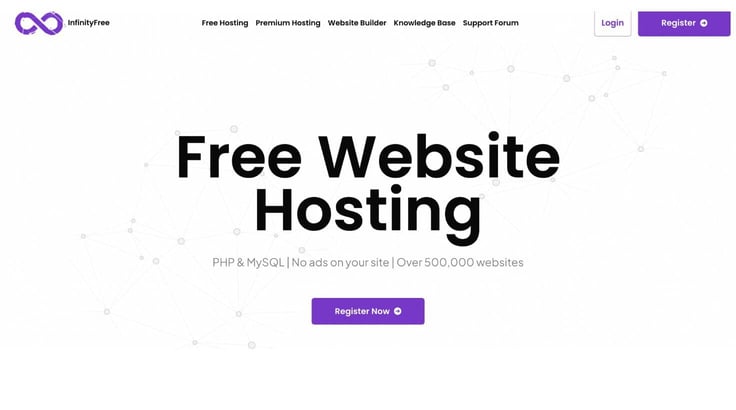
With InfinityFree hosting, there’s no need to worry about a free trial expiring or explaining why you want a refund after 30 days. You get 5 GB of storage and access to over 400 open-source scripts with Softaculous. Students can utilize the “one-click” installation features to gain experience with WordPress, Drupal, and Joomla, perfect for job training.
10. x10 Hosting
The x10Hosting motto is “Free hosting for the masses!” If you want a free student account, consider x10 Hosting, one of the best. The company allows clients to use the DirectAdmin control panel for multi-domain publishing on managed LAMP servers.
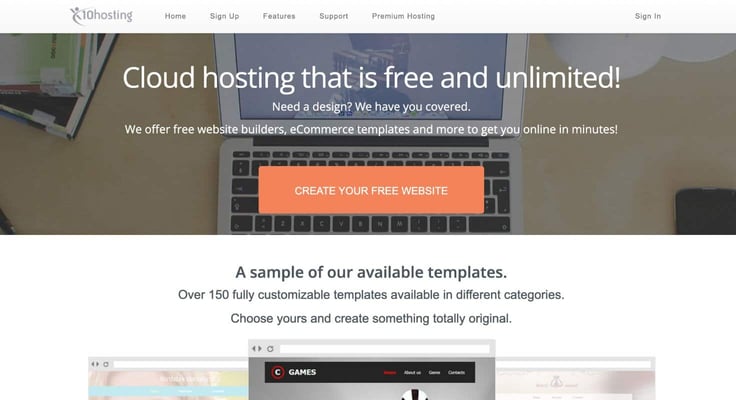
The x10Hosting free plan will only support three domains and two databases. Otherwise, it is not time-limited and will remain billed as “always-free.” Students can use a free site builder with 100s of themes or use Softaculous to install WordPress, Drupal, Joomla, and other popular CMS scripts. x10Hosting delivers a suite of professional development tools that are industry standard. This is recommended if you’re looking to learn web design.
11. GitHub Pages
If you really want to impress your professor with a website backed by free hosting, choose GitHub Pages for the presentation. The service is increasingly being used in academia in support of papers with code. GitHub pages link directly to and run from your GitHub archive.
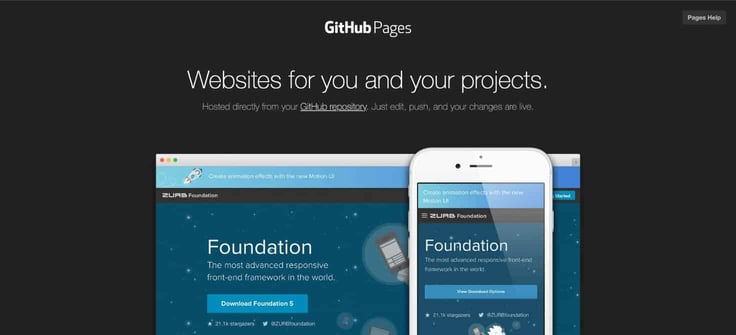
Proving to employers that you are already using Git version control in teams and publishing original code to a GitHub repository will score the highest marks in job interviews. Although GitHub Pages has none of the features of cPanel, you can build great sites easily with Jekyll.
12. ByetHost
ByetHost has been providing free hosting services on LAMP servers since 2005. If you find yourself needing a free account for a student project in the middle of the night, it’s a reliable choice. ByetHost plans come with VistaPanel and Softaculous, allowing you to launch new websites in just a few minutes.
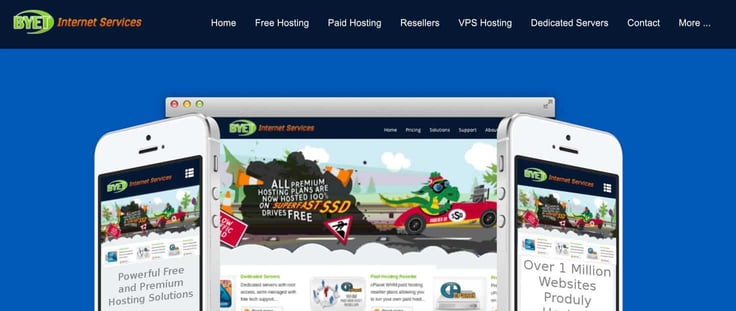
If the 1 GB of storage on the free hosting plan at ByetHost is not enough for you, contact the customer support department and pitch your project to them. You can host five domains with database support on the free plan with 50 GB of monthly bandwidth, sufficient for publishing student portfolios and resumes.
How Do You Get Free Domains and Hosting for Students?
Students need to start with the computer science department at their university and use the resources provided by their program. Students usually receive ISP access and free email services from their university but no web hosting support, free WordPress, or domain name registration services.
For hosting, computer science and humanities students may have different requirements. Consider whether ease-of-use or complexity of configuration is more important.
Most students can blog on WordPress.com for free, but will need to pay to register a new domain name and upgrade to a subscription account to use it. Students can register a new domain name (i.e., .com, .org, .net, or hundreds of others) for free on many budgets, shared hosting, and cloud VPS plans. Determine how many computing resources your project needs to decide what plan is right for you.
When you are developing academic research outside of university resources, the requests for GPU/TPU hardware services should be organized under a formal grant program. Independent research can appeal through private communication and pitch decks to cloud hosts for free website hosting.
You will have the most support from AWS, Google, and Microsoft if you can prove your academic credentials. Otherwise, try contacting customer support and billing agents.
If you’re new to eCommerce, whether as a side hustle or a major business plan, you’re in good company. Don’t expect student discounts when you’re working solo. But here’s how you can offset costs: monetize your blogs using free WordPress hosting and Google AdSense. Also, ensure each domain has a free SSL certificate.
How Can I Get Free Hosting After Graduation?
Free hosting is available from many companies with the caveat that publishers often need to use a subdomain with their content. You can blog at WordPress.com with a URL structure of https://[username].wordpress.com, and many companies offer a variety of this methodology on the best free web hosting platforms. Most people prefer to remove third-party branding and pay for a custom domain.

HostingAdvice has compiled extensive lists of the best completely free, almost free, and budget web hosting companies with resources to support millions of page views per month on a WordPress website when properly configured with page caching. Look for sites with free Cloudflare CDN offers for the best web hosting for higher Google PageSpeed test scores.
Tip: By opting for a shared hosting account that includes custom domain name support, free domain registration, and preconfigured PHP, MySQL, and WordPress options, you can keep costs low at just $3 to $5 per month. If you’re truly committed to enhancing your web presence, consider skipping a monthly Pumpkin Spice Latte at Starbucks and upgrading to a more reliable hosting plan.
Shared web services with open-source software like hosting.com are cheap and level the playing field with large corporations dominating the marketplace. In comparison, public cloud hosting is expensive and allows you to scale to Netflix, Pinterest, or GoDaddy traffic levels. Use the free tier at AWS until your site gains traffic to get access to the best tools, take a look at InfinityFree, ByetHost, and X10 Hosting for always-free LAMP server plans.
How Do I Choose a Hosting Plan?
The best way to choose a web hosting plan is by looking at the value of the complete package, which includes:
- The hardware configuration
- Managed web server stack software
- Database services
- Web development tools
- Content delivery network (CDN)
You should prioritize NVMe SSD storage with companies like InMotion Hosting for the fastest page load speeds when hosting scripts in production. Most free hosting plans can’t afford this option, so you’ll get slower speeds.
In other instances, the project requirements determine the choice of a web hosting plan. You need to run Python, develop on ASP.NET, or install Varnish Cache for a high-traffic WordPress site. On these projects, you may be better off choosing a VPS hosting plan over shared hosting platforms because of the level of custom programming or planned development.
Tip: Start by conducting a preliminary audit of the resources your project will need. Then, review different marketplace options to find the hosting plan that offers the best value for what you need.
PHP, Python, Node.js, Ruby, and ASP.NET are all specialized hosting environments that you should plan for specifically by choosing the best hosting provider for the project. This means the first choice for hosting services will be Windows versus Linux servers.
Keep reading to see the steps to choose a host and plan.
1. Set Goals for Your Website
Your audit should be independent of the wireframe or mock-up designs created for a website or eCommerce store. The audit should emphasize the resources required for the website’s goals. If you choose to run an eCommerce store on a free hosting plan, there are thousands of open-source options already available. The same applies to blogs, wikis, project management, and forum software.
With web hosting, you independently own and manage scripts, databases, and user information. Setting the goals for your website in advance will assist you the most in determining the need for shared, VPS, or cloud hosting accounts. Your audit will include estimates for the level of web server hardware required to support the web traffic or data processing in production.

Tip: Make sure to include a path for upgrading features and adding new functionality to your web/mobile apps with a free hosting service. Don’t overlook the requirements for cloud compliance in eCommerce and social networking, which include GDPR standards for data.
2. Determine Your Budget
While the best values in shared hosting plans with a free 1-year domain name registration hover in the $1 to $4.95 per month range, you can still host a single site for $1 per month. Free hosting is best for personal blogs, nonprofit projects, short-term promotions, SEO campaigns, and niche sites. We recommend nearly free plans billed at less than a cup of coffee over the Google Cloud Platform. They are usually easier to use and maintain over time.

Web hosting may cost more than $500 per month if you purchase a dedicated server, which isn’t usually necessary. Make sure to use your site audit to plan for cloud hosting resources instead, and don’t pay for excess hardware capacity until you need it to support traffic.
Upgrading from shared hosting to a VPS plan costs $5 to $20 per month. You can dial up new resource configurations for VPS & VMs in real-time until they support more vCPUs/RAM than a dedicated web server.
For portfolio websites, consider free student hosting on Google Sites or GitHub Pages as alternatives to WordPress.
3. Compare Features
Web caching, load balancing, and global data center support through edge networks or a CDN are crucial “behind the scenes” aspects of data center management that distinguish the quality of a web host. Typically, the hardware configuration is key, such as faster CPUs and more RAM with NVMe SSD storage. Any platform still using HDDs will perform up to 20 times slower.

Turbo servers guarantee low-density account allocations to hardware and include integrated caching. Web servers will perform processing of I/O requests more quickly if fewer domains are running on the same hardware. Caching ensures the server can resend pages without making complex database queries on every render. Other features relate to the control panel options and unlimited bandwidth.
Know your level of experience and choose a hosting plan accordingly.
Is Free Hosting as Good as Paid Hosting Plans?
The free hosting plans at AWS, Kamatera, IONOS, and InfinityFree are not limited or throttled as to which services can be used, but are limited by how much web traffic or data processing they will support.
The other options for student web hosting are subscription-based or pay-as-you-go approaches. Free hosting is not as good as paid hosting, or most hosting companies would fail. Some of the free sites listed above have viable equivalent services.
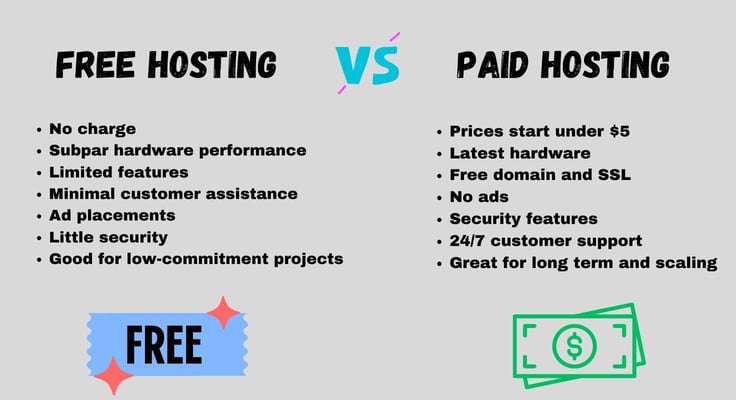
You won’t get the latest, elite web server configurations with free hosting plans because this hardware is reserved for premium accounts. But the platform resources are the same if you are running on WordPress.com, IONOS, Kamatera, Google Sites, or AWS Free Tier. Students can benefit the most by applying for free hosting with a personal appeal showcasing research value.
A free web hosting service from established brands can be trusted as an easy way to jump-start projects. Using a completely free account lets anyone get access to powerful publishing tools.
Consider a Cheap Hosting Plan for Better Performance and Features
Students have different needs for web hosting. Some just want to learn development with GitHub and the latest frameworks. Others have professional research to present or are engaging in statistical analysis with machine learning. Many students want a personal blog to express their thoughts or a cheap eCommerce site to sell goods for extra income.
Whatever your project, the paid options at the top of this list — starting at just $1.00/month with IONOS — give you everything a free plan can’t: a custom domain, real customer support, and hardware that won’t let you down when your deadline is tomorrow. Free hosting will always be there as a fallback, but for anything you actually care about, a cheap paid plan is worth every penny.
HostingAdvice.com is a free online resource that offers valuable content and comparison services to users. To keep this resource 100% free, we receive compensation from many of the offers listed on the site. Along with key review factors, this compensation may impact how and where products appear across the site (including, for example, the order in which they appear). HostingAdvice.com does not include the entire universe of available offers. Editorial opinions expressed on the site are strictly our own and are not provided, endorsed, or approved by advertisers.
Our site is committed to publishing independent, accurate content guided by strict editorial guidelines. Before articles and reviews are published on our site, they undergo a thorough review process performed by a team of independent editors and subject-matter experts to ensure the content’s accuracy, timeliness, and impartiality. Our editorial team is separate and independent of our site’s advertisers, and the opinions they express on our site are their own. To read more about our team members and their editorial backgrounds, please visit our site’s About page.