

Writer: Surajdeep Singh


Editor: Lillian Castro


Reviewer: Christina Lewis

Think of web server software as a puppeteer — it pulls all the strings when a user requests data through a web browser. I use Microsoft Edge, for example, and read several articles and blogs daily (what can I say, I am a sucker for knowledge). Each time I click on a webpage link, the web server software associated with the website delivers the requested content to my web browser in a jiffy.
This process, however, is not as simple as it seems. As you may already know, all files of a website are stored on a distant server (or servers) in a datacenter location. The web server software is responsible for locating the files you requested, converting them into a readable format, and delivering them to your screen, all in double-quick time so you do not lose interest and bounce.
While there are tools to significantly speed up how content gets to your browser, like server-side caching, some web server software is naturally faster and more powerful. NGINX stands out as the market’s favorite for good reasons (which we will dive into soon!). Without further ado, here are the top NGINX hosting providers.
-
Navigate This Article:
Best Cheap NGINX Hosting Providers
A cheap NGINX hosting experience is made possible by these leading shared hosting providers. SiteGround, in particular, is a magnificent option, and it has the distinction of being among the few web hosts that have been given a perfect rating by our team.
While you cannot maximize the abilities of NGINX with a shared hosting plan, it is a great entry point — you can easily upgrade your hosting category when you are ready to scale your business.
1. HostArmada.com

Monthly Starting Price $1.99
- Cloud-based NVMe SSD servers across 11 global data centers
- 7 daily backups, free SSL, and Imunify360 WAF protection
- Free cPanel, Softaculous 1-click installs, and website migration
- 45-day money-back guarantee — longer than most hosts
- 24/7/365 support via phone, chat, and tickets
- Get started on HostArmada now.


Christina Lewis
| Money Back Guarantee | Disk Space | Domain Name | Setup Time |
|---|---|---|---|
| 45 days | 15 GB NVMe SSD | FREE (1 year) | 3 minutes |
The word “armada” means “a fleet of warships.” True to its name, HostArmada delivers a fleet of sturdy shared hosting plans. HostArmada’s shared plans are a tad more special than most competitors, as they are cloud-based and fully managed — an enticing combination.
You can choose from three plans, each of which provides great value for the money. HostArmada gives you an option between NGINX and LiteSpeed web server software. The Web Warp plan is equipped with NGINX and offers the best value for the money. It includes unlimited websites, average SSD storage space, multiple PHP versions, and 14 daily backups.
It also offers malware scanning and removal, a web application firewall (WAF), and an IP firewall. For features like dynamic caching and enhanced webpage loading speed, you will have to purchase the high-priced, LiteSpeed-powered Speed Reaper plan.
2. ScalaHosting.com

Monthly Starting Price $2.95
- Rated 4.9/5 on Trustpilot with 2,000+ reviews
- Turbo-fast NVMe SSD storage on all plans
- 1-click WordPress install with free migration & guided setup
- Daily backups, free SSL, and AI-powered security (SShield)
- Price lock guarantee — your rate never increases
- Get started on ScalaHosting now.


Laura Bernheim

| Money Back Guarantee | Disk Space | Domain Name | Setup Time |
|---|---|---|---|
| Anytime | 10 GB NVMe SSD | FREE (1 year) | 6 minutes |
ScalaHosting is another fascinating option for shared hosting enthusiasts. It is the top-rated web hosting provider on TrustPilot, with a 5.0/5.0 TrustScore rating, and it backs up this promise by offering four supremely packaged shared plans. If an NGINX web server is what you need, the pricier Entry Cloud plan is your only choice.
While it is nearly five times more expensive than the entry-level Mini plan, the Entry Cloud plan provides the greatest speed and highest security, justifying its high price tag. Features of repute include unlimited websites, unmetered bandwidth, the highest grade of security, guaranteed CPU and RAM resources (this is a big deal in shared hosting), and unlimited emails and databases.
Other notable features are daily offsite backups, real-time malware protection, blacklist monitoring, scalable storage, and branding tools.
3. InMotionHosting.com

Monthly Starting Price $4.59
- FREE BoldGrid site builder and templates
- FREE website, domain, and cPanel migrations
- SSD storage makes your site load up to 20x faster
- Security suite includes SSL and hack protection
- Unlimited bandwidth and email accounts
- Get started on InMotion now.


Dave McQuilling

| Money Back Guarantee | Disk Space | Domain Name | Setup Time |
|---|---|---|---|
| 90 days | 100 GB SSD – Unlimited SSD/NVMe | Select Plans | 5 minutes |
InMotion Hosting swears by NGINX and prefers it over LiteSpeed, as the web host can use and modify the web server software without forcing you (its customers) to purchase a software license. This means InMotion Hosting is the first web host on our list with no web server-based plan restrictions in place — you can purchase any shared plan that meets your fancy.
InMotion Hosting’s shared hosting segment emphasizes easy management, developer-friendliness, and 24/7 human support. We recommend opting for the Power plan, at a minimum, as it offers unlimited websites, NVMe SSD storage, and bandwidth. You could not ask for more. Enhanced UltraStack performance is a bonus.
Features like unlimited email addresses, advanced caching, top-notch security and marketing tools, Hosting Plus, and outstanding customer support are worth mentioning too.
4. SiteGround.com

Monthly Starting Price $2.99
- FREE website transfer service to get started
- 99.9% uptime guarantee and unlimited traffic
- User-friendly WordPress installation
- 24/7 support featuring custom systems
- 4 caching options plus staging and Git
- Get started on SiteGround now.


Lynn Cadet

| Money Back Guarantee | Disk Space | Domain Name | Setup Time |
|---|---|---|---|
| 30 days | 10 GB SSD – 100 GB Google Cloud SSD | FREE (1 Year) | 6 minutes |
I have sung SiteGround’s many praises, so one more should do no harm. You can’t go wrong with a SiteGround shared hosting plan. NGINX is offered by default with each of SiteGround’s shared and cloud hosting plans, so select the best one for you. While the GrowBig plan offers the greatest value for the money, the GoGeek plan is what you should aim for.
It includes unlimited websites, decent web space, unmetered bandwidth, daily backups, and proactive security monitoring. It also comes with a content delivery network (CDN) subscription, managed WordPress, and out-of-the-box caching. Unlimited databases, on-demand backup copies, private DNS, and the highest tier of resources are some other outstanding features.
Additionally, you can take advantage of a custom PHP setup to enhance your website’s speed. SiteGround sure does offer web hosting that is “built for your success!”
Best VPS NGINX Hosting Providers
Now we’re talking. Virtual private server (VPS) NGINX hosting providers permit you to use the capabilities of NGINX to the fullest. With an NGINX VPS hosting plan, you can optimize your NGINX configuration, use the web server as a reverse proxy, implement load balancing, and use NGINX as a caching server.
While VPS hosting is more expensive than shared hosting, if your priority is a complete NGINX hosting experience, read on.
5. Kamatera.com

Monthly Starting Price $4.00
- Best for developers: Fully customizable cloud VPS — choose your exact CPU, RAM, and storage
- Intel Xeon Platinum/Cascade Lake CPUs & NVMe SSD
- 20+ global data centers across 4 continents, with 99.95% uptime
- Hourly or monthly billing, only pay for what you use
- 30-day free trial with $100 credit — no commitment needed
- Get started on Kamatera now.


Surajdeep Singh
| Setup Time | Disk Space | CPU | RAM |
|---|---|---|---|
| 5 minutes | 20 GB NVMe – 4 TB NVMe | 1 – 32 cores | 1 GB – 128 GB |
Kamatera is another highly-rated web host at HostingAdvice. Its enterprise-grade, performance-oriented cloud infrastructure provides unlimited flexibility, a pay-what-you-use pricing model, and around-the-clock service of technical support specialists. Kamatera’s Virtual Private Cloud (VPC) is one of its most popular offerings.
As you may have guessed by now, Kamatera offers a cloud-based VPS service through VPC. You can self-provision and self-configure your cloud infrastructure through Kamatera’s streamlined management platform and scale its capacity almost instantly. To begin, simply select your server configurations and create the server. And yes, Kamatera offers NGINX with its VPC.
There are hardly any restrictions in place, so bundle as many resources as you require into your plan, select a pricing model (per hour or per month), and click on the Sign Up button to proceed. You can even equip your VPS with a custom operating system.
6. Hosting.com

Monthly Starting Price $9.99
- AMD EPYC processors and NVMe SSD storage on all plans
- Full root access — install tools, containers, and custom stacks
- Choice of Ubuntu, Debian, or AlmaLinux with optional cPanel
- 10 global data centers with free CDN and 99.9% uptime SLA
- 24/7/365 in-house support — no outsourcing, no bots
- Get started on hosting.com now.
Christina Lewis
| Setup Time | Disk Space | CPU | RAM |
|---|---|---|---|
| 7 minutes | 20 GB NVMe – 450 GB NVMe | 1 – 10 cores | 1 GB – 32 GB |
If we were to put each of our listed web hosting providers on a racing track, hosting.com would probably overtake all of them by the time the race was over; Yes, hosting.com is that fast. It is far from just a speedster, though. Hosting.com is one of the most well-rounded web hosts in the industry. It also happens to offer some of the best VPS plans I have come across.
Hosting.com offers the option of a cheap, unmanaged VPS experience; The Runway 1, Runway 2, and Runway 4 plans are perfect if your budget is on the lower side. While these plans are not hosted on hosting.com’s Turbo Servers, they offer entry-level VPS hosting features and are a good choice. If you have greater financial abilities, we recommend the Supersonic 8 plan.
Hosting.com also provides six managed VPS plans. The Mach 8 plan is the best all-around option, featuring abundant NVMe SSD storage space, a CloudLinux operating system (OS), a cPanel control panel, and speed that burns. Each VPS plan at hosting.com comprises a high-performance, pre-configured NGINX solution.
7. Bluehost.com

Monthly Starting Price $2.09
- Seamless migration from any Bluehost shared hosting plan
- Root access and easy multi-server management
- Ample RAID-1 storage and tons of bandwidth
- Each plan gets at least 2 dedicated IP addresses
- cPanel and WHM with root access
- Get started on Bluehost now.


Sead Fadilpasic

| Setup Time | Disk Space | CPU | RAM |
|---|---|---|---|
| 6 minutes | 120 GB SSD – 240 GB SSD | 2 – 4 cores | 2 GB – 8 GB |
Whenever someone mentions Bluehost, managed WordPress hosting comes to mind almost instantly. Yes, Bluehost is the best WordPress host in the world, but it is much more than that; It is also renowned for its shared hosting and VPS hosting plans. While Bluehost primarily uses Apache servers, you can use the NGINX server application instead of or in conjunction with it.
Bluehost doesn’t offer technical support for installing or using the software, which is surprising given the company’s stature. Enable Sudo Access to move forward, and yes, we recommend using both together for better handling of high-traffic websites. This is an excellent resource for that purpose.
Bluehost offers three next-gen unmanaged VPS plans and a managed VPS option with custom pricing. The Ultimate plan is the best unmanaged option, perfectly pairing power with dedicated resources. It is a little pricey though, so assess your budget and proceed accordingly.
8. Hostinger.com

Monthly Starting Price $5.84
- Best overall value: The most complete AI-managed KVM VPS at this price
- AMD EPYC processors, NVMe SSD, and 1 Gbps network
- Kodee AI manages your server — no command line needed
- One-click deployment of 100+ apps including Docker and n8n
- Free weekly backups, DDoS protection, and full root access
- Get started on Hostinger now.
Sead Fadilpasic
| Setup Time | Disk Space | CPU | RAM |
|---|---|---|---|
| 6 minutes | 50 GB NVMe – 400 GB NVMe | 1 – 8 cores | 4 GB – 32 GB |
Hostinger is as dependable as it gets. It has your well-being in mind and crafts plans with extreme care and high performance. The VPS host is trusted by millions of users around the globe and offers four excellent NGINX VPS hosting plans.
If you want to truly enjoy the best of Hostinger, pay a (slight) premium for the KVM 8 plan. Unlike other top-notch VPS hosting plans, the KVM 8 plan does not cost much — it offers supreme value for the money. It includes above-average NVMe SSD storage space, snapshots, weekly backups, full root access, an intuitive AI assistant, and a malware scanner.
Other standout features include a network speed of a whopping 300 Mbps, numerous operating system options, Wanguard DDoS filtering, an easily configurable firewall, and flexible scalability.
9. DreamHost.com

Monthly Starting Price $5.99
- Full root access on every plan
- Unmetered bandwidth with no overage fees
- NVMe SSD storage on AMD EPYC vCPUs
- Deploy n8n, Supabase, Ghost, Nextcloud & more in minutes
- Choose Ubuntu, AlmaLinux, or Debian
- Get started on DreamHost now.
Christina Lewis
| Money Back Guarantee | Disk Space | Domain Name | Setup Time |
|---|---|---|---|
| 30 days | 75 GB – 450 GB NVMe | New or Transfer | 6 minutes |
DreamHost offers a dreamy selection of managed VPS hosting plans at competitive prices. Whether your website or application is big or small, DreamHost has a worthy VPS configuration for you. Apache is the default web server software at DreamHost. Fortunately, you can easily change your web server to NGINX through your custom control panel by following the steps mentioned in this article.
The VPS Professional plan offers the perfect mix of action-packed features and budget-friendliness. It includes unlimited websites, ample SSD storage, unlimited traffic, and fantastic email capabilities. Other advanced features are automatic software updates, unlimited SFTP users, SSH access, and an excellent set of developer tools.
Take a look at DreamHost’s VPS Knowledge Base if you have any questions. You can always contact a customer support specialist through live chat.
Best Cloud NGINX Hosting Providers
If you do not have the budget for VPS hosting, cloud hosting is your next best bet. Like VPS hosting, cloud hosting offers a degree of root access. While some sources claim that cloud hosting affords full root access, this is untrue.
Most cloud hosting plans will permit the lowest level of root access. This is still better than having no say in the setup of your NGINX configuration, and for a low budget, cloud hosting is a top option.
10. Kamatera.com
Monthly Starting Price $4.00
- Best for developers and devops teams needing full control
- Deploy in 60 seconds across 20 global data centers
- Fully customizable: 1–32 cores, 1–128 GB RAM, NVMe SSD
- Hourly or monthly billing — scale up or down anytime
- 99.95% uptime with built-in firewall and load balancing
- 30-day free trial, no charge if canceled
- Get started on Kamatera now.
Surajdeep Singh
| Setup Time | Disk Space | CPU | RAM |
|---|---|---|---|
| 5 minutes | 20 GB NVMe – 4 TB NVMe | 1 – 32 cores | 1 GB – 128 GB |
It is impossible to talk about cloud hosting without mentioning Kamatera. Before detailing Kamatera’s cloud offerings, I would like to give a shoutout to the Kamatera technical support team; Dean dropped a message through live chat as soon as I entered the website and was prompt and helpful with his responses. Much like Kamatera’s VPC, you can create a high-performance NGINX cloud server within minutes.
Kamatera’s cloud servers are an excellent choice for personal and business use. Simply select the processing power, memory space, SSD storage space, bandwidth, operating system, datacenter location, and number of load balancers and firewalls you require with your plan, double-check your chosen configurations, select a pricing model, and proceed to billing.
Kamatera offers many preconfigured applications and services, including LEMP and WEMP NGINX.
11. IONOS.com

Monthly Starting Price $5.76
- Start with $200 in credit for your first month
- Intel Xeon processors, Linux or Windows, full root access
- Scale instances up or down with no downtime
- By-the-minute billing — only pay for what you use
- 99.99% uptime, ISO 27001-certified data centers
- Get started on IONOS now.
Christina Lewis
| Setup Time | Disk Space | CPU | RAM |
|---|---|---|---|
| 6 minutes | 10 GB NVMe – 720 GB NVMe | 1 – 24 cores | 512 MB – 48 GB |
I prefer water at room temperature, lukewarm milk, and chilled orange juice. If web hosting were a (non-alcoholic) drink, my choice would be an affordable yet delightful combination — that is exactly what IONOS offers. The only issue I have with IONOS’s cloud computing segment is it is difficult to locate particular cloud services. As always, we are here to make your life easier — click on this link to visit IONOS’s cloud hosting page.
IONOS offers a magnificent array of cloud server solutions, ranging from beginner-level to enterprise-scale. Each server includes an NGINX web server, powerful Intel Xeon processors, SSD storage space, and industry-leading security provisions. It also comes with live scalability, unlimited traffic, VMware virtualization, REST APIs, load balancing, and 10 certified datacenter options.
You will also receive $100 in credit for the first month to purchase further cloud computing components. You could use this to purchase block storage or additional IP addresses, for example.
12. Cloudways.com

Monthly Starting Price $6.60
- Choose from AWS, Google Cloud, DigitalOcean, Vultr, or Linode
- Auto-healing servers with automated backups and free SSL
- 60+ global data center locations
- Pay-as-you-go — no contracts, cancel anytime
- 3-day free trial, no credit card required
- Get started on Cloudways now.


Jack Wallen

| Setup Time | Disk Space | CPU | RAM |
|---|---|---|---|
| 8 minutes | 20 GB SSD – 4 TB SSD | 1 – 96 cores | 1 GB – 384 GB |
Our second must-mention cloud host, Cloudways, makes cloud hosting easy through its managed services. Cloudways is fast, reliable, and, as it so eloquently puts it, offers the “ultimate online presence.” NGINX is part of Cloudways’s default web stack, so all you have to do is select a worthwhile plan to begin your hosting journey.
Well, selecting a plan may not be as easy as I make it sound, as Cloudways offers nearly 20 options. Let us help you narrow down your choices. For starters, select your preferred datacenter company: DigitalOcean, Amazon Web Services (AWS), or Google Cloud Platform (GCP). Next, scour through the plans it offers and select one with the best specifications and budget match. Voila!
Standout features included in all plans are SSH and SFTP access, regular security patching, auto-healing, optimized caching, automated backups, dedicated firewalls, and team management facilities.
13. LiquidWeb.com

Monthly Starting Price $5.00
- Best for businesses that can’t afford downtime
- 100% uptime SLA — network and power guaranteed
- AMD EPYC processors with Cloudflare CDN included
- Acronis backups and DDoS protection built in
- 24/7 Heroic Support® via phone, chat, and email
- Get started on Liquid Web now.
Christina Lewis
| Setup Time | Disk Space | CPU | RAM |
|---|---|---|---|
| 7 minutes | 30 GB SSD – 440 GB SSD | 1 – 6 cores | 1 GB – 16 GB |
Liquid Web is far from cheap, but boy are its cloud hosting plans fascinating. While Liquid Web’s plans are easily the most expensive of the lot, they combine the capabilities of dedicated server hosting with cloud computing. The web host’s cloud dedicated servers offer dedicated, isolated cloud resources, instant resource provisioning, immense elasticity, vigorous processing power, and complete hardware transparency — what more could you ask for?
Perfect for small applications and websites, enterprise use, and reseller hosting, Liquid Web offers numerous Intel-powered, Linux and Windows cloud hosting plans. Each plan includes a premium selection of hosting configurations, three control panel options, NGINX web server software, and Acronis Cyber Backups.
Other features include ServerSecure security, a Cloudflare CDN subscription, DDoS attack protection, unlimited websites, full root access (this is a rarity in cloud hosting), and a secure, dedicated IP address.
What Is NGINX Hosting?
In your search for a solid web hosting plan, you may have come across hosts that offer web server software options like NGINX, Apache HTTP Server, Cloudflare Server, LiteSpeed, and Microsoft IIS. These are the top five web servers by market cap, with NGINX leading the way.
Here is a breakdown of their usage statistics:
NGINX: 34.1%
Apache HTTP Server: 30.5%
Cloudflare Server: 21.5%
LiteSpeed: 12.9%
Microsoft-IIS: 5.1%
Simply put, you can refer to a web hosting plan that includes NGINX as NGINX hosting; There is no separate category for NGINX hosting. SiteGround offers some pretty neat NGINX hosting plans with its shared and cloud hosting offerings, so do take a look at them.
What Are the Advantages of NGINX in Hosting?
You may be wondering why 34.1% of websites employ NGINX as their web server software of choice. Apache HTTP Server was launched by The Apache Software Foundation in 1995 and was the most popular web server for several years.
Apache is not the best all-around solution despite its open-source nature, widespread compatibility, scalability and extensibility, and powerful community. It is not beginner-friendly and potentially laborious in high-traffic situations.
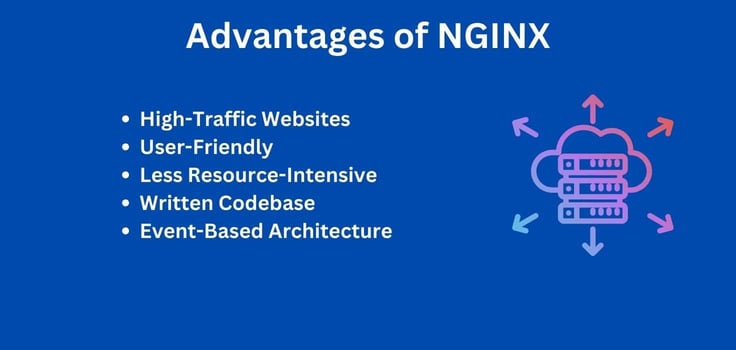
This led Igor Sysoev to create NGINX in 2004, and as they say, the rest is history. NGINX overcomes Apache’s greatest flaw — its supposed inability to effectively manage high-traffic websites, and in doing so, it powers some of the world’s largest websites. This includes giants like WordPress, Digicert, Adobe, Mozilla, TikTok, and Baidu.
Other advantages of NGINX include its user-friendliness and modern design, a consistently written codebase, and an event-based architecture. NGINX is also less resource and memory-intensive than most other solutions and is by far the best for serving static files.
Additionally, its role as a load balancer and reverse proxy server elevates its stature in the hosting world and places it in a league of its own.
Does Hostinger Use NGINX Servers?
Yes, Hostinger uses NGINX servers. It also gives you the option of an Apache server — take your pick.
Both Apache and NGINX can only be used effectively with a plan that allows root access; VPS hosting, dedicated server hosting, and cloud hosting plans are preferable. While you can opt for an NGINX shared hosting plan, you will not be able to set up and configure it as you please.

Hostinger’s VPS hosting plans feature a pre-optimized Linux environment, which is perfect for NGINX hosting. Your NGINX setup is bound to run smoothly and efficiently, with all the necessary resources and support at your fingertips. Configure NGINX, install the modules you need, and adjust its settings at will.
You can refer to this article to learn how to install the NGINX web server on your Hostinger virtual private server. This article should help you finalize a web server choice if you are still debating NGINX vs Apache.
Which Companies Are Using NGINX?
Given how popular NGINX and Apache HTTP Server are, it is not surprising that most top web hosting providers offer an option between NGINX and Apache for web server software. This article covers 12 hosting providers (Kamatera features twice), and each of them uses NGINX servers.
My top picks for NGINX hosting include:
We encourage you to read up on Cloudflare Server as well. It is perfect for high-traffic website applications and is an excellent alternative to NGINX and Apache.
How Much Does NGINX Hosting Cost?
The price of an NGINX hosting plan depends on the hosting category and plan tier you choose. An NGINX-based shared hosting or cloud hosting plan, for example, will be cheaper than a virtual private server hosting or dedicated hosting plan. SiteGround is one of the best web hosts for NGINX hosting and offers shared and cloud hosting plans with built-in NGINX starting at less than $3 per month.
SiteGround.com
Monthly Starting Price $2.99
- FREE website transfer service to get started
- 99.9% uptime guarantee and unlimited traffic
- User-friendly WordPress installation
- 24/7 support featuring custom systems
- 4 caching options plus staging and Git
- Get started on SiteGround now.
Lynn Cadet
| Money Back Guarantee | Disk Space | Domain Name | Setup Time |
|---|---|---|---|
| 30 days | 10 GB SSD – 100 GB Google Cloud SSD | FREE (1 Year) | 6 minutes |
If an affordable VPS plan is what you seek, Hostinger offers NGINX hosting starting at less than $6 per month — this is a steal, trust me. A dedicated hosting plan quite obviously costs much more (think in the range of $100-$1,000+ annually). Any hosting plan with full root access will allow you to maximize your use of NGINX.
Hostinger.com
Monthly Starting Price $5.84
- Best overall value: The most complete AI-managed KVM VPS at this price
- AMD EPYC processors, NVMe SSD, and 1 Gbps network
- Kodee AI manages your server — no command line needed
- One-click deployment of 100+ apps including Docker and n8n
- Free weekly backups, DDoS protection, and full root access
- Get started on Hostinger now.
Sead Fadilpasic
| Setup Time | Disk Space | CPU | RAM |
|---|---|---|---|
| 6 minutes | 50 GB NVMe – 400 GB NVMe | 1 – 8 cores | 4 GB – 32 GB |
While it makes sense to purchase a cheap NGINX hosting plan, look out for features like NVMe SSD storage, caching optimizations, a CDN service, and a load balancer. They will add further flavor to the five-star dish that NGINX is.
Is NGINX Worth It?
I am not someone who usually trods the path of the flock, but it is clear to see that NGINX is a far superior solution to most web server software. NGINX is renowned for its ability to take care of high-traffic websites with ease and scale with minimal hardware requirements.
It is a part of the popular LEMP stack (as opposed to Apache, which is part of the LAMP stack) and is adept at serving static files quickly. Now, you may argue that Cloudflare Server is even better at handling high-traffic websites and that Apache offers greater flexibility, so why choose NGINX? NGINX simply brings more to the table.
Web developers often use the software as a load balancer to enhance resource availability and efficiency. They also use it as a reverse proxy to ensure streamlined traffic flow between servers and clients. It is this multifaceted nature that makes NGINX worth each penny spent.
Which Are the Best NGINX Hosting Providers?
Choosing the best hosting providers for categories such as NGINX is always difficult, as there are no custom-made hosting plans for the web server software. After factoring in the features, pricing models, and overall reputation of our 12 listed web hosts, I can confidently say that InMotion Hosting, SiteGround, Kamatera, and hosting.com are stand-out options.
InMotion Hosting makes cheap and powerful NGINX hosting a reality. With features like unlimited websites, bandwidth, and NVMe SSDs at your disposal, InMotion Hosting ensures your shared hosting journey begins with a bang. SiteGround offers an excellent catalog of shared features and is worth mentioning in the same breath.
Last but not least, Kamatera and hosting.com are VPS hosting stalwarts that make NGINX hosting a breeze — consider hosting.com if you want to experience the fastest hosting on the planet.
HostingAdvice.com is a free online resource that offers valuable content and comparison services to users. To keep this resource 100% free, we receive compensation from many of the offers listed on the site. Along with key review factors, this compensation may impact how and where products appear across the site (including, for example, the order in which they appear). HostingAdvice.com does not include the entire universe of available offers. Editorial opinions expressed on the site are strictly our own and are not provided, endorsed, or approved by advertisers.
Our site is committed to publishing independent, accurate content guided by strict editorial guidelines. Before articles and reviews are published on our site, they undergo a thorough review process performed by a team of independent editors and subject-matter experts to ensure the content’s accuracy, timeliness, and impartiality. Our editorial team is separate and independent of our site’s advertisers, and the opinions they express on our site are their own. To read more about our team members and their editorial backgrounds, please visit our site’s About page.