

Writer: Andrew Wandola


Editor: Lillian Castro


Reviewer: Christina Lewis

When I first heard about cloud hosting, I couldn’t wrap my brain around it. Granted, it was 2006 and I was in middle school, so I’ll try to cut myself a break. Still, it’s a concept that mystifies people of all ages. It wasn’t until after I began a career in web development that I really understood how it works and what its significance is.
Cloud hosting connects you to a network of virtual servers proving unprecedented reliability and redundancy. The trick is that if one server goes down, the others can pick up its workload seamlessly.
If you’re not using cloud hosting, you’re missing out — more than 94% of companies are using cloud computing. Although cloud hosting costs are usually higher than those for traditional bare-metal hosting (I’ll explain why toward the end of this article), you shouldn’t let these costs prevent you from experiencing the benefits of the cloud.
This type of hosting has become increasingly popular. Years ago, only wealthy companies and large enterprises could afford cloud hosting. But these days, it only takes a couple of dollars a month to host your website or application on the cloud. The best part? You have many options to choose from, each with unique features and capabilities.
Below, I’ve covered some of the cheapest cloud providers today.
1. Kamatera — Plans Starting at $4.00
Kamatera is an industry-leading cloud hosting provider with 24 datacenters across four continents at the time of writing. This host gives uptime and reliability a whole new meaning, but that’s not the only reason it leads the pack.
Kamatera.com

Monthly Starting Price $4.00
- Best for developers and devops teams needing full control
- Deploy in 60 seconds across 20 global data centers
- Fully customizable: 1–32 cores, 1–128 GB RAM, NVMe SSD
- Hourly or monthly billing — scale up or down anytime
- 99.95% uptime with built-in firewall and load balancing
- 30-day free trial, no charge if canceled
- Get started on Kamatera now.


Surajdeep Singh

| Setup Time | Disk Space | CPU | RAM |
|---|---|---|---|
| 5 minutes | 20 GB NVMe – 4 TB NVMe | 1 – 32 cores | 1 GB – 128 GB |
Given how heavily Kamatera has invested in its cloud infrastructure, it is incredibly affordable. Whether you’re a web developer, student, small business, SaaS provider, or any other type of user, Kamatera’s cloud hosting service has your needs in mind.
So, how does it keep its prices low despite having so much to offer? Kamatera lets you customize your server with only the necessary resources. In other words, you can tailor your hosting plan to suit your budget, which means you won’t have to pay for resources you haven’t used. And since cloud hosting is scalable, you can always scale up when you experience unexpected traffic spikes.
2. IONOS — Plans Starting at $5.76
IONOS has some of the cheapest hosting plans in the industry. But the saying “cheap is expensive” doesn’t apply to this web host. I’ve seen cheap web hosts that will leave you pulling out your hair with frustration. So, finding one that’s truly affordable, scalable, and reliable is like finding an oasis in the desert.
IONOS.com

Monthly Starting Price $5.76
- Start with $200 in credit for your first month
- Intel Xeon processors, Linux or Windows, full root access
- Scale instances up or down with no downtime
- By-the-minute billing — only pay for what you use
- 99.99% uptime, ISO 27001-certified data centers
- Get started on IONOS now.


Christina Lewis
| Setup Time | Disk Space | CPU | RAM |
|---|---|---|---|
| 6 minutes | 10 GB NVMe – 720 GB NVMe | 1 – 24 cores | 512 MB – 48 GB |
IONOS is a cloud hosting provider designed to cater to every hosting need, from an individual user at the lowest level, an agency at the middle, and all the way up to a large enterprise. Regardless of your hosting plan, IONOS offers lightning-fast SSD storage, top-notch security (including daily backups), and unrestricted bandwidth.
But that’s not all; this affordable web host will add a free domain and SSL certificate to your plan.
Even better, when you sign up for any cloud hosting plan with IONOS, this host assigns a personal consultant to answer any questions you may have about your hosting environment. Talk about getting VIP treatment on a budget. Cloud hosting doesn’t come better than this.
3. AccuWebHosting — Plans Starting at $6.49
AccuWebHosting also uses a consumption-based pricing model, meaning you only pay for what you use. That’s the same pricing model Hostwinds uses to help you cut costs and get the most out of cloud hosting services.
AccuWebHosting.com

Monthly Starting Price $6.49
- 100% uptime SLA backed by high-redundancy infrastructure
- Intel Dual Xeon E5 and E7 servers with NVMe SSD storage
- Auto-scaling handles traffic spikes without intervention
- Free daily backups, SSL, and account migration included
- 24/7/365 live chat support — avg. 7-second response time
- Get started on AccuWebHosting now.


Jack Wallen

| Setup Time | Disk Space | CPU | RAM |
|---|---|---|---|
| 6 minutes | 40 GB – 200 GB SSD | 1 – 4 cores | 1 GB – 16 GB |
But AccuWebHosting’s cost calculator tool is what makes it stand out in the cloud hosting sphere. As the name suggests, this tool gives you a rough idea of what you should expect to pay based on your cloud hosting needs. That way, you can adjust your hosting needs to suit your budget.
The cloud cost calculator also offers two price ranges. One shows what you should expect to pay as the bare minimum, while the other displays the estimated price if you use all the resources available in your selected plan. As a result, it’s easier to budget when you know the costs involved.
4. Hostwinds — Plans Starting at $0.006+/hour
Hostwinds offers a range of cloud hosting packages that vary in price and features, so you can choose a plan that suits your needs and budget. All you need to do is place your order and set up your cloud environment.
Hostwinds.com

Monthly Starting Price $0.006+/hour
- 99.9999% uptime guarantee with redundant network
- Hourly billing — deploy and scale in seconds
- Full root access, custom OS or 1-click app installs
- Nightly backups, snapshots, and enterprise firewall included
- 24/7/365 support with free website migration
- Get started on Hostwinds now.
Jack Wallen
| Setup Time | Disk Space | CPU | RAM |
|---|---|---|---|
| 6 minutes | 30 GB SSD – 750 GB SSD | 1 – 16 cores | 1 – 96 GB |
I find Hostwinds’ cloud pricing model quite fair. Rather than paying a standard hosting fee, Hostwinds will charge you a few cents per hour. The final price will depend on the cloud resource you’ve consumed. For example, you can choose as low as one CPU core to 16 cores.
No matter which plan you choose, Hostwinds includes a free website transfer, enterprise firewall, custom ISOs, SSD storage, and a 99.9999% uptime guarantee. And if you’re not technically inclined, don’t worry. Hostwinds simplifies server management with its custom cloud portal.
5. InterServer — Plans Starting at $3.00
InterServer costs slightly more than other cloud hosting providers, but it’s still reasonably priced compared to the industry standard for this type of hosting. The strict month-to-month payment system also makes it the perfect fit if you’re not ready for long-term commitments.
InterServer.net

Monthly Starting Price $3.00
- Price-lock guarantee — your rate never increases at renewal
- Linux or Windows, with cPanel, DirectAdmin, or custom panel
- Self-healing cloud infrastructure with SSD storage
- Free SSL, DDoS protection, and 24/7 support included
- Pay $.01 the first month with HOSTINGADV coupon
- Get started on InterServer now.


Sead Fadilpasic

| Setup Time | Disk Space | CPU | RAM |
|---|---|---|---|
| 6 minutes | 30 GB SSD – 480 GB SSD | 1 – 16 CPUs | 2 – 32 GB |
A closer look at InterServer’s features reveals exactly why this host costs slightly more than others I’ve covered. It supports different operating systems, including Centos, Debian, Windows VPS, and Ubuntu. On top of that, this cloud computing service provider is also compatible with different web applications, such as Magento, WordPress, Drupal, and Joomla. So whether you’re an individual looking for more control over your website or a small business seeking better web or application performance, InterServer has exactly what you need.
To keep the prices even more reasonable and ensure that you use only the resources you need, this web host packs its resources in “slices.” One slice comprises a single CPU core, two gigabytes of RAM, 30 gigabytes of cloud storage, and one terabyte of bandwidth. Of course, you can always add more slices to your plate if you need more resources to run your website or application.
6. Cloudways — Plans Starting at $6.60
Cloudways offers managed cloud web hosting services, allowing you to focus on the most important aspect: managing your website or application. And if you want to take it for a test drive with no commitment, you have three days from the date you sign up to do so.
Cloudways.com

Monthly Starting Price $6.60
- Choose from AWS, Google Cloud, DigitalOcean, Vultr, or Linode
- Auto-healing servers with automated backups and free SSL
- 60+ global data center locations
- Pay-as-you-go — no contracts, cancel anytime
- 3-day free trial, no credit card required
- Get started on Cloudways now.
Jack Wallen
| Setup Time | Disk Space | CPU | RAM |
|---|---|---|---|
| 8 minutes | 20 GB SSD – 4 TB SSD | 1 – 96 cores | 1 GB – 384 GB |
Three things make this cloud provider stand out from the competition. For starters, it uses the consumption-based pricing model. Secondly, you’re not obligated to sign up for long-term commitments; you can cancel anytime if it’s not what you want.
But the best part is that it partners with three of the most powerful cloud service providers to bring you the best of cloud services: Amazon Web Services, Digital Ocean, and Google Cloud Platform, which also hosts Google Workspace, Google Drive, Google Search, Gmail, Google Photos, and YouTube.
7. Hostinger — Plans Starting at $7.19
Hostinger describes its cloud hosting plans as ideal “for large-scale projects.” But its pricing tells a different story. This cloud hosting provider is affordable and offers a 30-day money-back guarantee, a free domain, and website migration.
Hostinger.com

Monthly Starting Price $7.19
- Managed cloud with 20x more resources than shared hosting
- LiteSpeed servers, NVMe SSD, and built-in CDN
- Daily backups, DDoS protection, and free SSL
- Free website migration — usually done in 20 minutes
- Priority 24/7 support via live chat
- Get started on Hostinger now.
Sead Fadilpasic
| Setup Time | Disk Space | CPU | RAM |
|---|---|---|---|
| 6 minutes | 50 GB NVMe – 400 GB NVMe | 4 – 12 cores | 4 – 12 GB |
I haven’t seen a web host as generous as Hostinger in a very long time. A quick look at some of the features it offers for free makes you wonder how it manages to sustain that while keeping its prices reasonable.
To give you some perspective, Hostinger offers unlimited free SSL certificates, unlimited bandwidth, a free domain, free CDN, a dedicated server IP address, free migration for WordPress websites, and daily backups. Don’t take that for granted; with other hosting companies, these features and services are usually available as paid add-ons.
How Does Cloud Hosting Work?
Cloud hosting is not what it sounds like. You won’t find a cloud server hanging somewhere up there in the actual cloud. Instead, the term “cloud hosting” refers to a virtual machine paired with a physical cloud server that hosts a website or application, as opposed to on-premises hosting.
Cloud hosting offers high scalability, which helps users power their applications according to their shifting demands.
Because cloud-based servers have varying amounts of resources, websites and applications hosted on these servers tend to perform better than those hosted on physical servers. That’s because physical (on-premises) servers have finite resources, and you’ll need to upgrade the infrastructure, such as CPU, RAM, storage, and processors, to accommodate newer hosting needs.
What Are the Types of Cloud Hosting Models?
Cloud hosting comes in three distinct flavors: public, private, and hybrid. Each serves a unique purpose for individuals and organizations that want to host websites or store data in the cloud.
Here’s a breakdown of what each environment entails:
- Public cloud environments: Public clouds live on shared infrastructure where multiple users can upload and access data on the cloud network. However, that doesn’t mean others have easy access to your data. Cloud providers have protections in place to separate your data from others on the network. This setup is usually the most affordable and is popular with individuals and small businesses. Some common examples of public cloud environments are Google Docs and cloud-based shared hosting plans.
- Private cloud environments: A private cloud is a premium, high-security environment that dedicates the entire network’s resources to a single organization. Banks and hospitals with specific regulatory requirements (like HIPAA and PCI) use private clouds to house sensitive data. As you can imagine, this level of privacy and performance comes with a hefty price tag.
- Hybrid cloud environments: A hybrid cloud is when an organization uses both private and public clouds in its network. This is what we like to call the best of both worlds. It houses sensitive and proprietary information in the private cloud and puts non-sensitive data in the public cloud. This setup is highly efficient and lets companies save money by only using a private cloud when absolutely necessary.
We’re focusing on public cloud hosting plans here, but if you’re curious about private cloud options, reach out directly to providers. For example, Kamatera offers a virtual private cloud that you might want to explore.
Is Cloud Hosting More Expensive?
Cloud computing costs are usually higher than the costs for traditional hosting and justifiably so. Let’s look at what determines the final hosting cost.
Since most cloud hosting providers use the consumption-based pricing model, it can be tricky to pinpoint the exact cost until the next billing cycle arrives.
What is a consumption-based pricing model?
A consumption-based, or pay-as-you-go, pricing model is when you only pay for the resources you consume. This means that your monthly hosting bill may vary depending on the amount of traffic your website gets.
Car rentals work in a similar way. Since the rental company will most likely charge you per mile (in terms of gas usage), you won’t know how much your total cost will be until you return the vehicle.
When you return it to the drop-off location, you’ll be responsible for the gas used if you haven’t refilled it to its original level. Cloud hosting operates in a similar way—the more resources you use, the higher your costs will be.
If you don’t use a lot of resources, cloud hosting will be more affordable. If your traffic shoots up and you end up needing more, you should expect to pay a higher price.
How Do I Calculate the Cost of Cloud Hosting?
Most cloud hosting providers use a pay-as-you-go pricing model, allowing you to estimate the resources your website or application might need. A less resource-intensive cloud platform, like a blog or small web app, will cost less than a more demanding platform, such as an eCommerce website, especially during peak times.
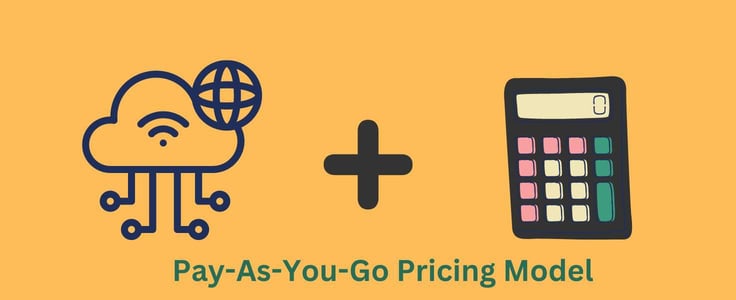
On that note, see if your hosting provider offers a cost calculator tool (AccuWebHosting does) to aid in managing cloud costs. Alternatively, you can reach out to their support team with your specific hosting needs, and they should be able to provide an estimate of the cloud computing expenses.
Not ready to commit just yet? Some cloud hosting providers offer free trials.
Check out the best cloud hosting free trials >>
How Do I Choose the Best Cloud Service Provider?
Your needs should always come first. To determine this, ask yourself the following questions:
- What type of website or application are you planning on hosting?
- Do you need a public cloud, a hybrid cloud, or a private cloud?
- How many resources will you need?
- Do you expect a sudden spike in traffic? If so, how frequently?
Ideally, your cloud host should offer high scalability because that’s the primary reason you’re opting for this service. Additionally, it should provide:
- Align with your budget
- Guarantee uptime and reliability
- Maintain high security levels
Last but not least, think about the tools, applications, programs, operating systems, or plugins you intend to use with the cloud host you choose. Are they compatible? Consider all these factors before signing up for a cloud hosting plan.
Book Your Flight to the Cloud With Affordable Cloud Hosting
If you’re a website administrator or developer, cloud hosting offers you a “cloud nine” experience in the web hosting world. Imagine your site or app running smoothly with zero downtime, effortlessly handling all kinds of traffic, thanks to the scalability this type of hosting provides.
It’s like having a car fitted with shock absorbers or a cruise ship perfectly streamlined to withstand the most violent storms. Statistics show that cloud hosting is the future of web hosting. If you haven’t migrated yet, the best time to jump on the bandwagon is now. Hopefully, with these affordable plans, you’ll find one that fits your budget and meets your hosting goals.
HostingAdvice.com is a free online resource that offers valuable content and comparison services to users. To keep this resource 100% free, we receive compensation from many of the offers listed on the site. Along with key review factors, this compensation may impact how and where products appear across the site (including, for example, the order in which they appear). HostingAdvice.com does not include the entire universe of available offers. Editorial opinions expressed on the site are strictly our own and are not provided, endorsed, or approved by advertisers.
Our site is committed to publishing independent, accurate content guided by strict editorial guidelines. Before articles and reviews are published on our site, they undergo a thorough review process performed by a team of independent editors and subject-matter experts to ensure the content’s accuracy, timeliness, and impartiality. Our editorial team is separate and independent of our site’s advertisers, and the opinions they express on our site are their own. To read more about our team members and their editorial backgrounds, please visit our site’s About page.