

Writer: Deidra Slough


Editor: Lillian Castro


Reviewer: Christina Lewis

Key Takeaways
Our experts tested and compared every major hosting provider for HTML websites for the best pricing and features to get you the top options.
Even without the resurgence of static web hosting, finding the best hosting for HTML websites is an incredibly important endeavor.
As the most essential part of a web developer’s toolkit, HTML serves as the markup language for 97.2% of all websites. Whether you’re using a PHP-driven content management system, such as WordPress, or writing the code yourself, HTML ultimately provides web browsers with the structure of your website.
When you’re on the hunt for the perfect HTML hosting plan, it’s all about finding top-notch performance at a reasonable price. You won’t need the power of a VPS or dedicated server, so you can enjoy the affordability of a shared plan.Note: The paragraph now uses more conversational language to address the reader directly, emphasizing the value proposition of shared hosting. All links, shortcodes, and HTML structure remain unchanged.
We’ve separated the top options into two categories — full-featured shared hosting providers and HTML hosting specialists without all the bells and whistles.
-
Navigate This Article:
Best Shared Hosting for HTML Websites
Unsurprisingly, the best shared hosting for HTML websites is largely synonymous with the best hosting companies in general. These industry leaders have emerged over the years to provide the best all-around web hosting service packages, regardless of the format.
With our top shared hosting plans, you can decide how much you want to dive into HTML. Use a drag-and-drop website builder to create your site without tweaking the base HTML, or go all in by coding everything yourself and uploading it to your server via SFTP.
Whether you’re a seasoned HTML pro or just getting your feet wet, these hosting providers equip you with the crucial tools and technologies to thrive. Their high-quality plans often include free website builders, 24/7 customer support, and a complimentary domain name for the first year.
1. Hostinger.com

Monthly Starting Price $2.69
- Best overall value: Nothing at this price comes close feature-for-feature.
- AI builds your site in minutes — no technical skills needed
- Up to 3 websites with free SSL
- Weekly backups and managed WordPress
- 2 business mailboxes free for 1 year
- Get started on Hostinger now.


Sead Fadilpasic

| Money Back Guarantee | Disk Space | Domain Name | Setup Time |
|---|---|---|---|
| 30 days | 20 GB SSD | FREE (1 year) | 3 minutes |
You’ll never feel like you’re undertaking this journey alone with the wealth of reading materials Hostinger provides on HTML web development.
A quick search of the web hosting company’s knowledge base reveals more than 300 resources that cover everything from the basic definition of HTML to the differences between HTML and responsive HTML5. Users can also learn how to create and edit HTML themes, and how to employ a Bootstrap framework, among other topics.
Hostinger stands out by offering budget-friendly, high-quality hosting services beyond just tutorials. Site owners benefit from features like a free SSL certificate, domain registration, and unlimited bandwidth and databases.
To help HTML enthusiasts grow their web presence even more, Hostinger offers 100 email inboxes, high-performance SSD storage, Google advertising credits, and an uptime guarantee.
2. IONOS.com

Monthly Starting Price $1.00
- Most affordable option: Pay just $12 at checkout
- 1-click WordPress install gets you online in minutes
- Unlimited websites, storage, and databases
- Daily backups, free SSL, and 24/7 support
- Free professional email included
- Get started on IONOS now.


Christina Lewis
| Money Back Guarantee | Disk Space | Domain Name | Setup Time |
|---|---|---|---|
| 30 days | 10 GB SSD | FREE (1 year) | 4 minutes |
Few web hosts (if any) compare to the value you get from hosting your HTML website with IONOS.
While some budget hosts might cut corners to keep costs low, IONOS surprises with premium features that truly make a difference. With their shared hosting plan, everything you need is conveniently bundled into one package.
IONOS comes with unlimited storage and databases, plus a free domain, website builder, SSL certificate, and a 30-day money-back guarantee.
This host offers a transparent and reliable option, clearly presenting all its features. After the introductory offer, you can choose to renew your IONOS hosting plan at a higher rate or downgrade to save money.
3. HostGator.com

Monthly Starting Price $3.75
- Free domain name, SSL certificate, and CDN included
- Unmetered bandwidth — no limits on traffic or storage
- 1-click WordPress install and easy cPanel control panel
- 30-day money-back guarantee, no long-term contracts
- Get 66% OFF by buying 36 months upfront
- Get started on HostGator now.


Lynn Cadet

| Money Back Guarantee | Disk Space | Domain Name | Setup Time |
|---|---|---|---|
| 30 days | 10 GB SSD – 100 GB SSD | FREE (1 year) | 4 minutes |
Since its inception in 2002, HostGator has watched the evolution of HTML from its humble beginnings to the powerhouse it is today.
That rich experience means HostGator is perfectly equipped to help website hosting customers build, deploy, and scale their sites. Roughly a third of HostGator’s customers are web professionals, which speaks to the company’s attention to support and modern technologies.
For starters, HostGator gives users unlimited resources from the start. With no limits on disk space, bandwidth, websites, databases, and SFTP, users will scale as high as they need (including all the way to dedicated hosting). Even better, they get full SSH access to further customize their HTML hosting environment.
For those looking for a website builder that enables HTML modification, the web host’s Gator Website Builder — included for free — comes with the ability to embed code anywhere into your website.
4. Bluehost.com

Monthly Starting Price $1.99
- Beginner-friendly setup with free domain for the first year
- AI-powered site setup with 1-click WordPress install
- Free CDN, malware scanning, WAF, and DDoS protection
- Weekly backups + 99.99% uptime SLA
- WordPress.org recommended host since 2005
- Get started on Bluehost now.
Sead Fadilpasic
| Money Back Guarantee | Disk Space | Domain Name | Setup Time |
|---|---|---|---|
| 30 days | 10 GB NVMe SSD | FREE (1 year) | 5 minutes |
Bluehost is well known for its compatibility with WordPress, but did you know that you don’t have to use a CMS to host your site with Bluehost?
All it takes is an FTP or file manager to build and publish your website. You can craft your entire site using a static site generator and still host it with one of the industry’s leading web hosts.
If you’re not an experienced web developer, you can still take advantage of the time-saving features of Weebly’s fully customizable HTML template and site builder.
The user-friendly website builder’s code editor provides access to the base HTML behind the lovely website templates and themes, so you can put your own personal touches on the look and functionality of your site.
5. GoDaddy.com

Monthly Starting Price $5.99
- Manage your domain and hosting under one roof
- Choice of cPanel or Plesk control panels
- Up to unlimited bandwidth and storage
- Microsoft 365 inboxes included FREE for first year
- Get 67% OFF by signing up today
- Get started on GoDaddy now.
Lynn Cadet
| Money Back Guarantee | Disk Space | Domain Name | Setup Time |
|---|---|---|---|
| 30 days | 25 GB – 100 GB | FREE (1 year) | 4 minutes |
As perhaps the first mainstream hosting provider, GoDaddy has loads of experience in perfecting the dev tools needed for static and dynamic websites.
For example, the world-famous domain registrar applies its customer-focused mission to offer a built-in file manager accessible through its hosting control center, making HTML file transfers incredibly easy. Site owners can register up to 50 FTP users.
Alternatively, the company’s website builder and marketing services allow for HTML integration and include hundreds of customizable templates.
Regardless of your path, GoDaddy customers can rest easy knowing they can rely on 24/7 support, world-class domain tools, and a 99.9% uptime guarantee.
6. Hosting.com

Monthly Starting Price $2.99
- LiteSpeed servers with NVMe SSD storage on all plans
- One-click installs and free expert site migration
- Built-in WAF, malware scanning, and DDoS protection
- Automated daily backups with 30-day restore
- Free domain for 1 year + free SSL included
- Get started on hosting.com now.
Christina Lewis
| Money Back Guarantee | Disk Space | Domain Name | Setup Time |
|---|---|---|---|
| 30 days | 15 GB NVMe SSD | FREE (1 year) | 4 minutes |
Page load speed is one main reason people are moving toward static HTML sites. In fact, HTML sites can load up to 10 times faster than dynamic pages.
That makes Hosting.com a perfect fit for HTML website hosting. The hosting company prioritizes performance, as evidenced by its signature Turbo Server configurations. Turbo Servers load HTML sites up to 20 times faster than competitors thanks to NVMe storage, upgraded processors, and a proprietary blend of caching.
Hosting.com will migrate your existing HTML site for free and provides step-by-step publishing guides for websites created on the HTML-Kit and PageBreeze editors.
7. InMotionHosting.com

Monthly Starting Price $4.59
- FREE BoldGrid site builder and templates
- FREE website, domain, and cPanel migrations
- SSD storage makes your site load up to 20x faster
- Security suite includes SSL and hack protection
- Unlimited bandwidth and email accounts
- Get started on InMotion now.


Dave McQuilling

| Money Back Guarantee | Disk Space | Domain Name | Setup Time |
|---|---|---|---|
| 90 days | 100 GB SSD – Unlimited SSD/NVMe | Select Plans | 5 minutes |
InMotion Hosting represents a great spot for your website to call home, whether you’re dipping your toes into HTML coding for the first time or are an experienced developer looking to live a simpler life.
The company’s knowledge base is rife with informative articles and resources for those who want to learn HTML and CSS. Also available are guides on advanced topics such as using server-side includes with an HTML file and how the language is used in WordPress hosting and development.
InMotion Hosting provides a wealth of technical resources at an affordable price. The web host offers ample SSD storage and bandwidth, along with free SSL certificates, domain registration, and SSH access.
Those with a dynamic website can code in a bevy of supported languages or install one of 400 available applications.
Either way, customers have an impressive 90-day money-back guarantee and 24/7 support to fall back on. The team at InMotion Hosting does a superb job of giving its customers room to grow.
8. SiteGround.com

Monthly Starting Price $2.99
- FREE website transfer service to get started
- 99.9% uptime guarantee and unlimited traffic
- User-friendly WordPress installation
- 24/7 support featuring custom systems
- 4 caching options plus staging and Git
- Get started on SiteGround now.
Lynn Cadet
| Money Back Guarantee | Disk Space | Domain Name | Setup Time |
|---|---|---|---|
| 30 days | 10 GB SSD – 100 GB Google Cloud SSD | FREE (1 Year) | 6 minutes |
With a platform powered by Google Cloud, SiteGround gives its customers distributed SSD storage for optimal speed and a high level of redundancy. The web hosting company’s fast and reliable network also comes with a 100% renewable energy match.
Many of SiteGround’s tools revolve around managed WordPress hosting, including a special PHP implementation, a site-building wizard, and a staging environment.
But HTML purists will appreciate automatic daily backups, unmetered traffic, and freebies like a content delivery network, SSL certificate, and email inboxes.
Instead of cPanel, SiteGround users will administer their hosting account through the company’s Site Tools portal. The user-friendly dashboard will connect you to all the services you’d expect, including the ability to upload HTML and CSS files directly to your web server.
Best Web Hosting for Static HTML Websites
If you’re thinking about avoiding dynamic CMS setups, you’re not alone. Companies like MailChimp, Nest, Google, and Healthcare.gov all use static websites. Even media outlets like Vox and Vice have gone so far as to create their own static website generators.
Creating your first static site can take more time to develop than if you used a CMS or site builder with a predesigned website template.
But static sites also come with many benefits: They are less vulnerable to attack, require less regular maintenance, enable the widest range of customization, and are easier to transfer between servers.
While a static website doesn’t need the extensive features some plans offer, it’s still crucial to choose an outstanding web hosting provider.
Each web hosting service below brings strong features for HTML developers, and many include a free plan so you can try things out before committing.
9. Netlify
What do Nike, Unilever, Verizon, Peloton, and Mailchimp have in common? They all use Netlify!
With Netlify, you don’t have to manage a web server, configure CDNs, or scale server clusters. Using a Git-based workflow and serverless platform, all you have to do is write code.
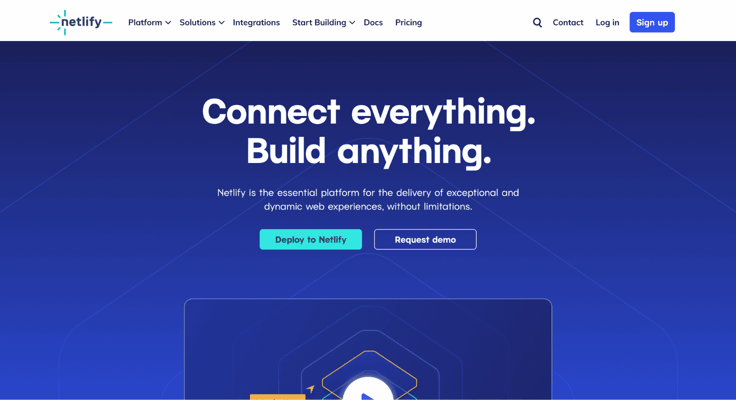
Connect your repository (Netlify supports GitHub, Bitbucket, and GitLab), add your build settings, and deploy your website.
Netlify builds the site every time you push code changes and provides a preview URL for every branch or pull request (hello, staging environments). The platform relies on your repository’s master branch as the live site, so any changes there will be published in seconds.
Beyond its simplicity, Netlify excels in speed by using serverless functions, continuous deployment, and high-level security that meets SOC 2 Type 2, PCI, GDPR, and CCPA standards.
10. Vercel
Just like Netlify, Vercel integrates seamlessly with your Git repository, offering lightning-fast performance and effortless deployment. It’s an easy way to scale your projects effectively.
Formerly known as Zeit, Vercel raised more than $21 million in funding with the goal of empowering developers to deploy their apps easily.
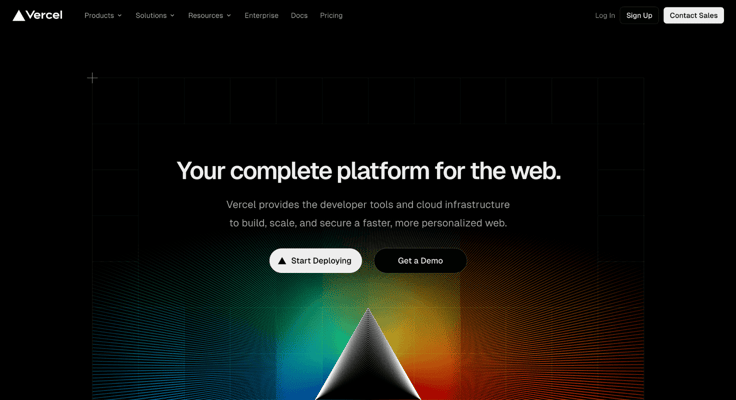
Vercel works with no extra configuration on any web framework, including Svelte, Next.js, Vue.js, React, Gatsby, Angular, or Ember.
With a global edge network spanning 70 cities, the hosting company ensures your content is as close to your audience as possible. Vercel simplifies configuration tasks like SSL encryption, image compression, and cache invalidation.
Vercel promises 99.99% uptime and boasts users including Facebook, McDonald’s, The Washington Post, and Uber.
11. Surge
With more than 14 million frontend applications deployed, Surge boasts perhaps the quickest and simplest publishing process — just six keystrokes in a command line interface.
Every Surge project has many features, including free custom domain support, 404 pages, barrier-free deployment, easy integration into your Grunt toolchain, and cross-origin resource support.
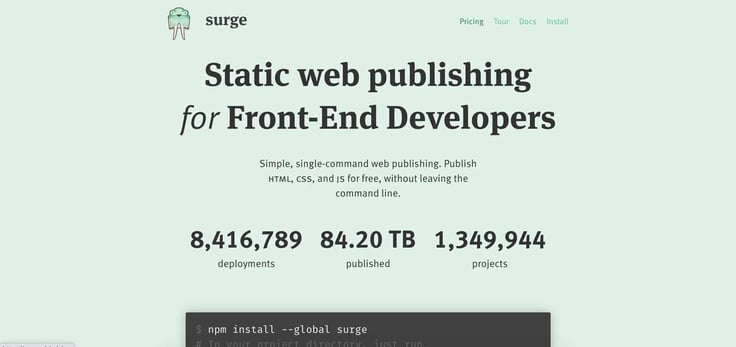
Surge also keeps team collaboration straightforward. With one simple command, you can invite collaborators to update and deploy your site to your domain.
The free web hosting service supports limitless publishing, but when you upgrade to a paid Surge version, you gain benefits like unlimited projects, customized SSL protections, and HTTPS redirects.Note: The paragraph now emphasizes the advantages of upgrading to a paid version with a more inviting tone. No links, shortcodes, or HTML structure were altered.
What we particularly appreciate about Surge is how it ensures your site visitors enjoy clean URLs without the outdated .html extension. This platform saves you hours of work and offers SEO-boosting clean URLs at no cost.
12. Forge
With Forge, static websites are easy to build, simple to maintain and scale, and offer lightning-fast load times.
The web hosting platform calls itself the “fastest, simplest, and most affordable way to host and deploy static websites.” You can put that to the test with Forge’s free web hosting plan that provides you with one site with 1GB bandwidth per month.
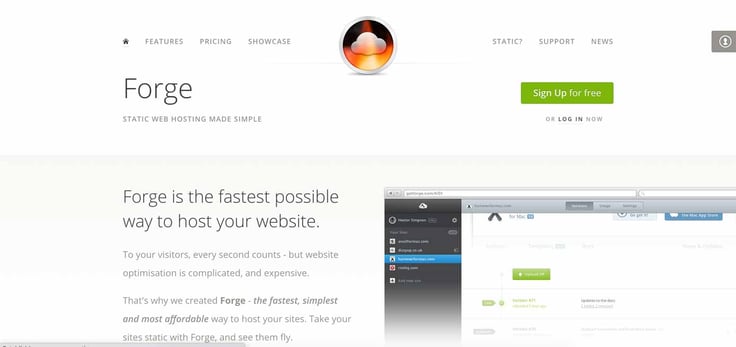
Forge also offers a wider variety of packages than most other static site providers. Instead of a one-size-fits-all premium plan, the host gives customers four options to find just the right fit.
Forge provides some fantastic standard features, such as Dropbox integration and a drag-and-drop interface for file syncing. You can also invite collaborators and easily navigate between versions and file changes with version-based history.
They’ve got plenty of other interesting features as well, including forms, a custom CLI, and advanced .htaccess features such as rewrites and redirects with Forge Server.
13. Firebase
Dreaming big for your app or static site? Firebase hosting might just be your solution. Starting with a free hosting service, this Google platform can scale to accommodate major enterprises like The New York Times, Trivago, Venmo, and Lyft. Plus, all billing is on a pay-as-you-go basis.
The features are endless, depending on the plan you choose. You’ll get custom domain support, A/B testing, analytics, performance monitoring, file storage, and an autoconfiguring SSL certification regardless of which plan you choose.

Firebase also integrates with scores of cloud-based tools to enhance your online presence, ranging from Google Ads and Data Studio to Slack and Jira. You’ll also be able to serve dynamic content and host microservices in a customizable, autoscaling, and secure serverless environment.
If you need to upgrade from the free hosting plan, Firebase hosting charges in a pay-as-you-go format so that you never spend a penny more for anything other than exactly the services and features you use.
Google even provides a calculator to help you determine exactly how much your site will cost before you start.
What Is an HTML Website?
HTML, or Hyper Text Markup Language, is the fundamental code that forms the backbone of websites. It’s usually the easiest (and often the first) coding language you’ll encounter when you start building a website from scratch.
HTML sites are considered static because they don’t interact with the web server like PHP or the browser like JavaScript.
A static website may sound a little limited, and in some cases, it is: you probably wouldn’t use one for eCommerce or appointment scheduling. Still, it works wonderfully for landing pages and sharing core business details.
HTML’s static nature is noteworthy because it demands fewer resources like RAM, storage, and bandwidth compared to sites with more complex features. This allows you to host your HTML site on a modest and affordable shared hosting plan while still enjoying good performance.Note: The paragraph now highlights the significance of HTML’s static nature and its practical advantages, offering a more engaging explanation. This change does not affect any links, shortcodes, or HTML structure.
How Do I Choose the Best Hosting for HTML Websites?
For most site owners, the shared hosting options at the top of our list will be your best bet. They offer many resources, developer-friendly features, 24/7 support, and hundreds of knowledge base guides.
Ultimately, however, choosing the best web host for your HTML website will depend on the project requirements and your familiarity with online publishing.
Here are some questions to ask yourself:
- What is my budget?
- How large is my target audience?
- What are my long-term goals with my site?
- What are the most important features for my site to have?
- How do I want to access and edit my source code?
- How much web server space do I need?
- Will I be doing the work myself or hiring a developer?
If you’re seeking ultimate flexibility, high reliability, and lightning-fast page loads, a static site web host is your best choice.
If you’re all about quick updates and want to cut down on development time, consider going for a hosting plan that features a dynamic CMS.
A shared hosting provider will serve the widest swath of site owners, while the static site platforms are tougher for beginners to get accustomed to and offer a more bare-bones approach to hosting.
Should I Use Free Web Hosting for My HTML Website?
It’s always a tough decision to choose between a free versus paid option for anything. After all, everyone likes saving money. Free web hosting is undeniably appealing, but what are you giving up for the savings? Quite a lot, in fact.
A free web host often has limitations that render the services unsuitable for your project. This may be a practical issue, such as bandwidth or disk space restrictions, or the insistence on using the web hosting business’s branded subdomain.
Technical concerns like performance and security, or issues with unsupported programming languages and publishing platforms, are significant with free hosting services. Another big worry is the risk of personal data exposure. Most free hosts lack the infrastructure to safeguard your information, and some even sell it willingly.
Paid plans from a shared web hosting service remove these limitations for a surprisingly small fee. If you are hosting a simple site with simple goals, your best bet will be to find a paid plan that scales well with your needs.
How Much Does it Cost to Host an HTML Website?
Prices for hosting an HTML site can vary greatly based on your needs.
You’ll typically get a better price, faster speeds, and greater reliability with static site hosts. However, you’ll need to be able to develop the site yourself or hire someone to do it.
If you believe time is money, you may not come out ahead with this route.
Shared web hosting from a quality service provider typically costs $5 or less, depending on the plan’s features. Expect to spend between $35 and $70 per year for a brand-name host with services and support you can trust.
Once you get the server space, however, keep an eye on the features that could bump up the price slightly:
- Custom domains and registration
- Security measures
- eCommerce capabilities
- Premium themes or templates
- App integration
- Backups
- Email requirements
- Disk space and unlimited bandwidth resources
Whatever you need, web hosting doesn’t have to break the bank. Check out our list of the best cheap web hosting providers to learn more.
WordPress vs. HTML: How Should You Build Your Site?
Design programs, such as Adobe Dreamweaver, and static site generators, such as Jekyll, are used to create fixed-content websites with a foundation of HTML, CSS, and JavaScript.
Because your site is already assembled in a format visitors’ browsers can read, people can load and view your content quickly.
Below, we list the advantages and disadvantages of having an HTML website:
Pros
- Full range of customizability
- Minimal maintenance and backups
- Less expensive to host
- Lightning-fast page load speeds
- High reliability and uptime
Cons
- Hefty learning curve for those with no coding experience
- Content and pages must be updated manually
- No built-in security protections
Dynamic website models, such as WordPress hosting, work when a browser fetches PHP template files and builds the HTML pages from a connected database.
This approach provides a way to separate your WordPress website’s content from design elements so that site owners don’t have to manually create and modify each page individually.
This method has been popular for decades because of the drag-and-drop editors that enable rookies to create a site using visual interfaces instead of lines of code.
The simplicity of site builders and content management systems has opened up web development to more than professionals and passionate amateurs. With solutions like WordPress, anyone can create a website.
Learn more about the pros and cons of using WordPress hosting below:
Pros
- Minimal learning curve
- Quick to update content and pages
- Visually appealing and intuitive
- Simple to customize
- Freely available plugins to extend the functionality
Cons
- Customizations limited without knowledge of HTML and PHP
- Must keep up with updates and security
- Requires greater server resources
Choosing the best hosting for HTML websites or making the decision to use a dynamic approach will ultimately be based on what best fits you and your website’s needs.
That’s why we recommend the hosts listed at the top of this article — they give you the room and resources to try both.
Basic HTML Pages Still Need High-Quality Web Hosting
Developing a site using HTML, CSS, and JavaScript is no longer considered old-fashioned. StaticGen’s list of static site generators is long and continually growing.
The open-source directory highlights that the number of generators doubled within a year, garnering over 100,000 stars on GitHub.
Finding the best hosting for HTML websites gets even more challenging when you look beyond Hugo, Gatsby, and other static website generators to include frameworks and website templates.
Many top theme repositories feature ready-to-go HTML templates, much in the same way as the bevy of available WordPress themes. You can also explore HTML or JavaScript frameworks, such as Bootstrap and React, for more design freedom.
There are numerous ways to construct your HTML website, but it’s essential that your web hosting can support it. Choose a provider that excels in speed, security, and support to fully capitalize on what HTML sites can deliver for you.
HostingAdvice.com is a free online resource that offers valuable content and comparison services to users. To keep this resource 100% free, we receive compensation from many of the offers listed on the site. Along with key review factors, this compensation may impact how and where products appear across the site (including, for example, the order in which they appear). HostingAdvice.com does not include the entire universe of available offers. Editorial opinions expressed on the site are strictly our own and are not provided, endorsed, or approved by advertisers.
Our site is committed to publishing independent, accurate content guided by strict editorial guidelines. Before articles and reviews are published on our site, they undergo a thorough review process performed by a team of independent editors and subject-matter experts to ensure the content’s accuracy, timeliness, and impartiality. Our editorial team is separate and independent of our site’s advertisers, and the opinions they express on our site are their own. To read more about our team members and their editorial backgrounds, please visit our site’s About page.