

Writer: Andrew Wandola


Editor: Lillian Castro


Reviewer: Christina Lewis

I lost plenty of homework assignments to the void before Microsoft Word had the autosave feature — my old laptop computer wasn’t exactly reliable. It was effectively on life support and would only last 45 minutes unplugged from the charger before going to sleep.
When cloud-based documents came into the picture, I can’t tell you what a relief it was. I could close my laptop at any time without worrying about saving my document progress. Even better, I could look back at the changes I made while I worked on my assignments. This is what version control does for dev teams.
Version control software, like Subversion, lets developers keep track of changes they make to the source code. Without it, you wouldn’t know who changed what code or when. Finding the source of a bug would be utter chaos. But to effectively use Subversion and build a working application, you’ll need a hosting service. At HostingAdvice, we’ve scoured the web for the best Subversion hosting services, so you don’t have to.
-
Navigate This Article:
Best Shared Subversion Hosting Services
If you’re brand new to development, a shared server is a good place to start. Shared hosting is cheap, easy to use, and doesn’t have too many extra bells and whistles to complicate your user experience.
Shared hosting works best for a small project. Here, you get just the right amount of hardware to run Subversion without worrying about overkill or paying for what you don’t need. Of course, if you run out of space, most hosting providers make it easy to upgrade your package.
1. Hostinger.com

Monthly Starting Price $2.69
- Best overall value: Nothing at this price comes close feature-for-feature.
- AI builds your site in minutes — no technical skills needed
- Up to 3 websites with free SSL
- Weekly backups and managed WordPress
- 2 business mailboxes free for 1 year
- Get started on Hostinger now.


Sead Fadilpasic

| Money Back Guarantee | Disk Space | Domain Name | Setup Time |
|---|---|---|---|
| 30 days | 20 GB SSD | FREE (1 year) | 3 minutes |
I recommend Hostinger if you’re looking for a highly secure host for your Subversion project. This generous host offers top-notch security featuring DDoS protection, a web application firewall, Cloudflare-protected nameservers, malware scanners, and secure root access managers, all under one roof.
Security aside, Hostinger is also one of the best cheap web hosting providers out there. This makes it a popular choice for budget-conscious users. However, unlike hosting.com, Hostinger doesn’t offer Subversion right out of the box, so you’ll need to install it manually.
2. HostArmada.com

Monthly Starting Price $1.99
- Cloud-based NVMe SSD servers across 11 global data centers
- 7 daily backups, free SSL, and Imunify360 WAF protection
- Free cPanel, Softaculous 1-click installs, and website migration
- 45-day money-back guarantee — longer than most hosts
- 24/7/365 support via phone, chat, and tickets
- Get started on HostArmada now.


Christina Lewis
| Money Back Guarantee | Disk Space | Domain Name | Setup Time |
|---|---|---|---|
| 45 days | 15 GB NVMe SSD | FREE (1 year) | 3 minutes |
HostArmada’s stability makes it stand out in the crowded shared hosting field. With a 99.9% uptime guarantee, you won’t have to worry about interruptions when using Subversion for code review or to track changes and update files. HostArmada is so confident in its hardware that it promises to compensate you accordingly for every hour of downtime outside its 99.9% uptime guarantee.
Thanks to its incredible stability, you’re not likely to find out what that compensation entails. All in all, you can count on this host to rise to the occasion when you use SVN to work with large development teams, enterprise-level projects, or anything that requires a highly stable network.
3. IONOS.com

Monthly Starting Price $1.00
- Most affordable option: Pay just $12 at checkout
- 1-click WordPress install gets you online in minutes
- Unlimited websites, storage, and databases
- Daily backups, free SSL, and 24/7 support
- Free professional email included
- Get started on IONOS now.
Christina Lewis
| Money Back Guarantee | Disk Space | Domain Name | Setup Time |
|---|---|---|---|
| 30 days | 10 GB SSD | FREE (1 year) | 4 minutes |
IONOS brings speed, affordability, and redundancy to the table. It serves almost 9 million customers on more than 100,000 globally distributed servers and has won awards for its top-notch customer service. For novice tech users, IONOS also offers a one-on-one personal consultant to help you navigate technical challenges.
This host also conducts daily backups, protecting your project in the event of a technical failure. Just as you would use SVN to revert to a previous working version of your project, this web host’s daily backup system does the same thing by making copies of your data daily and storing them in a remote server. This gives you peace of mind, knowing you won’t lose a single line of code or an important file.
4. Hosting.com

Monthly Starting Price $3.99
- LiteSpeed servers with NVMe SSD storage on all plans
- One-click installs and free expert site migration
- Built-in WAF, malware scanning, and DDoS protection
- Automated daily backups with 30-day restore
- Free domain for 1 year + free SSL included
- Get started on hosting.com now.
Christina Lewis
| Money Back Guarantee | Disk Space | Domain Name | Setup Time |
|---|---|---|---|
| 30 days | 15 GB NVMe SSD | FREE (1 year) | 4 minutes |
Hosting.com is an ultra-fast and powerful Subversion hosting provider. This makes it the perfect host if you plan to use Subversion with a team. I did that for several months in 2020 when working on a web development project at a coding bootcamp.
This hosting service offers speeds and performance up to 20 times faster, making it easier for users to access their SVN repos without delays. Even better, hosting.com comes with Subversion pre-installed, allowing you to head straight into working on your source code without worrying about the setup process.
Best VPS Subversion Hosting Services
Choosing VPS hosting for your SVN project makes more sense if you need greater control, privacy, and security. This type of hosting also works best for a growing project; you can easily scale up resources as you grow.
I typically use a virtual private server when I work with SMBs or clients with slightly larger budgets than shared hosting customers. Let’s take a quick look at some top options.
5. Kamatera.com

Monthly Starting Price $4.00
- Best for developers: Fully customizable cloud VPS — choose your exact CPU, RAM, and storage
- Intel Ice Lake processors and NVMe SSD with 99.95% uptime
- 24 global data centers across 4 continents
- Hourly or monthly billing, only pay for what you use
- 30-day free trial with $100 credit — no commitment needed
- Get started on Kamatera now.


Surajdeep Singh

| Setup Time | Disk Space | CPU | RAM |
|---|---|---|---|
| 5 minutes | 20 GB NVMe – 4 TB NVMe | 1 – 32 cores | 1 GB – 128 GB |
Kamatera boasts enterprise-level infrastructure, even for budget-conscious clients. Its cloud VPS should keep your SVN project safe and elastic up in the cloud. Kamatera’s elasticity comes from the fact that cloud hosting is highly scalable.
This makes it the perfect choice for a growing SVN project. You won’t have to worry about lagging as you access your files on the server, view version history, or track user activity. Kamatera also gives new customers a 30-day free trial. You can use this offer if your server has less than $100 worth of configurations.
6. IONOS.com
Monthly Starting Price $2.00
- Lowest entry price for VPS: no hidden fees, unlimited traffic, from $2/mo
- NVMe SSD storage, 1 Gbps connection, and 99.99% uptime
- Full root access with Linux or Windows — deploy in minutes
- Personal consultant assigned to every account after signup
- 30-day money-back guarantee and award-winning support
- Get started on IONOS now.
Christina Lewis
| Setup Time | Disk Space | CPU | RAM |
|---|---|---|---|
| 6 minutes | 10 GB NVMe – 720 GB NVMe | 1 – 12 cores | 1 GB – 24 GB |
VPSes are usually more expensive than shared servers. IONOS, however, has a unique way of breaking down its VPS hosting plans to make them more accessible for users on a strict budget. This means you get the same heightened level of security, privacy, and performance while spending the same amount of money you would on a shared server or, quite frankly, even less.
Take its VPS Linux XS plan as an example. It comes with one virtual CPU core, one gigabyte of memory, and 10 gigabytes of storage but costs less than some shared hosting providers charge for their base plans. Admittedly, it’s not the most powerful plan, but since it’s a VPS, it hits you with the triple combination of privacy, security, and better performance. If you decide you need more power, you can always upgrade to a higher tier through your hosting control panel.
7. hosting.com

Monthly Starting Price $2.99
- Turbo server u0026 cache options for faster page loads
- Well-built plans starting with 4GB RAM
- FREE CDN plus auto-installs with Softaculous
- Multilingual support and up to unlimited databases
- Enhanced security with and daily kernel updates
- Get started on hosting.com now »
SUBVERSION
RATING
We already know hosting.com is the kind of speed, but that’s not all it offers. Here, you have two options if you’re looking for a stable VPS: managed and unmanaged hosting. The managed option will have you dig a little deeper into your pockets but offers a stress-free experience, given that the host takes care of the server as you focus on your Subversion project.
The unmanaged plan, on the other hand, is the direct opposite. You’ll do most of the spadework but spend less on hosting. That may not be a problem if you’re a web developer or systems administrator. If you already know how to use Subversion, managing your server shouldn’t be difficult.
8. InterServer.net

Monthly Starting Price $3.00
- $0.01 for the first month using code HOSTINGADV
- Price locked for life, no renewal increases, ever
- Scale instantly by adding slices — each adds 1 CPU, 2 GB RAM, 30 GB SSD
- Linux or Windows with full root access, choice of data center
- 24/7 in-house support from an independently owned provider since 1999
- Get started on InterServer now.
Sead Fadilpasic
| Setup Time | Disk Space | CPU | RAM |
|---|---|---|---|
| 6 minutes | 30 GB SSD – 480 GB SSD | 1 – 16 CPUs | 2 – 32 GB |
Subversion is not OS-specific. Rather, it’s quite a team player and works across various operating systems. You can set up and use SVN whether you’re using Windows, macOS, or Linux. That’s where InterServer comes in.
Given that it supports two of the most popular operating systems — Windows and Linux — this host is particularly great for team members with diverse OS preferences. It also supports more than 400 applications, some of which can run alongside your SVN project. I’m talking about the likes of Jenkins for continuous integration and deployment and MediaWiki for documentation and collaboration.
9. Hostinger.com
Monthly Starting Price $5.84
- Best overall value: The most complete AI-managed KVM VPS at this price
- AMD EPYC processors, NVMe SSD, and 1 Gbps network
- Kodee AI manages your server — no command line needed
- One-click deployment of 100+ apps including Docker and n8n
- Free weekly backups, DDoS protection, and full root access
- Get started on Hostinger now.
Sead Fadilpasic
| Setup Time | Disk Space | CPU | RAM |
|---|---|---|---|
| 6 minutes | 50 GB NVMe – 400 GB NVMe | 1 – 8 cores | 4 GB – 32 GB |
Hostinger is not just about security and affordability. This host will also get the job done if you need a Linux-based server for your SVN project. Whether you need a specific Linux-based distribution, such as Debian, CentOS, or even AlmaLinux, you can count on Hostinger to provide the perfect hosting environment.
And since we’re talking about a VPS, you’ll still benefit from top-notch security, more privacy, and powerful performance. This host also has data centers at strategic locations across North America, Europe, Asia, and South America, making it an ideal choice for working with an intercontinental team. Not sure if it’s what you need? No problem; Hostinger offers a 30-day money-back guarantee.
What Is Subversion Hosting?
Subversion hosting is a service that stores your Subversion repositories on a server that’s hosted by a third-party provider. This setup means you can access, update, and track your code from anywhere, not just from your local machine.
Additionally, this type of hosting offers tools for collaboration, so your team can work together on the same project without stepping on each other’s toes. As a result, it keeps your code safe, organized, and accessible.
Is Apache Subversion Still Used?
Yes, Apache Subversion is still widely used across the software development community. It’s most popular in the United States, which holds a market share of roughly 26% of Apache Subversion users. Other countries where Apache is most popular include Germany and Japan.
Despite the popularity of Git, SVN offers unique benefits many other centralized version control systems lack.
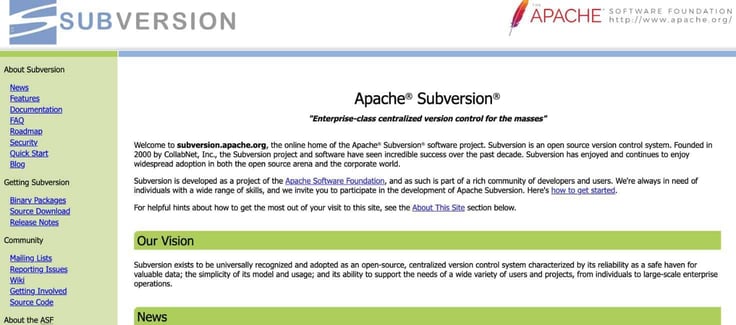
This software brings simplicity and stability to linear development processes. It’s also the preferred VCS for detailed tracking of file version history and enterprises with existing codebases in SVN or teams that prefer its straightforward approach.
So, while it might not be the new kid on the block, SVN still has its loyal fan base and practical uses.
How Do You Host an SVN Server?
Hosting an SVN server isn’t too involved if you use a web host that does the leg work for you. Some hosts, like hosting.com, have Subversion pre-installed on your server. This means you won’t have to go through the manual installation process through the command line, which requires some technical expertise.
But if your host does require you to install SVN manually, follow these steps:
- Sign up for a web hosting package. It could be a shared, VPS, or dedicated server. Any of the hosts I’ve covered above should work perfectly. You should note, however, that you’ll need root access to install SVN if it doesn’t come pre-installed. Root access is usually only available with VPS, cloud, and dedicated plans.
- Next, you’ll need to install Subversion. If your server runs on Linux, you can usually do this through the package manager. For Windows, you’ll find installer packages available online.
To begin SVN installation in the terminal, run the command:
sudo apt-get install subversion -y
You can check to make sure it worked by typing:
svn –version
If your installation is successful, the terminal will return your SVN version.
- Once installed, create an SVN repository for your project. These are like dedicated folders where all your project files and their histories live.
- Set up user accounts and permissions to control who can read and write to your SVN code repository. This is important if you’re working with a team.
- Finally, you and your team can connect to this server using SVN clients, such as TortoiseSVN for Windows or SmartSVN for Linux, MacOS, and even Windows.
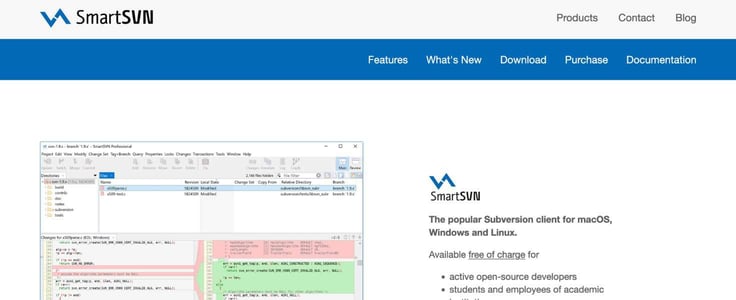
- You can start committing (uploading), updating, and managing your code.
Keep in mind that these steps may vary depending on the web host. If you need further assistance, you can always contact the web hosting provider.
Pro tip: A lot of web hosting companies have detailed knowledge bases for you to explore. Check your host’s knowledge base for instructions on installing Subversion if you’re unsure how to do it.
Get a Good Host; Subversion is Here to Stay
Subversion may not be as popular now as it once was, but it still holds its place in the development community. As long as programmers work in teams, version control software will continue to be relevant in the industry. Many VSCs have entered the scene, dominated, and left. Others have stayed but haven’t really kicked SVN off the cliff. Yes, they may have knocked it off its perch, but it’s been hanging for more than two decades, helping many developers make their work easier.
Hopefully, with our hosting recommendations, you’ll find a Subversion host that’s right for you.
HostingAdvice.com is a free online resource that offers valuable content and comparison services to users. To keep this resource 100% free, we receive compensation from many of the offers listed on the site. Along with key review factors, this compensation may impact how and where products appear across the site (including, for example, the order in which they appear). HostingAdvice.com does not include the entire universe of available offers. Editorial opinions expressed on the site are strictly our own and are not provided, endorsed, or approved by advertisers.
Our site is committed to publishing independent, accurate content guided by strict editorial guidelines. Before articles and reviews are published on our site, they undergo a thorough review process performed by a team of independent editors and subject-matter experts to ensure the content’s accuracy, timeliness, and impartiality. Our editorial team is separate and independent of our site’s advertisers, and the opinions they express on our site are their own. To read more about our team members and their editorial backgrounds, please visit our site’s About page.