

Writer: Laura Bernheim


Editor: Lillian Castro


Reviewer: Lynn Cadet

Key Takeaways
Our experts tested and compared every major cloud hosting provider for the best pricing and features to get you the top options.
-
Kamatera ($4.00/mo) fully customizes your cloud server with a 30-day free trial.
-
Hostinger ($7.19/mo) delivers managed cloud with 20x more resources than shared hosting.
-
HostArmada ($1.99/mo) backs its cloud infrastructure with a 45-day money-back guarantee.
Don’t confuse low prices with low quality. The best cheap cloud hosting plans still deliver supreme scalability and a full range of features at a price that doesn’t break the bank. Although you can find coupons and other ways to save on items like clothes and groceries, saving on technology often tends to be a different story. Spending on cloud hosting services is forecast to grow 21.3% in 2026 — but it doesn’t need to bust your budget.
Here, we’ve laid out the best cheap cloud hosting providers, ranging from ultra-bargains to superior price-for-performance experiences.
Best Cheap Cloud Web Hosting
For under $10, you can make a big jump from shared hosting to a cloud server setup without getting weighed down by complicated server configuration and management.
The most cost-effective cloud hosting options listed below range from highly optimized shared hosting to unmanaged object or block storage solutions.
Whether you’re after developer-friendly automation, specialized application optimizations, Windows-based cloud hosting, or guidance getting started with the big names like AWS, Azure, or Google Cloud, these next companies will definitely point you in the right direction.
1. Kamatera: $4.00/month
Unequivocally the best cloud hosting provider we know when it comes to affordability, Kamatera plans start at less than $5.
Scratch that: You can actually start with Kamatera for FREE with the company’s 30-day free trial. You’ll get a $100 credit when creating a new account to spend on whatever server configuration you need.
Kamatera.com

Monthly Starting Price $4.00
- Customize your cloud environment for FREE
- Work with a dedicated account manager
- Dozens of Windows & Linux OS choices
- Complimentary live chat support open 24/7
- Launch in less than 60 seconds
- Get started on Kamatera now.


Surajdeep Singh

| Money Back Guarantee | Disk Space | Domain Name | Setup Time |
|---|---|---|---|
| 30-day FREE trial | 20 GB SSD – 4 TB SSD | New or Transfer | 3 minutes |
But the low rates certainly don’t mean developers and growing businesses won’t find what they’re looking for. Kamatera’s flexible platform allows customers to customize their environments to their liking.
Pros
- Customizable server configurations
- 1TB of cloud block storage
- Flexible pricing (hourly or monthly)
- Uses the latest CPU models
Cons
- Extra cost for daily backups
- Limited knowledge base
Kamatera gives users more than 100 operating system configurations to choose from, along with highly scalable vCPUs, RAM, and storage options. With more than 24 data centers on four continents, you can expect Kamatera to provide great performance, no matter where you are.
2. Hostinger: $7.19/month
We’ve come to know and love Hostinger for packing tons of features into packages with small starting price points.
Ideal for personal sites, Hostinger’s cloud hosting services feature unlimited, dedicated server resources, all of which are managed by the account owner. Check out our expert’s full review for more details.
Hostinger.com

Monthly Starting Price $7.19
- Managed cloud with 20x more resources than shared hosting
- LiteSpeed servers, NVMe SSD, and built-in CDN
- Daily backups, DDoS protection, and free SSL
- Free website migration — usually done in 20 minutes
- Priority 24/7 support via live chat
- Get started on Hostinger now.


Sead Fadilpasic

| Setup Time | Disk Space | CPU | RAM |
|---|---|---|---|
| 6 minutes | 50 GB NVMe – 400 GB NVMe | 4 – 12 cores | 4 – 12 GB |
Partially supported by Google Cloud, Hostinger allows users to enjoy the flexibility and performance of the Google Cloud platform while enjoying the best of Hostinger: affordable prices and easy-to-navigate environments.
Pros
- Free CDN and dedicated IP included
- Up to 300 PHP workers
- Integrated AI and marketing tools
- Complete security suite with real-time snapshots
Cons
- Email lacks storage and flexibility
Host up to 300 websites using Hostinger’s cloud hosting platform. Onboarding is simple, and the web host welcomes new customers with plenty of fun freebies, including free site migration (if desired), domain name registration, an SSL certificate, and a complimentary CDN.
3. HostArmada: $29.95/month
Although fairly new to the hosting game, HostArmada has already established for itself a reputation that of a seasoned veteran. Its powerful, all-cloud platform has garnered the attention of not only its loyal customers but also several award publications.
Users can choose from shared, VPS, WordPress, and dedicated hosting, which are all powered by state-of-the-art cloud infrastructure and redundant SSD storage.
HostArmada.com

Monthly Starting Price $1.99
- Cloud-based NVMe SSD servers across 11 global data centers
- 7 daily backups, free SSL, and Imunify360 WAF protection
- Free cPanel, Softaculous 1-click installs, and website migration
- 45-day money-back guarantee — longer than most hosts
- 24/7/365 support via phone, chat, and tickets
- Get started on HostArmada now.


Christina Lewis

| Money Back Guarantee | Disk Space | Domain Name | Setup Time |
|---|---|---|---|
| 45 days | 15 GB NVMe SSD | FREE (1 year) | 3 minutes |
There’s no fuss or frills to HostAmarda’s game. Customers get exactly what’s advertised: affordable pricing, a cloud-first platform, and 24/7 expert technical support.
Pros
- Fully managed cloud platform
- Free cPanel integration
- Comprehensive security suite
- Website consultation included
Cons
- High renewal pricing
- Limited client area features
HostArmada distinguishes itself by combining managed services with a complete cloud offering. Its 24/7 technical support and live server monitoring paired with hosting essentials, including free SSL certificates, DNS management, daily backups, and cPanel, make HostArmada a top choice in our books.
4. InterServer: $3.00/month
InterServer pushes massive scaling and customization in its highly configurable cloud environments.
Perhaps most importantly for those looking for cheap cloud server hosting, new customers pay only $0.01 for their first month if they use our exclusive coupon code at checkout: HOSTINGADV.
InterServer.net

Monthly Starting Price $3.00
- Price-lock guarantee — your rate never increases at renewal
- Linux or Windows, with cPanel, DirectAdmin, or custom panel
- Self-healing cloud infrastructure with SSD storage
- Free SSL, DDoS protection, and 24/7 support included
- Pay $.01 the first month with HOSTINGADV coupon
- Get started on InterServer now.
Sead Fadilpasic
| Setup Time | Disk Space | CPU | RAM |
|---|---|---|---|
| 6 minutes | 30 GB SSD – 480 GB SSD | 1 – 16 CPUs | 2 – 32 GB |
Your cloud hosting will renew at the full, yet still affordable, price after that period, but we love that InterServer strictly operates on a month-by-month basis — meaning you won’t be locked into any long-term plans.
Pros
- Self-healing hardware
- Remote backup services
- Deploy databases in minutes
- 1-click installs for supported scripts
Cons
- Outdated user interface
- Only U.S.-based data centers
Each building block of computing resources, essentially one CPU core, 2GB of memory, 40GB of SSD storage, and 2TB of data transfer, is called a slice; once your website or application scales to require four or more slices, the company will pitch in with managed support for security patches, diagnosis, and help with control panels.
5. AccuWebHosting: $6.49/month
A much more simplified introduction to the cloud, AccuWebHosting has moved some of its shared hosting services to cloud-based infrastructure to alleviate the common stability and security issues found with crowded shared servers.
Even better, the company relies on the redundancy of its cloud network to promise 100% uptime to its cloud hosting customers — far better than what you typically encounter with traditional shared hosting.
AccuWebHosting.com

Monthly Starting Price $6.49
- 100% uptime SLA backed by high-redundancy infrastructure
- Intel Dual Xeon E5 and E7 servers with NVMe SSD storage
- Auto-scaling handles traffic spikes without intervention
- Free daily backups, SSL, and account migration included
- 24/7/365 live chat support — avg. 7-second response time
- Get started on AccuWebHosting now.


Jack Wallen

| Setup Time | Disk Space | CPU | RAM |
|---|---|---|---|
| 6 minutes | 40 GB – 200 GB SSD | 1 – 4 cores | 1 GB – 16 GB |
Most notably, AccuWebHosting offers a Windows server flavor of cloud hosting for those preferring to work in ASP.NET, VisualBasic, or C++.
Pros
- Support for unlimited websites
- LiteSpeed servers with LSCache
- Free SSL and cPanel
- Instant account activation
Cons
- Limited email features
We particularly appreciate the company’s well-rounded service portfolio, enabling customers to start with cloud-based shared hosting and seamlessly migrate to similarly affordable Windows or Linux cloud VPS plans.
6. Hosting.com: $2.99/month
Back to the simplified version of a cloud hosting solution, we close this section of our list with hosting.com, which prioritizes blazing-fast speeds in its cloud VPS platform.
The amount of available storage is a bit less than that of many competitors, but the company more than makes up for it with high-powered SSDs that load pages up to 300% faster than traditional drives.
Hosting.com

Monthly Starting Price $2.99
- Fully cloud-based infrastructure — always on latest hardware
- AMD EPYC CPUs, NVMe SSD, and LiteSpeed caching
- Automated daily backups with 30-day restore history
- Free website migration handled by in-house engineers
- 24/7/365 phone, chat, and ticket support
- Get started on hosting.com now.
Christina Lewis
| Setup Time | Disk Space | CPU | RAM |
|---|---|---|---|
| 7 minutes | 20 GB NVMe – 450 GB NVMe | 1 – 10 cores | 1 GB – 32 GB |
Plus, by choosing hosting.com’s upgraded Turbo Servers, your visitors can still see up to 20 times faster page loads.
Pros
- Your choice of OS
- 99.9% uptime guarantee
- 1-click software installer
- Root-level access
Cons
- No speed optimizations on base plans
- Higher renewal rates
But hosting.com isn’t all flash and speed; the Ann Arbor, Michigan, company provides full root access and server control, along with the usual 99.9% uptime guarantee.
Customers can either start with pre-configured cloud environments or choose from six different Linux operating systems and go from there.
7. IONOS: $5.76/month
Another hosting provider that pairs top-notch hardware with hard-to-fathom low prices, IONOS offers basic cloud hosting for less than $5 per month. (For those looking to go even cheaper, the host has great deals on VPS plans, as well.)
Even better, new customers receive a $100 credit in the first month to design exactly the cloud environment they want. Use the credit for any dedicated or cloud server, block storage, or even additional IP addresses.
IONOS.com

Monthly Starting Price $5.76
- Start with $200 in credit for your first month
- Intel Xeon processors, Linux or Windows, full root access
- Scale instances up or down with no downtime
- By-the-minute billing — only pay for what you use
- 99.99% uptime, ISO 27001-certified data centers
- Get started on IONOS now.
Christina Lewis
| Setup Time | Disk Space | CPU | RAM |
|---|---|---|---|
| 6 minutes | 10 GB NVMe – 720 GB NVMe | 1 – 24 cores | 512 MB – 48 GB |
Whichever configuration you choose, IONOS customers will enjoy unlimited traffic and automatic load balancing. Servers come with Intel Xeon processors, SSD storage, and full VMware virtualization.
Pros
- Full root access
- Scale on demand without interruptions
- Flexible pricing (hourly or monthly)
- Drag-and-drop interface for design and deployment
Cons
- Only U.S.- or Europe-based data centers
IONOS bills cloud hosting customers by the minute, up to a monthly maximum. You’ll only have to pay for the time your instance is active.
8. Hostwinds: $0.006+/hour/month
Offering an hourly billing option that enables customers to pay for only the computing resources they use, Hostwinds introduces an extra layer of cloud sophistication akin to what you might see with Amazon Web Services, Microsoft Azure, or Google Cloud Platform.
The supremely scalable and customizable options guarantee your cloud infrastructure will grow to match whatever traffic needs arise.
Hostwinds.com

Monthly Starting Price $0.006+/hour
- 99.9999% uptime guarantee with redundant network
- Hourly billing — deploy and scale in seconds
- Full root access, custom OS or 1-click app installs
- Nightly backups, snapshots, and enterprise firewall included
- 24/7/365 support with free website migration
- Get started on Hostwinds now.
Jack Wallen
| Setup Time | Disk Space | CPU | RAM |
|---|---|---|---|
| 6 minutes | 30 GB SSD – 750 GB SSD | 1 – 16 cores | 1 – 96 GB |
Customers can configure seemingly any combination of storage, bandwidth, and memory resources or opt for one of the easy-to-use, optimized templates already created by Hostwinds.
Pros
- Instant server deployment
- Free snapshots and site migration
- 24/7 server monitoring
- Load balancers included
Cons
- Only hourly billing available
- Fewer data center locations than other hosts
Scaling is instantaneous and free of downtime, with each cloud server boasting 1Gbps port speed thanks to the company’s automatic route optimization.
If all that jargon made your eyes glaze over, never fear — Hostwinds also offers fully managed services and numerous methods for backups and storage.
9. Cloudways: $6.60/month
For just ever-so-slightly more than the cheapest hosts, Cloudways unlocks premium managed cloud services from the world’s top providers.
Leverage the company’s expert team of engineers and support crew to operate hassle-free cloud servers from the likes of Amazon Web Services, Google Cloud Platform, and DigitalOcean.
Cloudways.com

Monthly Starting Price $6.60
- Choose from AWS, Google Cloud, DigitalOcean, Vultr, or Linode
- Auto-healing servers with automated backups and free SSL
- 60+ global data center locations
- Pay-as-you-go — no contracts, cancel anytime
- 3-day free trial, no credit card required
- Get started on Cloudways now.
Jack Wallen
| Setup Time | Disk Space | CPU | RAM |
|---|---|---|---|
| 8 minutes | 20 GB SSD – 4 TB SSD | 1 – 96 cores | 1 GB – 384 GB |
Cloudways configures each environment with dedicated firewalls, automatic security monitoring, and one-click backups and restores, plus around-the-clock support.
Pros
- Choice of public cloud provider
- Managed hosting services
- Strong CPU performance
- Regular security patching
Cons
- Pricier than other hosts
- No email hosting or file manager
With Cloudways, you’re able to tap into the infrastructure of the world’s leading cloud networks while enjoying personalized support. The best part? Prices are about half of what other top managed hosting providers charge.
10. Liquid Web: $5.00/month
When it comes to the best overall deal for cloud hosting, Liquid Web clearly takes the cake.
We’ve secured special pricing for our loyal readers who sign up for services after clicking on the review below.
LiquidWeb.com

Monthly Starting Price $5.00
- Best for businesses that can’t afford downtime
- 100% uptime SLA — network and power guaranteed
- AMD EPYC processors with Cloudflare CDN included
- Acronis backups and DDoS protection built in
- 24/7 Heroic Support® via phone, chat, and email
- Get started on Liquid Web now.
Christina Lewis
| Setup Time | Disk Space | CPU | RAM |
|---|---|---|---|
| 7 minutes | 30 GB SSD – 440 GB SSD | 1 – 6 cores | 1 GB – 16 GB |
The luxury hosting company entirely skips the shared hosting service level to focus on the high-powered environments of private cloud, managed VPS, and dedicated servers.
Pros
- Quick server provisioning
- 10 GB network and CDN
- Root access and dedicated IP
- Power and network uptime SLA
Cons
- Self-service can be difficult for some users
- Pricier than some hosts
From the get-go, cloud hosting customers can enjoy impressive numbers of virtual CPUs, along with substantial storage, bandwidth, and memory.
Plus, Liquid Web’s customer support teams are known across the industry for being available at the drop of a hat; the company guarantees you can speak with a certified systems administrator within 59 seconds.
11. Vultr: $2.50/month
In just four years, Vultr has deployed more than 45 million cloud server instances. The company’s mission to empower developers and businesses by simplifying cloud infrastructure clearly resonates with its customer base, which has grown to more than 1.5 million customers around the world.
Vultr enables users to spin up public cloud, storage, and single-tenant bare-metal servers in 32 data centers.
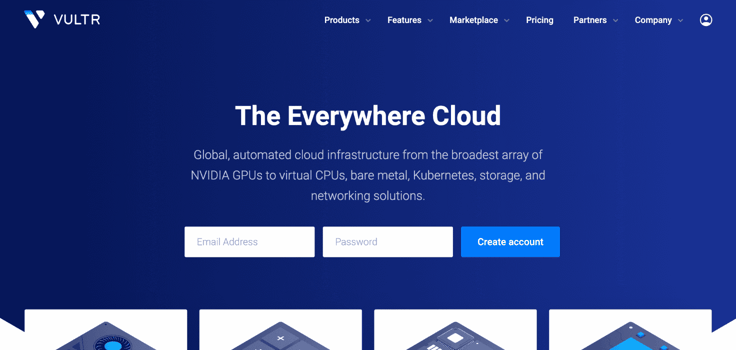
Vultr allows for monthly or hourly billing instead of long-term contracts, and the highly customizable server configurations enable developers to quickly launch, test, and scale environments perfectly sized for each particular application or website.
Pros
- Your choice of 32 data center locations
- Deploy your instance in seconds
- Global CDN included
- Enterprise-grade cloud computing
Cons
- Plans with latest CPUs are more expensive
- Extra costs for NVMe SSD storage
- Support isn’t the best
The company’s Intel cores, unlimited operating system choices, and feature-rich control panel are sure to resonate with admins looking for a fast, affordable, and efficient cloud service.
12. Linode (Akamai): $5.00/month
Linode helped shape the cloud hosting industry back in 2003 as one of the first service providers. It continues to lead in virtualized environments and innovations. With high-performance SSDs, Intel E5 processors, and a 40Gbps network, your website or application will practically soar.
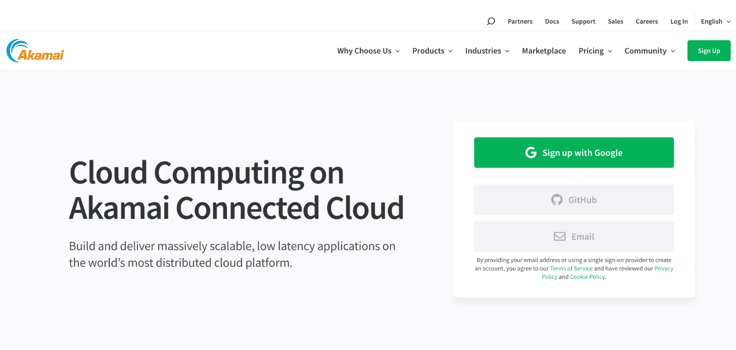
The ultra-simple management interface allows users to easily deploy, boot, resize, and clone cloud environments in just a few clicks, but you’ll have to add upgrades for backups, load balancing, system metrics, and managed services.
Pros
- Free security bundle
- 1-click app marketplace
- Direct console access
- Dynamic load balancing
Cons
- Not for beginners
- Complaints about uptime
Linode’s 11 data centers on three continents lag slightly behind the competitors in this section but will provide more than enough global presence for most cloud customers.
13. DigitalOcean: $4.00/month
A particularly favorite pick among developers, DigitalOcean is a trusted, reputable cloud hosting provider that has been around since 2011. The company impressively emphasizes simplicity without scrimping on any technical features for cloud computing, block or object storage, managed Kubernetes clusters, or load balancers.
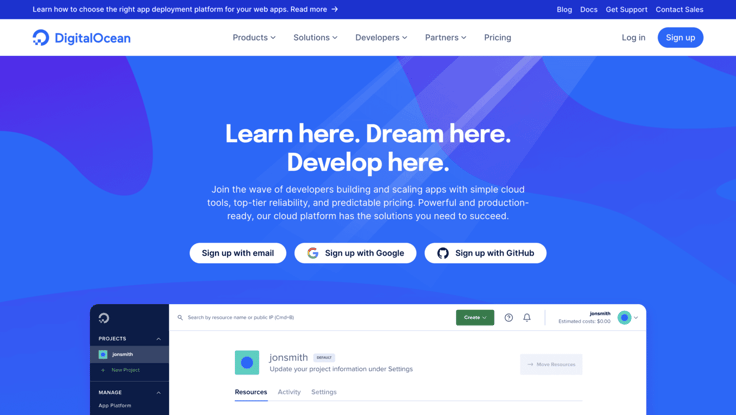
Innovative companies, including Docker, GitLab, Slack, and WeWork, trust Digital Ocean to host and secure their apps.
Pros
- Reliable for any workload type
- Autoscaling (up or down)
- Deploy droplets in seconds
- Intuitive UI, CLI, and API
Cons
- Complaints about customer support
- Limited site hosting features
DigitalOcean’s standard cloud instances, known as droplets, offer a modest start with 25GB of SSD storage, 1TB of data transfer, and 1GB of memory. However, their CPU-optimized configurations for tasks like video encoding and machine learning provide users with four times more bandwidth and RAM.
14. CloudSigma: $10.00/month
Rounding out our list of the best cheap cloud hosting providers of 2026 is CloudSigma, a Swiss company that has cultivated a global presence after more than a decade in business.
The company prioritizes a transparent billing system that enables customers to build and scale environments using the specific resources they desire instead of preconfigured packages.
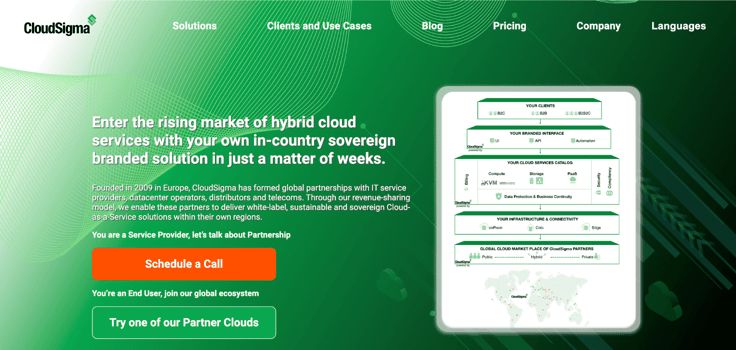
CloudSigma provides completely unbundled computing options, or users can use prebuilt, optimized configurations.
Pros
- Fully managed platform
- 7-day free trial available
- Transparent pricing
- 5TB data transfer
Cons
- Pricey plans
- No 24/7 customer support
At CloudSigma, every customer who spends at least $10 per month receives one gigabyte of RAM, 50 gigabytes of SSD storage, and 5 TB of outbound data transfer — for free. For those who may need a little more enticement, you can try CloudSigma’s platform at no cost thanks to a seven-day free trial.
What Is Cloud Hosting?
Not long ago, the cloud felt like a major digital breakthrough that reshaped how we store and access data. As cloud computing went mainstream in the early 2000s, it opened the door to a new way to host websites: in the cloud.
Cloud hosting involves using a network of virtualized servers to store your website instead of a single physical server. The cloud offers better scalability and redundancy because the server network works together to prevent downtime and increase performance. If one server goes down, the others seamlessly pick up its traffic.
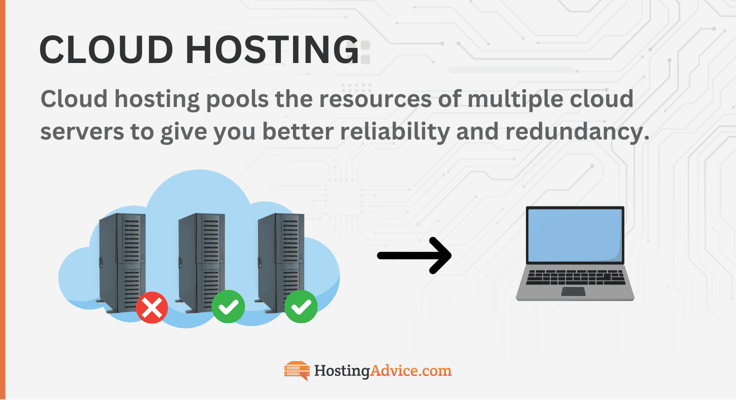
You can purchase an entry-level cloud hosting plan for less than $5 a month. Most cloud hosts offer a pay-as-you-go pricing model where you only pay for the resources you consume. This flexibility is ideal for those who don’t mind a fluctuating monthly bill.
Popular enterprise cloud hosting providers include AWS, Google Cloud Platform, and Linode. These companies cater to large organizations with sizable resource demands. Kamatera, Hostinger, and Cloudways offer more user-friendly cloud-powered plans for everyday website owners.
Is It Worth Paying for the Cloud?
Although the cloud is marketed as having flexible pricing, which is true, its costs are significantly higher than traditional hosting. That’s because of its scalability.
Cloud hosting providers that don’t offer fixed plans use a pay-as-you-go pricing model, leaving room for users to consume resources on demand. So the gist is that the more resources you use, the higher your bill will be.
Bringing us back to the original question, you’ll know if the cloud is worth your time and money based on your needs. Cloud provides unparalleled performance, scalability, and freedom. But this level of flexibility also introduces some unpredictability.
Your cloud bill can vary quite a bit based on your project’s size and monthly usage. To keep spending under control, you’ll want to watch your resource consumption closely.
Here are some use cases that could benefit from cloud hosting:
- Resource-intensive workloads, e.g., AI models
- Mission-critical applications
- High-traffic websites with peak (and slow) seasons
- Projects that need to process large volumes of data
If your project is smaller or has lighter workloads, you might find cloud hosting isn’t quite the right fit. Instead, you can choose shared hosting or a VPS plan. These options provide more consistency in terms of expenses and resource management.
You can learn more about the differences between cloud and VPS hosting here.
How Do I Choose a Cloud Hosting Provider?
If you’re feeling overwhelmed by the endless cloud service options, you’re definitely not alone. The cloud hosting market is huge and often confusing. Here’s a simpler way to look at it: at the top are the industry heavyweights AWS, Google Cloud, and Microsoft Azure.
These cloud providers have large audiences because they are battle-tested and offer a limitless resource pool. But if you’re here, that means you may be looking for something different. The good thing is that if you explore the unbeaten path, you’ll find some gems that are a bit more affordable and easier to navigate than the AWSes and hyperscalers of the world.
Smaller industry veterans have created strong cloud hosting platforms for their users that are backed by the traditional elements you can only find with smaller hosts, including 24/7 customer support, server management, and free perks. I’ll share with you some things to keep in mind while going over your options.
Factors you should consider in your search include:
- Budget: Do you want flexible or fixed pricing? How much are you willing to spend?
- Security: What solutions, e.g. DDoS protection and backups, are crucial for your needs?
- Stability: Do the uptime guarantee and network meet your needs?
- Data center location: Does the host have the location you’re looking for?
- Resources: How many resources will you need?
- Features and support: What features are you prioritizing? Does the platform support your OS, applications, and plugins?
Though cloud hyperscalers, such as Google Cloud, are quite powerful, traditional hosts are definitely worth giving a shot, if you want a more attentive hosting team behind you and operate with a smaller budget. IONOS, Kamatera, and HostArmada are excellent places to start.
Cloud Hosting Providers Boost Uptime Without Breaking Your Budget
We regularly talk about the difference between cheap and value. Primarily in the shared hosting world, the cheapest services often mean shoddy infrastructure, nonexistent support, privacy scams, and terrible user experiences. The hosting providers that bring value pack a ton of features into a surprisingly affordable package.
With an upgraded hosting platform, you can find high-quality services among the cheapest cloud hosting plans.
The first few months or years of a new small business are the leanest. A company’s limited budget is often allocated to build inventory and marketing, along with simply setting up shop and surviving. You may think a service like cloud hosting is a luxury, but it’s well worth the investment — especially in one of the high-value providers listed above.
A budget-friendly cloud hosting provider offers a wealth of professional-grade features that are sure to appeal to online customers for just a bit more than traditional shared web hosting. Thanks to the redundancy of cloud servers, your website or application will always be up and performing at its best.
The added performance and reliability will have tremendously positive impacts on your business: a whopping 70% of online shoppers say website speed is important. If a webpage has a four-second load time, companies can expect to lose up to 25% of those site visitors.
Startups, entrepreneurs, and developers can easily capitalize on the benefits of cloud hosting without getting bogged down in the cost, management, and headaches of complicated pay-as-you-go solutions. By lowering costs, increasing productivity, and optimizing infrastructure efficiency, cloud hosting services can provide a shorter path to profitability.
As cloud services continue to rise in popularity, many of the challenges have faded away. The platform is becoming more accessible to individuals and small businesses with limited tech experience, making it an ideal choice for any growing business. Save your time, money, and resources by moving to the cloud.
HostingAdvice.com is a free online resource that offers valuable content and comparison services to users. To keep this resource 100% free, we receive compensation from many of the offers listed on the site. Along with key review factors, this compensation may impact how and where products appear across the site (including, for example, the order in which they appear). HostingAdvice.com does not include the entire universe of available offers. Editorial opinions expressed on the site are strictly our own and are not provided, endorsed, or approved by advertisers.
Our site is committed to publishing independent, accurate content guided by strict editorial guidelines. Before articles and reviews are published on our site, they undergo a thorough review process performed by a team of independent editors and subject-matter experts to ensure the content’s accuracy, timeliness, and impartiality. Our editorial team is separate and independent of our site’s advertisers, and the opinions they express on our site are their own. To read more about our team members and their editorial backgrounds, please visit our site’s About page.