



Writer: Christina Lewis


Editor: Britain Simons


Reviewer: Lynn Cadet

Key Takeaways
Our experts compared today’s top website and email hosting providers to help you find the best balance of user-friendly AI integration, site builders and features for your business.
-
Hostinger ($2.69/mo) is the best web builder with professional email for small business.
-
Hosting.com ($2.99/mo) is perfect for email marketing & quick launch sites.
-
SiteGround ($2.99/mo) packs in FREE Unlimited Email into its hosting plan.
As Dave Grohl sings in the Foo Fighters’ hit “The Best of You,” the lyric “I’ve got another confession to make” rings in my head. The truth is that I know how to build websites from scratch, and 99% of the time, I prefer to use a website builder.
I know, I know. Web developers everywhere are rolling their eyes at me. But hear me out. A website builder can take my design concept and turn it into a full-fledged website within hours — not weeks. It’s customizable, mobile-friendly, and only requires me to click and drag elements onto the page.
Sure, I love the additional functionality I get from a coded-from-scratch site, but for most of my projects, it just isn’t necessary. Plus, website builders come with extra features like web hosting, one-click software, and (one of my favorites) free email accounts.
If you’re building a site for your business, don’t pass up the opportunity to get a free email with a custom domain name for your site, or at least an excellent deal. I feel so passionately about this that I hand-picked these eight best hosts with email services for you to browse.
Let’s get started!
-
Navigate This Article:
1. Hostinger ($2.69): Best for Cheap & Professional Sites
Hostinger has some of the most affordable plans available that also excel in performance. It earns its spot on a builders-with-email list by bundling three genuinely useful tools under one account: an AI website builder, a professional inbox at your domain, and Hostinger Reach for running email marketing campaigns. Your small business can launch a site and start sending from a branded address in the same checkout.
The AI does a lot of the early lifting. It generates your homepage from a description, and a separate toolkit handles logos, images, and SEO-friendly copy as you build out the rest of the site. Kodee, Hostinger’s built-in assistant, connects domains and troubleshoots setup so you’re not stuck googling DNS records.
Hostinger delivers the best quality at low prices without cutting corners: 300+ templates, eCommerce, drag-and-drop, and email marketing, all working together to deliver a genuinely excellent service.
Hostinger.com

Monthly Starting Price $2.69
- Best website builder: The most complete AI-powered builder at this price point.
- Describe your site to AI and go live in minutes
- 300+ designer-made templates with drag-and-drop
- Built-in eCommerce with 0% fees and 100+ payment methods
- Built-in SEO, email marketing, and AI logo maker included
- Free domain for 1 year + 14-day free trial to start
- Get started on Hostinger now.


Sead Fadilpasic

| Money Back Guarantee | Disk Space | Domain Name | Setup Time |
|---|---|---|---|
| 30 days | 20 GB SSD – 100 GB NVMe SSD | FREE (1 year) | 3 minutes |
The Hostinger website builder has an intuitive drag-and-drop editor with a collection of responsive and sleek designs for eCommerce, landing pages, and blogs, among other things. Hostinger leverages ChatGPT and other AI functionalities to allow users to effortlessly create personalized logos and website content and build websites in seconds.
Pros
- AI-powered site generation: first draft in minutes
- 300+ designer templates: landing page, eCommerce, portfolio, blog, etc.
- Zero transaction fees (Business tier) & 100+ supported payment methods
- Full AI suite bundled in (not gated): logo maker, product description generator, SEO assistant, blog writer, image generator
- 30-day money-back guarantee with a 14-day free trial
Cons
- Free email is time-limited, not permanent
- $2.69/mo locks in for 48 months, but renews at $10.99/mo
Its plans also come with free email for the first year. Users can add 2–5 domain-based addresses per site, depending on tier, with the option to continue at Hostinger’s standard email pricing after that. Hostinger also enables forwarders, autoresponders, and other email tools, and protects your accounts from spam, malware, ransomware, and phishing attacks.
When it comes to security, Hostinger protects your accounts from spam emails, malware, ransomware, and phishing attacks.
Hostinger Site Builder + Email Highlights
- Drag-and-drop editor w/AI-generated starting designs
- 300+ templates: ecommerce, blogs, portfolios, and more
- Free domain for 1 year
- Built-in ecommerce (Business tier): 0% transaction fees, 100+ payment methods, up to 1,000 products
- AI toolkit: logo maker, copywriter, SEO assistant, image generator, blog generator
- Mobile editing support
- 24/7 support, 30-day money-back guarantee
- Email marketing campaigns via Hostinger Reach, AI-assisted
2. Hosting.com ($2.99): Best for Forward Thinking AI
Hosting.com is the Best AI-powered builder for fast-growing service businesses. Hosting.com’s AI Sitebuilder solves the “starting from scratch” problem: describe your business, and the AI Sitebuilder assembles a working draft, copy included, before you’ve had your second cup of coffee. Simply describe your business, answer a few prompts, and the AI assembles your full site.
It’s a forward-thinking AI-integrated site builder. It backs that intelligence with speed and genuine scale options, from a 5-page starter site up through a 1,000-product online store. What sets it apart is the “smart dashboard.” It integrates booking, calendar sync, and social integrations, so a service business can run client-facing operations from a single central dashboard.
Hosting.com

Monthly Starting Price $2.99
- LiteSpeed servers with NVMe SSD storage on all plans
- One-click installs and free expert site migration
- Built-in WAF, malware scanning, and DDoS protection
- Automated daily backups with 30-day restore
- Free domain for 1 year + free SSL included
- Get started on hosting.com now.


Christina Lewis
| Money Back Guarantee | Disk Space | Domain Name | Setup Time |
|---|---|---|---|
| 30 days | 15 GB NVMe SSD | FREE (1 year) | 4 minutes |
Beyond AI, Hosting.com’s editor has everything you need to build your site: drag-and-drop layout controls, device-specific editing, multi-language support, and a built-in app store for chatbots and social scheduling.
Pros
- AI generates a working site from a description
- FREE unlimited site migrations
- cPanel included with SSH, Git, phpMyAdmin, full REST API
- Softaculous installs 300+ apps in one click
- Move up to a dedicated server anytime, zero downtime
- 24/7 in-house engineers plus Orbi AI assistant
Cons
- You get free cPanel email, but no Titan pro at entry tier
The Store Pro tier goes further with subscription billing and tax and shipping automation, making it a stronger option for online stores than a basic brochure-site builder.
Hosting.com’s cPanel hosting plans include basic domain-based email at no additional charge. Depending on the hosting tier, users receive 10 to 40 mailboxes with 10GB of storage each, along with webmail, IMAP/POP3 support, spam filtering, forwarders, autoresponders, and email authentication tools.
For more advanced email features, Hosting.com sells separate Titan-powered Professional Email plans. These paid plans increase mailbox storage and add productivity tools such as calendars, read receipts, follow-up reminders, branded templates, appointment scheduling, email campaigns, and mobile apps.
Hosting.com Site Builder + Email Highlights
- AI Sitebuilder & Drag-and-drop editor (WordPress)
- Fast for your visitors. Quick-loading pages
- NVMe storage: 15GB (Starter) to 100GB (Max)
- AutoSSL, daily scheduled and on-demand backups
- Email: webmail SSO, IMAP/POP3/SMTP, SPF/DKIM configured
- Softaculous one-click installs, WHM/reseller tools available
- 99.9% uptime SLA, 30-day money-back guarantee
- SEO tools, Google Business Profile integration
3. Wix ($17.00): World-class Features — with Upsells
Wix is one of the top website builders in the world, and its success speaks for itself. Wix shows why it’s at the top of the list with innovative solutions, including its Wix Harmony AI website builder, trustworthy reputation, and reliable functionality.
Now, the caveat for email. Wix’s own stack covers hosting, security, and marketing well, but a branded inbox routes through a separate Google Workspace purchase, so you don’t get the savings from native email hosting. That means you’ll pay $17.00 plus around $7/mo to $22/mo.
Wix.com

Monthly Starting Price $17.00
- Trusted by 250 million websites across 190 countries
- 2,000+ designer-made templates for every industry
- Built-in eCommerce, scheduling, blogging, and events
- Built-in SEO tools, email marketing, and Google/Facebook ads
- 99.99% uptime on multi-cloud hosting with enterprise security
- Get started on Wix now.


Lynn Cadet
| Money Back Guarantee | Disk Space | Domain Name | Setup Time |
|---|---|---|---|
| 14 days | 2 GB – Unlimited | FREE (1 year) | 4 minutes |
Aria, the AI agent behind its Harmony builder, doesn’t just generate a site and leave you hanging. It sticks around for ongoing edits, from drafting a blog post to building a pay link. Its all-in-one platform offers everything you need to build and establish a web presence. Wix also has a sleek and easy-to-use system, which makes creating a breeze.
Users can find a myriad of well-designed templates and themes to match any website endeavor, from restaurant menus and retail catalogs to blogs and media portfolios.
Pros
- Wix Harmony AI builder: prompt generation + drag-and-drop editing
- Free to build and publish before any payment
- 2,000+ industry templates, fully customizable
- Built-in SEO plus AI-visibility (GEO) tracking
Cons
- Custom domain: only free with an annual Premium plan
- Email: routed through separate Google Workspace purchase
As for its email services, Wix offers paid business email plans and a free email marketing tool that includes multiple useful features. Its email suite has data analytics, an email template editor, and automation for perfectly timed and personalized email campaigns.
Wix Site Builder + Email Highlights
- AI builder (Wix Harmony) with “Aria” AI agent
- 2,000+ templates: eCommerce, portfolio, blog, business
- Multi-cloud hosting, 99.99% uptime, global CDN
- 2 layers of DDoS protection, 24/7 security monitoring, SSL
- Built-in ecommerce, bookings, events, online courses, memberships
- SEO assistant + GEO tool for AI-platform visibility tracking
- Email marketing, social media management, Google/Meta ads
- Owner mobile app for managing the business remotely
4. SiteGround ($2.99): AI-Powered + Unlimited Email
SiteGround stands apart with the infrastructure most budget hosts don’t have: it runs on Google Cloud with custom-tuned PHP and MySQL, backed by an AI-driven bot and DDoS protection that blocks over 1 million attacks daily. Whew, that was a mouthful. The real benefit comes when you take a look at email specifically.
For a professional inbox, SiteGround includes unlimited email accounts at your own domain on every hosting tier, accessed through its Site Tools dashboard, with free spam protection and webmail included standard.
You heard that right — Free Unlimited Email.
Separately, SiteGround also sells Email Marketing, its own standalone platform for campaigns, subscriber lists, and (as of a recent update) AI-assisted campaign writing. The mailbox is bundled with hosting; the marketing platform is its own product with its own subscription.
SiteGround.com

Monthly Starting Price $2.99
- FREE website transfer service to get started
- 99.9% uptime guarantee and unlimited traffic
- User-friendly WordPress installation
- 24/7 support featuring custom systems
- 4 caching options plus staging and Git
- Get started on SiteGround now.
Lynn Cadet
| Money Back Guarantee | Disk Space | Domain Name | Setup Time |
|---|---|---|---|
| 30 days | 10 GB SSD – 100 GB Google Cloud SSD | FREE (1 Year) | 6 minutes |
For email, SiteGround includes unlimited professional email accounts at your own domain on every tier, managed through its Site Tools dashboard. Addresses like you@[yourbusiness].com are accessible via webmail, Outlook, or mobile, with free spam protection built in.
Unlike Hosting.com or Bluehost, there’s no separate paid email upgrade tier here — the unlimited allotment is the same across StartUp, GrowBig, and GoGeek.
Pros
- Unlimited professional email on every plan, no upgrade needed
- AI Website Builder with image and text generation included
- Google Cloud infrastructure with multi-level caching
- 98% customer satisfaction, 24/7 human support
- Free migration, backups, SSL, and CDN standard
Cons
- More features means higher renewal price
- Single-website limit on the entry StartUp tier
Beyond email, the hosting foundation itself is a genuine differentiator. Again, did I mention SiteGround runs on Google Cloud with custom-tuned PHP and MySQL rather than generic shared-server infrastructure, and backs it with multi-level caching that keeps a site fast at every stage: loading, browsing, and checkout? Impressive.
For WordPress specifically, that means managed autoupdates, WP-CLI, and SSH access even on lower tiers, and a dedicated Speed Optimizer plugin that adds another layer of performance tuning most budget hosts don’t bother building. It’s the kind of infrastructure depth usually reserved for pricier managed-hosting products, not a $2.99/month entry plan.
SiteGround Site Builder + Email Highlights
- AI Website Builder: image generation, text generation, templates
- Unlimited professional email, every plan, no upgrade tier
- Free domain, SSL, CDN, and daily backups
- AI Agent for WordPress, managed autoupdates
- Multi-level caching, Google Cloud infrastructure
- AI-powered anti-bot and DDoS protection
- Free site migration, automatic WordPress installs
- 24/7 live support, 98% customer satisfaction
5. Bluehost ($3.79): AI Builder Meets WordPress Muscle
Bluehost is one of the few web hosting companies the WordPress community recognizes for its accommodating hosting environment. If you’re looking to build a WordPress site, Bluehost is a great go-to resource. The web host provides a one-click WordPress installation, which allows you to instantly start building with the CMS.
Bluehost’s case rests on being the WordPress specialist that also happens to be fast with NVMe SSD storage, and that speed comes bundled with a WordPress.org endorsement dating back two decades. The free professional email is utilized through cPanel, so it has limitations (see below).
Bluehost.com

Monthly Starting Price $3.79
- Weebly website builder or 1-click WordPress install
- Service endorsed by the WordPress Core team
- goMobi mobile website builder available
- $200 in ad credits to kickstart your marketing
- Our visitors get 63% off WordPress hosting
- Get started on Bluehost now.
Sead Fadilpasic
| Money Back Guarantee | Disk Space | Domain Name | Setup Time |
|---|---|---|---|
| 30 days | 10 – 100 GB NVMe SSD | FREE (1 year) | 7 minutes |
Bluehost provides you with the complete WordPress interface and dashboard which enables you to access its plugin collection, content management system for blog posts, and other solutions.
Pros
- WonderSuite AI builder: generates site from description, all plans
- 0.35s US load time — fastest of competitors tested
- Malware scan AND removal, not just detection
- Free zero-downtime migration, ~2 min average
- WordPress.org endorsed host since 2005
Cons
- Chat + phone support only on Business Essentials tier and up
- Free cPanel email is capped at 2 mailboxes now, not unlimited
- Full Titan email AI features require the Ultra tier ($6.99/mo introl)
Bluehost also provides custom WordPress themes. The Bluehost control panel is easy to use and makes managing your website and domain a breeze. The email services are another evolving story.
cPanel email used to be limited only by your website hosting plan, as it utilizes the same storage space, SSD, and RAM. That recently changed for Bluehost. You can still use free cPanel email, but it’s now limited to two inboxes. Unlimited cPanel email is behind a paywall. Titan is a different pro upgrade altogether.
As for email services, Bluehost actually runs two separate email systems:
- cPanel Email is the basic inbox tied directly to your hosting plan — free for up to 2 mailboxes, then tiered from $2.99/mo (3–10 mailboxes) up to $8.99/mo for unlimited mailboxes with higher sending limits and advanced spam filtering.
- Professional Email (Titan) is a different product entirely, a more full-featured inbox with AI drafting, calendars, and branded templates, sold on its own separate pricing page. It starts at $1.99/mo (renews at $2.99) for Pro, with read receipts, templates, and calendar syncing. We go into more detail later in the article.
If you’re comparing “free email with Bluehost,” make sure you know which of the two you’re actually looking at, and how many mailboxes you’ll realistically need, since only the smallest setups stay free under cPanel Email now. Bluehost’s free cPanel email uses Roundcube webmail, giving you basic domain-based accounts with manual storage quotas.
It supports IMAP/SMTP syncing for mobile and desktop clients, with auto-configuration scripts available for Apple Mail, Outlook, Thunderbird, and KDE Mail. This is the free, permanent cPanel tier — separate from Bluehost’s paid Professional Email (Titan-powered) product, which is a different email system entirely with its own storage tiers and AI features.
Bluehost Site Builder + Email Highlights
- LiteSpeed servers, NVMe SSD, HTTP/3, global CDN
- 2+ Tbps DDoS protection, 24/7 firewall, auto updates
- Free domain (1st year), free SSL, weekly backups
- AI SEO Optimizer with Yoast integration
- WooCommerce pre-installed on eCommerce tier (Stripe/PayPal ready)
- 99.99% uptime SLA, 30-day money-back guarantee
6. DreamHost ($2.89): Flat-Rate Simplicity with a Free Starter Site
DreamHost splits its offering into two products worth keeping straight. Its hosting plans are the straightforward part: Web Hosting Launch starts at $2.89/mo (renewing $10.99/mo) with 25 websites, a free domain, and a Free Handcrafted Starter Website, a real 4-page site DreamHost’s own team builds for you, not AI-generated.
DreamHost.com

Monthly Starting Price $2.89
- Free handcrafted starter website built for you, just add content
- Host 25 websites with unlimited bandwidth and daily backups
- AI website builder + AI business tools included
- Free SSL, DDoS protection, and automated malware scans
- 100% uptime guarantee with 24/7 support
- Get started on DreamHost now.
Christina Lewis
| Money Back Guarantee | Disk Space | Domain Name | Setup Time |
|---|---|---|---|
| 30 days | 25 GB NVMe SSD | FREE (1 year) | 4 minutes |
If you’d rather describe your site and have AI build it instead, that’s Remixer, DreamHost’s separate agentic AI builder ($9.99/mo after a free 30-day trial), which generates full sites and even functional web apps with logins and payments built in. The two are different products with different pricing, so know which one you’re actually signing up for.
DreamHost Remixer: Agentic AI Website & App Builder
Beyond the free starter site, DreamHost’s control panel covers domain management, email settings, and user access from one dashboard. You’ll appreciate having no separate logins or bolted-on tools to sift through.
Pros
- Free Handcrafted Starter Website, a real site built by DreamHost’s team
- 100% uptime guarantee, not just 99.9%
- Monthly billing available, no long-term lock-in required
- Free automatic migration tool for WordPress sites
- 24/7 in-house support, no bots or outsourcing
- Unlimited mailboxes standard on DreamPress and VPS Business, no trial required
Cons
- Non-WordPress migrations may cost extra (Wix, Squarespace, etc.)
- Free email trial (Launch tier) requires a paid Professional Email plan after 3 months
VPS Business tier steps up to unlimited websites, dedicated cores and RAM, and for our purposes, unlimited email at your domain. This is a meaningfully different email allowance than the base plan’s trial.
Email varies meaningfully by hosting tier. Web Hosting Launch includes 3 months free across 20 mailboxes, after which continuing requires a paid Professional Email subscription. DreamPress 1, DreamHost’s managed WordPress tier, includes unlimited mailboxes standard, no trial clock. VPS Business also includes unlimited email at your domain permanently. If unlimited, no-trial email is the priority, DreamPress or VPS Business are the tiers that actually deliver it, not the entry Launch plan.
DreamHost Site Builder + Email Highlights
- Opt for the Remixer AI builder ($9.99/mo)— generates full sites and web apps with logins and payments
- NVMe SSD storage, unmetered bandwidth on every plan
- Free Handcrafted Starter Website (built by DreamHost)
- Professional Email: 3-month free trial, mailbox count by tier
- Free domain + private registration for 1 year
- 100% uptime guarantee, daily automated backups
- 24/7 in-house support, no outsourcing
- Monthly or annual billing, no forced long-term contracts
7. GoDaddy ($9.99): Free to Start, Paid to Keep
GoDaddy reigns at the apex of domain services. It has almost any domain service you can imagine, making everything about domain registration and management simple. However, registering a domain is only the first step.
GoDaddy’s intuitive website-building solution helps you take care of the rest. They emphasize speed-to-launch, backed by the domain registration that built the company name. Airo AI takes a business description and produces a working site.
GoDaddy’s paid Website Builder plans include a free trial of Professional Email at your domain. The service is powered by Titan and is separate from the seven-day trial of premium Website Builder features.
GoDaddy.com

Monthly Starting Price $9.99
- FREE 7-day trial of premium features
- Easy-to-use interface with tons of customization
- GoDaddy InSight™ provides tailored action plans
- 99.9% uptime with an award-winning support team
- Free 1-year Professional email, via Microsoft 365
- Get started on GoDaddy now.
Lynn Cadet
| Money Back Guarantee | Disk Space | Domain Name | Setup Time |
|---|---|---|---|
| 30 days | Unlimited | New or Transfer | 5 minutes |
GoDaddy provides all the features you need to create and run a successful website, from templates and SEO integrations to built-in marketing and payment solutions. The caveat with unlimited disk space is lower starting RAM (512 MB), 1 CPU core, and an inode file/folder limit.
What you need to know about how GoDaddy handles “Unlimited” storage and websites — the inode cap is the real ceiling at 250K. An inode is used up by every individual file: every email, image, cached file, log entry, and more. For instance, a WordPress install (with plugins and caching) can easily consume tens of thousands of inodes before you’ve uploaded any media.
Pros
- Airo AI builder: generates full site from a few prompts
- Free (1 year) of professional email w/Microsoft 365 Email Essentials
- Free custom domain with annual plan purchase
- AI Logo Maker and Studio: built-in branding tools
- 24/7 expert support via phone and chat
Cons
- Free 7-day trial will not retain most features if you do not upgrade to paid tier
- Ecommerce transaction fees apply (2.7% + 30¢) on top tier
- Inode limit (250K)
- Professional email is not a built-in service. They partner with Microsoft 365
Users can browse hundreds of modern and visually appealing templates tailored to any niche. Its editor also allows users to easily customize the layout to their brand and edit and manage content seamlessly.
If you need email services, there is no shortage of tools. GoDaddy offers email marketing and hosting solutions with various options. With its digital marketing suite, users can create branded content with easy-to-use templates, develop structured email campaigns, and monitor success with email analytics.
GoDaddy Site Builder + Email Highlights
- Airo AI: full-site generation, logo maker, AI Domain Search
- 100+ customizable templates across industries
- Free professional email (1 year): 10GB storage w/Microsoft 365 Email Essentials
- Built-in SEO Wizard, Google Analytics/Search Console integration
- Payments via GoDaddy Payments, PayPal, Square, or Stripe
- Microsoft 365 email productivity tools: email campaigns
- Free digital content creator + 100 email marketing sends/mo
- 24/7 support via phone, chat, and GoDaddy Guides
Other Website Builders
If one of the previously mentioned site builders doesn’t tickle your fancy, you may like one of the following platforms instead. These providers focus heavily on the site-building aspect of their services, which makes them perfect for beginner website owners.
Whether you need a complete branding experience or a simple email service for your business, these two hosting providers will give you the tools to power your strategy, with strings attached.
8. Squarespace ($16.00): Web-building Giant Tied to Google Mail
Squarespace is a giant in the web-building industry and has helped millions of users launch their sites online. It has a vast collection of templates with layouts that range from eCommerce and business to blogs and portfolios. Squarespace has been in business since 2003 and has expanded its services over the years to include eCommerce functionality, hosting, and brand marketing.
Squarespace doesn’t run a native email service. Instead, it offers two third-party options through its platform: Google Workspace and Essential Email by Titan. This is separate from Squarespace Email Campaigns, which provides tools for designing and sending marketing emails.
Squarespace.com

Monthly Starting Price $16.00
- Blueprint AI Builder — named a TIME Best Invention of 2025
- Industry-leading templates built for creatives and businesses
- Built-in eCommerce, scheduling, invoicing, and memberships
- AI-powered content, SEO tools, and email marketing included
- Free trial, no credit card required — cancel anytime
- Get started on Squarespace now.
Lynn Cadet
| Money Back Guarantee | Disk Space | Domain Name | Setup Time |
|---|---|---|---|
| 14 days | Unlimited Storage | FREE (1 year) | ~5 minutes |
Squarespace’s world-class designers create stunning, award-winning templates with flexible and customizable designs. Users can add as many web sections as they want and leverage its editor to bring their ideas to life. Blueprint AI takes a few answers about your business and generates a full site with matched copy, imagery, and layout, rather than a generic template fill-in.
Pros
- Blueprint AI builds full site from a few prompts
- Hosting, SSL, WAF, DDoS protection all included
- 14M+ entrepreneurs served, $36B+ earned on platform
- Built-in invoicing, scheduling, and online store tools
- Squarespace Payments handles checkout natively
Cons
- No native email: routed entirely through Google Workspace
- Highest cost of the builders reviewed so far
For a professional inbox, Squarespace doesn’t run its own mail servers; your email always lives with a third party, even though your site itself is hosted by Squarespace. You’ve got two choices here: Google Workspace or Essential Email by Titan. Both get billed through your Squarespace account, but you’ll manage the actual inbox through Google’s or Titan’s own dashboard.
- Google Workspace runs $7 to $22/user/month across three tiers, Starter, Standard, and Plus, scaling from 30GB of storage and basic Gemini access up to 5TB and advanced admin controls. Eligible Website plan subscribers get one free year of the Starter tier.
- Titan’s Essential Email is the other option, and it has one real edge: SPF and DMARC get configured automatically during setup, something Google Workspace leaves for you to handle manually.
Separately, Squarespace’s Email Campaigns is its own standalone marketing product, sitting right alongside Acuity Scheduling and Bio Sites in Squarespace’s lineup, not bundled into either mailbox option above. That’s where templates, mailing lists, and campaign automation actually live.
Squarespace Site Builder + Email Highlights
- Blueprint AI: generates full site from business Q&A
- Drag-and-drop editor (Fluid Engine)
- Hosting + SSL + WAF + DDoS protection included
- Email: Google Workspace, 1 free year on eligible plans
- Built-in SEO tools, AI copy and alt-text generation
- Squarespace Payments, invoicing, and scheduling (Acuity)
- Social media auto-publishing and feed integration
- 24/7 support
Comparison Table: 8 Website Builders with Email
Here’s the full lineup side by side: starting price, standout features, who each one actually fits best, and how email works for the specific host. Use this as your quick reference before diving in and making your must-have features list.
| Host | Starting Price | Top Benefits | Best Fit For | |
|---|---|---|---|---|
| Hostinger | $2.69/mo | AI site + email builder (Kodee), 0% ecommerce fees, lowest entry price | Budget-conscious small businesses wanting AI included from day one | Native, branded — free 1st year, then paid |
| DreamHost | $2.89/mo | Free Handcrafted Starter Website, 100% uptime guarantee, no upsell ladder | Anyone who wants a flat rate with zero forced tiers | Native — 3-month free trial, then paid |
| Hosting.com | $2.99/mo | AI Sitebuilder, built-in booking/calendar sync, scales to dedicated server | Service businesses needing scheduling + site in one dashboard | Basic cPanel email included; Titan available as a paid upgrade |
| SiteGround | $2.99/mo | AI Website Builder, Google Cloud speed, AI-powered DDoS protection | Businesses wanting unlimited email with zero upsell tiers | Native, unlimited accounts — included at every plan tier |
| GoDaddy | $9.99/mo | Airo AI builder, AI Domain Search, free email bundled with paid plans | Fast launch backed by domain-registration expertise | Titan-powered Professional Email trial; confirm renewal terms |
| Bluehost | $3.79/mo | WonderSuite AI, fastest confirmed load times (0.35s), WordPress.org endorsed | WordPress-heavy sites prioritizing speed and reliability | Free cPanel email, capped at 2 mailboxes; Titan available as a paid upgrade |
| Wix | $17.00/mo | Aria AI agent (ongoing edits), 2,000+ templates, strong built-in SEO/GEO tools | Design-focused builds wanting AI that keeps helping post-launch | Google Workspace partnership, not native |
| Squarespace | $16.00/mo | Blueprint AI (copy + imagery + layout), hosting/security fully bundled | Design-first brands prioritizing polish over price | Google Workspace or Essential Email by Titan; not native |
A few patterns worth noticing before you pick: price and email model don’t move together the way you’d expect. The cheapest hosts (Hostinger, DreamHost) include native-branded email, while the priciest (Wix, Squarespace) route email entirely through a third party. And “free” always has an asterisk somewhere, whether it’s a renewal jump, a trial window, or a features cap.
SiteGround stands out as the only host on this list offering unlimited professional email with no separate paid upgrade tier — the same allotment across its entry and top-tier plans.
Match the row that fits your actual priority, then go back to that host’s full review above for the specifics.
Top Questions: Site Builder & Email Hosting Q&A
You may still have questions, and we have answers. Jump to…
The Basics
- What Is a Website Builder? >>
- What Are the Pros and Cons of Using a Website Builder? >>
- Which Website Builder Should I Use? >>
Making the Right Choice
- What to Look For in a Website Builder Today? >>
- Can I Use Artificial Intelligence (AI) for Website Building? >>
- What Email Tools Should I Look for in a Hosting Plan? >>
- How Much Should A Website Builder Plan Cost? >>
- Are Free Website Builders a Good Choice? >>
Getting the Most From Your Email
1. What Is a Website Builder?
Building a new website for your business? A website builder is software that lets you design and launch a website without coding or hiring a web developer. In the early days of the web, building a website required knowledge of coding and design, usually with HTML and text editors.
GeoCities, the first website-building platform, launched in 1994 and gave people a new way to build websites without code. Today, in 2026, website builders use a graphical user interface that lets you design with drag-and-drop functionality. You don’t always have to choose just one. Many sites incorporate multiple options, such as an AI site builder and drag-and-drop.
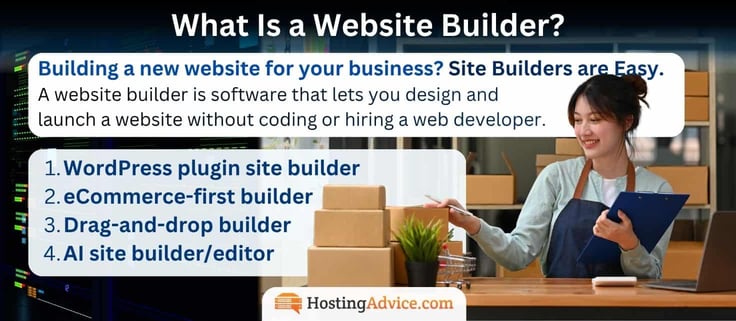
That “graphical interface” now comes in a few distinct options, depending on the host:
- Drag-and-drop builder (Wix, Squarespace): gives you a visual canvas where you place and resize elements directly, no code involved.
- WordPress plugin builder (Elementor, Beaver Builder): works differently — it’s a plugin layered on top of the open-source WordPress CMS, which means more flexibility and portability, but usually a steeper learning curve.
- AI site builder (the newest category — Hostinger, Wix’s Aria, Squarespace’s Blueprint AI): skips the blank canvas entirely: describe your business, and the AI generates a working draft. You can edit the layout, copy, and images, then refine with the editor tools underneath.
- eCommerce-first builder (Hosting.com’s Store Pro/Plus tiers): centers everything around product catalog, tax, and shipping automation, treating page design as secondary to selling.
Most builders on this list actually blend two of these approaches, pairing an AI generator with a traditional drag-and-drop editor for the fine-tuning afterward. We’ve made a simple checklist to help you get started finding what’s most important to you.
2. What Are the Pros and Cons of Using a Website Builder?
Website builders offer plenty of benefits to people who don’t know how to code — or anyone who simply doesn’t feel like building a site from scratch. But they aren’t the right choice for everyone. Take a peek at these pros and cons so you know what you’re getting yourself into:
Pros
- No coding knowledge required
- Website templates for easy design
- Built-in hosting
- Affordable and easy to set up
- Includes SEO tools and eCommerce functionality
Cons
- Limited customization
- May be difficult to transfer your site
- Not as scalable as other methods
Platform-specific issues can still hold a site back. Template-based builders may produce bloated, repetitive HTML that search engines have to work harder to parse, while uncompressed images and shared-server limitations can slow page performance. These issues can become a website’s Achilles’ heel, even when the builder provides strong on-page SEO tools.
Common Website Builder Issues
| Site Issue | Why It Happens | What to Check Before Signing Up |
|---|---|---|
| Can’t migrate your site to a better host’s site builder | Proprietary editors (e.g., older Wix ADI-era tools) don’t generate portable code. WordPress has built-in migration tools, regardless of host, though some individual themes may still be proprietary. | Contact the platform’s support team directly and ask about file/theme export, not just content export. Look for an export tool buried in account settings — it’s rarely front and center. |
| SEO rankings tank after switching hosts | URL structures change on migration, and 301 redirects either aren’t set up automatically or aren’t supported at all on some builders. | Ask specifically whether the platform lets you set custom URL slugs and configure your own redirects. If support can’t answer this clearly, that’s a red flag in itself. |
| Site content is trapped in builder-specific blocks | Drag-and-drop “sections” are rendered in a proprietary format that doesn’t translate to standard HTML/CSS elsewhere. | Open the builder’s help docs and search “export” or “download site files.” If nothing comes up, assume the content can’t leave in a usable format. |
| Hit a hard ceiling on pages, products, or storage | Entry-tier plans cap page counts, product listings, or file storage — and some hosts don’t disclose the cap until you try to add one more. Each offer is different. | Check the plan comparison page (not just the pricing page) for exact numeric limits, and confirm whether upgrading will scale with your needs at a reasonable price. |
| “Unlimited” plan still throttles performance | Storage may be unlimited, but inodes, RAM, and entry processes (simultaneous connections) are almost always capped, even on top-tier plans. | Ask support directly for the inode limit and RAM allocation — these numbers are rarely listed on the pricing page itself, but every host has them. The inode limitation is mainly a GoDaddy concern. |
A website builder is the right call for speed and affordability, but “easy to start” and “easy to leave” are two different promises, and most builders are only generous about the first one. The flip side is that they want you to stay, so many will keep providing perks. The main perk to look for today is AI integration at no extra cost.
3. Which Website Builder Should I Use?
The right website builder depends on what you’re creating, the features you need, and how much you want to spend. A student building a simple project has very different priorities from a retailer managing hundreds of products or a consultant who needs scheduling and invoicing tools.

To narrow your options, find the use case below that most closely matches yours and start with the recommended provider.
- Beginners: no coding experience, want guided templates over a blank canvas → Hostinger, AI generates your first draft, so there’s no blank canvas to stare at
- Students: school projects, tightest possible budget → Bluehost, cheapest confirmed entry price on this list at $1.99/mo
- Photographers: heavy galleries, need fast image-loading → Hosting.com, NVMe storage and quick-loading pages built for image-heavy sites
- Small business owners: need booking, payments, and email under one roof → SiteGround, unlimited email bundled with zero upsell tier
- Job seekers: single-page résumé site, nothing fancy → Bluehost, lowest cost for a simple, one-off site
- Influencers: mobile-optimized landing page for affiliate links → Hostinger, AI keeps the site and email marketing tied together as your links change
- Wedding planners and couples: RSVP forms, countdowns, photo galleries → DreamHost, a free handcrafted starter site is an easy way to get something polished up fast
- Freelancers and consultants: invoicing and scheduling baked in → Hosting.com, smart dashboard handles booking and calendar sync natively
- Restaurant owners: online menus, reservations, delivery integration → Hostinger, built-in eCommerce and marketing tools scale with a growing local business
- Nonprofits: donation processing on a tight budget → DreamHost, flat-rate pricing with no forced upsell ladder
- Real estate agents: photo-heavy listings, lead capture forms → SiteGround, Google Cloud infrastructure keeps image-heavy pages fast
- Musicians and podcasters: embedded audio, tour dates, merch → Hosting.com, eCommerce scales from a simple merch table to a full store
- Coaches and course creators: gated content, membership tiers → Hosting.com, Store Pro tier handles subscription billing natively
- Actors: quick-scanning reels and headshots → Bluehost, fast load times matter most when casting directors are skimming
- eCommerce sellers: product catalog and checkout as the core of the site → Hosting.com, scales to a 1,000-product store without switching platforms
- Design agencies: portfolio-first, often white-labeled for clients → Squarespace, polish and design credibility come first here
- UGC content creators: media kits, brand collaboration pages → Wix, ongoing AI editing keeps a media kit current as brand deals change
There’s no universal right answer here, and that’s kind of the point: the market has split into dozens of high-intent niches, each with a genuinely different must-have feature. A photographer cares about gallery load speed far more than booking tools; a restaurant owner cares about reservation integrations far more than portfolio layouts.
Whatever your category, match the builder to the actual workflow you’ll run day to day, then jump to that host’s full review above for the specifics on pricing, email, and everything else covered in this piece. If you think you can benefit from using a site builder, use one!
4. What to Look For in a Website Builder Today?
Every host on this list will hand you a website. Fewer of them will hand you one that’s actually built to grow, easy to migrate (if things change), or transparent about the expiration of promotional prices.
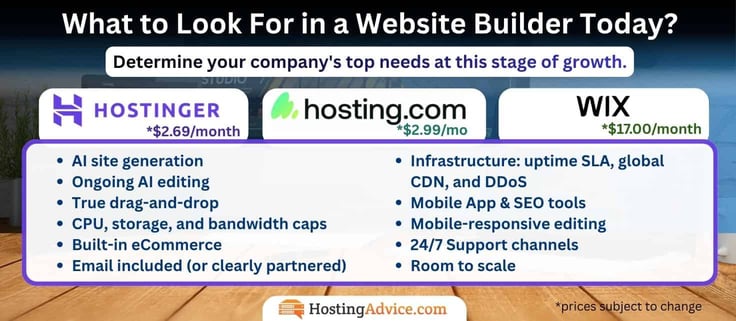
Before comparing providers feature-by-feature, it helps to know exactly which checkboxes matter and which are just marketing dressed up as differentiation.
- AI site generation: prompt-to-site drafts, not just template swapping (Hostinger, Wix Harmony, Hosting.com)
- Ongoing AI editing: an assistant that keeps helping post-launch, not just at setup (Wix‘s Aria, Squarespace’s Blueprint AI)
- True drag-and-drop: pixel-level control, not click-to-modify-only editing (avoid builders with rigid, stripe-based layouts)
- CPU, storage, and bandwidth caps: check real limits behind “unlimited” claims (inodes, entry processes, RAM)
- Built-in eCommerce: with 0% transaction fees and a dashboard (WooCommerce for WordPress, Shopify’s native checkout)
- Email included (or clearly partnered): native inbox vs. a Google Workspace/Titan add-on (know which one you’re actually buying)
- Free domain (trial terms): confirm the exact duration and whether it renews free or reverts to paid
- Hosting infrastructure: uptime SLA, global CDN, and DDoS protection standard, not upsold
- SEO tools: AI-generated meta tags, alt text, and automatic sitemap indexing
- Renewal price, not just intro rate: some hosts triple in cost after year one
- Free migration support: especially if moving an existing site, not just a fresh build
- Native Mobile App: Be able to access your analytics and dashboard on the go
- Mobile-responsive editing: device-specific customization, not just auto-scaling templates
- Support channels and speed: 24/7 chat/phone vs. email-only, and average response time
- Money-back guarantee window: 14, 30, or “anytime,” and what’s excluded from refund
- Room to scale: shared hosting to VPS to dedicated server, without a full rebuild
None of these boxes needs a checkmark from every provider. Really think about your company’s needs at this stage of growth. What matters is knowing which trade-offs you’re making going in, instead of finding out at renewal time or the moment you try to switch hosts. Run any builder on this list through the checklist above, and you’ll know exactly what you’re signing up for, long before the first bill hits your card.
These platforms also come with custom domain names and web hosting under one roof, making it easier than ever to build an online presence.
5. Can I Use Artificial Intelligence (AI) for Website Building?
Artificial intelligence has gained a lot of traction in the last few years. And with the likes of ChatGPT emerging, it has become even more mainstream and usable for the general public. We’ve even covered how to use AI to build a WordPress site.
Wix and Hostinger are two of the most popular web hosts in the industry, and they also happen to offer AI functionality within their platforms for web building.
More and more people are leveraging AI for everyday tasks to simplify their routines, like debugging WordPress errors. Now, imagine if you could build a website and develop page content with AI. Well, that’s not so out of reach. Instead of going back and forth between an LLM like Claude, Gemini, or ChatGPT and inserting code, you can now directly use built-in AI site builders.

Top choice: Hostinger — Leading the AI Charge
Hostinger takes a slightly different approach with its AI-enabled web builder tool. The web hosting provider leverages ChatGPT to power its services. Users can have a fully designed website in seconds by asking AI to generate a template that fits their needs.
Hostinger also powers its SEO tools and logo maker with AI, along with modifying websites with its drag-and-drop editor. Its AI writer tool can create website content that is SEO-friendly and converts traffic.
Another unique highlight of its platform is its Hotjar integration, which enables users to view their most popular web pages and predict user behavior with an AI heat map tool. Hostinger provides a comprehensive AI-powered environment that tackles web content, images, personalization, and analytics.
WIX — Full AI Integration at a Premium Cost
Wix has since moved past its original ADI tool. Its current AI system, Wix Harmony, pairs an AI agent named Aria with the standard Wix editor; describe your business in plain language, and Aria generates a working site. Then, you can still use it afterward for ongoing edits: drafting a blog post, setting up a shipping option, or building a pay link, with the same interface.
Aria doesn’t just hand off a finished site and disappear; it keeps providing features to help you improve and optimize. Wix starting at $17.00, with email billed separately, does back Aria with 2,000+ templates and radical customization on top of the AI draft, so the generated site is a tempting offer for the higher price point.
Our Choices Ranked — AI Features Comparison Table
Other hosts on this list also lean into AI now, each with a different angle. Hosting.com‘s AI Sitebuilder and GoDaddy‘s Airo both generate a full site from a short business description, similar to Hostinger‘s approach. Bluehost‘s WonderSuite AI focuses on WordPress specifically, pairing smart templates with an AI troubleshooter that catches plugin conflicts before they cause downtime.
SiteGround’s AI Website Builder takes a similar generation-first approach, adding AI image and text creation on top of an AI Agent that handles ongoing WordPress management.
Squarespace’s Blueprint AI leans on two decades of in-house design expertise to generate copy, imagery, and layout together rather than separately. DreamHost’s Remixer goes beyond a standard site generator by creating complete websites and web apps with forms, databases, user accounts, and payment functionality.
Users can then continue refining the project through conversational prompts or make precise changes in its visual editor.
| Host | AI Tool Name | What It Does | Site Generation | Ongoing AI Edits | Overall Integration |
|---|---|---|---|---|---|
| Hostinger | AI Website Builder (ChatGPT-powered) | Full site generation, AI logo maker, AI writer, Hotjar AI heatmaps, Ongoing AI agent — generates and continues editing post-launch | Yes | Yes | 5/5 |
| Wix | Harmony (Aria agent) | Ongoing AI agent — generates and continues editing post-launch | Yes | Yes | 5/5 |
| SiteGround | AI Website Builder + AI Agent for WordPress | Image and text generation, built-in SEO, AI-managed WordPress automation | Yes | Yes | 4/5 |
| Squarespace | Blueprint AI | Generates copy, imagery, and layout together from a business Q&A | Yes | Yes | 4/5 |
| Bluehost | WonderSuite AI | WordPress-specific: smart templates, AI troubleshooter, SEO optimizer | Yes | Yes | 4/5 |
| Hosting.com | AI Sitebuilder | Generates site from prompts; scales to 1,000-product stores | Yes | No | 3/5 |
| GoDaddy | Airo | Full-site generation plus AI Domain Search and logo maker | Yes | No | 3/5 |
| DreamHost | Remixer | Generates complete sites and web apps with forms, databases, user accounts, and payments | Yes | Yes | 5/5 |
Hosts that both generate a complete first draft and continue helping with conversational edits after launch — Wix, Hostinger, and DreamHost — score highest because that ongoing-assistant model is the more advanced approach. Squarespace and Bluehost land just below since their AI is strong at generation but more narrowly scoped afterward (SEO/troubleshooting continuation, not full conversational editing).
SiteGround lands alongside Squarespace and Bluehost in the second tier. Its AI Website Builder generates real content (images and copy, not just layout), and the AI Agent for WordPress continues assisting after launch with automation and updates, though it’s more infrastructure-focused than Wix’s or Hostinger’s conversational, ongoing-edit approach.
Integrating AI into your website journey can genuinely speed things up and make choosing design placements far less guesswork. With all eight on this list offering some form of built-in AI generation, the real differentiator isn’t whether a host has AI; it’s whether that AI keeps helping after launch, or just hands you a template and walks away.
6. What Email Tools Should I Look for in a Hosting Plan?
Email is a significant piece of the hosting puzzle for many users, especially for small business owners. Integrated email services allow customers to link their hosting environment with their email management, connect their domain name to their email, and streamline their email workflows with professional features.

Every hosting provider has its own approach to email offerings. Some include advanced feature collections and collaboration suites, such as email marketing, templates, and management solutions. Others only offer a straightforward email hosting service. Knowing which model a host uses avoids surprises later, since “included email” can mean very different things depending on the provider.
Hostinger includes its native branded email with eligible plans, while GoDaddy bundles a trial of its Titan-powered Professional Email with paid Website Builder plans. Wix routes business email through Google Workspace, while Squarespace offers either Google Workspace or Essential Email by Titan instead of running its own mail servers.
Others, like Hosting.com and Bluehost, offer a free, permanent cPanel email alongside a paid upgrade (Titan) for advanced features.
SiteGround takes a different approach entirely — unlimited professional email is included at every tier, with no separate paid upgrade required.
AI is now part of the standard feature set (not just an upsell). Hostinger’s Kodee AI writes, replies, and summarizes emails at the base tier. Wix and Squarespace inherit Gemini’s AI assistant through Google Workspace. Check whether AI-assisted email is included at the entry-level tier, or gated behind an upgrade — the difference between hosts here is significant.
Beyond the inbox basics (protocol support, forwarding, storage, autoresponders, security), email marketing tools separate the more advanced hosts from the bare-bones ones.
As for email marketing, hosting providers offer various tools, including:
- Email templates: Wix and SiteGround (via its separate Email Marketing platform)
- Advanced analytics: Hosting.com (Titan), SiteGround (Email Marketing), and Google Workspace
- Layout editor: Hosting.com and SiteGround (Email Marketing)
- Campaign and mailing list management: Hostinger (Reach), Hosting.com, and SiteGround (Email Marketing)
- Email automation: Hostinger (Reach), Google Workspace (Gemini), and SiteGround (Email Marketing, AI-assisted)
Storage, performance, and renewal terms matter just as much as the feature list. Free email is rarely free forever: Hostinger‘s mailboxes expire after the first year, GoDaddy‘s professional email is offered as a trial with paid Website Builder plans, and Hosting.com/Bluehost‘s free cPanel email is permanent but capped well below the paid Titan tier.
Confirm renewal terms before treating any “free email” as a permanent perk, and check that your host offers real uptime and security guarantees, since every other feature on this list depends on them.
7. How Much Should A Website Builder Plan Cost?
Website builder plans range from free to more than $20 per month, but most entry tiers on our top web builders list land from $3 to $10. These hosts, like Hosting.com and Bluehost, bundle a builder with traditional web hosting plans. Others, like Wix and Squarespace, sell the builder as its own standalone product.

Beyond features, pricing can depend heavily on hosting type, with web-building solutions typically built into “Shared Hosting” plans. Some hosts (that we’ve excluded) only offer their site builder without hosting, regardless of the three main hosting types: shared hosting, VPS hosting, and dedicated hosting.
Shared hosting is the entry point for most site builders. Multiple customers share server resources, which keeps costs low but caps CPU, RAM, and simultaneous processes even on “unlimited” plans. It typically runs $2 to $5 per month — most builders on this list, including Hostinger, SiteGround, and DreamHost, fall in this range.
You will still receive a website builder with your package, whether you buy a shared hosting or VPS hosting plan. Always check the renewal rate before committing. VPS is typically much pricier.
VPS hosting isolates your resources on a shared physical server using virtualization, so other tenants can’t affect your performance. It offers more flexibility and control than shared hosting, at $5 to $17 per month on average — the tier most builders point you toward once you outgrow shared hosting’s limits.
Server type plays a considerable role in the resources you get and the price you pay for hosting plans. Below, we discuss the last on the list: dedicated hosting.
Dedicated hosting rents an entire physical server, offering maximum computing power, security, and customization for high-traffic sites. Costs run $80 to $200 monthly — overkill for most builder use cases, but relevant if a site outgrows VPS entirely (Hosting.com, for instance, lets you move up to a managed server without rebuilding).
Site builders are essential tools for aspiring website owners without coding or design experience. A website “site builder” should be inexpensive due to market competition, and hosts commonly use shared hosting as a foundation for your website.
With all the features we’ve gone over, basic hosting types, and performance hardware, a solid host should be chosen based on your specific needs and be no more than ~$10.00 for your site build!
8. Are Free Website Builders a Good Choice?
Everyone loves free things. You don’t have to do anything to get them and can enjoy their benefits without taking out your wallet. But free web hosting and website builders almost always come with a trade-off, and knowing what that trade-off is matters more than the price tag itself.

Most free plans lack essential features or cap performance, since the host has to make up costs somewhere, and even then, they’re rare.
Common drawbacks that come with a free website builder:
- No custom email address tied to your brand
- Ad placements on your published site
- Little to no customer support
- Slow performance or limited hosting resources
- A subdomain instead of your own domain (yoursite.builder.com)
But free website builders can have their perks. Besides being free, they allow novice users or students to play around with hosting and create one-off projects.
The free tiers across this list follow that pattern closely. Wix‘s free plan keeps Wix branding and a subdomain until you upgrade to a paid annual plan. GoDaddy‘s “free” site is really a 7-day trial of premium features. Afterward, it reverts to a temporary godaddysites.com subdomain unless you upgrade.
WordPress.com offers free hosting with its plans, but only provides a subdomain and displays ad placements on those hosted sites. The classic example of a free tier done honestly. It’s upfront about the trade-off until you upgrade to a paid plan.
So are free builders worth it? For testing an idea, learning the basics, or a genuine one-off school project, yes — free tiers do that job well. But for a business that needs a custom domain, a professional email address, or a brand-consistent look, the free tier is a trial run, not a permanent solution. But that doesn’t mean you can’t get a quality host for cheap.
If you have a small business or are an aspiring blogger, find a quality web host, budget for an entry-level paid plan, and save money to professionally represent your business with affordable, feature-packed hosting packages.
9. What is Titan, and Why Would People Upgrade?
Titan’s whole pitch is that a free inbox gets you a professional-looking email, but it doesn’t get you a business toolset. As we’ve discovered, the professional email offerings are better and better, so you may never need to upgrade, but it’s important to know why people do. Once you’re actually running a growing eCommerce site, the gaps in email marketing needs start to show up:
- No way to know if a quote got read
- No scheduling link
- No AI helping you write faster
- No way to send more than a handful of messages a day without tripping spam filters.
Titan fills every one of those gaps, and on the top Ultra tier, it turns your inbox into something closer to a lightweight CRM. You don’t have to jump into the deep end of email marketing just yet. Bluehost, Hosting.com, GoDaddy, and Squarespace offer Titan-powered email in different packages, giving users the option to add or upgrade professional email as their needs grow.
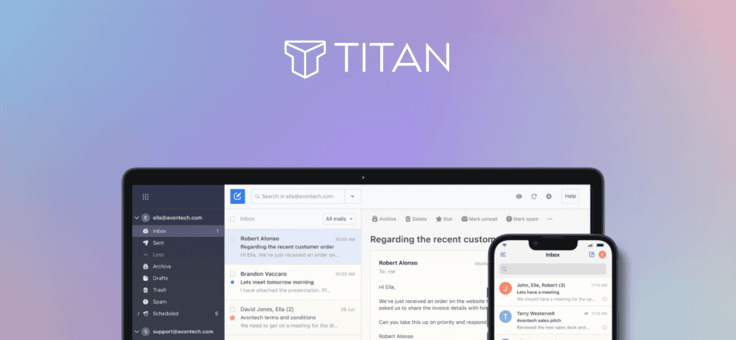
AI & Writing Tools
- Titan AI (compose, reply): drafts full emails or replies from a prompt, pick Professional, Casual, or Friendly tone, and it works in multiple languages
- AI Summary: condenses a long thread into the two or three lines that actually matter, so you’re not scrolling through twelve replies to find the decision
- Grammar & Spell Check: catches errors before they go out so you don’t look sloppy in front of a client
Sales & Marketing Tools
- Email Campaigns: send bulk, personalized emails without switching to a separate marketing platform
- Email Designer: build visually engaging, branded emails instead of plain text
- Titan Bookings (Appointment Booking): a scheduling page clients book directly, no back-and-forth
- Invoice Builder: create, send, and track invoices right from the inbox, no separate accounting tool needed
- Attachment & Link Tracking: see who opened a file or clicked a link, not just who opened the email
Productivity
- Read Receipts: know the second your pitch gets opened
- Send Later: write at midnight, land in someone’s inbox at 9 AM
- Follow-Up Reminders: a nudge when a thread’s gone quiet
- Email Templates: save your best responses and reuse them
- Priority Inbox: important messages surface automatically, noise gets pushed down
- Contact Groups: email a whole team or client list in one click
- Signature Designer: a signature that actually looks designed, with social icons and branding
- Undo Send: the “wait, no” button for a typo or missing attachment
Storage & Backup
- Titan Drive: dedicated cloud storage separate from your inbox
- Email Backup: automatic backup with restore anytime
Security & Deliverability
- Custom DKIM: proves to receiving servers you’re a legitimate sender, not a spoofer
- Advanced anti-spam and anti-virus: filters both directions, inbound and outbound
- Two-factor authentication and data encryption
- Higher sending limits by tier: the free tiers on most hosts cap out fast; Titan’s top tier allows up to 2,000 emails a day per mailbox, a real ceiling for anyone running actual campaigns
The honest way to think about it: a solo freelancer sending the occasional invoice will use maybe three things on this list. A five-person sales team running outreach, sending quotes, and booking calls will use almost all of it, and that’s exactly who Titan is built for.
Hosts That Let You Upgrade to Titan
| Host | Titan Integrated? | Free Tier | Titan Upgrade Cost |
|---|---|---|---|
| Bluehost | Yes | Free cPanel Email, capped at 2 mailboxes | Pro $1.99→$2.99/mo, Plus $2.99→$4.99/mo, Ultra $6.99→$10.99/mo |
| Hosting.com | Yes | Basic cPanel email included with hosting | Professional tier bumps to 10GB, adds AI and branded templates |
| Hostinger | No, runs its own native email plus Hostinger Reach | N/A | N/A |
| Wix | No, routes email through Google Workspace | N/A | N/A |
| SiteGround | No, unlimited email is the only tier offered | N/A | N/A |
| GoDaddy | Yes, Professional Email is powered by Titan | Trial included with paid Website Builder plans | Paid Professional Email plans available; confirm current pricing |
| DreamHost | No, runs its own control panel and email trial | N/A | N/A |
| Squarespace | Yes, offered as one of two mailbox options. Leans toward Google Workspace. | No native free tier, one free year of Google Workspace Starter on eligible plans | Essential Email by Titan, pricing set through Squarespace checkout |
Four of the eight providers on this list — Bluehost, Hosting.com, GoDaddy, and Squarespace — offer Titan-powered email in some form. The underlying service is provided by Titan, but its availability, features, and pricing vary depending on how each provider packages it.
Average cost to upgrade: landing right around $5 to $6 a month per mailbox for the full Titan Ultra tier with AI compose, AI summary, email campaigns, and invoicing. Bluehost’s entry Pro tier is the cheapest at $1.99/mo, but that only gets you the basics, no AI, no campaigns. If AI and marketing tools are the actual goal, budget for the Titan Ultra tier on whichever host you’re using.
10. How Do I Stop My Business Emails From Going to Spam?
I get it. This is one of the most frustrating problems that pops up, but it happens all the time. Inbox providers like Google will flag unrecognized emails, especially if you’re using a free cPanel email account on a shared hosting server. So, let’s fix it.
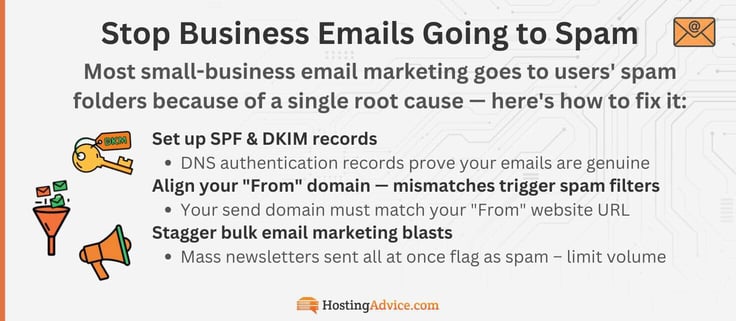
Your emails may just go straight to users’ spam folders with no warning, until one of your customers mentions they haven’t seen your emails in a while.
How to fix your business emails being sent to users’ spam and junk folders:
- Set up SPF and DKIM records: these are DNS authentication records that prove (to receiving mail servers) that your emails are genuinely coming from your domain. Most hosts walk you through this in their control panel, and IONOS makes it particularly straightforward. It’s a must.
- Align your “From” domain with your sending domain: if your domain is yourbusiness.com but your emails say they’re coming from somewhere else, spam filters will flag it. Another reason for a domain-based email. They should be exactly the same. Spammers are known to exploit this by creating small variations.
- Avoid blasting mass newsletters all at once: stagger large sends. In my experience, I can almost guarantee this is what got you in trouble. Hostinger caps Starter plan users at 1,000 emails per day, and IONOS at 500 per hour for exactly this reason. You thought it was just because they’re stingy? Nope, they’re protecting their server reputation. Sudden high-volume sends from a new domain are a classic spam signal.
- Look into a plan with dedicated email infrastructure: A Professional Email upgrade with its own dedicated setup removes the shared-IP risk of email providers flagging your shared host, though not every paid mailbox includes a dedicated IP automatically. This isn’t something we usually think about, but if your hosting plan puts your website on “Shared Servers” with hundreds of other sites, and one of those “other” sites gets flagged for spam, your shared IP address may go down with the ship. Although most shared servers will be just fine, an upgrade solves that specific problem.
Quick note: This is exactly why Bluehost and InMotion’s Professional Email upgrades use dedicated email infrastructure with built-in reputation management. It’s not just a premium feature, it’s a real solution to a real problem. Shared servers are standard on most entry-level plans, so the vast majority will be fine.
If you’re consistently landing in spam despite following these steps, it’s a strong signal that it’s time to upgrade from free cPanel email to a dedicated professional email plan. The tools have dramatically improved.
11. Why Should You Use a Custom Domain Name for Email?
Finding a web hosting provider that includes domain registration with its plans is not a rare occurrence in today’s market. Custom domain names have become a standard in web hosting since owning a domain name is crucial to website management.
Hostinger, DreamHost, and SiteGround include a free domain for the first year (DreamHost adds free privacy protection). Wix‘s free domain is tied to an annual Premium plan purchase, and GoDaddy‘s free connection lasts only through its 7-day trial before reverting to a temporary subdomain.
It also plays directly into your business: use that same domain to build a matching email address. A custom domain is a URL for your site, and for email, instead of using a free personal email address, such as Google’s Gmail ([yourname]@gmail.com), users can use a domain name as their email extension (john@[yourdomain].com).
![Infographic titled "Importance of a Branded Email" with subheading "A custom domain email (hello@[yourbusiness].com) builds trust, unlocks tools, and signals that you mean business." Three points are listed, each with an icon: a handshake icon beside "Builds Instant Trust," noting customers open and respond to branded emails far more than free accounts; a shield icon beside "Avoids Spam & Scam Flags," noting free Gmail addresses trigger filters and are commonly used by scammers; and an envelope icon beside "Unlocks Professional Tools," noting CRMs, email marketing platforms, and payment processors often require it. The HostingAdvice.com logo appears at the bottom.](https://www.hostingadvice.com/images/uploads/2026/06/HA-Importance-of-a-Branded-Email.jpg?width=736&height=322 "Infographic titled \"Importance of a Branded Email\" with subheading \"A custom domain email (hello@[yourbusiness].com) builds trust, unlocks tools, and signals that you mean business.\" Three points are listed, each with an icon: a handshake icon beside \"Builds Instant Trust,\" noting customers open and respond to branded emails far more than free accounts; a shield icon beside \"Avoids Spam & Scam Flags,\" noting free Gmail addresses trigger filters and are commonly used by scammers; and an envelope icon beside \"Unlocks Professional Tools,\" noting CRMs, email marketing platforms, and payment processors often require it. The HostingAdvice.com logo appears at the bottom.")
Domain-based email addresses showcase your brand through email communication. It boosts credibility, professionalism, and brand recognition. The key to a professional online presence. This is why many people create domain-based email addresses for their businesses and websites. Still stuck on choosing a business and domain name?
Create the perfect branding & domain name:
- Branding 101: How do you serve your customers? Create a domain name that’s memorable, directly tied to your product or service, and easy to say out loud.
- Keep it short and simple: Shorter names are easier to type, remember, and read on a mobile address bar. Avoid hyphens, numbers, and awkward letter combos that invite typos.
- Check availability early: Search your domain across registrars before you fall in love with a name — most business-ready names in your niche may already be taken. Many hosts (Hostinger, GoDaddy, Wix) build a domain search directly into signup.
- Match your business name where you can: If your registered business or LLC name is already set, try to secure the matching domain first. Mismatched branding across your business filings, signage, and website URL creates confusion and looks unprofessional.
- Check trademark and state registration conflicts: Before committing, search the USPTO trademark database and your state’s business registry to confirm the name isn’t already claimed by another registered business (this can save you a costly rebrand later).
- Use a recognizable top-level domain: .com, .net, and .org still read as more credible and trustworthy than newer or lesser-known extensions, especially to older or more cautious customers.
- Secure common misspellings and variants: If budget allows, register close variations or common typos of your domain and redirect them to your main site — this protects both traffic and brand reputation from copycats.
- Lock in matching social handles at the same time: Check that your domain name is also available (or close to it) across the social platforms your customers actually use, so your brand stays consistent everywhere.
Keep the email address itself just as simple. We recommend adding your name, a department (support@, sales@), or a team name ahead of your domain.
Setup usually takes just a few steps, but where those steps happen depends on the host. Bluehost creates addresses through cPanel; Hosting.com and DreamHost each run their own dashboard (Titan webmail and DreamHost’s Custom Control Panel, respectively). Wix routes setup through its dashboard into a connected Google Workspace account. Squarespace users can set up either Google Workspace or Essential Email by Titan through the Squarespace dashboard.
Choosing the Best Website Builder for You
Now that you have gone through all the top website builders on the market, it is time to make your decision. Still not sure? I’ve been there too — choosing the right site builder can be tricky, even with all the facts in front of you.
The easiest way through it: start with the one feature you can’t compromise on, and let that narrow the list fast.
How to finalize your decision:
- Building an online store? Hosting.com‘s Store Pro tier leads in eCommerce, specifically, especially for tax/shipping automation. Start with a base plan and upgrade as you grow.
- Want unlimited email with zero upsell tiers? SiteGround includes it standard on every plan, from its $2.99/mo entry tier up.
- On the tightest budget? Hostinger ($2.69/mo) is the lowest verified entry price on this list, though it renews higher after year one, so budget for that, too.
- Want AI that keeps helping after launch, not just at setup? Wix‘s Aria, Hostinger‘s Kodee, and DreamHost’s Remixer are the strongest picks — see the AI comparison table above.
- Need email and website under one roof? Hostinger includes native branded email with eligible plans, while GoDaddy bundles a trial of Titan-powered Professional Email. Bluehost and Hosting.com include basic cPanel email with their hosting plans.
- Prioritizing design over everything else? Squarespace‘s Blueprint AI and template library are built for that specifically, at a higher starting price than the rest of this list.
In the end, the best website-building service is the one that gets you online quickly, matches your actual workflow, and is honest about what happens after the intro price expires. A host with strong performance, the right feature set for your goals, and clear renewal terms will save you far more hassle than the cheapest sticker price ever will.
With the right web host, you will feel proud of the finished product. We have a large library of helpful articles, made simple with our smart tool, our HostHelper™ AI Hosting Advisor, and cheap web hosting deals on HostingAdvice.com.
If you found this article helpful, be sure to follow us on social media. Thank you for reading!
HostingAdvice.com is a free online resource that offers valuable content and comparison services to users. To keep this resource 100% free, we receive compensation from many of the offers listed on the site. Along with key review factors, this compensation may impact how and where products appear across the site (including, for example, the order in which they appear). HostingAdvice.com does not include the entire universe of available offers. Editorial opinions expressed on the site are strictly our own and are not provided, endorsed, or approved by advertisers.
Our site is committed to publishing independent, accurate content guided by strict editorial guidelines. Before articles and reviews are published on our site, they undergo a thorough review process performed by a team of independent editors and subject-matter experts to ensure the content’s accuracy, timeliness, and impartiality. Our editorial team is separate and independent of our site’s advertisers, and the opinions they express on our site are their own. To read more about our team members and their editorial backgrounds, please visit our site’s About page.