

Writer: Laura Bernheim


Editor: Lillian Castro


Reviewer: Christina Lewis

Everything old tends to make a comeback, and the best static web hosting plans are a testament to that. They strip away all unnecessary complexities, offering simple services that focus on performance and efficiency.
Instead of relying on databases, static websites concentrate on basic HTML, CSS, and JavaScript to produce lightweight landing pages and business profiles.
While static pages aren’t exactly a new trend, their straightforward development process is making a comeback among those seeking simple, speedy coding solutions. With many features streamlined, these free and paid hosting services provide some of the most budget-friendly plans out there.
Here, I’ve ranked the best value and free platforms out there, complete with all the dev tools you’ll need.
-
Navigate This Article:
Best Cheap Static Website Hosting
As the Web 2.0 era matures, many site owners are bogged down by inefficient code, too many plugins, and vulnerable applications. Static web hosting feels like a refreshing nod to the days of straightforward code repositories and direct editing.
By eliminating the need for a database or third-party applications, a static website can dramatically enhance both performance and security, often loading up to 10 times faster than its dynamic counterpart. Scalability becomes more attainable thanks to the reduced server workload and the use of straightforward HTML and CSS code.
If you’re not planning frequent content updates, static websites can be an incredibly cost-effective and reliable choice, requiring minimal technical skills and management effort. However, I suggest choosing a service that offers some flexibility to adjust to audience preferences and evolving design trends.
These hosts strike the perfect balance between high-speed static hosting with the ability to add additional services and tools as needed.
1. IONOS.com

Monthly Starting Price $1.00
- Most affordable option: Pay just $12 at checkout
- 1-click WordPress install gets you online in minutes
- Unlimited websites, storage, and databases
- Daily backups, free SSL, and 24/7 support
- Free professional email included
- Get started on IONOS now.


Christina Lewis
| Money Back Guarantee | Disk Space | Domain Name | Setup Time |
|---|---|---|---|
| 30 days | 10 GB SSD | FREE (1 year) | 4 minutes |
2. Hostinger.com

Monthly Starting Price $2.69
- Best overall value: Nothing at this price comes close feature-for-feature.
- AI builds your site in minutes — no technical skills needed
- Up to 3 websites with free SSL
- Weekly backups and managed WordPress
- 2 business mailboxes free for 1 year
- Get started on Hostinger now.


Sead Fadilpasic

| Money Back Guarantee | Disk Space | Domain Name | Setup Time |
|---|---|---|---|
| 30 days | 20 GB SSD | FREE (1 year) | 3 minutes |
3. Hosting.com

Monthly Starting Price $3.99
- LiteSpeed servers with NVMe SSD storage on all plans
- One-click installs and free expert site migration
- Built-in WAF, malware scanning, and DDoS protection
- Automated daily backups with 30-day restore
- Free domain for 1 year + free SSL included
- Get started on hosting.com now.
Christina Lewis
| Money Back Guarantee | Disk Space | Domain Name | Setup Time |
|---|---|---|---|
| 30 days | 15 GB NVMe SSD | FREE (1 year) | 4 minutes |
4. HostArmada.com

Monthly Starting Price $1.99
- Cloud-based NVMe SSD servers across 11 global data centers
- 7 daily backups, free SSL, and Imunify360 WAF protection
- Free cPanel, Softaculous 1-click installs, and website migration
- 45-day money-back guarantee — longer than most hosts
- 24/7/365 support via phone, chat, and tickets
- Get started on HostArmada now.
Christina Lewis
| Money Back Guarantee | Disk Space | Domain Name | Setup Time |
|---|---|---|---|
| 45 days | 15 GB NVMe SSD | FREE (1 year) | 3 minutes |
5. DreamHost.com

Monthly Starting Price $2.89
- Free handcrafted starter website built for you, just add content
- Host 25 websites with unlimited bandwidth and daily backups
- AI website builder + AI business tools included
- Free SSL, DDoS protection, and automated malware scans
- 100% uptime guarantee with 24/7 support
- Get started on DreamHost now.
Christina Lewis
| Money Back Guarantee | Disk Space | Domain Name | Setup Time |
|---|---|---|---|
| 30 days | Unlimited | FREE (1 year) | 4 minutes |
I understand it’s tempting to go for free web hosting. However, let me make a final case for choosing affordable hosting instead. While the free plans I’ll discuss have their merits, they simply can’t match the resources you’ll get with a paid plan.
Not only do paid plans give you more storage and bandwidth (I’m talkin’ a minimum of 10 GB for paid plans vs. a minimum of 0.25 GB for free plans), but you also get way more bandwidth. And more storage + more bandwidth = better performance.
Looking for a free static web host for a school project or to learn something new? Go for it! But if you’re on the hunt for more cost-effective, feature-packed options, you might want to scroll back up and check out some of my top picks. Now, let’s dive into the free options you have available.
Best Free Static Website Hosting
Experts in static website hosting often provide a command line interface or terminal for executing commands and syncing with code repositories and online projects. This interactive approach facilitates continuous integration and deployments, along with extensive automation.
I’ve long been a critic of many free web hosting services, but the stripped-down nature of static hosting bodes well for budget-minded site owners. By working seamlessly with the git command and other open-source technologies, many reputable free services abound for developers and communities to host simple sites that build a following of users and contributors.
Here’s my list of the most popular options:
6. GitHub Pages
If you’re a web developer, you’re no stranger to GitHub. As the preferred development platform for over 40 million developers, GitHub is a trusted hub for hosting and reviewing code, managing projects, and building software for both individuals and Fortune 500 companies.
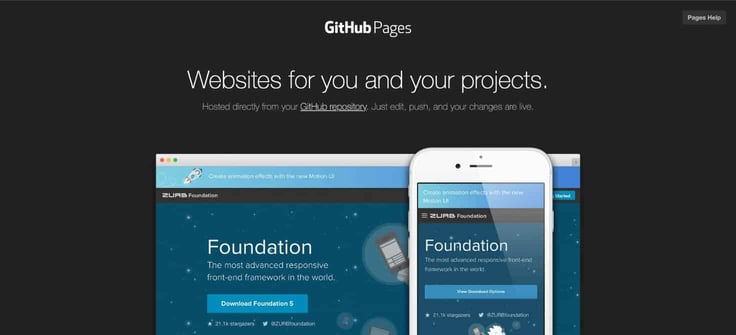
The hosting provider‘s static hosting service, GitHub Pages — not to be confused with GitLab Pages — takes code straight from a Git repository, optionally runs the files through a build process, and publishes a website.
- Number of sites: One site per GitHub account, plus unlimited project websites
- Storage and bandwidth: 1 GB storage and 100 GB bandwidth per month (soft limits)
- Domains: Custom domain name or a github.io subdomain
- Key features: HTTPS support, built-in integration with the popular static site generator Jekyll
Setting up is a breeze, and updating is just a quick edit and push away. GitHub Pages stands out as a robust platform for you to create a straightforward static website. However, if you need more than a single page or over 100 GB of bandwidth each month, you might want to explore other options.
7. Cloudflare Pages
Cloudflare is a global network and security platform that provides content delivery network (CDN) services, DNS, and security solutions that protect and accelerate websites, applications, and email.
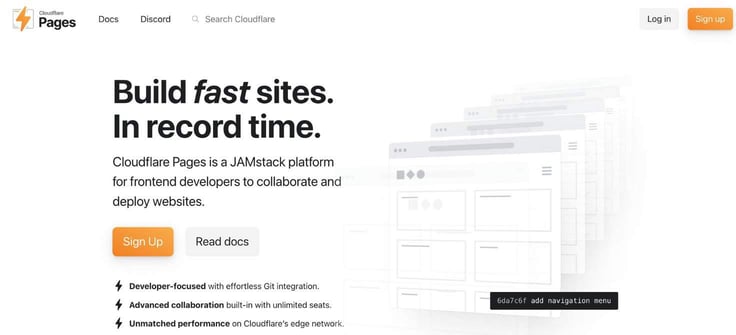
Cloudflare Pages, the company’s static hosting service, makes website deployment and management easier with today’s many static page generators.
- Number of sites: 100 sites per Cloudflare account (soft limit)
- Storage and bandwidth: 500 GB storage and unlimited bandwidth per month (soft limits)
- Domains: Cloudflare managed domains or custom domains
- Key features: HTTPS support, built-in integration with static site generator Hugo, global CDN
Cloudflare Pages is a great option for developers who already use Cloudflare’s other services or who are looking for an all-in-one solution for managing a website. The storage and bandwidth limits are generous, and the integration with Hugo makes it easy to get started with a static site.
8. Netlify
Trusted by industry giants like Facebook, Citrix, Verizon, Peloton, and Kubernetes, Netlify uses serverless functions and continuous deployment to deliver sites up to 10 times faster than other setups.

The platform bet heavily on JAMstack, unifying JavaScript, APIs, and prerendered Markup for an impressive infrastructure well-suited for businesses and developers looking for a commercial solution.
- Number of sites: 500 websites with 300 build minutes per month
- Storage and bandwidth: 100 GB storage and 100 GB bandwidth per month (soft limits)
- Domains: Custom domain name or a netlify.com subdomain
- Key features: Global CDN deployment, HTML forms, and instant cache invalidation
Netlify originally made a splash in static hosting with the drag-and-drop deployments at BitBalloon, but leaders brought the service under the Netlify umbrella to create Netlify Drop (i.e., a Netlify CMS).
9. Firebase
Backed by Google’s immense resources and oversight, Firebase hosting provides mobile and web app developers with a wealth of tools to launch quickly online.

Users can run static assets or dynamic sites on Google’s SSD-powered infrastructure, with built-in Google analytics, performance monitoring, and crash reporting tools to help site owners optimize and perfect their sites.
- Number of sites: Multiple websites within a single Firebase project
- Storage and bandwidth: 1 GB storage and 10 GB bandwidth per month
- Domains: Custom domain name or subdomains on web.app and firebaseapp.com domains
- Key features: Zero-configuration SSL certificates, global CDN, A/B testing, and analytics
Google further expanded its static hosting footprint in 2015 by snatching up DivShot, another popular brand in the free hosting space.
10. Amazon S3
It’s no wonder that Amazon Web Services is another standout on my list. Amazon S3, their object storage service, offers top-notch scalability, data availability, security, and performance.
As with seemingly all things AWS, setup is a little complicated for first-time users, but the company includes a helpful setup guide for using Route 53 for DNS and AWS CloudFront for static content distribution.
- Number of sites: One
- Storage and bandwidth: 5 GB storage and up to 1 GB per month of bandwidth
- Domains: Custom domain name or AWS Region-specific website endpoint
- Key features: Integrations with 175 AWS services, 99.99% uptime, unlimited scalability
Amazon’s free tier for all these services gives users 12 months to experience enterprise-grade static hosting.
11. Vercel
Driven by a mission to make cloud computing accessible to everyone, Vercel offers zero-configuration static hosting that works seamlessly with a variety of web frameworks.
- Number of sites: Unlimited websites
- Storage and bandwidth: Up to .25 GB and 5 GB of bandwidth per month
- Domains: Custom domains supported or now.sh subdomain
- Key features: HTTPS support, smart CDN, continuous deployment with GitHub and GitLab
With just a few keystrokes, users can install the command line interface to publish and deploy. The platform’s automatic SSL security and smart CDN are ready to go without any setup, offering a comprehensive solution for static and JAMstack deployments. Premium plans include unlimited deployments and enhanced collaboration tools.
What Is Static Web Hosting?
In essence, static web hosting is all about supporting fixed-content, HTML-based websites that provide identical information to every visitor. Once your web browser fetches a static website from the hosting server, the entire page is pre-assembled in HTML files, possibly accompanied by CSS and JavaScript.
There are several benefits of static web hosting, including:
- Affordability: Static web hosting tends to be more affordable because it doesn’t offer the expensive bells and whistles associated with more complex, traffic-heavy sites.
- Simplicity: A static web hosting plan is simple to manage because the site uses basic HTML instead of browser- or server-based coding languages that may require extensive files and databases.
- Beginner-friendliness: Static websites often use shared servers, which are known for their beginner-friendliness.
When the World Wide Web emerged in the early 1990s, HTML consisted of just 18 tags, or elements. Every page was static and unstyled, with web browsers simply fetching HTML files from servers and enabling users to navigate through links.
As design concepts and programming languages advanced, databases became a means to separate a website’s content—like blog posts, photo galleries, and products—from its underlying designs and layouts.
Web development desktop applications like Adobe Dreamweaver excelled at creating static HTML and CSS sites. However, the early static website generators had a tough time establishing a visual, user-friendly connection to SQL-based relational databases.
This evolution led to content management systems like WordPress, Drupal, and Joomla becoming popular, steering the massive online shift toward interactive web design and dynamic, personalized visitor experiences.
What Is the Difference Between a Static and Dynamic Website?
With static HTML websites, a single static file represents a complete page of a site; the web browser simply retrieves and displays the file. Dynamic websites, however, use server-side technologies, such as databases and PHP, to essentially build a webpage as a user’s browser accesses the various files.
The browser will find several pieces of information and stitch them all together into one cohesive, dynamic webpage.
Static sites work well for smaller websites that don’t need frequent content updates, while large sites with hundreds or thousands of pages are much easier to maintain dynamically. For instance, if you wanted to add or remove a link on your website’s footer, you’d have to change every HTML file containing the footer. On a dynamic website, you’d likely only edit one file to update the footer.
Static websites are created manually, likely via hand coding or a static website generator that relies on a command line interface and a text editor that formats content in Markdown.
Although dynamic websites can be coded from scratch, you’re more likely to use a web-based interface that handles your programming languages and database connections. Drag-and-drop website builders, WordPress, and other content management and publishing systems are prime examples of dynamic site creators.
What Are The Advantages of Static Websites?
Given the user-focused design of dynamic websites and content management systems, it can be difficult to gauge the strengths and weaknesses of static versus dynamic websites. Generally speaking, static websites are typically faster, more secure, and more affordable than dynamic alternatives.
Here’s a more comprehensive list of pros:
- Faster performance
- Lower cost
- Higher reliability and scalability
- More secure
- Less time to create
- Easier for search engines to index
Static websites are popular for their simplicity. Without the need for databases or third-party applications, you avoid potential security risks, points of failure, performance hiccups, expensive add-ons, and infrastructure inefficiencies.
To be fair, though, static websites do have some significant drawbacks to keep in mind: Changing content isn’t straightforward, and features are limited. Because they rely heavily on coding and command lines, not every site owner is up for the manual, tedious updates required for a modern, effective online presence.
Plus, because HTML, CSS, and JavaScript are more simplified compared to dynamic programming languages, you’ll find it trickier to tap into the latest design and development trends.
What Is the Best Static Website Generator?
Over the years, I’ve come across a multitude of static site generators, so you can rest assured there’s a wealth of platforms for you to explore. These tools are fantastic because they make deploying and maintaining your site a cinch, saving you the trouble of managing databases or server-side scripts.
Here are my personal favorites:
- Hugo: Fast and flexible. Great for making landing pages, personal sites, and event pages.
- Jekyll: Great for blogs — supports permalinks, custom layouts, pages, and posts.
Simplify Your Hosting Experience Even More With Static Site Generators
When you’re set to launch a static website, many traditionalists and seasoned programmers might dive into their favorite text editor and start coding. But for many others, using a static website generator works just as effectively.
Much like the best website builders that offer visual ways to design dynamic websites, static site generators work to pair your content with a design template and produce static HTML code as a result.
Again, selecting a static website generator is similar to the steps taken when weighing how to choose a web host. A clear and detailed picture of your project’s needs and goals will inform your decision-making process.
At this point, you’ve essentially got two options: Do you go for the platform with the most built-in features, or do you prefer a streamlined, efficient platform complemented by a lively plugin marketplace? It’s your call!
Take a moment to think about what you value most in creating your site, whether it’s ease of use or fast build times. Enjoy exploring the flexibility and possibilities that static site generators bring your way!
HostingAdvice.com is a free online resource that offers valuable content and comparison services to users. To keep this resource 100% free, we receive compensation from many of the offers listed on the site. Along with key review factors, this compensation may impact how and where products appear across the site (including, for example, the order in which they appear). HostingAdvice.com does not include the entire universe of available offers. Editorial opinions expressed on the site are strictly our own and are not provided, endorsed, or approved by advertisers.
Our site is committed to publishing independent, accurate content guided by strict editorial guidelines. Before articles and reviews are published on our site, they undergo a thorough review process performed by a team of independent editors and subject-matter experts to ensure the content’s accuracy, timeliness, and impartiality. Our editorial team is separate and independent of our site’s advertisers, and the opinions they express on our site are their own. To read more about our team members and their editorial backgrounds, please visit our site’s About page.