
Writer: Andrew Wandola


Editor: Lillian Castro


Reviewer: Christina Lewis

You might have heard about web hosting services that promise users “more control” over their servers. Most of the time, they’re talking about root access. This feature is really useful for anyone who wants to tweak their servers beyond the basic settings.
Imagine you’re customizing a virtual machine to host your latest AI-based mobile budgeting app. You need root access to create the environment you want without running into trouble with permissions. Root access also lets you download software and optimize your network security, so you can keep your user’s spending habits safe from hackers. No one wants their midnight runs to Taco Bell to become public knowledge because of a data breach.
While the best hosting with root access provides more control, that’s not the only benefit. Read on to learn more.
-
Navigate This Article:
Cheap Hosting with Root Access: Cloud and VPS Plans
In the world of web hosting, most servers usually come installed with the features you need to host your website or application. But with root access, you can customize the server to suit your unique needs. In other words, you’ll have administrative access and control over the server.
That said, here are my personal favorites:
1. Kamatera.com

Monthly Starting Price $4.00
- Best for developers and devops teams needing full control
- Deploy in 60 seconds across 20 global data centers
- Fully customizable: 1–32 cores, 1–128 GB RAM, NVMe SSD
- Hourly or monthly billing — scale up or down anytime
- 99.95% uptime with built-in firewall and load balancing
- 30-day free trial, no charge if canceled
- Get started on Kamatera now.


Surajdeep Singh

| Setup Time | Disk Space | CPU | RAM |
|---|---|---|---|
| 5 minutes | 20 GB NVMe – 4 TB NVMe | 1 – 32 cores | 1 GB – 128 GB |
2. Hostinger.com

Monthly Starting Price $5.84
- Best overall value: The most complete AI-managed KVM VPS at this price
- AMD EPYC processors, NVMe SSD, and 1 Gbps network
- Kodee AI manages your server — no command line needed
- One-click deployment of 100+ apps including Docker and n8n
- Free weekly backups, DDoS protection, and full root access
- Get started on Hostinger now.


Sead Fadilpasic

| Setup Time | Disk Space | CPU | RAM |
|---|---|---|---|
| 6 minutes | 50 GB NVMe – 400 GB NVMe | 1 – 8 cores | 4 GB – 32 GB |
3. IONOS.com

Monthly Starting Price $5.76
- Start with $200 in credit for your first month
- Intel Xeon processors, Linux or Windows, full root access
- Scale instances up or down with no downtime
- By-the-minute billing — only pay for what you use
- 99.99% uptime, ISO 27001-certified data centers
- Get started on IONOS now.


Christina Lewis
| Setup Time | Disk Space | CPU | RAM |
|---|---|---|---|
| 6 minutes | 120 GB – 720 GB NVMe | 1 – 24 cores | 512 MB – 48 GB |
4. Hostwinds.com

Monthly Starting Price $4.99
- Managed or unmanaged, in Windows or Linux
- Cloud hosting with hourly or monthly billing
- Instant upgrades without downtime
- FREE around-the-clock monitoring
- Automatic nightly backups available
- Get started on Hostwinds now.


Jack Wallen

| Setup Time | Disk Space | CPU | RAM |
|---|---|---|---|
| 6 minutes | 30 GB SSD – 750 GB SSD | 1 – 16 cores | 1 – 96 GB |
5. Bluehost.com

Monthly Starting Price $4.69
- Seamless migration from any Bluehost shared hosting plan
- Root access and easy multi-server management
- Ample RAID-1 storage and tons of bandwidth
- Each plan gets at least 2 dedicated IP addresses
- cPanel and WHM with root access
- Get started on Bluehost now.
Sead Fadilpasic
| Setup Time | Disk Space | CPU | RAM |
|---|---|---|---|
| 6 minutes | 50 GB – 450 GB NVMe | 1 – 8 cores | 2 GB – 16 GB DDR5 |
So why is root access important to you, the administrator? Why would you want admin access to a server if you can just let the web host set up everything for you?
It’s the same reason you’ll want to decorate your office space after renting it.
I’ve used root access for different reasons, and it has always worked out great. I remember there was this one time I needed to install Snort, an intrusion detection system to monitor traffic going in and out of a server belonging to one of the tech startups I used to work for. We had received a lot of malicious attacks ahead of Black Friday, and we needed something to neutralize the attacks and send genuine human traffic our way.
That’s the level of control root access offers.
The possibilities are endless when you have root access. From managing CPU and RAM usage and optimizing the server’s performance to setting up firewalls, this level of access basically turns the server into your own playground.
Oh, and let’s not forget that Cloud and Virtual Private Server (VPS) hosting are generally more budget-friendly than dedicated servers. Still, there comes a time when having a dedicated server with root access is just the right choice. Let’s explore a few scenarios where this makes sense.
Dedicated Server Hosting with Root Access
To begin with, both cloud, VPS, and dedicated servers offer more access than most hosting options, including shared hosting. But the level of access varies. To understand why you may need a dedicated server with root access, I’ll quickly go over the different levels of access cloud, VPS, and dedicated servers provide.
A cloud VPS host offers the lowest level of root access because this hosting service is usually scalable and flexible and has resources distributed across multiple virtual servers. As a result, providers of this type of hosting often limit root access to ensure the stability and security of their cloud environment. In other words, users have limited access to the underlying infrastructure.
VPS hosting gives users access to a virtual server partitioned from a physical server but shares the same physical resources. This might seem like a good option, but it will limit your access to the hosting provider‘s software configuration and server restrictions.
Dedicated hosting wins the battle of control by a mile. It offers the highest level of access, given that users rent an entire physical server for their exclusive use. This is the kind of hosting I’ll recommend if you want to make any changes you desire without having to constantly worry about the hosting provider’s restrictions. In short, there are no restrictions with dedicated servers.
The hosting company dedicates the entire server to you, just as the name implies.
I would really recommend this option if you’re running a growing business or enterprise and you need a high level of customization and control over your server environment. That’s because you’ll have full administrative control over your dedicated server.
6. InMotionHosting.com

Monthly Starting Price $35.00
- Best for businesses needing enterprise hardware with managed support
- Bare-metal or fully managed dedicated servers from $35/mo
- Intel Xeon to AMD EPYC, up to 16 cores and 192 GB DDR5 RAM
- Monarx security & 500 GB backup storage with Premier Care
- 24/7 Advanced Product Support from senior sysadmins
- 99.99% uptime SLA, up to 10 Gbps unmetered bandwidth
- Get started on InMotion now.


Dave McQuilling

| Setup Time | Disk Space | CPU | RAM |
|---|---|---|---|
| 7 minutes | 960 GB SSD – 7.68 TB NVMe | 4 – 16 cores | 16 GB – 192 GB DDR5 |
7. LiquidWeb.com

Monthly Starting Price $55.50
- Best for mission-critical sites needing fully managed dedicated hardware
- Save up to 50% for 2 months with this HostingAdvice offer
- Fully managed or self-managed — Linux or Windows
- PCI-ready environments with 99.99% uptime SLA
- cPanel, Plesk, or InterWorx — 24/7 Heroic Support® included
- Get started on Liquid Web now.
Christina Lewis
| Setup Time | Disk Space | CPU | RAM |
|---|---|---|---|
| 8 minutes | 383 GB SSD – 3.2 TB SSD | 4 – 32 cores | 12 GB – 192 GB |
8. HostGator.com

Monthly Starting Price $141.19
- AMD EPYC processors, DDR5 RAM, and NVMe SSD on all plans
- Linux or Windows — cPanel/WHM or Plesk included
- 100 Gbps port speed with unmetered bandwidth
- RAID 6 storage, DDoS protection, and live kernel patching
- Guided server setup and 24/7/365 support included
- Get started on HostGator now.


Lynn Cadet

| Setup Time | Disk Space | CPU | RAM |
|---|---|---|---|
| 6 minutes | 1 TB – 3 TB NVMe | 8 – 32 cores | 32 – 128 GB DDR5 |
9. Bluehost.com
Monthly Starting Price $144.19
- AMD EPYC processors, DDR5 RAM, and NVMe SSD on all plans
- RAID-1 storage mirroring and automated offsite backups
- DDoS protection >2 Tbps with Cloudflare Enterprise CDN
- Full root access with WHM/cPanel included
- 24/7 Tier 3 support —
- Get started on Bluehost now.
Sead Fadilpasic
| Setup Time | Disk Space | CPU | RAM |
|---|---|---|---|
| 8 minutes | 1 TB – 3 TB NVMe | 8 – 32 cores | 32 – 128 GB DDR5 |
Do you own a business or work in an industry with unique software requirements or high compliance standards? Root access can ensure you’re on the right side of the law.
I’m talking about strict standards, including the following:
- European Union’s General Data Protection Regulation (GDPR)
- Health Insurance Portability and Accountability Act (HIPAA)
- Sarbanes-Oxley Act of 2002 (SOX)
- Payment Card Industry Data Security Standard (PCI DSS)
- California Consumer Privacy Act (CCPA)
And many others.
With root access, you don’t need to stress about meeting strict compliance requirements. You can easily install and set up the software necessary to stay compliant.
Finally, most of these big companies you see running the show usually have dedicated IT departments. So instead of wasting precious time going through a hosting provider’s support team to customize or troubleshoot their servers, they handle everything internally. That’s how they manage to make big bucks even during tough economic times — they know how to keep their systems running with minimal downtime.
The bottom line is that when you think of root access, think of more control and greater power.
And if you’d like to try out some great dedicated servers, any of these four should kick-start your journey.
If you need to learn more about dedicated hosting, we’ve covered that in detail in this article.
What Is Root Access?
“Root access” is basically the technical term for the level of admin control you get on a server. It gives you complete control, allowing you to tweak any file or setting on the server as you see fit.
Does Shared Hosting Allow Root Access?
Not really, and that’s because shared hosting stacks up multiple websites on the same server with a limited amount of resources. In this kind of setting, the hosting provider typically manages the server.
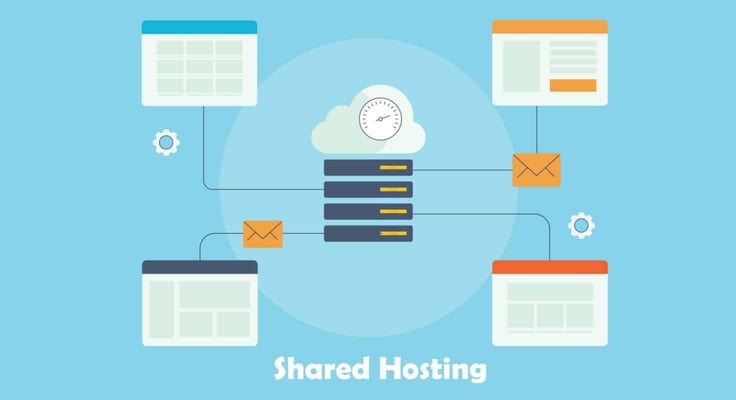
When one user has root access, they can fully control the entire server, including managing other websites and their data. This kind of access can also pose serious security risks that no web host wants to face.
What Is the Difference Between Unmanaged and Managed VPS Hosting?
The level of support is what differentiates these two types of hosting.
Unmanaged VPS hosting will give you full root access to the virtual server, but you’ll also need to manage and maintain the server yourself. On the other hand, managed hosting will give you a higher level of support from the hosting provider so you can focus on your own applications and content rather than worrying about server management tasks.
Take managed WordPress hosting as an example. The managed plan comes with key WordPress features and functionalities already installed.
Do I Need a VPS or a Dedicated Server?
You won’t find any straightforward answer to this question because it all narrows down to your specific hosting needs and budget. That said, I can tell you what you should consider when choosing between a VPS server and a dedicated server.
If you have a high-traffic website or application that requires a lot of processing power, memory, or storage, I would recommend a dedicated server. Why so? As I mentioned earlier, the server provides you with exclusive access to all of its resources, whereas a VPS hosting plan shares resources with other virtual servers on the same physical server.

A VPS plan would come in handy if you expect your website or application to grow rapidly, as it is easier to scale up your resources as your needs increase. On the other hand, you may need to purchase and set up a new physical server to accommodate your growing needs with a dedicated server.
Before I go even further, this article can help you choose the best VPS hosting provider.
In terms of pricing, you’ll spend less on a VPS hosting service, whether it’s a Windows VPS or a Linux VPS, than you would on a dedicated server, and you should know why by now. But that’s not the path you want to take if you lack the technical expertise to manage and maintain a VPS. Rather, managed VPS plans or dedicated servers with technical customer support featuring phone, email, and live chat, would be the best option.
Key Takeaways
Root access is all about control, which comes with different levels. For starters, don’t even think of a shared hosting plan as an option if you want control. But you may consider it for a basic website or blog that requires minimal maintenance and customization.
Cloud hosting will give root access but is a little more controlled to maintain the stability and security of the cloud environment.
Finally, a VPS offers more control than cloud hosting, but nothing comes even an inch close to a dedicated server, the ultimate king of control.
HostingAdvice.com is a free online resource that offers valuable content and comparison services to users. To keep this resource 100% free, we receive compensation from many of the offers listed on the site. Along with key review factors, this compensation may impact how and where products appear across the site (including, for example, the order in which they appear). HostingAdvice.com does not include the entire universe of available offers. Editorial opinions expressed on the site are strictly our own and are not provided, endorsed, or approved by advertisers.
Our site is committed to publishing independent, accurate content guided by strict editorial guidelines. Before articles and reviews are published on our site, they undergo a thorough review process performed by a team of independent editors and subject-matter experts to ensure the content’s accuracy, timeliness, and impartiality. Our editorial team is separate and independent of our site’s advertisers, and the opinions they express on our site are their own. To read more about our team members and their editorial backgrounds, please visit our site’s About page.