
Writer: Alexandra Anderson


Editor: Lillian Castro


Reviewer: Cristian Lopez

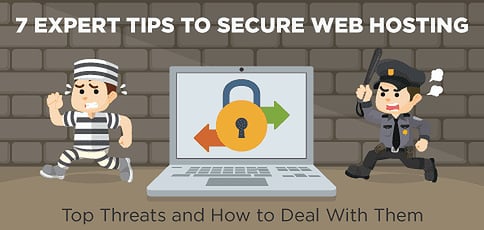
Finding secure web hosting can be a challenge for beginners and those who don’t understand what it takes to protect a website from all the online attacks happening across the internet. Fortunately, many top providers will do all the heavy lifting to protect you from intruders and costly downtime.
In the hosting industry, hacked websites, bots, malware, DDoS attacks, and various other forms of security vulnerabilities are all very commonplace. In fact, there is an online attack every 39 seconds. When you sign on to owning a website, you should expect one or several of these threats to rear their ugly heads over the course of your site’s lifespan — but you don’t have to expect your destiny to be domed.
We’ll cover some of the top threats to web security, the most secure hosting companies to partner with, and how to prevent such assaults on your site.
5 Most Secure Web Hosting Services
Whether you are receiving customers’ payment information or may be hosting other personal data, you’ll need to make sure that no one else can see that information. You typically find the most secure web hosting services at the VPS and dedicated server levels, but shared hosting providers do a great job protecting their customers.
Be on the lookout for free SSL certificates, content delivery networks, web application firewalls, and protection against brute force and DDoS attacks — all of which you can find with these hosts below:
1. Hostinger.com

Monthly Starting Price $2.69
- Best overall value: The most complete shared hosting plan at this price point
- AI builds your site in minutes — no technical skills needed
- Free domain, free SSL, and weekly backups on all plans
- Managed WordPress with AI agent and free email marketing
- 30-day money-back guarantee with 24/7 expert support
- Get started on Hostinger now.


Sead Fadilpasic

| Money Back Guarantee | Disk Space | Domain Name | Setup Time |
|---|---|---|---|
| 30 days | 20 GB SSD | FREE (1 year) | 3 minutes |
2. SiteGround.com

Monthly Starting Price $2.99
- Best for security: AI blocks 99.99% of malicious traffic automatically
- Free CDN across 170+ locations, daily backups, and free SSL
- Unlimited traffic, free email, and free site migration included
- 4.9/5 Trustpilot rating with 98% customer satisfaction
- 24/7 in-house expert support via live chat, phone, and tickets
- Get started on SiteGround now.


Lynn Cadet

| Money Back Guarantee | Disk Space | Domain Name | Setup Time |
|---|---|---|---|
| 30 days | 10 GB SSD - 100 GB Google Cloud SSD | FREE (1 Year) | 6 minutes |
3. Hosting.com

Monthly Starting Price $2.99
- LiteSpeed servers with NVMe SSD storage and free Cloudflare CDN included
- Built-in WAF, malware scanning, and DDoS protection
- Automated daily backups with 30-day restore and free SSL
- Free expert site migration — in-house team handles everything
- 24/7/365 in-house support via live chat, phone, and tickets
- Get started on hosting.com now.


Christina Lewis

| Money Back Guarantee | Disk Space | Domain Name | Setup Time |
|---|---|---|---|
| 30 days | 15 GB NVMe SSD | FREE (1 year) | 4 minutes |
4. GreenGeeks.com

Monthly Starting Price $2.95
- 300% renewable energy match; the web's leading green host
- LiteSpeed servers with daily backups and free CDN on all plans
- Free SSL, DDoS protection, and AI-powered firewall included
- 1-click installs for WordPress, Joomla, Drupal, and 150+ apps
- 99.9% uptime with 24/7 support via phone, chat, and email
- Get started on GreenGeeks now.


Dave McQuilling

| Money Back Guarantee | Disk Space | Domain Name | Setup Time |
|---|---|---|---|
| 30 days | 25 GB SSD | FREE (1 year) | 4 minutes |
5. IONOS.com

Monthly Starting Price $1.00
- $1/month for 12 months with no hidden fees or price surprises
- Unlimited websites, storage, and databases on all plans
- Free SSL, free domain, and professional email included
- Personal consultant assigned to every account after signup
- Daily backups, 99.9% uptime, and 24/7 expert support
- Get started on IONOS now.
Christina Lewis
| Money Back Guarantee | Disk Space | Domain Name | Setup Time |
|---|---|---|---|
| 30 days | 10 GB SSD | FREE (1 year) | 4 minutes |
See other affordable shared hosting options »
2026’s Top Web Hosting Security Issues
Today’s modern hosting landscape is fraught with dangers — from both self-inflicted human error and third parties with malicious intent. Here, we’re listing the most common attack vectors or vulnerabilities, and linking them to information on how to protect yourself:
Next, we’ll cover his advice to shield your site from harm. If a certain security risk has caught your eye, feel free to jump ahead to its tip using the links above.
Tip #1: Avoid Untrustworthy 3rd-Party Apps & Sanitize Input Data
If your site uses a database backend, it is important to know and trust the code behind your website, according to Erik Soroka, a Tier 3 Operations Manager at InMotion Hosting. Verifying your code works and verifying it’s secure and stable are two very different beasts to wrangle.
You’ll want to validate your code coming into your CMS or application (input data) and confirm it matches what’s presented to the end user on the frontend (output data). If you’re using WordPress, the Codex gives an excellent rundown on input and output data validation here.
“Avoid using untrusted third-party applications that haven’t undergone a thorough security audit. And always be sure to sanitize input data,” Erik added.
Tip #2: Follow Best Practices for JavaScript Encoding
“If your site uses JavaScript, protect it from XSS attacks by using best practices for encoding and sanitizing any and all input fields on your website,” he said.
You can also implement one of the many open-source libraries to prevent XSS attacks. Erik recommends PHP AntiXSS, xssprotect, or HTML Purifier.
Tip #3: Ensure Request Validity with Random Challenge Tokens
Developers should always append random challenge tokens to each request that are associated with the user’s session. By including a challenge token, you can ensure the request is valid and not coming from a source other than the intended user.
Tip #4: Enforce Password Complexity and Implement Request Throttling
“Brute forcing is one of the simplest yet common ways hackers can compromise your website or your hosting account,” Erik said. Always have automatic account lockouts, enforce password complexity, and implement some form of request throttling.”
Additional tips to creating a secure password:
- Avoid common words (e.g., “Caligirl,” “doglover,” or *shudder* “password”).
- Avoid obvious personal details (e.g., your birthday, pet names, a guessable anniversary).
- Make it longer than six characters — some say, the longer the better.
- Include a mix of capital and lowercase letters.
- Include numbers and symbols, too.
- Note: Starting with a capital letter and ending with a number is predictable these days.
- Don’t be predictable. A strong password is memorable only to you — without hints!
Whether you’re a site manager, developer, or web user, you should rotate through a series of complex, strong passwords known by you alone. Google suggests creating a unique password for each individual account you own and operate. For an added layer of security, try enabling two-step verification.
Tip #5: Update Any and All Software Regularly
If you use a content management system (CMS) or another application to power your website(s), you have to stay on top of the latest updates and patches to the software.
“This includes any third-party plugins or scripts you may be running,” Erik said, noting that (most) developers release new updates regularly to patch insecurities and bugs discovered within their apps, plugins, and frameworks.
“By not always updating to the latest version, you could potentially leave your website vulnerable to further attacks or compromises.”
Tip #6: Be Mindful of Error Reporting
If you’re not developing or debugging your website, Erik recommends turning off error reporting wherever possible.
“In cases where errors are necessary, be sure the error messages do not reveal any critical information that may be helpful to an attacker. Additionally, for sites with a login page, always return a consistent error message for failed attempts,” he said.
For example, if your site returns “Incorrect Password” when “johndoe” fails to authenticate but then returns “No such user” when “janedoe” fails, you have just disclosed the existence of a valid username to the attacker which can then be used for further exploits.
Tip #7: Use the Most Secure Web Hosting Provider You Can Find
If you have a website, regardless of the site’s popularity or content, you can expect it will be the target of an attempted attack or intrusion at some point. While it’s important that the website’s owner or developer take the necessary security precautions to protect themselves, it is equally important that you are hosting with a provider that takes security seriously.
“Even the most secure websites in the world can easily become victims if the server or network it’s hosted on is lacking in security,” Erik said. “At InMotion Hosting, we have a dedicated team of system administrators working 24 hours a day, seven days a week, 365 days a year to safeguard our infrastructure by performing regular audits and proactively applying patches to our servers. In addition, we are one of the only hosting providers that will try to patch popular content management systems (e.g., WordPress, Joomla, etc.) for our customers’ sites immediately following a vulnerability disclosure.”
More on the security measures InMotion has in place and the rock-solid commitment to quality of service Erik and his team deliver can be found in our experts’ review below:
InMotionHosting.com

Monthly Starting Price $4.59
- FREE SSD drives included with all hosting plans
- Zero-downtime website transfers and migrations
- FREE backups, SSL, and DDoS protection
- Choice of East Coast or West Coast datacenter
- Multi-language support for PHP, Ruby, and Perl
- Get started on InMotion now.
Dave McQuilling
| Money Back Guarantee | Disk Space | Domain Name | Setup Time |
|---|---|---|---|
| 90 days | 100 GB SSD - Unlimited | FREE (1 year) | 4 minutes |
Web Hosting Security is Made Simple by the Most Secure Hosts
As the owners of the servers, routers, and switches powering your hosting web network, your host is naturally your first and most important line of defense against unexpected downtime or compromised data. However, that doesn’t mean that you can kick back and relax. Be sure to keep up with WordPress and plugin updates, user accounts and passwords, and other best practices you can control.
From SQL injections to assailable hosting services, security vulnerabilities abound in the hosting industry. It’s imperative that you partner with a hosting provider to withstand attacks on your network, follow best-practice coding procedures, and stay up-to-date with the latest software updates and security trends.
HostingAdvice.com is a free online resource that offers valuable content and comparison services to users. To keep this resource 100% free, we receive compensation from many of the offers listed on the site. Along with key review factors, this compensation may impact how and where products appear across the site (including, for example, the order in which they appear). HostingAdvice.com does not include the entire universe of available offers. Editorial opinions expressed on the site are strictly our own and are not provided, endorsed, or approved by advertisers.
Our site is committed to publishing independent, accurate content guided by strict editorial guidelines. Before articles and reviews are published on our site, they undergo a thorough review process performed by a team of independent editors and subject-matter experts to ensure the content’s accuracy, timeliness, and impartiality. Our editorial team is separate and independent of our site’s advertisers, and the opinions they express on our site are their own. To read more about our team members and their editorial backgrounds, please visit our site’s About page.