
Writer: Christina Lewis


Editor: Lillian Castro


Reviewer: Cristian Lopez

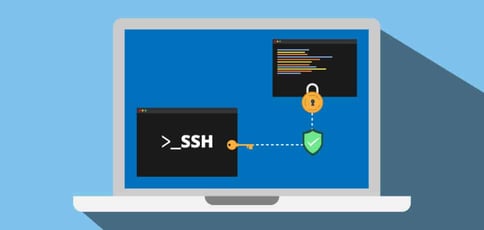
If you want secure remote access to your server, you’ll need the best SSH hosting provider. These web hosts enable remote access to your server so you can execute changes safely and securely.
Take a peek at our top recommended providers for shared, VPS, dedicated, and cloud hosting with secure shell access.
-
Navigate This Article:
Best Cheap SSH Hosting
Shared hosting (as in, cheap hosting) typically doesn’t come with SSH access enabled because most shared hosting plan customers don’t require shell access to manage their websites. But we found a few hosts that allow shared customers to establish an SSH connection with their server.
To get started, your web host may require you to unlock SSH authentication from your web hosting control panel. If so, you can contact your provider’s customer service department to help you enable the SSH protocol.
These hosts offer a huge advantage for users who need shell access on a budget. But just because the prices are low doesn’t mean you’re sacrificing quality. The best shared hosting plans include a free domain name, a free SSL certificate, and 24/7 live chat support.
Take a look at these providers to see if you can find a hosting service right for you:
1. HostGator.com

Monthly Starting Price $3.75
- Free domain name, SSL certificate, and CDN included
- Unmetered bandwidth — no limits on traffic or storage
- 1-click WordPress install and easy cPanel control panel
- 30-day money-back guarantee, no long-term contracts
- Get 66% OFF by buying 36 months upfront
- Get started on HostGator now.


Lynn Cadet

| Money Back Guarantee | Disk Space | Domain Name | Setup Time |
|---|---|---|---|
| 30 days | 10 GB SSD – 100 GB SSD | FREE (1 year) | 4 minutes |
2. InMotionHosting.com

Monthly Starting Price $4.59
- FREE BoldGrid site builder and templates
- FREE website, domain, and cPanel migrations
- SSD storage makes your site load up to 20x faster
- Security suite includes SSL and hack protection
- Unlimited bandwidth and email accounts
- Get started on InMotion now.


Dave McQuilling

| Money Back Guarantee | Disk Space | Domain Name | Setup Time |
|---|---|---|---|
| 90 days | 100 GB SSD – Unlimited SSD/NVMe | Select Plans | 5 minutes |
3. Hosting.com

Monthly Starting Price $2.99
- LiteSpeed servers with NVMe SSD storage on all plans
- One-click installs and free expert site migration
- Built-in WAF, malware scanning, and DDoS protection
- Automated daily backups with 30-day restore
- Free domain for 1 year + free SSL included
- Get started on hosting.com now.


Christina Lewis
| Money Back Guarantee | Disk Space | Domain Name | Setup Time |
|---|---|---|---|
| 30 days | 15 GB NVMe SSD | FREE (1 year) | 4 minutes |
4. InterServer.net

Monthly Starting Price $2.50
- $0.01 first month with coupon code HOSTINGADV
- $2.50/month after. No contracts or increases
- Softaculous one-click installer for WordPress and 450+ apps
- Register or transfer domains for less than $10
- InterShield security suite with AI firewall & Cloudflare CDN
- Get started on InterServer now.


Sead Fadilpasic

| Money Back Guarantee | Disk Space | Domain Name | Setup Time |
|---|---|---|---|
| 30 days | Unlimited SSD | New or Transfer | 4 minutes |
Best SSH VPS Hosting
In contrast to a shared hosting plan, VPS hosting has root capabilities automatically, meaning you don’t need to configure any settings in cPanel to unlock an SSH session.
Users that require a VPS plan get all the benefits of a scalable virtual private server without the high costs of a dedicated server. A VPS plan from a reputable web host includes lightning-fast SSD storage, several operating system options, and a dedicated IP address.
Check out some of these top providers to find a suitable virtual private server:
5. Hostinger.com

Monthly Starting Price $5.84
- Best overall value: The most complete AI-managed KVM VPS at this price
- AMD EPYC processors, NVMe SSD, and 1 Gbps network
- Kodee AI manages your server — no command line needed
- One-click deployment of 100+ apps including Docker and n8n
- Free weekly backups, DDoS protection, and full root access
- Get started on Hostinger now.
Sead Fadilpasic
| Setup Time | Disk Space | CPU | RAM |
|---|---|---|---|
| 6 minutes | 50 GB NVMe – 400 GB NVMe | 1 – 8 cores | 4 GB – 32 GB |
6. Hosting.com
Monthly Starting Price $8.99
- AMD EPYC processors and NVMe SSD storage on all plans
- Full root access — install tools, containers, and custom stacks
- Choice of Ubuntu, Debian, or AlmaLinux with optional cPanel
- 10 global data centers with free CDN and 99.9% uptime SLA
- 24/7/365 in-house support — no outsourcing, no bots
- Get started on hosting.com now.
Christina Lewis
| Setup Time | Disk Space | CPU | RAM |
|---|---|---|---|
| 7 minutes | 80 GB – 640 GB NVMe | 2 – 16 cores | 4 GB – 32 GB |
7. ScalaHosting.com

Monthly Starting Price $12.71
- Fully managed VPS with cloud performance
- FREE site migration executed by experts
- NVMe SSD storage and unmetered bandwidth
- Anytime unconditional money-back guarantee
- HostingAdvice readers get 73% off the first term
- Get started on ScalaHosting now.


Laura Bernheim

| Setup Time | Disk Space | CPU | RAM |
|---|---|---|---|
| 6 minutes | 50 GB SSD – 200 GB SSD | 2 – 12 cores | 4 GB – 24 GB |
8. AccuWebHosting.com

Monthly Starting Price $6.33
- Windows Server 2019, 2022 & 2025 — fully licensed on all plans
- SSD storage, guaranteed resources, and 1 Gbps port included
- Free daily backups and RDP access on every plan
- 16+ global locations — deploy close to your users
- 24/7/365 live support and 99.9% uptime guarantee
- Get started on AccuWebHosting.


Jack Wallen

| Setup Time | Disk Space | CPU | RAM |
|---|---|---|---|
| 6 minutes | 40 GB – 200 GB SSD | 1 – 4 cores | 1 GB – 16 GB |
9. Bluehost.com

Monthly Starting Price $4.69
- Seamless migration from any Bluehost shared hosting plan
- Root access and easy multi-server management
- Ample RAID-1 storage and tons of bandwidth
- Each plan gets at least 2 dedicated IP addresses
- cPanel and WHM with root access
- Get started on Bluehost now.
Sead Fadilpasic
| Setup Time | Disk Space | CPU | RAM |
|---|---|---|---|
| 6 minutes | 50 GB – 450 GB NVMe | 1 – 8 cores | 2 GB – 16 GB DDR5 |
Best SSH Dedicated Server Hosting
A dedicated server is another type of hosting plan that comes with root SSH connection by default. As with VPS hosting, you don’t need to configure any special settings to unlock SSH session capabilities.
Dedicated servers give you enhanced performance and security compared to shared and VPS hosting. And since you have the machine all to yourself, you can customize your environment to your liking. Whether you have Windows or Linux web hosting, SSH is a valuable tool in a systems administrator’s toolkit.
Dedicated servers come in many sizes and flavors. A quality web host may offer a range of configurations, such as a choice of the operating system, a dedicated IP address, and ample SSD storage.
Check out some of our favorite dedicated hosting plans below:
10. LiquidWeb.com

Monthly Starting Price $55.50
- Best for mission-critical sites needing fully managed dedicated hardware
- Save up to 50% for 2 months with this HostingAdvice offer
- Fully managed or self-managed — Linux or Windows
- PCI-ready environments with 99.99% uptime SLA
- cPanel, Plesk, or InterWorx — 24/7 Heroic Support® included
- Get started on Liquid Web now.
Christina Lewis
| Setup Time | Disk Space | CPU | RAM |
|---|---|---|---|
| 8 minutes | 383 GB SSD – 3.2 TB SSD | 4 – 32 cores | 12 GB – 192 GB |
11. InMotionHosting.com
Monthly Starting Price $35.00
- Best for businesses needing enterprise hardware with managed support
- Bare-metal or fully managed dedicated servers from $35/mo
- Intel Xeon to AMD EPYC, up to 16 cores and 192 GB DDR5 RAM
- Monarx security & 500 GB backup storage with Premier Care
- 24/7 Advanced Product Support from senior sysadmins
- 99.99% uptime SLA, up to 10 Gbps unmetered bandwidth
- Get started on InMotion now.
Dave McQuilling
| Setup Time | Disk Space | CPU | RAM |
|---|---|---|---|
| 7 minutes | 960 GB SSD – 7.68 TB NVMe | 4 – 16 cores | 16 GB – 192 GB DDR5 |
12. HostGator.com
Monthly Starting Price $141.19
- AMD EPYC processors, DDR5 RAM, and NVMe SSD on all plans
- Linux or Windows — cPanel/WHM or Plesk included
- 100 Gbps port speed with unmetered bandwidth
- RAID 6 storage, DDoS protection, and live kernel patching
- Guided server setup and 24/7/365 support included
- Get started on HostGator now.
Lynn Cadet
| Setup Time | Disk Space | CPU | RAM |
|---|---|---|---|
| 6 minutes | 1 TB – 3 TB NVMe | 8 – 32 cores | 32 – 128 GB DDR5 |
Best SSH Cloud Hosting
Cloud hosting offers many advantages to users who need ultimate scalability and redundancy. The hosting services give customers the best cloud-based performance and customer service your money can buy.
Check out our full reviews to see why a hosting plan from these favorites is perfect for secure shell access:
13. Kamatera.com

Monthly Starting Price $4.00
- Best for developers and devops teams needing full control
- Deploy in 60 seconds across 20 global data centers
- Fully customizable: 1–32 cores, 1–128 GB RAM, NVMe SSD
- Hourly or monthly billing — scale up or down anytime
- 99.95% uptime with built-in firewall and load balancing
- 30-day free trial, no charge if canceled
- Get started on Kamatera now.


Surajdeep Singh

| Setup Time | Disk Space | CPU | RAM |
|---|---|---|---|
| 5 minutes | 20 GB NVMe – 4 TB NVMe | 1 – 32 cores | 1 GB – 128 GB |
14. Cloudways.com

Monthly Starting Price $6.60
- Choose from AWS, Google Cloud, DigitalOcean, Vultr, or Linode
- Auto-healing servers with automated backups and free SSL
- 60+ global data center locations
- Pay-as-you-go — no contracts, cancel anytime
- 3-day free trial, no credit card required
- Get started on Cloudways now.
Jack Wallen
| Setup Time | Disk Space | CPU | RAM |
|---|---|---|---|
| 8 minutes | 25 GB SSD – 3840 GB SSD | 1 – 32 cores | 1 GB – 192 GB |
15. Google Cloud Platform
The Google Cloud Platform comes with SSH authentication pre-enabled with Linux web hosting. But Windows server customers need to configure the settings, which is done with the Compute Engine.
What Is SSH?
Secure shell access, or SSH for short, enables systems administrators to get safe, remote server access to make changes. The SSH protocol encrypts communication between you and your remote server through a terminal or an SSH client, such as PuTTY.
SSH uses several types of encryption to secure your communication with the server: asymmetrical encryption, symmetrical encryption, and hashing.

Symmetrical encryption occurs when both the host (your server) and the client (you) use one secret key to establish an SSH connection. The secret key is never transmitted between the client and the host. Instead, it’s derived from a key exchange algorithm.
Asymmetrical encryption uses two keys instead of one. An individual can use a public key to encrypt a message, which is then decrypted by the recipient using a private key. This process happens automatically, and you don’t need to take any action to verify the key.
Hashing is the final type of SSH encryption. This encryption method uses a hashing algorithm to generate a string, which must be validated by the receiving machine.
Whether you use an SSH key or hashing to secure your access, you can be confident your connection is safe.
An SSH connection benefits site owners in several ways. Users get secure administrative access to their remote server without the need for usernames and passwords. Plus, its underlying encryption technology mitigates the security risks associated with password-related authentication.
Secure shell also covers a range of operating systems, meaning it works if you have a MacOS, Linux, or Windows server.
What Is an SSH Client?
You can establish secure remote access to your server with SSH keys or hashing. But how do you initiate SSH authentication? The first way is to use your operating system’s terminal. In this method, you type text-based commands into the terminal screen to connect and execute changes on your server.
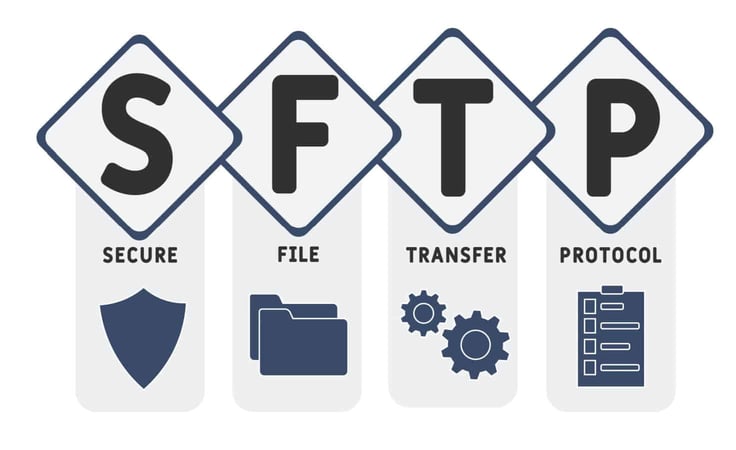
But the second method, using an SSH client, is more user-friendly. An SSH client, also called an SFTP client (secure file transfer protocol), is a software program that lets you establish a connection using a graphical user interface.
PuTTY is a popular SSH/SFTP client that helps users conduct secure file transfers to and from the SFTP server.
Choosing the Best SSH Hosting for You
Once you confirm your hosting provider offers SSH, your choice boils down to the resources and level of control you need. Small businesses and individuals will be happy with a shared hosting plan.
But if you need bandwidth for more than 10,000 monthly visitors, a virtual private server is a safer bet to handle your website’s traffic.
Still, enterprises and larger businesses get the most out of dedicated hosting plans. These environments are best for customers who want full root access to configure their SSH server as they see fit.
Once you decide which server type is right for you, you’re well on your way to establishing a remote computer connection.
HostingAdvice.com is a free online resource that offers valuable content and comparison services to users. To keep this resource 100% free, we receive compensation from many of the offers listed on the site. Along with key review factors, this compensation may impact how and where products appear across the site (including, for example, the order in which they appear). HostingAdvice.com does not include the entire universe of available offers. Editorial opinions expressed on the site are strictly our own and are not provided, endorsed, or approved by advertisers.
Our site is committed to publishing independent, accurate content guided by strict editorial guidelines. Before articles and reviews are published on our site, they undergo a thorough review process performed by a team of independent editors and subject-matter experts to ensure the content’s accuracy, timeliness, and impartiality. Our editorial team is separate and independent of our site’s advertisers, and the opinions they express on our site are their own. To read more about our team members and their editorial backgrounds, please visit our site’s About page.