

Writer: Alexandra Anderson


Editor: Lillian Castro


Reviewer: Cristian Lopez

For those looking to dip a toe into the ocean of web design and publishing, here are our comprehensive WordPress reviews of all things hosting, themes, and plugins. With millions of contributors, themes, and plugins out there, getting started with WordPress can seem overwhelming — but we’re here to tell you the most user-friendly and efficient ways to leverage the world’s most popular content management system.
The WordPress reputation and open-source community are glowing and well known, and the rave reviews are not without just cause. Take a look as we cover WordPress inside and out.
5 Best WordPress Hosts
If you’re going to use WordPress, you’ll need web hosting. This just means you need a company to host your site — you’re essentially renting space on a company’s servers so that visitors from around the world can find your business, blog, or online store 24/7. For more on this, we take you through the basics of web hosting in our beginner’s guide.
A huge selling point for WordPress is its popularity in the industry and compatibility with the top web hosts. We evaluated the best WordPress hosts in terms of features, support, performance, and security. Be sure to look for one-click installations, SSD storage, and of course the price tag. The WordPress software may be free, but you’ll need to invest a few dollars to build a worthwhile and professional online presence — our WordPress cost comparison will help you break down the information. In the meantime, take a look at our overall recommendations.
1. Hostinger.com

Monthly Starting Price $2.69
- Best overall value: The most complete managed WordPress hosting at this price
- Kodee AI Agent manages your WordPress site via simple chat
- LiteSpeed servers boost site speed by up to 40%
- WAF, malware scanner, DDoS protection, and auto-updates
- Free migrations — 85% completed in under 5 minutes
- Get started on Hostinger now.


Sead Fadilpasic

| Money Back Guarantee | Disk Space | Domain Name | Setup Time |
|---|---|---|---|
| 30 days | 20 GB SSD – 100 GB NVMe | FREE (1 year) | 4 minutes |
2. SiteGround.com

Monthly Starting Price $2.99
- Best for performance: WordPress sites average 78% faster speeds after migrating to SiteGround
- Free AI agent manages your WordPress site via simple chat
- Smart WAF, AI bot protection & geo-distributed backups
- Free staging, WP-CLI, SSH, Git, and one-click migrations
- 4.9/5 Trustpilot — 98% customer satisfaction for 10+ years
- Get started on SiteGround now.


Lynn Cadet

| Money Back Guarantee | Disk Space | Domain Name | Setup Time |
|---|---|---|---|
| 30 days | 10 GB SSD - 100 GB Google Cloud SSD | FREE (1 Year) | 6 minutes |
3. DreamHost.com

Monthly Starting Price $1.99
- One of only three WordPress.org officially recommended hosts
- Free handcrafted starter website built by DreamHost experts
- Remixer AI builder, NVMe SSD, and daily automated backups
- Free domain privacy for life — included with every domain
- 100% in-house support including WordPress core contributors
- Get started on DreamHost now.


Christina Lewis

| Money Back Guarantee | Disk Space | Domain Name | Setup Time |
|---|---|---|---|
| 30 days | 25 - 100 GB NVMe SSD | FREE (1 year) | 4 minutes |
4. Bluehost.com

Monthly Starting Price $3.79
- Best for WordPress: WordPress.org's longest-running recommended host since 2005
- 0.35s average load time — independently verified by WPShout
- AI builds your complete WordPress site in under 60 seconds
- Yoast SEO, NVMe SSD, WAF, and daily malware scans
- 24/7 WordPress experts — under 2-minute average response
- Get started on Bluehost now.
Sead Fadilpasic
| Money Back Guarantee | Disk Space | Domain Name | Setup Time |
|---|---|---|---|
| 30 days | 10 - 100 GB NVMe SSD | FREE (1 year) | 7 minutes |
5. Hosting.com

Monthly Starting Price $5.83
- Cloudflare Enterprise CDN and dual WAF on all plans
- AMD EPYC NVMe — performance guaranteed or 1 year free
- Free WP Rocket and Object Cache Pro on select plans
- Free migrations on every plan with zero downtime
- 97% satisfaction — under 1 minute average response time
- Get started on hosting.com now.
Christina Lewis
| Money Back Guarantee | Disk Space | Domain Name | Setup Time |
|---|---|---|---|
| 30 days | 20 GB - 200 GB NVMe | New or Transfer | 5 minutes |
See more WordPress hosting reviews »
5 Best WordPress Themes
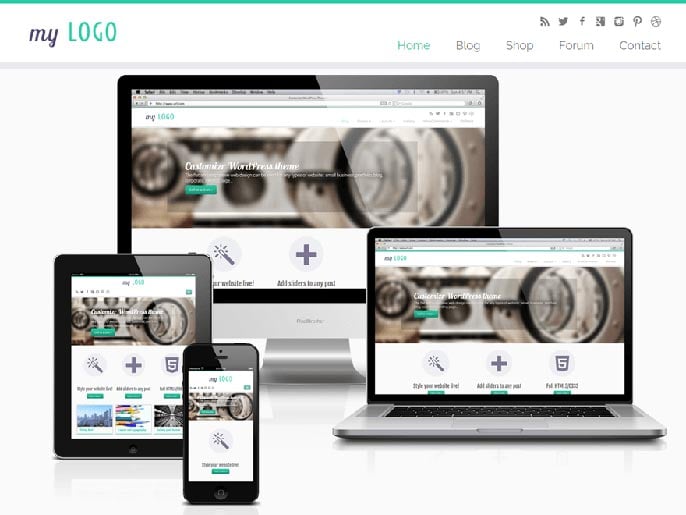
Themes are essentially a premade website template that gives seasoned developers and inexperienced site owners alike an awesome jumpstart on building the beautiful site they want. Below we feature the most popular themes for WordPress and why we love them.
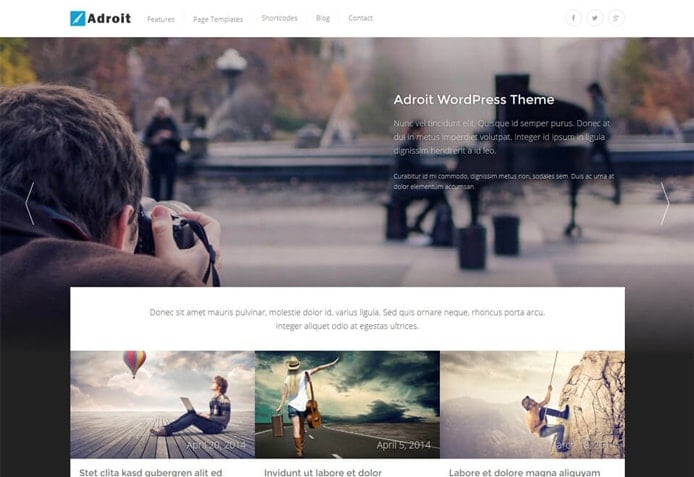
1. Adroit
A visually appealing theme that combines elements common to photography websites and blogs, Adroit is a fantastic theme to showcase strong imagery without losing content. The column-based layout is fully adjustable, and Adroit responsively transitions across virtually any screen size.
2. Sydney
Sydney is an increasingly popular theme among professionals in particular. Complete with an array of customization tools, this leading WordPress theme is responsive and mobile-friendly, bold and custom-brandable, and easily manipulated to meet a variety of design goals.

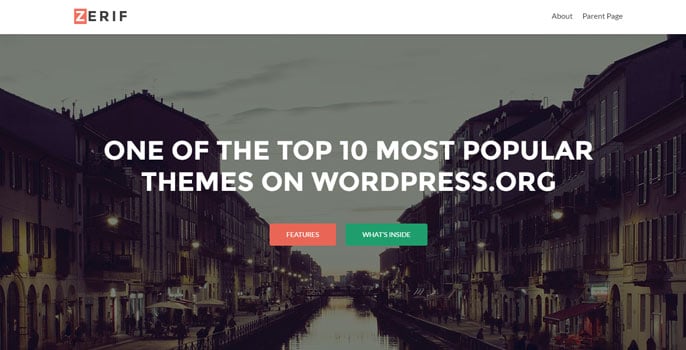
3. Zerif Lite
This single-page parallax theme allows you to showcase your personality in a fluid display. Zerif Lite includes options to display testimonials, team members, news updates, and contact information, with a customization experience that’s as intuitive as the resulting user experience.
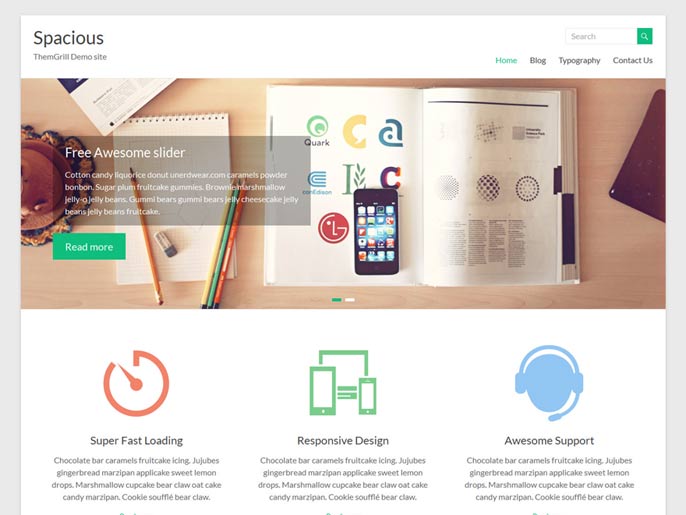
4. Spacious
As the name suggests, Spacious is perfect for those who want a clean, modern look for their site. It’s a fully-responsive theme complete with options for layout, blogging, color palettes, and widgets. With theme-specific support included, customization doesn’t get much easier.
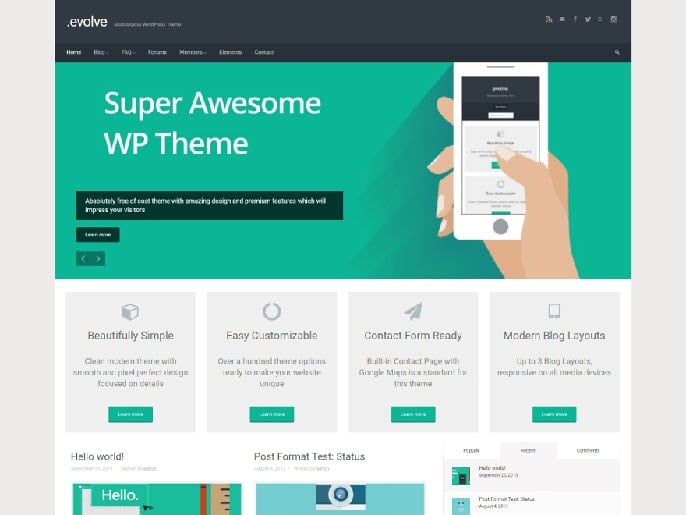
5. Evolve
Featuring sliders, custom widgets, Font Awesome icons, and compatibility with your favorite social media platforms, Evolve is a fully-responsive futuristic theme with a look that lives up to its name. Modify virtually anything about the design and have a custom-made site live in minutes.
6. Customizr
If a flexible customization experience is what you’re looking for, Customizr’s name speaks for itself. Beloved by site owners in a variety of niches, Customizr is favored for its compatibility with popular eCommerce plugins and extensive options for matching your site’s look to your brand.
20 Best WordPress Plugins
Plugins are powerful tools for adding more functionality and customization to your WordPress site. With the click of a button, you can add forums, product review capabilities, page caching, comment/contact forms, and more to your site.
A word of caution, however, you don’t want to add just any plugin to your web pages. You want to make sure the code you’re adding has been made by a credible source — basically to ensure that it’s going to jibe well with the existing code of your site, theme, and even other plugins.
Below we cover the most popular plugins for WordPress:
| CATEGORY / FUNCTIONALITY: | PLUGIN(S): |
|---|---|
| COMMENT / CONTACT / FORMS | |
| SEO / WEB STATS | |
| CACHING / PAGE LOAD SPEED | |
| ECOMMERCE / PRODUCT REVIEWS | |
| SOCIAL MEDIA / POPULAR POSTS | |
| WEB BUILDER / EDITOR |
How Do We Rate WordPress Itself?
It’s no secret that we are huge WordPress fans at HostingAdvice.com, but below we go into the nitty gritty details of what makes WordPress great and when there are alternatives to consider. We break down our overall review by categories, covering ease of use, support, cost, and more.
1. Ease of Use: 4.6/5.0
The WordPress platform is incredibly powerful and will allow you to manipulate any aspect of your site — however, its functionality comes with a learning curve. This is probably the leading complaint against the increasingly popular platform. If you’re not ready to put in the time to get familiar with the nuances and figure out your way around the backend, I would suggest opting for a WYWIWYG (What You See Is What You Get) web builder, like Wix, instead.
2. Custom Design: 5.0/5.0
Customization is an area where WordPress truly shines. Experienced developers love how flexible it is, and even less-seasoned website managers can easily build a custom site with the help of templates. There are literally millions of these premade websites for WordPress available to give you a head start on design.
Whether you’re building from scratch or using one of the popular themes, designing and customizing a site with WordPress can yield some of the most beautiful and professional-looking results on the Internet.
3. Support: 4.5/5.0
WordPress support is exhaustive — and exhausting. There is a huge community behind the platform and its followers are eager to offer their advice and expertise, which means the hard part is sifting through the wealth of offered information for useful information.
The other option is to hire a WordPress-savvy developer to build your site for you, or consult him/her when needed. Unfortunately, expertise can get expensive.
4. eCommerce: 4.4/5.0
While eCommerce functions are possible with WordPress, that’s not what it’s made for — though there are a multitude of merchant plugins and tools available for adding eCommerce features (e.g., Shopify, Woocommerce, or Ecwid). Platforms like Magento or PrestaShop are specifically made for eCommerce — and you can check out the top Magento hosting services here.
5. Blogging: 5.0/5.0
There’s a reason WordPress is typically the first platform that comes to mind when you think of blogging. It’s set up perfectly for bloggers — in my opinion, blogging is the easiest task to get started on with WordPress.
Within minutes of signing up with a WordPress host, you can blast your first blog post, create new categories and tags, and later share your most popular posts with a hand-dandy plugin.
6. Cost: 5.0/5.0
Ahh, the crème de la crème of reasons to choose WordPress: it’s open-source — AKA, FREE! Yes, the world’s most popular website building companion is available for download, install, and web-building usage for zero cost. You just have to pay for the hosting, which, fortunately, should only cost you a few bucks a month (if you use one of the best hosts, coming up next!).
We Love WordPress — Shouldn’t You?
It’s no secret that WordPress is renowned in web hosting. Now that you know that the functionality and the features live up to the hype, you’re hopefully ready to begin your relationship with WordPress. Yes, there’s a bit of a learning curve, but if you’re willing to take the time to self-teach upfront, you’re in for a wonderful ride. Browse the best WordPress hosts to get started.
HostingAdvice.com is a free online resource that offers valuable content and comparison services to users. To keep this resource 100% free, we receive compensation from many of the offers listed on the site. Along with key review factors, this compensation may impact how and where products appear across the site (including, for example, the order in which they appear). HostingAdvice.com does not include the entire universe of available offers. Editorial opinions expressed on the site are strictly our own and are not provided, endorsed, or approved by advertisers.
Our site is committed to publishing independent, accurate content guided by strict editorial guidelines. Before articles and reviews are published on our site, they undergo a thorough review process performed by a team of independent editors and subject-matter experts to ensure the content’s accuracy, timeliness, and impartiality. Our editorial team is separate and independent of our site’s advertisers, and the opinions they express on our site are their own. To read more about our team members and their editorial backgrounds, please visit our site’s About page.