

Writer: Surajdeep Singh


Editor: Lillian Castro


Reviewer: Christina Lewis

Have you ever been to a boring party and bounced at the first opportunity?
When people browse the web, they have no shortage of options; businesses compete fiercely to convert them into paying customers. But here’s the thing: between 26% and 70% of them leave a website after viewing just one page.1 This metric is called website bounce rate.
Now, this doesn’t necessarily mean your website is “boring.” While your website quite obviously needs to be designed to attract and retain consumers, what they’re actually looking for is speed, convenience, and instant gratification.
If your bounce rate is on the higher side, your website might have some issues, and it’s up to you to find and fix them. Here are some website bounce rate statistics to help you better understand the metric’s significance.
5 Eye-Catching Website Bounce Rate Statistics
When’s the last time you bought something on Amazon? I bought a face scrub just yesterday. What do you think Amazon’s website bounce rate is? 10%? 20%? Nope — 34.08%.2 And honestly, that’s super impressive.
Here are some other eye-catching website bounce rate statistics:
- The Average Website Bounce Rate Is Between 26% and 70%
- A Website Bounce Rate Between 26% and 40% Is Excellent
- Users Spend an Average of 2 Minutes and 17 Seconds on a Website
- 46% of Users Will Leave a Website If It Takes More Than 4 Seconds to Load
- eCommerce Websites Experience a Bounce Rate of Approximately 47%
Keep reading for more!
The Average Website Bounce Rate Is Between 26% and 70%
Now that you know what bounce rate is, I’m going to show you how you should use it to improve your website. For one, you can predict how many of your visitors will buy the products they’ve put in their cart.
If your website takes a lot of time to load, you’re in trouble — the more time it takes to load, the higher your bounce rate is likely to be.
You need to understand the intricacies of website bounce rates to improve your digital marketing presence.
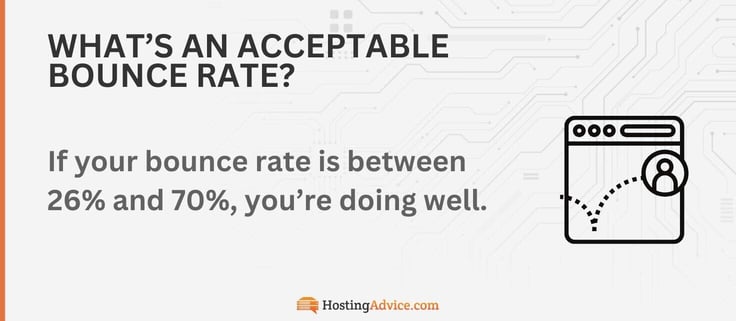
If your bounce rate is between 26% and 70%, you’re doing well.1 But if it’s higher than 70%, you should be concerned — you might have a disfigured tracking code, browser compatibility issues, or problems with website design.
Note: if you operate a news or events website or a blog, don’t worry about a high bounce rate — 55-65% is acceptable.
A Bounce Rate Between 26% and 40% Is Excellent
You’re doing great if your website’s bounce rate is between 26% and 40%.1
While this doesn’t guarantee purchases, you’re in better company than most — if I spend 15 to 20 minutes on Amazon, I end up buying something I don’t really need!
I’d also like to add that if your website relies on ad revenue, you could earn more if a visitor spends more time browsing.
A Bounce Rate of More Than 90% Is Disastrous
If your bounce rate is more than 90%, something about your website is scaring customers away.1 Does your site have annoying pop-ups or auto-playing media? Is your webpage load time more than a few seconds?
You need to take care of the problem, like yesterday. I mean, your reputation is at stake here!
If you can’t figure out what’s wrong, don’t panic — I recommend asking your visitors. No, seriously; you can implement a user feedback plugin or request feedback through social media.
An Email Bounce Rate of Less Than 2% Is Good
I think I receive around 15-20 promotional emails every day, and mostly from the same businesses. Like, give it a break. One thing’s for sure: their email bounce rates are extremely low!
You should aim for an email bounce rate that’s as close to 0% as possible. Why? A high email bounce rate indicates that many of your customers aren’t receiving your emails.
While there’s no “acceptable” standard for email bounce rate in email marketing, if your email bounce rate is less than 2%, you’re in the clear.1
Always double-check email addresses to ensure accuracy, and hey, don’t send content-heavy emails — use appropriate third-party tools to reduce the media size you send (while maintaining its quality).
Landing Pages Face a Bounce Rate of 60% to 90%
This website bounce rate stat might come in handy for your marketing team. If your website has a decent social media presence, I’m sure they’ve run a campaign on a platform like X (formerly Twitter), Instagram, or Facebook, encouraging users to click on a link that takes them to a standalone webpage for a product or service.
Be it for getting signups, downloading an app, booking a call, or selling a product, pretty much every digital marketer uses landing page campaigns.
They can use website bounce rate as a metric to judge the effectiveness of their campaign. A bounce rate of 60% to 90% is standard for landing pages, so please tell them not to get disheartened — you can’t expect to convert every visitor into a customer.1
Here are some tips you can pass on to them to reduce your landing page bounce rate and start converting more customers:
- Reword and alter the position of the call to action (CTA).
- Work on improving the user experience through design.
- Check if the landing page is responsive across all device types.
- Improve the webpage load time, which is a powerful conversion metric.
- Optimize the webpage with the right keywords.
- Emphasize clarity and readability.
- Include an option to open all external links in a separate tab or window.
- Grab attention with high-quality visuals.
With these tips, your landing page bounce rate should be closer to 60% than to 90%!
B2B Websites Experience a Bounce Rate of 25% to 55%
Which business-to-business (B2B) websites does your company use? You might have used Salesforce or HubSpot at some point in your career.
Unlike business-to-consumer (B2C) websites like Amazon, eBay, and Walmart, B2B websites target other businesses, not individual shoppers. And well, they know the ins and outs of driving conversions and keeping their customers wanting more.
You might even think these websites are immune to substantial bounce rates! No one can escape the wrath of “the bounce” — B2B sites typically experience a bounce rate of between 25% and 55%.1
Note: It’s okay if your “Contact Us” or other basic form pages have a higher bounce rate.
Blogs Have a Bounce Rate of 65%+
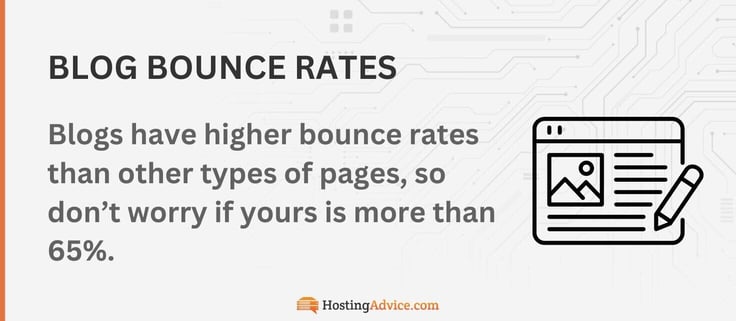
I think I would be sad if I learned the bounce rate of my blog posts was above 50%. I mean, I know the average website bounce rate for blogs is more than 65%, but still — I put my heart and soul into writing them!1
But then again, a blog post is often the first and final step of a website visit. I often click on a blog for a titbit of information, read it, and leave the website. So, I guess the numbers aren’t all that bad.
And yes, many bloggers use clickbait headlines and don’t deliver what readers are looking for, so this needs to be factored in as well. It’s also worth mentioning that many people accidentally click on links and leave immediately. Unfortunately, their visit still counts in the blog’s bounce rate calculation.
I feel that measuring the time spent on a blog post provides a more realistic picture of a blog’s performance.
A Page Load Time of One Second Incurs a Bounce Rate of 7%
Here’s a simple formula for you:
Fast webpage loading time = lower bounce rate.
I hope you took note of my list of fast web hosting providers — make a change if it’s necessary. To put it into perspective, if your website loads in roughly one second, it’ll incur a bounce rate of only around 7%. The more time it takes to load, the higher the bounce rate.
One to three seconds? A bounce rate of 11%. Four seconds? You’re looking at a 24% chance of bouncing.1
The Bounce Rate for Social Media Referral Traffic Is 50%
Are you on social media? If you are, you’re among the 5.24 billion other people who are, too.3 While I’m tired of seeing influencers, eCommerce companies swear by social media referral marketing.
The social media influencer market is growing astonishingly and is worth more than $32.55 billion today.4
Despite the market being a multi-billion-dollar industry, social media referral marketing isn’t as successful as you might think — the standard bounce rate for referral traffic from social media platforms is about 50%.1
The Average Time Spent on a Website Is 2 Minutes and 17 Seconds
If you’re reading this statistic, chances are you’ve already spent more than the average time of 2 minutes and 17 seconds on this webpage, beating the average bounce rate! Well done, my friend. Now, the time spent on a website primarily depends on its type.
For example, if you’re shopping online, you’re likely to spend more time on the website than, let’s say… a news website. And the numbers check out: the average time spent on an eCommerce website is nearly 4 minutes, and 2 minutes and 30 seconds on news sites.
Blogs? A cool 2 minutes and 15 seconds.5 By gauging the time visitors spend on your website, you can determine what they’re looking for and improve your website accordingly.
They already know what they’re looking for, and it’s your job to encourage them to stick around longer — it increases your chances of converting. You should work on enhancing website elements such as professionalism, informativeness, and loading speed.
The Bounce Rate for eCommerce Websites Is 47%
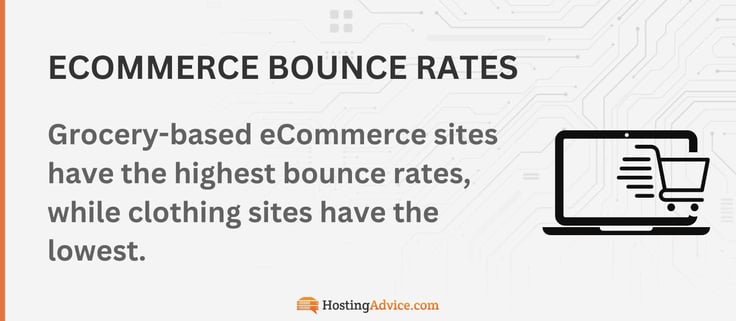
eCommerce websites have a relatively high bounce rate of about 47%.1 e-Window shopping is now a thing, and online shoppers often look for the best deals across multiple eCommerce platforms.
Checkout pages are the final stage of the buying process for your customers, and you need to ensure these pages, in particular, are optimized for speed.
In fact, 51% of American customers will abandon their cart if checkout pages load slowly.6 I’m sure the same applies to online shoppers in other countries.
Almost Half (46%) of Visitors Leave If a Webpage Takes 4+ Seconds to Load
It’s time to ask yourself a serious question: how long would you wait for a webpage to load before abandoning it? Two seconds? Three seconds? Well, approximately 46% of people leave a webpage if it takes four or more seconds to load.6
Fastest web hosting providers:7,8
| Host | Loading Speed |
|---|---|
| GreenGeeks | 118.6 ms |
| Hostinger | 136 ms |
| SiteGround | 139.6 ms |
| Bluehost | 153 ms |
| WP Engine | 188 ms |
| Hosting.com | 247 ms |
| InMotion | 297 ms |
| Cloudways | 315 ms |
Try loading your website on your laptop or smartphone — if it doesn’t meet the four-second cutoff, you now know why visitors are bouncing from your website! A fast website load time will undoubtedly lead to a lower bounce rate.
Here are some tips:
- Make headers smaller and more attractive. A website header is the first thing your visitors see.
- Keep form fields as short as possible.
- Optimize all media files for size and quality.
- Use PNG or JPG formats for images.
- Choose the correct format for video files.
- Pick a good hosting plan. A good web host offers sufficient bandwidth and storage, low latency, rapid processing power, a content delivery network (CDN) subscription, and caching techniques, among other tools.
This checklist could help improve your page loading speed, SEO rankings, and website bounce rate.
The Bounce Rate for WordPress Websites Is Between 40% and 50%
Did you know that around 43.5% of all websites use WordPress? Yes, hundreds of millions of websites have WordPress as their content management system (CMS) — 522 million, to be precise.
And why not? Its open-source software, robust infrastructure, numerous plugins and themes, and tight-knit community make it a catch.
Approximately 20% of users use WordPress purely as a blog. This means there are about 104 million WordPress blogs.9,10
Now, we already know blogs experience a substantial bounce rate of 65% or higher, so it’s no surprise that WordPress websites experience a bounce rate of between 40% and 50% on average.1
The Average Bounce Rate for Desktop Users Is 50%
I rarely use my smartphone for work — it’s hard to beat a desktop computer’s sophistication. While you can use your smartphone, I feel it’s much more recreational.
I mean, I don’t watch YouTube videos on my desktop, do I?
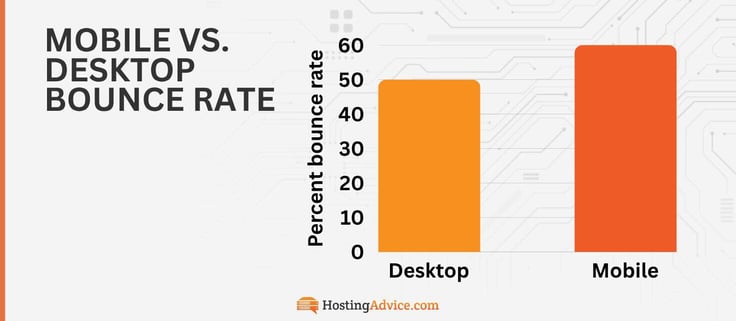
If you want to do detailed research (school, work, online shopping, etc.), the ease and speed of desktops stand out. Alright, alright, here’s the website bounce rate stat you’re waiting for: the average bounce rate for desktop users is around 50%.11
Mobile Bounce Rates Are Between 58.45% and 60.19%
I want you to try opening a random website on your desktop and smartphone at the same time. I tried it and I found the website loads slightly faster on my desktop. Why? For one, my desktop has a faster processor and more RAM.
Point two is that not all websites are optimized for mobile. More than 60% of internet traffic comes from smartphones, so I recommend optimizing your website with Accelerated Mobile Pages (AMP) technology to ensure speed on all devices.12 Of course, with the mainstream adoption of AI-powered chips, I expect mobile bounce rates to drop from the current standard of around 60%.11
How Can I Reduce My Website Bounce Rate?
This is the right time to tell you how you can calculate your website’s bounce rate. All you have to do is divide the number of single-page sessions by your total number of sessions. If this figure is on the higher side (more than 40%), it’s time to make some changes.
Here are some tips to reduce your website bounce rate:
- Improve the readability of your website’s content.
- Popups can be super annoying, so avoid them.
- Create a compelling CTA.
- Update your blog with the latest content.
- Attract the right audience by incorporating user feedback mechanisms, content marketing tactics, and increased engagement on social media.
- Improve your website loading speed. Purchasing a fast web hosting plan is a great start.
- Make your website mobile-friendly.
- Set all external links to open in a new tab or window.
Improving your website’s bounce rate isn’t rocket science. By using a few of these tips, you’ll be on your way to the moon.
Sources and Further Reading
- https://www.soocial.com/bounce-rate-statistics/
- https://bloggingwizard.com/amazon-statistics/
- https://www.statista.com/statistics/617136/digital-population-worldwide/
- https://www.statista.com/statistics/1092819/global-influencer-market-size/
- https://expertbeacon.com/what-is-the-average-time-spent-on-a-website/
- https://electroiq.com/stats/website-load-time-statistics/
- https://www.bitcatcha.com/my/hosting-reviews/fastest/
- https://codeless.co/fastest-web-hosting/
- https://w3techs.com/technologies/details/cm-wordpress/
- https://siteefy.com/how-many-websites-are-there/
- https://www.semrush.com/blog/mobile-vs-desktop-usage/
- https://whatsthebigdata.com/mobile-internet-traffic/