



Writer: Jordan Sprogis


Editor: Lillian Castro


Reviewer: Cristian Lopez

Key Takeaways
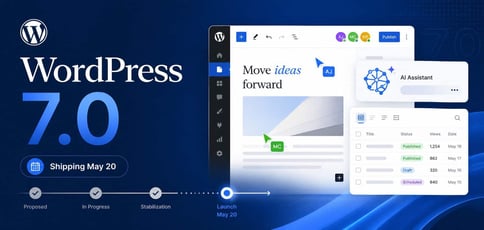
Barring another delay, WordPress 7.0 is shipping out on Wednesday, May 20. The release was supposed to come out on April 9, but was returned to beta-level scope after something “unprecedented” occurred.
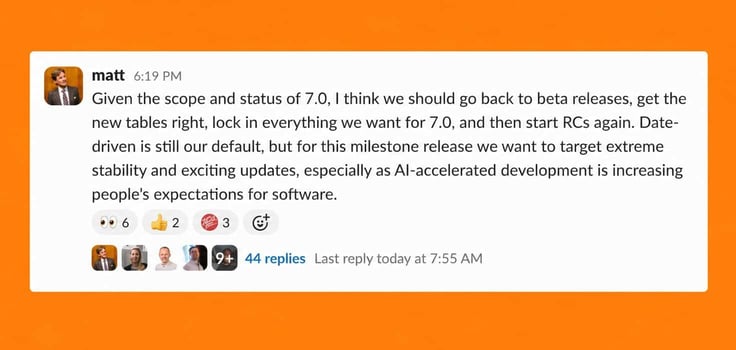
“Given the scope and status of 7.0, I think we should go back to beta releases, get the new tables right, lock in everything we want for 7.0, and then start RCs again,” Matt Mullenweg posted in the #core-committers channel in WordPress Slack.
The delay trails after only two major releases came out in 2025. This is below the typical rhythm, and the direct result of the WP Engine lawsuit, which has been disrupting Automattic’s contributor capacity. WordPress has otherwise been well-known for its regular rollouts, averaging 2.5 per year between 2015 and 2024.
Even so, this seems to be very well worth the wait: 7.0 will feature things people have been practically begging for, like real-time collaboration (Google Docs-style), a native AI client, and a modernized DataViews admin.
Why Was 7.0 Delayed?
The root problem was the original data storage approach.
Every time an editor was open, it would simultaneously degrade the visitor’s performance for the duration of the session. According to the official dev blog, the fix required a dedicated new database table just for collaboration data. WordPress has only added one new core database table in the last decade.
Unfortunately, for shared hosts, the main concern is server overload. The default sync method fires a request to the server every second per active collaborator. While two editors on one post won’t take anything down, if multiplied across a busy shared server with multiple sites and active editorial teams, performance will get worse.
Editorial teams have historically outgrown shared hosting for a reason, so maybe give your customers a heads-up, depending on the kind of work they plan on doing.
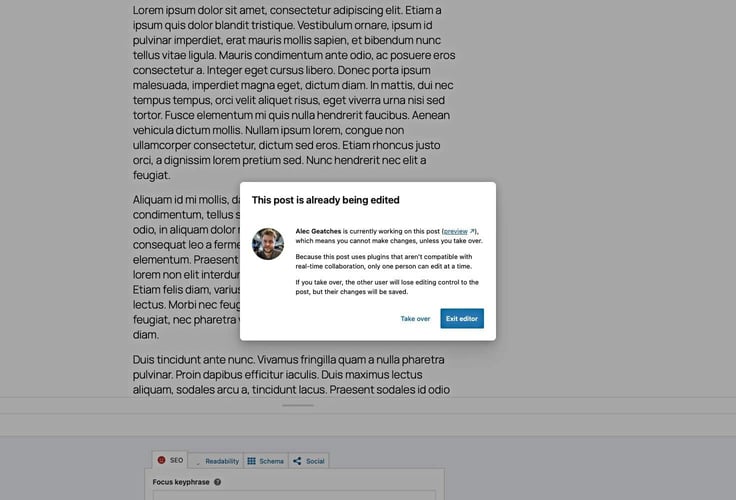
There’s one more gotcha: Collaborative editing is automatically disabled on any post where legacy meta boxes are present. Customers running older plugins that use classic meta boxes won’t see the feature at all until those plugins are updated.
What Hosts Should Check Before WordPress 7.0
The updated schedule puts:
- RC3: May 8, 2026: — in name, but test as a ‘new Beta 1’
- RC4: May 14, 2026 — in name, but acting as a ‘new RC1’
- Dry run/24-hour code freeze: May 19, 2026
- General release: May 20, 2026
That leaves two weeks to catch anything the RC process missed. Here’s what needs to happen before May 20:
- Check PHP versions: WordPress says 7.0 drops support for PHP 7.2 and 7.3, with PHP 7.4.0 becoming the new minimum supported version and PHP 8.3 remaining the recommended minimum
- Review database versions: WordPress.org’s requirements page recommends PHP 8.3+ and MariaDB 10.6+ or MySQL 8.0+ for hosts
- Test real-time collaboration: WordPress specifically asked hosts to test it before release because the feature changes how active editing sessions react
- Check plugin compatibility: WordPress’s DataViews/DataForm dev note documents new/changed API behavior, including field formatting, validation rules, picker changes, and grouping options
- Review AI connector access: Since WordPress 7.0 adds AI provider connections, hosts with strict outbound rules should make sure those requests won’t disconnect
- Use staging first: WordPress’s Beta 3 announcement says not to install, run, or test the beta on production or mission-critical sites and to evaluate it on a test server/site instead
