

Writer: Christina Lewis


Editor: Lillian Castro


Reviewer: Lynn Cadet

You don’t need to hop into George and Jane Jetson’s space car to discover top-tier virtual machine (VM) hosting. Here on Earth, web hosting providers offer developers, small businesses, and enterprises the features they need to optimize their virtual machines.
While server virtualization might sound like cutting-edge technology, it has actually been around since the era of the 1960s sitcom, “The Jetsons.”
In my experience, top web hosts offer a variety of add-ons with their virtual server packages, all at a cost-effective monthly rate. Whether you’re just starting with virtual machine hosting or you’re an expert managing numerous VMs, my top picks are worth exploring.
-
Navigate This Article:
The Best Virtual Machine Hosting for Developers
As developers, we’re always on the lookout for that ideal balance between cost and performance. Can’t afford a high-end virtual server hosting plan? Don’t worrythere are plenty of affordable VM hosting options available for you.
Choosing a reliable provider with an intuitive control panel is vital for a hassle-free experience. With the right partner, your projects will benefit from dedicated resources, ensuring your visitors enjoy a fast and seamless experience.
Thinking about using VM software for testing websites or personal projects? A virtual private server (VPS) could be just what you need. VPS plans often offer a rich feature set without breaking the bank.
Check out some of the best hosting plans I recommend:
1. Hostinger.com

Monthly Starting Price $5.84
- Best overall value: The most complete AI-managed KVM VPS at this price
- AMD EPYC processors, NVMe SSD, and 1 Gbps network
- Kodee AI manages your server — no command line needed
- One-click deployment of 100+ apps including Docker and n8n
- Free weekly backups, DDoS protection, and full root access
- Get started on Hostinger now.


Sead Fadilpasic

| Setup Time | Disk Space | CPU | RAM |
|---|---|---|---|
| 6 minutes | 50 GB NVMe – 400 GB NVMe | 1 – 8 cores | 4 GB – 32 GB |
2. Kamatera.com

Monthly Starting Price $4.00
- Best for developers: Fully customizable cloud VPS — choose your exact CPU, RAM, and storage
- Intel Xeon Platinum/Cascade Lake CPUs & NVMe SSD
- 20+ global data centers across 4 continents, with 99.95% uptime
- Hourly or monthly billing, only pay for what you use
- 30-day free trial with $100 credit — no commitment needed
- Get started on Kamatera now.


Surajdeep Singh

| Setup Time | Disk Space | CPU | RAM |
|---|---|---|---|
| 5 minutes | 20 GB NVMe – 4 TB NVMe | 1 – 32 cores | 1 GB – 128 GB |
3. Hosting.com

Monthly Starting Price $8.99
- AMD EPYC processors and NVMe SSD storage on all plans
- Full root access — install tools, containers, and custom stacks
- Choice of Ubuntu, Debian, or AlmaLinux with optional cPanel
- 10 global data centers with free CDN and 99.9% uptime SLA
- 24/7/365 in-house support — no outsourcing, no bots
- Get started on hosting.com now.


Christina Lewis
| Setup Time | Disk Space | CPU | RAM |
|---|---|---|---|
| 7 minutes | 80 GB – 640 GB NVMe | 2 – 16 cores | 4 GB – 32 GB |
The Best Virtual Machine Hosting for Small Businesses
A small business’s online presence is essential to the company’s success. If your customers can’t find you online (or if they experience slow page loads), you will feel the pressure of poor site performance on your revenue.
The best virtual machine hosting provides expertly managed services with premium extras like a VM backup system, enhancing the overall package.
I recommend cloud hosting for small businesses because of its low starting price and instant scalability. A cloud server may even use virtualization software to create the computing environment.
The cloud hosting providers listed here offer full root access and complete control over the operating system and software. So, whether you’re planning to use VMWare Workstation, IBM PowerVM, or Oracle VM, these hosts have got you covered.
4. Cloudways.com

Monthly Starting Price $6.60
- Choose from AWS, Google Cloud, DigitalOcean, Vultr, or Linode
- Auto-healing servers with automated backups and free SSL
- 60+ global data center locations
- Pay-as-you-go — no contracts, cancel anytime
- 3-day free trial, no credit card required
- Get started on Cloudways now.


Jack Wallen

| Setup Time | Disk Space | CPU | RAM |
|---|---|---|---|
| 8 minutes | 25 GB SSD – 3840 GB SSD | 1 – 32 cores | 1 GB – 192 GB |
5. SiteGround.com

Monthly Starting Price $100.00
- Scalable, speedy, and fully managed
- FREE Cloudflare CDN and choice of 3 datacenters
- Google Cloud partners for top-tier performance
- cPanel/WHM, SSH access, and private DNS
- 24/7 VIP support and a dedicated IP
- Get started on SiteGround now.


Lynn Cadet
| Setup Time | Disk Space | CPU | RAM |
|---|---|---|---|
| 6 minutes | 40 GB SSD – 160 GB SSD | 4 – 16 cores | 8 GB – 20 GB |
6. LiquidWeb.com

Monthly Starting Price $5.00
- Best for businesses that can’t afford downtime
- 100% uptime SLA — network and power guaranteed
- AMD EPYC processors with Cloudflare CDN included
- Acronis backups and DDoS protection built in
- 24/7 Heroic Support® via phone, chat, and email
- Get started on Liquid Web now.
Christina Lewis
| Setup Time | Disk Space | CPU | RAM |
|---|---|---|---|
| 7 minutes | 30 GB SSD – 440 GB SSD | 1 – 6 cores | 1 GB – 16 GB |
The Best Virtual Machine Hosting for Enterprise Businesses
As a large organization, a VPS hosting plan may not provide the computing resources your company requires. Instead, cloud computing services from a reputable platform can give you the environment to scale your operations and speed up deployment.
For greater control and performance, the following providers offer best-in-class service for your virtual machine.
7. Microsoft Azure VM
Large organizations benefit from Microsoft Azure‘s infrastructure to run SQL Server, Oracle software, or SAP on a choice of Linux distribution or Windows server. For example, the brand L’Oréal deployed Azure to solve its SAP-related performance challenges. Its use of virtual machines allowed the company to save time, cut costs, and improve supply chain technology to accelerate product delivery.

Microsoft offers a virtual machine selector to help you find the perfect server type and plan that aligns with your budget and goals. This hosting provider provides a range of plans and features whether you’re hosting a simple Windows app or managing several VMs.
8. Google Cloud Platform
Google Cloud offers a variety of options for virtual machine hosting. You can create a virtual machine using the Google Cloud console, the Google Cloud CLI, or the Compute Engine API. Security, flexibility, and reliability are three cornerstones of the Google Cloud platform, so you don’t have to worry about downtime and restrictions for your business processes.

Google’s cloud platform delivers both custom and predefined machine types, giving you up to 42% better cost-per-performance compared to other multipurpose VMs. Major players like Spotify, Twitter, and Home Depot rely on Compute Engine from Google Cloud Platform to swiftly scale and boost capacity.
9. IBM PowerVM
Customers who choose IBM PowerVM can increase operational efficiency by eliminating scheduled downtime. Its environment is built on advanced RAS (Reliability, Availability, and Serviceability) features to ensure users get the best performance. PowerVM provides a scalable server environment, helping businesses consolidate workloads, increase server utilization, and reduce costs.

Using the latest hypervisor technology, IBM helps its customers shore up security by isolating critical applications and I/O (input/output). This server virtualization environment is made for AIX®, IBM i, and Linux applications.
What Is a Virtual Machine?
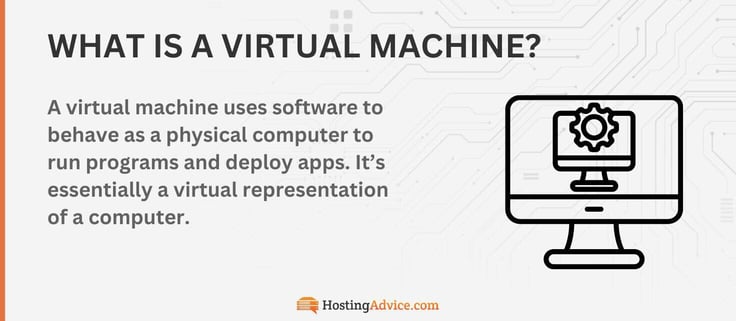
Despite its name, a virtual machine is not a transformer-like hologram that appears out of thin air. Rather, it’s a piece of software that runs on a physical server. Each virtual machine has its own guest operating system that runs on the machine, allowing it to run programs, store data, and carry out computing functions independently.
Running a guest operating system—or even multiple systems—boosts efficiency by eliminating the need for extra physical hardware. This setup also enables IT departments to safely execute riskier functions, like accessing virus-infected data, while keeping the rest of the server secure.
This configuration also lets you run different operating systems on a virtual server, including Windows OS, VMWare Fusion, and Parallels Desktop.
Virtualization is everywhere. You’re more likely to see an Emperor penguin in Florida than to go a day without encountering a website that uses some form of virtualization.
Whether you’re running a SQL server, deploying a new Windows app, or building a virtual PC environment, using virtualization helps teams boost operational efficiency, enhance security, and scale effectively.
Software such as Oracle VM, Microsoft Hyper-V, or one of the many products by VMWare (VMWare Fusion, VMWare Vsphere, VMWare WorkStation Pro, or VMWare WorkStation Player) is leading the industry because of the innovation and benefits it provides to enterprises.
What Are the Main Features of Virtualization?
Virtualization boasts several unique features that set it apart from other hosting types. The most notable ones make it perfect for customers who want complete control and customization of their virtual server.
- Virtual machine architecture: Unlike a shared server which hosts multiple websites using a pool of resources, virtualization uses a technology called a hypervisor to create dedicated slices of the server for each site.
- Resource allocation and management: Hypervisor technology creates virtual dedicated environments that allow customers to have all the virtual server’s resources allocated to them. Instead of sharing bandwidth, storage, and CPUs with other customers, each user gets their own slice of the pie.
- Operating system options: Having your virtual machine isolated from others on the physical hardware means you have total control over which operating system you install.
- Security measures in virtual machine hosting: Similar to choosing your operating system, having an isolated virtual machine also allows you to control the security of your server. You can configure your own security settings or purchase a managed hosting plan to have the experts do it for you.
The key theme of virtualization is customization. The hypervisor technology allows you to isolate your server instance from others on the hardware, giving you a dedicated environment.
What Are the Pros and Cons of Virtual Servers?
Virtual servers aren’t everyone’s cup of tea. What one person sees as beneficial, another might see as a challenge. Take root access, for example. For an experienced IT professional, root access means more control over the server, but for a beginner, it can be quite confusing.
Take a look at some other pros and cons to consider:
Pros
- Less expensive than dedicated servers
- Highly scalable
- Multiple OS choices
- Greater reliability and performance
Cons
- More expensive than shared hosting
- Requires technical skills
- You’re responsible for server maintenance/security
What Are the Three Types of Virtualization?
Virtualization comes in three distinct flavors: full virtualization, paravirtualization, and OS-level virtualization. The flavor you choose will depend on your goals for using server virtualization software, how much flexibility you need, and how you plan to use your environment.
Full Virtualization
Full virtualization involves a specialized type of software called a hypervisor. The hypervisor, sometimes called a virtual machine, instantly creates virtual servers and tracks disk space and CPU usage.
This system allocates server resources to make the virtual environment flexible, portable, and instantly scalable. If you’re considering a hypervisor for full virtualization, VMWare ESXi is a great option.
Paravirtualization
In paravirtualization, separate operating systems are aware of each other, unlike in full virtualization where they function independently. The perk of paravirtualization is that these virtual servers can share resources more efficiently because they’re aware of one another.
This close interaction encourages fantastic scalability and efficiency. If you’re aiming for a Windows server environment, Microsoft Hyper-V is equipped to support paravirtualization.
OS-Level Virtualization
OS-Level Virtualization, the last type of virtualization, doesn’t need a hypervisor like the other types. Instead, the physical hardware takes care of monitoring and allocating resources.
This approach requires fewer resources to set up but demands that each virtual machine operates on the same operating system, which might be limiting for some users.
What Is the Best Server Virtualization Software?
A well-selected server virtualization software may help your organization reduce the strain on resources, increase flexibility, and optimize your resources. Recently, PayPal adopted Google Cloud’s virtual machines.
By transitioning its critical workloads to a virtual environment, the company can deploy them faster than ever, reaching a staggering 300 million customers across 200 markets.
Your virtualization software can make a similar impact on your business. Of course, major players are leading the way with popular operating systems. VMWare takes the cake for popularity and variety regarding virtual machines. It offers an enormous suite of VMs, including:
- VMWare WorkStation Player (and WorkStation Pro)
- VMWare VSphere
- VMWare ESXi
- VMWare Fusion
But Microsoft has equally impressive VMs to offer. Since its original virtual machine, the company has rolled out several new versions. Now, if you’re in the market for a Windows VM, you have a range of options to consider:
- Microsoft Hyper-V
- Azure VM
- Windows Virtual PC
Rather than listing every operating system under the top virtualization companies, I’ll give a nod to Red Hat Virtualization, Oracle VM, and Citrix before wrapping up. As you choose the hosting provider that offers the best VM hosting for you, keep my suggestions in mind.
If you go with one of the providers on this list, your virtual machine will be cared for with the same dedication that George Jetson shows to R.U.D.I., the atomic supercomputer.
HostingAdvice.com is a free online resource that offers valuable content and comparison services to users. To keep this resource 100% free, we receive compensation from many of the offers listed on the site. Along with key review factors, this compensation may impact how and where products appear across the site (including, for example, the order in which they appear). HostingAdvice.com does not include the entire universe of available offers. Editorial opinions expressed on the site are strictly our own and are not provided, endorsed, or approved by advertisers.
Our site is committed to publishing independent, accurate content guided by strict editorial guidelines. Before articles and reviews are published on our site, they undergo a thorough review process performed by a team of independent editors and subject-matter experts to ensure the content’s accuracy, timeliness, and impartiality. Our editorial team is separate and independent of our site’s advertisers, and the opinions they express on our site are their own. To read more about our team members and their editorial backgrounds, please visit our site’s About page.