

Writer: Christina Lewis


Editor: Lillian Castro


Reviewer: Alexandra Anderson

Key Takeaways
Our experts compared today’s top free cloud hosting trials to help you find the best way to test-drive infrastructure before you pay.
-
Kamatera ($4.00/mo) 30-day free trial across every cloud product, no gimmicks.
-
Cloudways ($6.60/mo) 3-day free trial with zero credit card required.
-
Hosting.com ($2.99/mo) skip the trial anxiety with genuinely affordable cloud hosting.
Here’s the deal: 100% free cloud hosting doesn’t really exist. It’s just too expensive for web hosts to provide, so they’re not going to give it away at no cost. In my experience, the closest thing you’re going to get is a free trial.
Public cloud providers like AWS and GCP have a ton of options on their free tiers, which give you a limited amount of computing resources at no charge for a set period of time (like six months or a year).
Alternatively, you have dozens of cheap cloud hosting providers at your disposal. While these options aren’t free, they’re a good jumping-off point and won’t break the bank.
I’ve gathered a list of the top choices for you if you’re on the hunt for cloud hosting but don’t have a big budget. Stick around to discover more.
-
Navigate This Article:
Best Free Cloud Hosting Trials: 3 Days to 12 Months
Okay, hear me out. I know you were looking for an always-free cloud host, but as I mentioned, those plans are usually just marketing gimmicks. Web hosts use always-free plans to entice new customers to sign up. And if you go over your very limited resources, expect to get charged.
The next best option is a free trial. These cloud hosts allow you to test their platforms for anywhere from three days to a full year at no cost.
Hosts like Kamatera and Cloudways are extremely affordable and make it easy to get started. AWS, GCP, and IBM are tailored toward folks with a little more experience, but they also give you tons of customization options. Let’s dive in.
1. Kamatera
30-Day Free Trial | Credit Card Required | Plans Starting $4.00/Month
Kamatera prides itself on leading technology and personal service — one of the reasons this cloud host ranks so highly for its managed cloud services and always-there customer support. It has advanced cloud infrastructure and support from experts specializing in cloud computing.
Kamatera.com

Monthly Starting Price $4.00
- 30-day free trial on all cloud products
- User-friendly custom management portal
- Instant scalability and server adjustments
- Choose from roughly 60 operating systems
- All-SSD cloud VPS infrastructure
- Get started on Kamatera now.


Surajdeep Singh

| Money Back Guarantee | Disk Space | Domain Name | Setup Time |
|---|---|---|---|
| 30-day FREE trial | 20 GB SSD – 4 TB SSD | New or Transfer | 3 minutes |
Kamatera stands out with its free 30-day VPS hosting trial, tailored to your needs — ideal for developers and organizations. If your customizations are under $100 per month, you can take advantage of the free 30-day trial before moving to affordable hourly or monthly billing rates.
You can enjoy the user-friendly custom management portal and your choice of nearly 60 operating systems. Kamatera also offers add-ons such as SSL certificates, a database, and email configurations for additional fees.
2. Cloudways
3-Day Free Trial | No Credit Card Required | Plans Starting $6.60/Month
It’s no wonder that Cloudways ranks highly for cloud hosting. This provider takes cloud computing to a new level, specifically for mid-sized to enterprise-level corporations. It operates on a pay-as-you-go sliding-scale pricing model. You’ll have the choice of several top cloud providers: DigitalOcean, Linode, Vultr, AWS, or Google Cloud Platform.
Cloudways.com

Monthly Starting Price $6.60
- Choose your cloud provider, application, and server location
- Easily scale server size, bandwidth, and storage
- Launch WordPress or Magento with a single click
- FREE CDN, managed backups, and staging areas
- Get 40% OFF first 4 months with promo code HOSTINGADVICE
- Get started on Cloudways now.


Jack Wallen

| Money Back Guarantee | Disk Space | Domain Name | Setup Time |
|---|---|---|---|
| 3-day FREE trial | 25 GB SSD – 4 TB SSD | New or Transfer | 8 minutes |
Cloudways provides a strong custom control panel, perfect for collaboration and managing multiple projects at once. You can easily tailor your plan by selecting the amount of RAM, bandwidth, and database storage you need, all with a simple click.
All plans have top features such as real-time monitoring, constant customer support, dedicated firewalls, and regular security patching. While the cost of Cloudways cloud hosting plans runs mid-tier, the value it brings to professional developers and organizations is undeniable. Plus, new customers get access to a three-day free trial.
3. Amazon Web Services
12-Month Free Trial | Credit Card Required | Plans Starting $3.50/Month
Amazon Web Services has the world’s most comprehensive and widely adopted cloud platform. AWS free tier gives you a hands-on experience with the hosting service so you can test out Amazon products, platforms, and services.
The company’s solutions are available on a spectrum of free tier plans, including short-term free trials (usually 30-60 days), long-term free trials (12 months), and a few always-free solutions with strict usage limits.
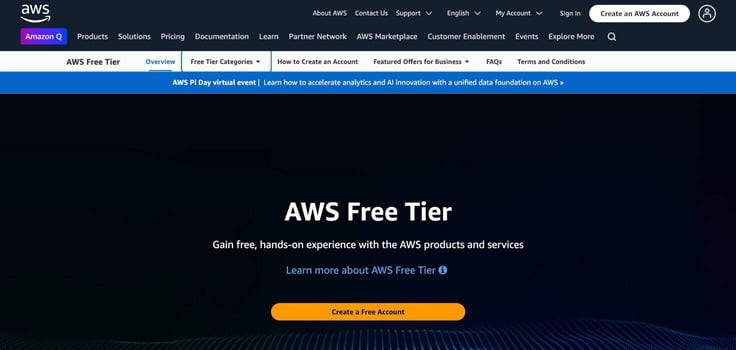
AWS offers many plans that suit a wide range of needs, from developers to large organizations. For example, AWS Lightsail is ideal for small sites and starts at just $3.50 a month after the one-year free trial ends. Of course, your resources will be very limited for that price — you’ll need to upgrade for more RAM, disk space, and bandwidth.
You can also select unmanaged or managed cloud hosting. When your free tier usage expires, or if you use more data than the monthly allowance, AWS offers a simple pay-as-you-go pricing model.
A fair warning, though: AWS isn’t for beginners, so you should have some server management experience if you plan to go this route.
4. IBM Cloud
12-Month Free Trial | Credit Card Required | Plans Starting $14.50/Month
IBM Cloud is well-known for its exceptional performance and security. Students and small website owners can use IBM’s many free cloud hosting options, including temporary free trials and always-free (but limited) products. You can select from more than 50 free cloud hosting trials and 40 free tier options.
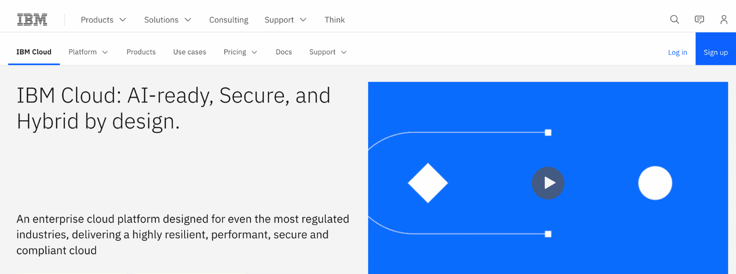
The IBM free tier has some strict limitations on server resources, so as long as you don’t require too much free storage, you can take advantage of this plan indefinitely. However, it’s not very practical if you expect to have a decent amount of traffic.
If you’re happy with your free trial and want to upgrade to a paid plan, IBM offers a simple pay-as-you-go pricing model. Its smallest virtual server instance starts at about $14.50 a month and comes with 1 vCPU and 2 GB of RAM.
5. Google Cloud Platform
3-Month Free Trial | Credit Card Required | Plans Starting $6.50/Month
Google Cloud offers a free tier with over 20 products available at no cost. But don’t expect enterprise-level performance from these free services — they’re somewhat limited.

Here’s a rundown of Google’s free products: Google Cloud promises free use for customers who stay below the set monthly usage limits. It also says these limits are subject to change, so you should know these stipulations before signing up.
If you’re seeking more stability than the free tier offers but aren’t ready to pay yet, consider a free trial instead. GCP provides 90 days of free service (valued at $300). Customers with a maps-related cloud billing account can also benefit from $200 in monthly credits from Google.
I recommend signing up for the 90-day free trial if you’re running a professional project, or sticking with the free tier if you’re a student and don’t expect much site traffic.
The free trials above are a great way to test the waters, but if you know you need reliable cloud hosting for the long haul, jumping straight to a paid plan often makes more sense. The hosts below offer cloud infrastructure that’s genuinely affordable — starting under $3/month — without the usage anxiety that comes with trial accounts and always-free tiers.
Best Cheap Cloud Hosts: Starting at $2.99
Not every project needs a 30-day test drive. If you’re ready to commit to a cloud host that won’t nickel-and-dime you for overages, these providers offer the best combination of performance, reliability, and price.
Each one is cloud-native, meaning your site benefits from redundant infrastructure and automatic failover without the complexity of managing it yourself.
6. IONOS.com

Monthly Starting Price $5.76
- Start with $200 in credit for your first month
- Intel Xeon processors, Linux or Windows, full root access
- Scale instances up or down with no downtime
- By-the-minute billing — only pay for what you use
- 99.99% uptime, ISO 27001-certified data centers
- Get started on IONOS now.


Christina Lewis
| Setup Time | Disk Space | CPU | RAM |
|---|---|---|---|
| 6 minutes | 120 GB – 720 GB NVMe | 1 – 24 cores | 512 MB – 48 GB |
7. Hostinger.com

Monthly Starting Price $7.19
- Managed cloud with 20x more resources than shared hosting
- LiteSpeed servers, NVMe SSD, and built-in CDN
- Daily backups, DDoS protection, and free SSL
- Free website migration — usually done in 20 minutes
- Priority 24/7 support via live chat
- Get started on Hostinger now.


Sead Fadilpasic

| Setup Time | Disk Space | CPU | RAM |
|---|---|---|---|
| 6 minutes | 50 GB – 400 GB NVMe | 4 – 12 cores | 4 – 12 GB |
8. Hosting.com

Monthly Starting Price $2.99
- Fully cloud-based infrastructure — always on latest hardware
- AMD EPYC CPUs, NVMe SSD, and LiteSpeed caching
- Automated daily backups with 30-day restore history
- Free website migration handled by in-house engineers
- 24/7/365 phone, chat, and ticket support
- Get started on hosting.com now.
Christina Lewis
| Setup Time | Disk Space | CPU | RAM |
|---|---|---|---|
| 7 minutes | 80 GB – 640 GB NVMe | 2 – 16 cores | 4 GB – 32 GB |
9. LiquidWeb.com

Monthly Starting Price $5.00
- Best for businesses that can’t afford downtime
- 100% uptime SLA — network and power guaranteed
- AMD EPYC processors with Cloudflare CDN included
- Acronis backups and DDoS protection built in
- 24/7 Heroic Support® via phone, chat, and email
- Get started on Liquid Web now.
Christina Lewis
| Setup Time | Disk Space | CPU | RAM |
|---|---|---|---|
| 7 minutes | 30 GB SSD – 440 GB SSD | 1 – 6 cores | 1 GB – 16 GB |
What Is Cloud Hosting?
Cloud hosting is when you have a network of servers that pool resources to host a website. These servers are virtually connected and form an ultra-redundant and reliable infrastructure.
The benefit of this redundancy is that when one cloud server goes down, the others seamlessly step in to handle site traffic.
This infrastructure provides far greater reliability than traditional hosting because physical servers don’t have a network of backup servers to rely on if something goes wrong.
Which Cloud Services Are Free for Students?
Student discounts on web hosting are one of the many perks of higher education. Whether you’re building a professional portfolio to land your first job or freelancing to pay for school, you can choose a cloud hosting provider that offers a limited-time discount while enrolled in a full-time degree-seeking program.
Requirements and discounts will vary for each cloud server provider, but plenty of valuable plans exist. For example, Google Cloud for Students offers no-cost access to Qwiklabs, Google Workspace certification discounts, and other tools while enrolled in school.
Which Free Cloud Service Is Best for Developers?
If you’re looking for a cloud hosting solution, you already know its benefits over shared hosting or dedicated hosting. Individual web developers often don’t need the space of a physical machine, and a shared server usually doesn’t offer enough control or resources.
That’s exactly why these cloud-based options are ideal:
| Host | Price |
|---|---|
| Kamatera | Free for 30 days, then $4.00/month |
| Cloudways | Free for 3 days, then $6.60/month |
| AWS Free Tier | Free for 12 months, then $3.50/month |
The exact plan you need will depend on how much RAM, bandwidth, and disk space you require. For small sites and solo developers, Kamatera or Cloudways are the easiest starting points. For larger or more complex projects, AWS and GCP offer more customization — but expect a steeper learning curve.
Which Web Hosts Provide a Money-Back Guarantee?
Not every web host provides a free trial — I know, it’s a letdown! If none of these free cloud providers meet your needs, think about signing up with a host that offers a money-back guarantee. These guarantees let you test your cloud host without any risk.
Money-back guarantees are rare in cloud web hosting, so these hosting providers are true gems for offering a full refund if you’re unsatisfied after 30 days.
| Host | Money-Back Guarantee |
|---|---|
| IONOS | 30 days |
| Hostinger | 30 days |
| Hosting.com | 30 days |
| Liquid Web | 30 days |
Which Free Cloud Hosting Service Is Best for You?
The hosting provider and plan you choose will depend on the scope and goals of your website.
Students and beginner web developers can enjoy a low-cost, high-value plan with plenty of add-ons such as one-click site builder installations and ample storage from any of the cheap cloud hosts I mentioned above. Because your site won’t draw as much traffic, you can forgo some of the pricier hosting plans.
For larger projects, novice and advanced web developers may need to spend more time selecting a plan that supports future growth and scalability, like Kamatera, AWS, or Cloudways. Rest assured, you’re in good hands if you choose a hosting provider on this list.