Long ago, I started a website and blog to launch my business. Unfortunately, I would spend hours on every blog post, along with money and more time on the design of the site, only to feel like I was talking to an empty room with each post.
And that’s because — I eventually realized — no one is going to discover your blog, your business website, or your product unless you tell them about it.
So, when I wasn’t juggling my day job and other responsibilities, I spent nights working on SEO, or search engine optimization, for my business website and blog.
Search engine optimization (SEO) is the work put forth to attract organic traffic — through search engines like Google and Bing — to a website, and it often includes tactics like keyword, content, and technical optimization.
Within a few weeks of optimizing my website for the search engines, I noticed an uptick in my website visitors and, most importantly, more emails and calls to pay for my services. SEO ended up taking my website and career to a new level.
Read on to learn what I know about boosting your SEO and optimizing everything from local search to website authority.
Overview of Search Engine Optimization (SEO)
SEO is the practice of elevating your website’s visibility online. Virtually every business needs it for online growth, to boost sales, and to bring in more website visitors. But SEO is more than just attracting traffic at any cost.
You want relevant traffic. And there’s no better way to understand the importance of relevant traffic than by exploring why SEO matters.
Why SEO Matters
Considering the tedium of search engine optimization, I often ask myself this very question. Why does SEO matter? Is it really worth it to optimize my blog posts with keywords? Do I have to spend time improving my website’s speed and user experience? And must I get links on other relevant sites to push traffic to mine?
The answer to almost all of those questions is yes.
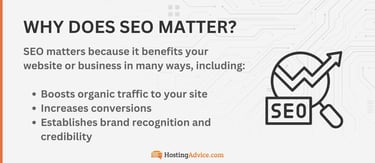
The SEO strategy you take may vary, but there’s no denying that most online experiences begin with a search engine. Therefore, SEO becomes a crucial part of attracting visitors to your website, whether it’s a blog, eCommerce store, or business website.
Benefits of SEO
I like SEO for its ability to drive visitors to my website and for the visitors to convert into paying customers. Other businesses may prefer it for brand visibility or credibility, or perhaps all the above. The benefits of SEO include:
- Increased website traffic: A well-optimized website drives relevant traffic by boosting rankings for pages and posts. People, therefore, are more likely to stumble upon your website due to the increased visibility on search engines.
- Brand visibility: Part of the goal is not only to get more visitors but to also push your brand’s image out into the world. The more I see Target’s ads or search results on Google, for instance, the more I recognize the brand.
- Credibility: Google and other search engines use ranking metrics to only push credible sources to the top of results. Online consumers know this and trust the results, meaning you can boost your site’s credibility with SEO.
- Conversions: If more visitors come to your website and they see your brand as credible and relevant to their search, they’re more likely to purchase from your store, sign up for your newsletters, or schedule a sales call.
Beyond all that, I’ve found that SEO offers a level of promotion unlike anything else. It markets your brand 24/7 while also delivering statistics about your marketing efforts, allowing you to make informed decisions in the future.
Understanding SEO Basics
When I started adding search engine optimization elements to my blog posts, I found it best to gain a full understanding of the basic SEO principles. This way, I knew the different types of SEO and the importance of each.
What Is a Search Engine?
You and I rely on search engines to where we take them for granted. But what is a search engine exactly? There’s Google, Bing, DuckDuckGo, Yahoo, Baidu, Ecosia, and countless others on the market.

The point of a search engine is to find information quickly online. Search engines crawl the internet to identify content that’s appropriate for ranking. They use complex algorithms to establish rankings, often figuring in things like website authority, relevance, and the intent of users who type in certain keywords.
Types of SEO
Multiple types of SEO exist. You may focus on one or two types for your business, while I may consider a completely different strategy. To choose, it’s essential to understand how each works.
- On-Page SEO: Optimization of individual web pages for specific keywords and content.
- Off-Page SEO: Strategies to build authority and credibility through backlinks, social signals, and brand mentions.
- Technical SEO: Enhancing the backend of a website to improve its crawling, indexing, and site architecture.
- Local SEO: Optimizing for local searches to target geographically relevant traffic.
- Mobile SEO: Ensuring your website is mobile-friendly for an optimal user experience on smartphones and tablets.
Let’s say I run a local restaurant. In that case, I might put most of my focus on local SEO. However, that local SEO may also involve working on other SEO types like on-page SEO for geographically relevant keywords and mobile SEO so people can order food on their phones.
Why Is SEO Important?
The end goal of SEO is to increase conversions and traffic. But why not look into other marketing strategies? Why would I recommend SEO over other tactics like online advertising or email marketing?
- Organic traffic vs. paid traffic: Paying for online ads costs money. It’s an effective way to build traffic, but SEO offers a more cost-effective marketing solution in the long term.
- User behavior: Higher search rankings affect user trust by telling people that Google and other search engines have already deemed your site worthy of the ranking. That elevated level of trust, therefore, results in higher clickthrough rates.
- Competitive edge: If your competitor ranks higher for a particular keyword, users are more likely to go to their website. SEO helps you rank higher than competitors to not only increase visibility but drive more business.
With SEO, you’re more competitive. You get to take advantage of typical user behavior. And it’s a far more affordable way to get the word out about your business.
Keyword Research: The Foundation of SEO
Keywords drive SEO. They’re not the only thing that matters, but you can bet that search engines will almost always look for keywords in their algorithms. I’ve found out the hard way, however, that putting too many keywords in an article can have the opposite effect than desired.
So, I’d like to explain everything I can about keywords so you use them the right way.
What Are Keywords?
Keywords are the words, sentences, and phrases we type into search engines to find what we want on the internet. Search engines then match those keywords with websites that use similar keywords.
Types of keywords:
- Short-Tail Keywords: Broad, high-volume keywords like “SEO,” “finance,” or “European travel.”
- Long-Tail Keywords: More specific, lower-volume keywords with higher conversion rates. Examples may include variants of “how to optimize SEO for small businesses” or “step-by-step guide to seeing Germany in five days.”
I like to think of short-tail keywords as the ones you start off with during your keyword research process. They identify your business, industry, and products broadly. But you probably won’t only target those unless they’re included within a long-tail keyword.
The Importance of Keyword Research
Keyword research involves using tools like Google Keyword Planner and Ahrefs to see which keywords not only relate to your website but which ones receive traffic regularly. Research like this helps you understand your target audience, what they’re searching for, and which keywords are worth targeting.

I’ve also found that keyword research has the unique potential to help align keywords with user intent. For instance, you may see that many relevant users make transactional searches, like “buy portable hair dryer.”
Some searches have a navigational intent, like how a search for “YouTube” says someone wants to go right to YouTube. Finally, informational search intent often involves a question, like “how do I start a blog?” or “when’s the best time to send an email newsletter?”
Tools for Keyword Research
To get started with keyword research, I encourage you to find the right tools. Too many times I’ve seen people try to guess the right keywords or use “suggestions” from Google. Those tactics lack so much of the information you truly need to compete on the search engines.
Popular tools:
- Google Keyword Planner: A free option from Google. Gives you keyword search volumes and keyword difficulty information.
- Ahrefs: Premium solution with data like potential traffic, keyword difficulty, and search volume.
- SEMrush: My favorite premium tool for finding keyword ideas and checking the competition.
- Ubersuggest: Keyword idea generation with seasonal trends and competition.
- AnswerThePublic: A visualization tool that provides search results and how they relate to other keywords.
My aim whenever using keyword research tools is to start by typing potential keywords into Google Keyword Planner and SEMrush. Those are great for competition levels and search volumes.
After that, I turn to Ahrefs, SEMrush, and even UberSuggest to find emerging trends, long-tail keywords, and additional keyword ideas to grow my content strategy.
Identifying the Right Keywords
I use three strategies to help me identify the right keywords. This way, I don’t focus too much on a keyword that’s irrelevant or too costly:
- Balancing search volume and competition: Make sure you pick keywords with a solid balance of search volume and competitiveness. I avoid overly competitive keywords, but you want them to have some sort of search volume — otherwise, they’re pointless.
- LSI (Latent Semantic Indexing) Keywords: Find terms that relate to your main keyword. You can either use these keywords elsewhere or create long-term keywords for more specific targeting.
- Focusing on user intent: Target keywords that align with the goals and intent of the user typing them in. This improves relevance and helps you figure out if you should focus on informational, navigational, or transactional keywords.
With these steps, I’m often able to boost a website’s visibility without wasting time on highly competitive keywords or those that don’t bring in enough traffic.
On-Page SEO: Optimizing Your Website’s Content
The first SEO type, on-page SEO, involves optimizing your content “on the page.” Think about which pages you have on your website: the homepage, contact page, blog posts, and product pages.

Those all need on-page keyword optimization. But on-page SEO also involves things like title tags, meta descriptions, and header tags.
Title Tags and Meta Descriptions
Title tags and meta descriptions serve as HTML tags that tell search engines and visitors all about the content on a webpage or website. They’re the first impressions. Users see the title and description first, as does Google.
Best Practices:
- Use active voice with a call-to-action to draw users into your content.
- Make sure you keep title tags below 60 characters long. For meta descriptions, stick to 155-160 characters.
- Construct keyword-rich titles with compelling language. The goal is to improve click-through rates.
These best practices help you enhance engagement and visibility. Remember, I won’t read your content or buy from your store if I never get past the initial title and description in Google.
URL Structure
The structure of your page’s URL is critical for sharing and telling search engines what the page is about.
Best Practices:
- Make the URL clean and readable. Only use lowercase letters, and use hyphens to separate words in the URL.
- Avoid complex or unnecessary items. Skip the complex characters. You can often remove filler words, too.
- Add some keywords. You want a relevant keyword in each URL. But don’t add too many.
With a clean, keyword-optimized URL, you’re bound to make search engines happy. Not to mention, shorter, more relevant URLs make for easier sharing of your links.
Header Tags (H1, H2, H3…)
Header tags serve as formatting elements for headers within your content. They range from H1 to H6 and help add structure and readability to your pages.
Best Practices:
- Make header tags as descriptive and clear as possible to guide readers.
- Add the occasional keyword in your headers to boost SEO.
- Structure content with a hierarchical header structure, starting with H1 for the title and going down to H2, and beyond, as you organize content.
Here’s an example: Start with an H1 for your page title. Then use H2 headers for all the main section titles. You can usually sneak in some H3s and H4s if you need sub-sections beyond that.
Content Optimization
When I optimize my content, I focus on making it both user-friendly and appealing to search engines. Here are my tips for optimizing content like blog posts, pages, and even product pages.
Best Practices:
- Add media elements to break up written content and incorporate visual aspects into the page. Images and videos keep users around longer.
- Prioritize informative, relevant, and the highest quality content you can create. Your best content will drive readers to share content, and it helps with search engine rankings.
- Don’t just write for search engines. And don’t just write for users, either. You want both — a solid balance of keyword optimization and readability.
I’d argue that, besides title and description tags, this is the most important part of your SEO strategy. If your content is no good, or if it’s stuffed with keywords, users won’t want to read it. And therefore, search engines will take notice.
Internal Linking
An internal link is a clickable link that guides a user from one page to another on your website. It keeps people on your website as opposed to sending them elsewhere. Internal linking also boosts SEO by building a structure for your entire site.
Best Practices:
- Regularly check for broken and old links. Update them to keep rankings up.
- Try not to link too much.
- Use anchor text for all links with descriptive text that tells about where the link is leading.
The overall goal of internal linking is to provide organization and additional (relevant) content to users. My best piece of advice is to keep a logical site structure when using internal links.
Start with your homepage, then link to the most important pages. Those marquee pages can then link to less important but relevant content.
Optimizing Images
Did you know you can attach keywords to your images? It’s all part of image optimization to help search engines understand what your content is all about.
Best Practices:
- Save images with relevant, clean file names with a keyword that makes sense.
- Add clean alt tags with relevant keywords. These help visually impaired users and search engines know what’s in the image.
- Optimize the file sizes of all images. Ideally, you do this automatically with a plugin. Compressing images helps pages load faster. That equals a better user experience, which means improved SEO.
With image compression, alt tags, and the right file names, you’re well on your way to an SEO-oriented image strategy.
Off-Page SEO: Building Authority and Backlinks
In this section, I’ll explain yet another type of SEO called backlinks.

These differ from internal links and help build authority and trust, mainly by showing that other trusted sources have linked to your website.
What Are Backlinks?
Backlinks, on the surface, are rather simple: they’re the links from other websites outside your own website that point to your website. Search engines take backlinks and the reputation of the websites linking back to your site into consideration for their ranking algorithms.
Therefore, you’ll want to build relevant backlinks from reputable websites in similar industries to tell search engines that your site, too, is an authoritative place for people to find information.
Types of Backlinks
There are several types of backlinks. The type of link back to your site depends on which websites you partner with, where you write guest posts, and which website owners actually think to link back to your website.
To begin, I’d like to compare DoFollow and NoFollow links:
- DoFollow links: These links transfer authority to whatever page they link to. Often referred to as “link juice,” this authority can help boost SEO rankings for you.
- NoFollow links: These links don’t pass any authority onto the linked webpage. However, they can still help push traffic to the linked page.
On top of these backlink types, we also have high-quality vs. low-quality backlinks:
- High-quality backlinks: Links that come from reputable, authoritative, and relevant websites. The highest quality backlinks come from high-traffic websites.
- Low-quality backlinks: Links that originate from low-authority, unreputable, or unrelated external websites. As a result, these backlinks could hurt your SEO rankings.
Keep in mind that low-quality backlinks can either come from a combination of low-authority, unreputable, unrelated, and low-traffic websites, or they may just come from a site with one of those downsides. I, for instance, try to avoid getting backlinks from any unrelated websites, even if they have decent traffic.
Strategies for Building Backlinks
I can already hear the question: How do you get someone else to link to your website? I’ll admit, it initially might seem like you have no control over that, but that’s hardly the truth. Here are some strategies to get good backlinks.
- Content Marketing: Create shareable content — like blog posts, infographics, and videos — that other websites want to link back to.
- Guest Posting: Contact other websites or blogs to write articles for them. In return for your efforts (and the free content), they should provide a backlink to your website.
- Influencer Outreach: Collaborate with industry influencers who may provide backlinks from their own websites.
- Broken Link Building: Identify broken links on other websites. Then, provide them a replacement with useful, relevant content on your website.
As you may have noticed, the key to link building for all of these strategies is relationship building. Reach out to influencers. Provide guest content. Present your shareable content to websites that might find it useful. You always start the conversation.
Social Signals and SEO
When I like a post on Facebook, that sends a social signal to the owner of that Facebook account. It may say that I enjoy a company’s products, or perhaps I liked a piece of written content. Other social signals include shares and comments — essentially any interaction on social networks.
It may seem like social networks are completely disconnected from search engines, but their social signals play a role in SEO. These engagement types can, in fact, boost search rankings by encouraging others to share your content. This leads to backlinks, authority, brand recognition, and many other benefits you want when working on search engine optimization.
Technical SEO: Optimizing Your Website’s Infrastructure
The infrastructure of a website is perhaps the part of SEO that I forget about the most. Often, the speed, layout, and mobile-friendliness of your website could destroy any SEO efforts you work on, making your site’s infrastructure incredibly important.
Website Architecture and Navigation
The first step in my approach is to create a clear, logical website structure. This is crucial to helping search engine bots crawl and index your site properly.

You want a homepage and an easy-to-use navigational menu for users and search engines to easily find content.
All of those buttons in the menu should lead to the most important pages, with smaller pages categorized under the main ones.
For instance, you might put a Shop button in the menu, along with buttons for Mens and Womens categories that then lead to more specific department buttons.
Improving Website Speed
Speed matters. I love visiting a fast website. It improves the overall user experience and tells search engines to rank your site higher.
If you’re unsure about the speed of your site or would just like to test its speed from time to time, consider tools like Google PageSpeed Insights and GTmetrix. Both offer speed scores along with ways to fix issues with performance.
Best practices for speeding up your website:
- Compressing images: Shrink the size of your images so pages load faster.
- Minifying CSS/JavaScript: This removes redundancies and unnecessary data in the files to make them smaller.
- Reducing server response times: This can be done with better hosting or by using caching, optimized media files, and optimized code.
- Using Content Delivery Networks (CDNs): A CDN delivers content (most notably images and videos) over a network of servers instead of one server that might struggle on its own.
With these tips, you’re well on your way to running a speedy website. Your users and the search engines will thank you.
Mobile-Friendliness and Responsive Design
I hate to be the bearer of bad news, but Google actually has a mobile-first indexing process that prioritizes websites with mobile-friendly interfaces.

You must make your site ready for the mobile age we’re already living in.
A responsive design ensures a seamless experience on all devices. Your content simply snaps into place on a tablet, then it adjusts to look nice on a desktop.
If you’re unsure about your website’s mobile friendliness, Google’s Mobile-Friendly Test can give you some key insights on what you need to change.
XML Sitemaps and Robots.txt
If you’ve never heard of them, an XML sitemap and the Robots.txt file both function as tools to help search engines crawl your website more efficiently. And you can install them on your site for no cost. In fact, all you have to do is create and submit an XML sitemap. You can complete both steps on Google Search Console.
As for the Robots.txt file, your website probably already has one. What you’ll want to do is tell the Robots.txt file to prevent search engines from crawling irrelevant or pointless pages. That requires a Disallow directive.
Add Disallow directives by putting the file in your site’s root directory. Then, put each directive on a new line. Some platforms, like WordPress, have plugins to automate this process.
Schema Markup and Rich Snippets
If you’ve seen little snippets in Google results — like images or quick recipes that appear without you clicking on the link — you already know about rich snippets and schema markup.

Schema markup is complementary website data that helps search engines and users better comprehend your content.
You can add schema markup with plugins by inserting code on your site or with Google’s Structured Data Markup Helper.
With Schema implemented, Google might display quotes from your articles, product images, or even images right on the results page.
As you can imagine, this further increases your online visibility.
Local SEO: Optimizing for Local Search
For local businesses, there’s the ever-important topic of local SEO. Yes, it’s an extra step, but I can’t stress enough how important it is for businesses that cater to geographically local customers. If you have a website for a restaurant, real estate agency, law firm, or something similar, this is the section for you.
What Is Local SEO?
Local SEO refers to the optimization of your website and content to rank higher for specific local results on search engines. So, if someone types in “pizza + zip code” or “real estate agent + name of town,” your site will appear for that area.

The success of a local business often hinges on local SEO. It’s imperative to boost local SEO if you rely on foot traffic, tourists, area residents, or a specific geographical group.
Google My Business (GMB)
Google My Business, or GMB, lets businesses set up a page that presents contact information, pictures, reviews, and other content to potential customers.
If you run a local business with a website, you should create and optimize your Google My Business profile to the best of your ability.
Do this by filling out all the relevant fields. List accurate contact information, beautiful photos, and things like services or products sold. Perhaps most importantly, you should encourage customers to write reviews. This, and responses to those reviews from you, helps build trust and improve Google rankings.
Local Citations
Google isn’t the only place where it pays to have someone talk about your local business. My view is that if anyone mentions your business in a positive way online, that’s bound to boost your search engine rankings.
Push to get your business name mentioned on local websites (like tourism or business bureau sites) and directories. Be sure, however, to keep your NAP (Name, Address, and Phone Number) consistent across all local citations.
Optimizing for Local Keywords
Next up, I want to talk about the importance of optimizing for local keywords. You should do this on your Google My Business page and your website. For example, you might target local-specific keywords like “best pizza in New York” or “where to get a haircut in Chicago.”
Tip: To give yourself more opportunities to mention local keywords, add location pages on your website that target specific areas. For instance, you might have a resource page dedicated solely to “eCommerce product fulfillment in Florida.”
Measuring and Tracking SEO Performance
I’ve put so much work into SEO in the past, so it would kill me not to see the results of my labors. I encourage you to measure and track your SEO performance to not only feel good about your SEO efforts but to also see what works.
Key SEO Metrics to Track
I have a few key SEO metrics for you to track. Tools like Google Analytics have a lot more for you to track, but I consider these the essentials.
- Organic Traffic: Monitoring the number of visitors from search engines.
- Keyword Rankings: Tracking how your target keywords are ranking over time.
- Bounce Rate and Dwell Time: Understanding how user behavior impacts SEO performance.
- Conversion Rates: Measuring how well your SEO efforts are driving conversions with metrics like sales and sign-ups.
Combine these metrics to gain a full understanding of how SEO impacts your traffic, user engagement, and conversions.
SEO Tools for Monitoring Performance
Several tools, both free and paid, give you the metrics needed to accurately monitor your SEO performance. Start with Google Search Console and Google Analytics. Both are free and integrate easily into any website.
When I want a more aggressive analysis of the competition and help with forecasting and keyword formulation, I turn to the heavy hitters. That includes Ahrefs, Moz, and SEMrush.
All of them assist with the tracking of rankings, organic traffic, and website health. And last but not least, try Google Tag Manager to configure tags and triggers that help you track very specific user actions like button clicks or form submissions.
SEO Audits
I consider the SEO audit to be separate from continual SEO monitoring. It’s when you conduct a complete scan of your SEO strategy and website to identify issues and opportunities for improvement.
Although my list could go on and on, your audit should check key areas like:
- Broken links
- Missing metadata
- Duplicate content
- Site speed
Keep in mind, site audits take a long time. They’re labor intensive. But cleaning up those broken links and fixing speed issues will always be worth it in terms of SEO.
SEO Is Your Secret Weapon
For local businesses and large companies alike, every website needs a well-thought-out SEO strategy.
I’ve harped on the importance of SEO and talked about the types of SEO to focus on. I’ve even explored the best techniques for getting more backlinks and boosting your local SEO.
Now it’s your turn to take the reins. Use my guide to not only formulate a quality SEO strategy but also improve it regularly. And don’t forget to monitor your SEO performance to beat out the competition!