Let me take you back to 1995. Brendan Eich had just launched JavaScript. It was cool, but not cool enough to hang out with the big kids like Java, C++, and Python.
Why? Unlike other kids on the block, JavaScript was a client-side programming language, meaning it ran in the user’s browser instead of on the server.
So, to fit in, it had to find a way to also run on the server side. And like most of us after facing rejection, JavaScript decided to work on itself.
The programming language adopted a V8 engine to make it run even faster on browsers. Then it added a runtime environment to enable the language to run on servers. And boom! Node.js was born.
Node.js is a runtime environment, not a programming language. It’s the reason JavaScript can now run on servers, not just browsers like it once did.
I first learned about Node.js in a web development bootcamp many years ago, and now I’m here to share the knowledge. Read on!
- Navigate This Article:
How Does Node.js Work?
Node.js uses an event-driven, non-blocking I/O model. What this means is that it’s designed to handle multiple tasks efficiently, without waiting for one to finish before starting another.
Think of it as a super-efficient barista who takes new orders while coffee is brewing and serves them as soon as they’re ready. This efficiency comes from Node.js’s single-threaded architecture.
Here, one “barista” (or thread) manages everything.
What powers Node.js is the V8 engine, a high-performance tool from Google that runs JavaScript superfast. It was developed by Danish computer programmer Lars Bak and released in 2008 to power Google’s Chrome browser.
Fun fact: This browser engine was named after the powerful V8 engine for vehicles.
Key Features of Node.js
Now you know what Node.js is, let’s talk about the features that make it super effective in whatever it does.
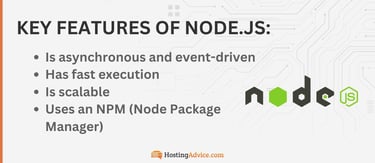
Node.js is asynchronous and event-driven, fast, scalable, and comes with NPM scripts.
Asynchronous and Event-Driven
Remember the example of the barista taking multiple orders without waiting for each drink to finish before moving on? We call that a non-blocking system.
In other words, it doesn’t block or halt the execution of other tasks. You can also call it an asynchronous, event-driven approach.
Fast Execution
Node.js is superfast! And that’s because of the V8 engine I’ve been raving about.
At a coffee shop, the V8 engine is the top-of-the-line espresso machine that whips up each coffee quickly. It does this by putting JavaScript directly into machine code.
Machine code is the language a computer (the espresso machine) directly understands. Node.js uses its V8 engine to translate JavaScript into machine code. The translation allows the computer to execute JavaScript quickly.
Scalability
Node.js scales horizontally. That’s just a techie way of saying that it can handle more “customers” (or requests) by simply adding more resources.
Back to our Node.js coffee shop, think of it as expanding the seating area to serve more people.
NPM (Node Package Manager)
NPM is a tool that comes with Node.js. It usually contains a huge collection of open-source libraries and packages.
We use these libraries and packages to solve common problems or even add specific features to applications. And developers love them because they make web development easier, faster, and more flexible.
What Makes Node.js Unique?
Node.js stands out because of its non-blocking, event-driven model. Unlike traditional servers like Apache, which create a new thread (or “worker”) for every request, Node.js uses just one thread to handle everything.
This makes it faster and more efficient, especially when handling heavy traffic.
Another unique feature is that Node.js uses JavaScript on both the client and server sides. Since both speak the same language, they find it way easier to communicate with each other.
That also makes it possible for developers to build full-stack applications without learning a new language.
Pros and Cons of Using Node.js
The pros of Node.js outweigh the cons. Here’s what I mean:
Pros:
- Fast and efficient
- Easy to scale
- Comes with a rich library ecosystem called Node Package Manager
- Uses JavaScript to communicate with both the server and client sides
Cons
- Consumes a lot of computational resources, which isn’t good resource-wise for small machines
Consider investing in a good machine if you want to experience the true power and potential of Node.js. Not sure where to start? A multicore i5 or Ryzen 5 CPU, 16 GB RAM, a 256 GB SSD, and a 1080p display should be good enough.
Common Use Cases for Node.js
You’ll find Node.js in environments where speed, efficiency, and real-time interactions are essential. Let’s look at some real-life examples for context.
Real-Time Applications
Node.js is what most real-time applications like chat apps and live notifications run on. Take LinkedIn, for instance. You see that chat pop up in the bottom right corner of your screen? That’s Node.js in action.
The same applies to most video games. The live notifications that keep players up-to-date with real-time scores or events are good examples of features developers can build with Node.js.
API Development
You can also use Node.js to build RESTful APIs and microservices. An eCommerce platform, for example, might use Node.js APIs to handle product listings, user accounts, and orders.
This is perhaps the best example of Node.js’s single thread in action. This single thread authenticates user accounts, lists products, and even processes orders.
Data Streaming
Node.js is very effective for data streaming tasks. Netflix is a good example here; it uses Node.js to stream video content.
You see, without data streaming, an app like Netflix would need to download all the content before playing it to viewers. Now imagine turning on Netflix and waiting for every video to download before being able to play anything.
You’d need the patience of a saint!
Server-Side Proxying
You can count on Node.js to manage multiple data requests from various sources. That reminds me of a travel booking site I developed for a client a few years ago.
I used Node.js to gather information from flight, hotel, and car rental APIs. I then developed a user interface that displays all options in one place. It was like a low-budget but well-developed Expedia.
Why Node.js? Because it handles these multiple requests at the same time.
Who Uses Node.js?
The simple answer is: almost every major company out there. Let’s talk about Netflix, LinkedIn, PayPal, and Uber as examples.
Netflix
Netflix has around 282.7 million paid subscribers worldwide. With so much traffic, developers need a tool that handles certain tasks instantly. I mean things like syncing playback, updating profiles, and fetching subtitles.
That’s where Node.js comes in with its non-blocking model. This runtime environment can process multiple requests simultaneously without slowing down. That explains why you can still watch Netflix even during peak usage, like the weekends.
Developers also rely on Node.js for both frontend and backend web development. The key advantage here is that JavaScript is the common language for both ends. This consistency makes building powerful and scalable applications like Netflix much easier.
I’ve spent a good amount of time on LinkedIn this year. Building my professional portfolio was, in fact, one of my New Year’s resolutions. So trust me when I say I know a thing or two about how this platform works.
The backend of its mobile app is where you’ll find Node.js in use. Because of Node.js, LinkedIn can handle a massive number of active users at any moment.
There’s also the live chat feature that you can use to communicate with other users in real time. While you’re at it, you can accept requests, publish posts, update your information, you name it, all thanks to Node.js.
PayPal
PayPal uses Node.js to make its payment services faster, all thanks to the V8 engine. Then there’s the non-blocking, event-driven architecture we discussed earlier. And since Node.js communicates in JavaScript, there won’t be any need to translate the language for the server side to understand.
Back at the coffee shop, picture yourself at the drive-through window, placing your order in a language the barista doesn’t understand. To avoid messing it up, they call in a translator. You’ll still get your order, but it won’t be as fast as if you both spoke the same language.
That’s why PayPal is so quick. Both Node.js and JavaScript speak the same language. They do not need a “translator” to help translate your order.
Uber
Let’s talk about ride-sharing. During peak hours, Uber drivers receive numerous requests and updates. With Node.js, the app can process this data faster and provide updates in real time. I’m talking about updates like estimated pickup and drop-off times, fees, traffic status, and so on.
Still in peak hours, there are all kinds of activities happening on these apps. Customers want to get a ride. Drivers want to get customers. Banks want to process payments. There’s chaos everywhere.
That’s where Node.js’s scalability and performance come in. It’s scalable in the sense that it can perform all these tasks without crashing when demand is high.
Getting Started With Node.js
Setting up Node.js is straightforward and quick. Here’s what to do.
Let’s begin with installing Node.
- We’ll first go to the Node.js website to download this runtime environment and Node Package Manager.
- Then, make sure the version of Node.js is compatible with your operating system before downloading.
- When done, run the installer.
- Then, open a terminal or command prompt and type “node -v” and “npm -v” to confirm that Node.js and NPM are installed.
If you did everything correctly, you should see version numbers appear.
Next, let’s create a basic HTTP server using Node.js. To make sure the server works, we’ll set it to respond with “Node.js is fun to learn!” when we access it.
Here’s what to do:
- Let’s open our terminal, and enter these two commands:

- Now, let’s create a new file. We’ll call it “server.js.”
In the file, let’s add the following code:

- We’ll then save the file. To run the server, enter the following command;
node server.js
- Open a browser and visit http://localhost:3000/
If you see “Node.js is fun to learn!” displayed, that means the server works!
One thing I need you to keep in mind is that what you’ve learned today isn’t everything you need to know about this environment. However, if you’ve made it this far, you ain’t leaving empty-handed.
I’ve compiled some helpful resources to help you learn more about Node.js.
- Node.js Official Documentation: You can never go wrong with this! In fact, any web developer will tell you that reading and understanding product documentation is actually a skill you won’t regret learning. This one, particularly, teaches all the basics, from setup to advanced features.
- MDN Web Docs: Formerly known as Mozilla Developer Network, this documentation repository is also great for a beginner. It covers basic JavaScript concepts and Node-specific tutorials.
- FreeCodeCamp and Codecademy: These two are great resources for hands-on tutorials that walk you through Node.js basics with interactive projects.
- YouTube: I really love Traversy Media. Brad Traversy is an awesome tutor, and what makes him so special is his personal story. Go check him out, and I’m pretty sure you won’t regret it. Just 10 minutes into his tutorials are enough to make you understand why he has over two million subscribers. Other YouTube channels worth checking out include Programming With Mosh, Net Ninja, and Fireship.
If you’d love to read more about Node.js, this Reddit thread has a list of blogs worth visiting.
Saluting Node.js
JavaScript is the world’s most popular programming language today. But I doubt that would’ve been the case without Node.js.
It was only when Node.js came into the picture that people began to realize the true power of JavaScript.
And for that reason alone, Node.js will forever have my respect.