For those in wheelchairs, a building without ramps or automated doors functions no differently from a giant wall. Just as blind folks rely on braille signs and the hard of hearing require hearing aids, people with disabilities also deserve accessibility on the internet.
It took a while, as a website owner, to realize that I not only had a legal obligation but a moral and societal obligation to remove barriers from my websites for everyone. Luckily, developers and website owners like myself have WCAG, or Web Content Accessibility Guidelines, to instruct us on how to add accessibility elements.
WCAG, or Web Content Accessibility Guidelines, functions as a collection of instructions to help make content published on the internet more accessible for everyone, in particular for those with disabilities.
In this guide, I’ll outline how the recommendations from WCAG affect everyone involved in the website world, including developers, designers, hosting companies, and all users of the internet. I’ll also dive into the specifics of WCAG to ensure you know how to comply with the guidelines and why you should.
WCAG Basics
Imagine you’re building a new home from scratch. I’ve actually been in this situation before, and it required me to hire a general contractor who managed their own subcontractors. Each of those subcontractors had to follow building codes to ensure I wouldn’t fall over my balcony banister or get electrocuted by any outlets.
It’s all very similar to building a website, except that I would hire developers and designers instead. As the owner of the website, I must ensure that those designers and developers follow what I consider the “building code” of the internet: WCAG.
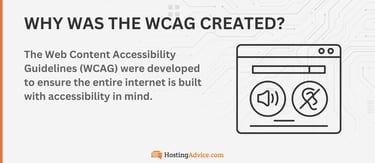
WCAG comes from the World Wide Web Consortium (W3C) and its Web Accessibility Initiative (WAI), which is a separate program to ensure the entire internet remains accessible to all people.
Therefore, Web Content Accessibility Guidelines protect disabled people, make it easier for them to access the internet, and give those working on websites the tools and instructions needed to make it all happen.
WCAG Versions and Evolution
Just as city building codes change to account for new building technologies or societal realities, WCAG has experienced drastic growth and change throughout its lifespan. Here’s a timeline with the main versions and dates I’d like you to know:
- WCAG 1.0 (1999): This version set the foundation of WCAG with the first basic guidelines for online accessibility. They’ve built all future versions upon this version’s basic 14 principles.
- WCAG 2.0 (2008): Introduced a more defined structure with conformance levels and the POUR framework. This version also added improvements, including extensive documentation and guidance for developers.
- WCAG 2.1 (2018): Addressed mobile accessibility and cognitive disabilities. Improvements included visual presentation and text spacing requirements.
- WCAG 2.2 (2023): This version came with further refinements and new success criteria. For instance, it included criteria for developers to offer accessible authentication on websites. The version came with improvements, including minimum sizes for clickable objects and movement rules for motor-impaired users.
As we prepare for future developments, such as WCAG 3.0, I’m excited to see how new guidelines become easier to understand since that has been a complaint in the past for developers.
I also expect future updates to address accessibility with emerging tech like AI and VR. There’s also word of a WCAG scoring system — beyond a basic pass/fail diagnosis.
WCAG Principles: POUR Framework
As I mentioned in the previous section, WCAG 2.0 introduced the POUR Framework, which has remained an essential part of accessibility guidelines since 2008. In short, the POUR Framework established more structure for accessibility rules.
Here’s what POUR stands for:
- Perceivable: Can you access the content using all senses?
- Operable: Is the interface usable for all types of people?
- Understandable: Can I not only read the content but predict what comes next based on context?
- Robust: Is the product compatible with other technologies made to assist disabled users?
So, every time a developer builds a site or a company makes an app, website builder, or eCommerce platform, they must assess whether the project meets all four POUR requirements. I’ll explain each in depth below.
Perceivable — Ensuring Content Is Available to All Senses
Blind users have a problem with websites; they can’t visually perceive images. So, WCAG principles dictate that I must make them perceivable with image alt text, which the blind user can use their browser to listen to. WCAG also pushes perceivable elements for other senses.
Here are some examples of content with perceivable design in mind:
- Websites and apps with built-in adaptability based on the user: For example, how a responsive design snaps into place on a smaller device or how some websites offer high contrast in different lighting situations.
- Captions for videos: When I watch a foreign film, you better believe I’ll want subtitles, so it’s important also to include captions for those hard of hearing and to help people watch videos in loud (coffee shop) or quiet (library) places.
- Text alternatives with images: You must add alt tags to all images on a website or app. This not only helps with SEO but ensures that users who can’t see the image (due to visual disabilities or inability to render images thanks to a browser or device) can still read or hear something dictated — such as “city alleyway covered in snow and filled with smoke from exhausts.”
Other ways to make content more perceivable include transcripts for podcasts and videos, descriptive link text, and colorblind-friendly palettes. I’ve even seen website creators go the extra mile with sign language videos for essential audio clips and easily adjustable line spacing for improved reading.
Operable – Making Interfaces Usable
The first time I read about operability, I thought, “Well, duh. Who would ever want an interface that wasn’t usable?” But the idea is to think about an interface’s usability for every type of person. For example, someone using an iPhone might not be able to view your search bar, or some people cannot use a mouse or keyboard.
Here are examples of ways to make your content or website more operable:
- Avoid seizure-inducing content: Some users have issues with strobe light effects in videos, GIFs, or animations.
- Provide enough time for interactions: Many interactions have expirations. A form, for instance, times out if the user cannot fill it out fast enough. It’s your job as a developer or website owner, however, to ensure users have enough time to complete these interactions.
- Full keyboard control: Not everyone can use a mouse, so you must make all interfaces navigable with just a keyboard.
You might also include ways to deliver voice commands to navigate your website. And never forget about the importance of full keyboard control. So many apps lean on heavy amounts of drag-and-drop functionality, but there’s always the need for some to stick with a keyboard.
Understandable — Content Must Be Readable and Predictable
A website that’s difficult to understand is like a piece of furniture you order online that comes with terrible instructions. It’s frustrating when you encounter websites with poorly written content and unclear navigation, but that’s especially true for disabled individuals.
Here’s how to make content understandable:
- Input assistance: Some examples include suggestions for form fields or informational popups that guide users through the interface.
- Clear language that comes with instructions: The goal here is to give readers content written in short, complete sentences. You’ll also want the content to be written by a native, non-AI speaker, which prevents confusion, misinformation, and vagueness.
- Consistent, clear navigation: There are many rules for maintaining an understandable menu, but it all starts with keeping the menu in the same place on all pages.
You may have noticed that in my second suggestion, I mentioned “clear languages that come with instructions.” WCAG recommends using instructional language to make for a more direct understanding of what the user should do next. I think of this as writing clear calls-to-action for buttons or breaking up a recipe into actionable steps with a logical order.
Robust — Ensuring Compatibility With Assistive Technologies
This part of the POUR Framework is all about robustness to withstand change. In short, WCAG wants you to build products and interfaces that will always integrate easily with other accessibility technology.
Here are examples of robustness:
- Using clean, semantic HTML code: This ensures that third-party accessibility products can interpret your content with no issues.
- Future compatibility: Strive for compatibility with all current and future accessibility tools.
- ARIA implementation: Add ARIA, or Accessible Rich Internet Application, features whenever possible. These are features already proven to boost accessibility.
I’ve found it useful to test with various assistive technologies before launching an interface or product. This way, you plan for the current tech while still sticking with tactics like semantic HTML to prepare for the future.
WCAG Success Criteria and Levels of Conformance
That 2.0 version of the WCAG guidelines introduced testable success criteria where you could categorize the accessibility of your project into one of three conformance levels: A, AA, or AAA.
| Level of Conformance | Description | Legal requirement |
|---|---|---|
| A | Minimum accessibility requirements | Usually required by most municipalities |
| AA | Industry standard | Sometimes legally required depending on the organization |
| AAA | Highest level possible for accessibility | Not always mandatory but ideal — often required of federal agencies |
Keep in mind that the WCAG levels of conformance aren’t like restaurant health grades or building codes with permits. There’s no unified regulatory body, so much of it comes down to self-evaluation.
Having said that, many governments and countries require a certain conformance level for specific businesses, and there’s always the potential to get sued by virtually anyone with a disability if you don’t meet accessibility standards.
Why WCAG Compliance Matters
All of this talk about compliance may sound like a burden to you. Do I really need to invest time and money to accommodate such a small portion of the population? First, WCAG protects 1.3 billion people, which is about 16% of the world’s population. And there are many other reasons to comply with WCAG.
Legal Obligations
Many countries have laws in place to enforce the protection of disabled people in the digital age. Some laws include ADA (Americans with Disabilities Act), Section 508, and the European Accessibility Act, which function similarly to laws that require things such as wheelchair ramps — except for digital accessibility. If you don’t comply with those laws, you could receive a fine or experience court time if someone sues you.
Business Benefits
Although perhaps a shallow reason to embrace accessibility standards, there’s no lying that your business should benefit by following WCAG. And it makes sense. We’re talking about giving full access to your website to over 1.3 billion people. You can reach a wider audience, get listed higher in search engines, and even strengthen the potential for brand ambassadors (since disabled users may share that your site is accessible).
Ethical Considerations
Last, I’d like to cover the more human aspects of why you and I should care about WCAG and the users it’s meant to protect. If I block out 16% of the world’s population from using my website in any meaningful way, that hinders fair, equal access. The goal should be for website owners and developers to embrace inclusivity because it’s the right thing to do.
How to Implement WCAG on Your Website
To implement WCAG on your website, I suggest starting with a free accessibility audit. You can complete an audit with automated tools, including WAVE, Axe, or Lighthouse. My favorite is Lighthouse since it’s included in the developer tools of most web browsers.
To begin, go to any website. Right-click on the site and select Inspect. That reveals the browser’s developer tools to the right. In the menu bar, find and click the Lighthouse option.

In Lighthouse, you can (and should) run four accessibility audits:
- Accessibility in Navigation Mode for Mobile Devices
- Accessibility in Snapshot Mode for Mobile Devices
- Accessibility in Navigation Mode for Desktop Devices
- Accessibility in Snapshot Mode for Desktop Devices
For accessibility audits, you don’t need to check categories like Performance, Best Practices, or SEO. You also can’t run an accessibility test in “Timespan” mode. To begin any audit, click the Analyze Page Load button.

I like to look at the baseline Accessibility Score first. This tells me if I check off most WCAG guidelines. This audit of HostingAdvice, for instance, looks great at first glance.

To fix common issues, browse through your Lighthouse results to see what it recommends. I’ve commonly seen problems with links that lack discernible names, touch targets without sufficient sizing, and redundant alt tags.

Click any issue to reveal more information. Lighthouse tells you the exact locations of these issues on your website. It also explains how to fix them. For instance, I could learn more about alt attributes and go to my content management system to adjust alt tags.

Beyond that, you should complete manual testing with screen readers and keyboard navigation. Luckily, Lighthouse provides a list of items you should check manually.

For this website, I would test how easy it is to navigate my site with a keyboard. I’d also want to check on elements like logical tab orders.
Common WCAG Myths and Misconceptions
I’ve encountered so many myths about WCAG, and I often find it’s because people simply don’t want to put in the time to make their websites accessible. Yet, I’m here to debunk these myths, particularly these:
- “Accessibility is only for people with disabilities.” That’s like saying ramps only help people in wheelchairs when they also assist delivery people, parents with strollers, or even someone walking their bike inside a building. A good example of accessibility being for everyone in the digital world is how video captions assist those in overly quiet or loud environments like libraries or cafés.
- “Making a site accessible is too expensive.” There is an initial investment, but it’s no different from maintaining anything else in this world. It becomes far cheaper to maintain a website for accessibility than to deal with a massive overhaul in the future, not to mention the expenses of getting sued or fined.
- “WCAG compliance means a boring design.” Many accessibility changes hardly touch the actual design of a website. For instance, alt tags don’t affect the way anyone sees an image. As for accessibility elements that affect the design, I’ve found that even in architecture, a more universal design can lead to some of the most beautiful results.
Now Is the Time to Follow WCAG and Make Your Site Accessible
Making a website accessible for disabled users has many benefits. Not only is it the right thing to do, but it can make your website more functional while avoiding any fines or legal issues. Not to mention, if the ethical considerations aren’t good enough for you, there’s always the fact that following WCAG leads to quite a few business benefits.