



Website uptime monitoring services are a lot like those always-reassuring neon open signs at the front of a store or restaurant. We’ve all been there — excited for a meal or drink at a favorite spot, only to show up and find the place closed for the day. Usually, you just forgot to check the hours — but what if the business suddenly shut down right before your big outing?
Website visitors experience the same frustrations and aggravations when a website is down or unavailable. As a site owner, you may not always know when (or why) your online presence crashes. Instead of manually checking your site around the clock, uptime monitoring tools will keep a steady eye on your website and let you know if something doesn’t seem right. In this article, we’re diving into all your monitoring options, from services included with your hosting plan to third-party programs that can offer more in-depth information.
Best Web Hosting With Free Uptime Monitoring
In addition to wildly appealing prices, Hostwinds packs a ton of impressive features into all levels of its plans. With a guaranteed uptime rate of 99.999% — meaning less than 6 minutes of downtime per year — the company’s clients hardly need to monitor uptime, but Hostwinds provides a highly customizable monitoring tool to shared, business, and reseller customers.
In addition to alerting site owners when an issue has been detected, the Hostwinds Advanced Website Monitoring service will automatically create a support ticket on your behalf. Customers can monitor their site’s availability, email performance, DNS settings, and custom scripts and ports, all with the ability to tailor alert settings and message content.


- 500% faster speeds via SSDs
- LiteSpeed web server performance
- FREE dedicated IP address
- 99.999% uptime guarantee
- Datacenters in Dallas and Seattle
- Get started on Hostwinds now.


Jack Wallen


Promising enterprise-grade hosting solutions for prices that appeal to small and medium businesses, Hostwinds delivers the full range of operating systems and server configurations to help customers build and grow an online presence. With hosting plans covering niches like vBulletin and Minecraft, Hostwinds attracts a customer base as mixed as the server configurations.
Go to full review »| Money Back Guarantee | Disk Space | Domain Name | Setup Time |
| 3 days | Unlimited SSD | New or Transfer | 5 minutes |
Best “Shared” Hosting With Free Uptime Monitoring
With so many customers and websites sharing a single physical server, uptime monitoring is pretty uncommon at the shared hosting level. More commonly, hosting providers enable site owners to track their resource usage to monitor how their web presence fits within the individual plan’s restrictions. Although control panels like cPanel don’t directly monitor uptime, the data you can uncover will paint a picture of your environment’s overall health.
A select few hosts, however, extend monitoring service to cover the availability of shared hosting. Hostwinds gives users full control to a wide range of checks, ranging from HTTP and HTTPs to pings, DNS, and a custom TCP port, as well as the ability to send notification alerts if something goes wrong. Check out more information about the super-charged shared hosting you can find at Hostwinds below:
- Unlimited SSD storage, databases, and email
- FREE site migration with cPanel and Softaculous
- Instant upgrades without downtime
- FREE around-the-clock monitoring
- Automatic nightly backups available
- Get started on Hostwinds now.
Jack Wallen
A recurring theme in the Hostwinds product lineup, the company offers multiple configurations to ensure every customer's needs are perfectly met. Between the SSDs and LiteSpeed web servers, Hostwinds ekes out 500% faster performance compared with typical shared hosting plans.
Go to full review »| Money Back Guarantee | Disk Space | Domain Name | Setup Time |
| 3 days | Unlimited SSD | New or Transfer | 6 minutes |
See other shared hosting options »
Best “Cloud” Hosting With at Least 99.999% Uptime Rates
While free uptime monitoring services are a nice bonus with hosting plans, wouldn’t it be even better if you didn’t have to stress about downtime in the first place? Thanks to built-in redundancy and stronger overall stability, cloud hosting is a smart fit for anyone who’d rather skip the hassle of setting up monitors, reacting to alerts, and troubleshooting outages.
The two hosts listed below, Liquid Web and InMotion Hosting, promise to keep your site up and running for longer than most others in the industry. Already kings of customer support, Liquid Web holds itself to a 100% uptime standard, while the hosting gurus at InMotion Hosting expect to deliver at least 99.999% uptime. Take a look at our in-depth reviews of these companies to learn more:

- Best for businesses that can't afford downtime
- 100% uptime SLA — network and power guaranteed
- AMD EPYC processors with Cloudflare CDN included
- Acronis backups and DDoS protection built in
- 24/7 Heroic Support® via phone, chat, and email
- Get started on Liquid Web now.


Christina Lewis


Liquid Web balances managed services and hardware power with cloud flexibility — a brilliant solution in cloud hosting. The company’s packages include instant provisioning, CloudFlare CDN, built-in backups, and, of course, the reliability of the Heroic...
Go to full review »| Disk Space | CPU | RAM | Setup Time |
| 30 GB SSD - 440 GB SSD | 1 - 6 cores | 1 GB - 16 GB | 7 minutes |

- Fault-tolerant SSD storage and up to 8GB of RAM
- FREE control panel with choice of Linux OS
- Full root access or managed servers available
- FREE live-state or scheduled snapshots
- FREE Ansible control mode for automation
- Get started on InMotion now.

Dave McQuilling


With leading-edge cloud technology, InMotion offers free site transfer, setup, and SSD drives for the ultimate cloud solution offerings. They include free data backups and offer unmanaged or fully managed servers to help you scale your site with...
Go to full review »| Disk Space | CPU | RAM | Setup Time |
| 30 GB - 540 GB SSD (or NVMe) | 2 - 16 cores | 1 GB - 32 GB | 6 minutes |
See other cloud hosting options »
Best “Reseller” Hosting With Free Uptime Monitoring
Perfect for designers and agencies, reseller hosting plans enable entrepreneurs and freelancers to act as their clients’ hosting provider. The hosts listed below enable you to monitor more than just your own uptime, but that of all the websites you oversee. You can collect the data to measure your own performance and effectiveness as a host and share the reports with customers to demonstrate the value you bring to their online presence.
While Hostwinds concentrates on server performance and availability, GoDaddy offers multiple types of monitoring services. As the world’s leading domain registrar, GoDaddy enables you to track changes made to the registration settings of particular domains. You can be notified by email when anything changes, meaning you can act quickly to acquire a domain as soon as it becomes available.
For GoDaddy Pro customers overseeing multiple websites for clients, the Uptime Monitor tool is an easily configurable option included within the dashboard. The service checks your sites every minute and will alert you via email, text, or Slack when a site goes down and comes back online.
- Unlimited SSD storage, databases, and email
- FREE site migration with cPanel and Softaculous
- Instant upgrades without downtime
- FREE around-the-clock monitoring
- Automatic nightly backups available
- Get started on Hostwinds now.
Jack Wallen
A recurring theme in the Hostwinds product lineup, the company offers multiple configurations to ensure every customer's needs are perfectly met. Between the SSDs and LiteSpeed web servers, Hostwinds ekes out 500% faster performance compared with typical shared hosting plans.
Go to full review »| Money Back Guarantee | Disk Space | Domain Name | Setup Time |
| 3 days | Unlimited SSD | New or Transfer | 6 minutes |
6. GoDaddy.com

- Airo AI for WordPress — SEO optimization and site insights
- Automatic WordPress updates, daily backups & malware scans
- WAF, DDoS protection, and free SSL on all plans
- Free domain, free email, and WordPress pre-installed
- 7 Stevie Awards — 3,500+ support experts in 20+ countries
- Get started on GoDaddy now.

Lynn Cadet


As champions of low-cost, high-impact hosting, GoDaddy understandably offers a slew of services geared for all levels of WordPress users. Starting with the company's basic shared hosting services, which start at $5.99 per month, each GoDaddy customer who signs up for an annual plan receive a free domain name and the power to control their site via the cPanel or Plesk control panels.
Go to full review »| Money Back Guarantee | Disk Space | Domain Name | Setup Time |
| 30 days | 10 - 30 GB NVMe | FREE (1 year) | 6 minutes |
See other reseller hosting options »
Other Free (and Paid) Website Uptime Monitoring Services
Of course, you may be a little skeptical of hosting providers reporting on themselves. Whether your host lacks the needed monitoring tools or you want independent verification of your website’s availability, here are a handful of third-party services for you to consider. No matter your budget, technical expertise, or needed features, we’re confident these tools cover the full gamut of potential customers and website administrators.
7. Jetpack
Cost: Free (paid versions range from $3.50 to $29 per month)
Who best to trust with tracking your WordPress website’s uptime than the folks who built the platform itself? Brought to you by Automattic, Jetpack bundles a wide range of marketing, security, and performance services into a single plugin. In addition to secure user authentication and protection from brute-force attacks, Jetpack will alert WordPress users whenever their site goes down.
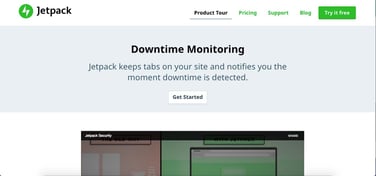
The plugin’s downtime monitoring service will check your website every five minutes, from various locations around the world. You can receive notification of your site’s downtime via email, text, or both; you’ll be told when it’s down, when it’s back online, and the total time it was unavailable. Because you need a site running WordPress to access and use Jetpack, we recommend doubling down on the content management system by pairing Jetpack with hosting from WordPress.com:
 | ★★★★★ /5.0 |
- Jetpack SEO, spam protection, and social sharing
- Community, email, and live chat support
- Access to tons of free and premium themes
- Automatic email notifications of any downtime
- FREE hosting — paid plans $4-$25 per month
- Get started on WordPress.com
| Starting Price/Mo. | $0.00 |
8. Uptime Robot
Cost: Free (paid versions range from $5.50 to $746 per month)
A go-to resource trusted by more than 600,000 users, Uptime Robot serves the likes of Expedia, Fandango, and Staples. The service offers 50 monitors at intervals of every five minutes for free, but paying users can request up to 20,000 monitors and checks every 60 seconds, as well as SSL monitoring that detects errors and reminds admins of expiration dates.

Starting in 2010 with a desire to create something free and useful for the online world, the developers launched Uptime Robot in 2010 and remain committed to keeping the core services free forever. The feature set is somewhat sparse, however, and monitoring operations are heavily concentrated in Dallas instead of including more locations.
9. Pingdom
Cost: $14.95 to $249 per month (or 14-day free trial)
A full-featured and immensely popular service to track website availability and performance, Pingdom appeals to savvy developers, agencies, businesses, and other web professionals. In fact, it’s the service we use to monitor HostingAdvice.com. Although Pingdom is known for robust uptime monitoring services and alerts, the platform also gives website owners deep insights into page speed, transactions performance, and user experience.

Pingdom watches your site from more than 70 locations around the world, although coverage is light in Asia and Australia. However, we really appreciate that the platform will run additional tests as part of a root cause analysis to establish what exactly went wrong in causing the outage.
10. Uptrends
Cost: $14.78 to $198.26 per month (or free 30-day trial)
A comprehensive monitoring service platform offering cloud-based network and performance monitoring, Uptrends got its start in 2007 as a free tool that has since morphed into a subscription-only service. Customers can add real user monitoring to their plan for an extra fee based on pageviews, enabling them to see load times by browser, operating system, location, and device.
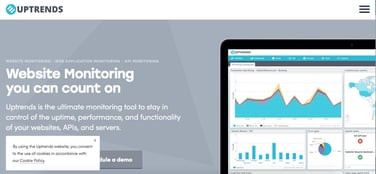
We especially appreciate the company’s global network of checkpoint servers; more than 185 machines are spread around the world to identify downtime and latency. Uptrends has servers on every continent but Antartica, most notably 30 servers in Asia, four in Africa, and 130-plus in Europe and North America.
11. StatusCake
Cost: Free (paid versions range from $24.49 to $79.99 per month)
Although the 15-minute interval for testing is longer than other free monitoring services, we appreciate the affordability and usability of StatusCake. The London-based company operates more than 200 monitoring servers located in 43 countries in six continents, offering check rates of 30 seconds or less.
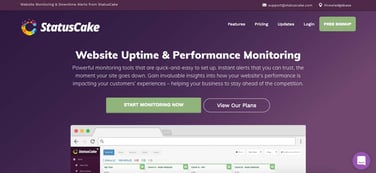
Premium plans are lean and affordable, yet still test uptime and page speed, and monitor SSL certificates, servers, and domains. You can also use StatusCake for virus scanning, and the company’s iOS and Android apps enable you to monitor your website from anywhere.
12. Uptimia
Cost: $10 to $185 per month (or free 30-day trial)
Enabling businesses to monitor their site’s availability every 30 seconds, Uptimia also caters to small businesses and individual website owners by including services for monitoring website speed and transactions. The company launched a revamped Version 4 in May 2018, ensuring customers can take advantage of modern, updated features such as a redesigned dashboard, more convenient logs, and enhanced responsiveness.
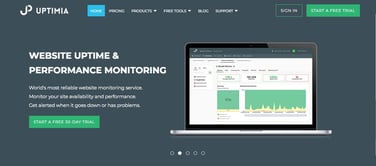
Uptimia checks customers’ sites from more than 171 datacenters around the world, and additional updates over the summer introduced root cause analysis, deeper insights into individual polling logs, and increased sharing and collaboration tools. If you’re not sure of footing the bill quite yet, Uptimia offers free tests for website speed and availability.
13. Host Tracker
Cost: $14 to $99 per month (or free 30-day trial)
Although Host Tracker is among the more expensive uptime monitoring services on our list, it’s perhaps the quickest with which to get started. Simply enter your email address and URL, and the company starts monitoring your site for free for 30 days. Host Tracker currently tracks more than 320,000 websites and sends nearly 16,000 alerts each day.
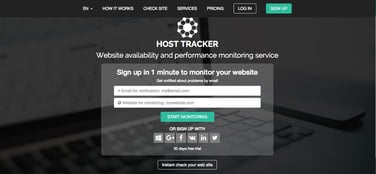
Notifications are free and unlimited to all customers, and Host Tracker will check your site at least every five minutes, depending on which plan you select. Domain and SSL certificate expiration, as well as DNS blacklisting, is also tracked in all accounts, with upgraded accounts also receiving information about server load, transactions, Google Ads, and error snapshots.
14. Site24x7
Cost: $9 to $225 per month (or free 30-day trial)
A comprehensive service perfect for growing businesses and picky developer teams, Site24x7 offers the full range of monitoring services for websites, servers, applications, networks, and real users. The company’s 90 worldwide locations are fewer than those of some other competitors, and customers choose to test their site from only eight datacenters.

Created by Zoho, a Software-as-a-Service organization specializing in business and productivity programs, Site24x7 hit the market in 2006 and continues to add new features. With the backing of a large parent company, users can typically find more support, third-party integrations, and add-on tools.
15. Montastic
Cost: Free (paid versions range from $5 to $29 per month)
Don’t let the overly simple website fool you — Montastic is a stellar option for small business owners, bloggers, and personal websites. Made by Metadot in Austin, Texas, Montastic allows users to monitor up to three websites every 30 minutes for free. Paid accounts simply cover more URLs and shrink the interval to every five minutes. Pricing is simple, with plans offered on a month-to-month basis without any upsells, add-ons, or hidden costs.
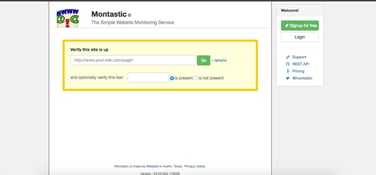
Montastic isn’t as powerful as some of the other tools on this list, but it delivers quality work at prices friendly to those who don’t need all the bells and whistles. Alerts and error reports are sent via email, and the company will also check if certain text is or is not present.
How to Monitor Website Uptime and Why It Matters
Broadly speaking, website monitoring involves testing and verifying that visitors can interact with a site as expected. Uptime, or availability, is typically the prominent characteristic to track, but comprehensive services can also track user interactions, server or network performance, DNS records, code revisions, and other functionalities.
If a monitoring service spots an error or outage, it’ll usually send alerts by email, text, chat, or social media. These updates often include diagnostic details that help administrators fix the problem more quickly. The service also compiles historical data into reports and graphs, giving you a clearer view of your site’s performance and helping you hold your hosting provider accountable if it misses its uptime guarantee or service level agreement.
When it comes to downtime, every second counts — particularly for eCommerce stores and other online businesses. Unplanned outages cost Fortune 1,000 companies between $1.25 billion and $2.5 billion each year. Beyond lost sales, less exposure, and terrible first impressions, downtime can harm your brand’s reputation and leave customers unsatisfied.
Internal website monitoring, like the services you most commonly see with hosting providers, entails tracking important metrics that give an overall picture of your server health and performance: memory usage, disk space, CPU load, and response times. External monitoring, however, checks on performance issues across the entire internet backbone and, often, all the way to end users of your site.
Read on for the best monitoring options available; tools included with hosting plans can be difficult to find but can offer great savings and usability. Third-party services, however, often provide deeper insights in exchange for a fee.
Monitor Your Server Status and Downtime to Keep Your Site Online
If your current host isn’t on this list, don’t panic. You can usually find internal monitoring stats in your cPanel or account dashboard that give you a helpful snapshot of how your service is holding up.
Many of our favorite hosts, including Bluehost, InMotion Hosting, and Site Ground, offer transparent, public-facing tools where site owners can view the status of the company’s overall network and services — some even enable you to check your website specifically.
When it comes to website monitoring, remember that all information is helpful!
No one is immune to unexpected downtime — even Amazon has famously crashed at times. To illustrate how much it matters, however, consider the company’s crash in late 2019.
Amazon’s website was inaccessible for 13 minutes. Doesn’t sound like much, right? However, UpGuard calculated the unexpected downtime translated to more than $200,000 in lost revenue per minute — a more than $2.6 million downfall for the entire episode.
HostingAdvice.com is a free online resource that offers valuable content and comparison services to users. To keep this resource 100% free, we receive compensation from many of the offers listed on the site. Along with key review factors, this compensation may impact how and where products appear across the site (including, for example, the order in which they appear). HostingAdvice.com does not include the entire universe of available offers. Editorial opinions expressed on the site are strictly our own and are not provided, endorsed, or approved by advertisers.
Our site is committed to publishing independent, accurate content guided by strict editorial guidelines. Before articles and reviews are published on our site, they undergo a thorough review process performed by a team of independent editors and subject-matter experts to ensure the content’s accuracy, timeliness, and impartiality. Our editorial team is separate and independent of our site’s advertisers, and the opinions they express on our site are their own. To read more about our team members and their editorial backgrounds, please visit our site’s About page.