



Comparing Squarespace vs. WordPress pits two titans of user-friendly web design, SEO, and ecommerce against each other. Which platform is best for you? We’ve drilled into each service’s features and functionalities to give you all you need to know to decide.
These days there are a lot of options for getting your business, pet project, blog, and photo gallery on the web. More often than not, it doesn’t make sense to start from scratch and there are services that exist to help you get where you need to be quickly. Two very popular site-building platforms that often go head to head for user favor are Squarespace and WordPress.
Both platforms are wildly popular but take users on different paths to success: Squarespace is a premium drag-and-drop site builder, while the open-source WordPress community focuses on theme-centered designs. We’ll cover both in this article as we look at Squarespace and WordPress in detail — determining which one is the better fit for your next project.
Squarespace vs. WordPress: Our Overall Comparison
In the interest of keeping this simple, we have given our short opinion of each option. Generally speaking, Squarespace is great for simple websites that require very little customization, while WordPress works for both simple and complex sites — just may take a little more effort to set up.
If you’re building a one- to three-page website, including one with eCommerce capabilities, Squarespace may be an easy solution for you; however, it can be difficult to customize these sites to perfection, and for more complicated eStores, you’re probably better off trying a WordPress host.
WordPress is fully customizable and can also handle eCommerce sites. There are drag-and-drop themes available, but these aren’t as polished as the Squarespace.com experience. With a WordPress site, you can scale (grow your website to accommodate more users/traffic) easily and there are a TON of themes and forums out there for added customization and communal support. Plus the WordPress community is one of the largest on the web.
Squarespace vs. WordPress: Best Hosting Options
Squarespace is a fully contained hosting and design platform, where your monthly cost covers all the hosting and software needed to run your site. However, WordPress comes in two flavors. The fully hosted WordPress.com online site-building platform is closest to Squarespace but has limited functionality. WordPress.org is the free software that can be used in conjunction with a web hosting plan, leaving the sky the limit with what you can accomplish. Here are our top three WordPress hosts:


- Best overall value: The most complete managed WordPress hosting at this price
- Kodee AI Agent manages your WordPress site via simple chat
- LiteSpeed servers boost site speed by up to 40%
- WAF, malware scanner, DDoS protection, and auto-updates
- Free migrations — 85% completed in under 5 minutes
- Get started on Hostinger now.


Sead Fadilpasic


As much as we love WordPress, one of our biggest pet peeves is when hosting providers exploit the popularity of the world's most-used content management system by offering so-called WordPress hosting that, in reality, is exactly the same as the host's shared server plans. Fortunately, Hostinger's ultra-fast infrastructure and easy access to SSL certificates and backups sets up the company to outperform the vast majority of the violators of our admittedly made-up rule.
Go to full review »| Money Back Guarantee | Disk Space | Domain Name | Setup Time |
| 30 days | 20 GB SSD – 100 GB NVMe | FREE (1 year) | 4 minutes |

- Best for performance: WordPress sites average 78% faster speeds after migrating to SiteGround
- Free AI agent manages your WordPress site via simple chat
- Smart WAF, AI bot protection & geo-distributed backups
- Free staging, WP-CLI, SSH, Git, and one-click migrations
- 4.9/5 Trustpilot — 98% customer satisfaction for 10+ years
- Get started on SiteGround now.


Lynn Cadet


Want a hassle-free, WordPress-optimized hosting service? SiteGround has thought of everything you need to get your site up and running.
Go to full review »| Money Back Guarantee | Disk Space | Domain Name | Setup Time |
| 30 days | 10 GB SSD - 100 GB Google Cloud SSD | FREE (1 Year) | 6 minutes |

- One of only three WordPress.org officially recommended hosts
- Free handcrafted starter website built by DreamHost experts
- Remixer AI builder, NVMe SSD, and daily automated backups
- Free domain privacy for life — included with every domain
- 100% in-house support including WordPress core contributors
- Get started on DreamHost now.

Christina Lewis


One of only three hosting providers recommended by the WordPress Core team, DreamHost has actively contributed to the WordPress community for more than a decade. The company's platform is optimized for the incredibly popular content management system, and plans include easy setup, automated updates and backups, unlimited bandwidth, and 24/7 specialized support.
Go to full review »| Money Back Guarantee | Disk Space | Domain Name | Setup Time |
| 30 days | 25 - 100 GB NVMe SSD | FREE (1 year) | 4 minutes |
See other WordPress hosting options »
Comparing Features, Usability, Support, Cost, & Use Cases
Below we further break down the features, pricing, pros, and cons of each site building contender. Take your time and read each row carefully to get a good feel for each type of tool.
| Squarespace.com | WordPress.com | WordPress + Web Host | |
|---|---|---|---|
| Design: |
|
| A typical WordPress host offers:
|
| Ease of Use: |
|
|
|
| Support: |
|
| Most WordPress hosts will offer:
|
| Pricing: |
|
| Pay ~$2-7/month and get:
|
As you can see, in the battle between these popular website building brands, it really comes down to a dual between the fully hosted platforms and the externally hosted software (i.e., Squarespace.com or WordPress.com vs. WordPress.org).
Unless you are building a very basic web property — in which case, Squarespace is your champion — our recommendation would be to go with a WordPress web hosting plan.
Squarespace.com vs. WordPress.com: Squarespace Wins for Usability
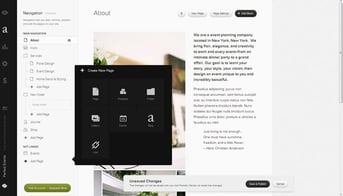
Both Squarespace.com and WordPress.com can be sufficient for basic web projects, such as uploading your resume, personal sites, or small eMarketplaces with a few products. If this is all you need, Squarespace is your winner simply because there are more customization options with more readily available support, compared to WordPress.com.
Fully Hosted Platforms vs. a WordPress Hosting Plan: WordPress Wins for Cost
However, if you’re looking to build a more dynamic web property, be aware that you’re probably going to have a hard time justifying the fully hosted Squarespace.com or WordPress.com financially. With either option, the costs you’re going to accrue trying to replicate the features, functionality, and personalization of an externally hosted WordPress site are going to far outnumber the monthly bill of any recommended WordPress web hosts.
For example, with iPage, you can:
- Install WordPress in one click
- Take advantage of their drag-and-drop site builder or build an online store from scratch
- Host your site or store at a domain name that is free, complements of the host
- Easily add a shopping cart for your customers to check out at
- Integrate PayPal to collect your profits
- Experience friendly customer support 24/7
All of the above can be had for a few dollars per month, whereas the fully hosted Squarespace and WordPress platforms require you to pay more and more to upgrade to plans with “premium” features (e.g., a personalized domain or selling more than 25 products).
Squarespace is Better for Basic Sites & WordPress Wins Beyond That
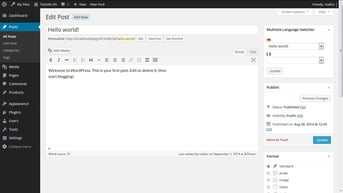
Squarespace is an exceptional resource for those who want to build a basic one- to three-page site; beyond that, WordPress will probably be a better fit for your website building and hosting needs. There’s more of a learning curve, but the saved cost and added functionality will help you meet your website goals more effectively.
Continue comparing with similar articles on popular site-building options:
- Squarespace vs. WordPress vs. Weebly vs. Wix
- WordPress vs. Weebly
- WordPress vs. Blogger
- WordPress vs. Shopify
If you’re frustrated with the lack of moves you have to make with your basic, free, browser-based site builders, like Squarespace or WordPress.com, try starting out with an affordable and equally intuitive web host that you can use to host a WordPress website.
HostingAdvice.com is a free online resource that offers valuable content and comparison services to users. To keep this resource 100% free, we receive compensation from many of the offers listed on the site. Along with key review factors, this compensation may impact how and where products appear across the site (including, for example, the order in which they appear). HostingAdvice.com does not include the entire universe of available offers. Editorial opinions expressed on the site are strictly our own and are not provided, endorsed, or approved by advertisers.
Our site is committed to publishing independent, accurate content guided by strict editorial guidelines. Before articles and reviews are published on our site, they undergo a thorough review process performed by a team of independent editors and subject-matter experts to ensure the content’s accuracy, timeliness, and impartiality. Our editorial team is separate and independent of our site’s advertisers, and the opinions they express on our site are their own. To read more about our team members and their editorial backgrounds, please visit our site’s About page.