


Minecraft is the best-selling video game of all time, with over 300 million copies sold. Clearly, it’s a popular game, but what if you could make it better? That is where modding (short for game modification) comes into play.
If you’ve never played modded Minecraft before, it can be a revelation. Mods can provide quality-of-life upgrades, like backpacks for extra storage, or introduce entirely new gameplay elements, like Create’s clockwork contraptions or Botania’s magical flowers. You can build complex factories, perform magical rituals, explore new biomes and dimensions…
In the most extreme cases, you can turn Minecraft into something that feels like an entirely different game.

Of course, adding new functions to a game as complex as Minecraft is going to take some processing power, especially if you’re playing online. While there are plenty of Minecraft hosts out there, mods are going to put a lot of strain on the free plans you can get. Fortunately, there are ways to make the most of free Minecraft hosting services to take your online adventures to blocky new heights.
Better Than Free: Premium Modded Minecraft Hosts
Free servers can get you started, but modded Minecraft is resource-hungry, and free plans will show their limits fast. If you’re running anything beyond a lightweight modpack, a paid plan will save you a lot of frustration. Here are our top picks:
1. Hostinger
If you’re serious about modded Minecraft, Hostinger is the place to start. Its Game Panel plans are built specifically for game hosting, with one-click installs for over 2,000 modpacks, full support for all major mod loaders including Forge, NeoForge, and Fabric, and AMD EPYC processors that handle even the beefiest packs without breaking a sweat.
Plans start at $6.29/month and scale up to 32GB of RAM for larger communities.
 | ★★★★★ /5.0 |

- One-click installs for unlimited plugins and mods
- Instant setup with up to 32 GB of RAM and 8 vCPUs
- Free DDoS protection & weekly backups
- NVMe storage and industry-standard AMD EPYC processors for lag-free play
- AI assistant powered by MCP included with all plans
- Get started now »
| Starting Price/Mo. | $6.29 |
Unlike free hosts, there are no ads, no daily renewals, no server restarts every two hours, and no compromises on performance. When something goes wrong, a real support team is available 24/7.
Pros
- Excellent performance and reliability for heavy modpacks
- No ads, queues, or daily renewals unlike free alternatives
- 24/7 live chat support and AI assistant included on all plans
Cons
- Pricier than some alternatives
- Not a dedicated Minecraft specialist — support is more general than hosts like Apex
Hostinger is the strongest all-around option for modded Minecraft gameplay, especially if you want a managed experience without the headaches of free hosting.
2. ScalaCube
ScalaCube Minecraft actually offers a really robust free option, with 6GB of RAM. However, we didn’t include it under our free options because their free plan has extremely limited player slots and no file access. That means that, unless you’re looking for a single-player vanilla experience that other people can log into while you’re offline, you’re going to need to pay.
 | ★★★★★ /5.0 |
- 1-click modpack installs with direct support for CurseForge, Technic, and FTB
- Unlimited player slots on all plans
- Automated backups and total DDoS protection
- Beginner-friendly control panel with instant setup
- 50% off your first month
- Get started now »
| Starting Price/Mo. | $2.00 |
If you do pay, however, ScalaCube becomes a great option for running mods, as it includes support for most major mod loaders. It links directly to popular launchers, including CurseForge, Technic, and Feed The Beast (FTB), and allows you to install major modpacks in a single click.
Pros
- Built-in support for all major mod loaders
- Robust admin tools and DDoS protection
- Supports multiple games
Cons
- Free plans not suitable for mods or multiplayer
ScalaCube starts at just $2/month, and the built-in mod support is a huge boon for ease of use. They also offer 50% off for the first month, so they’re great for short playthroughs and special events.
3. Minefort
Minefort provides a decent free plan, although it’s not as strong as some other choices on this list. They do offer an easy-to-use control panel and numerous tools for paid servers, which is great for admins who aren’t very experienced. Plans begin at $5.99/month.
 | ★★★★★ /5.0 |
- Plans start with up to 35 player slots and 2GB RAM
- Unlimited plugins on all paid plans
- Control panel with FTP access and file manager
- 24/7 online support with DDoS protection
- Scale RAM and players as your community grows
- Get started now »
| Starting Price/Mo. | $5.99 |
Pros
- Easy-to-use dashboard
- More affordable than many of the alternatives
- Native Fabric and Forge support (with a catch)
Cons
- No native NeoForge or Quilt support
- Native mod support is extremely out of date
- Server sleep on inactivity can frustrate community players
Minefort allows you to install Fabric or Forge (through SpongeForge) from the admin panel in just three clicks, so setting up modpacks should be seamless. Unfortunately, the versions of Fabric and SpongeForge they’re using are very out of date. Fabric supports 1.19.2 and 1.19.3, but SpongeForge only supports 1.12.2. For context, 1.12.2 came out in 2017.
While 1.12 was a mainstay of the modding community for a while, many modpacks are updating to newer versions, and both Fabric and SpongeForge have versions that support more recent versions of the game. It’s unclear why Minefort doesn’t natively offer those options, though that may change in the future.
Moreover, SpongeForge, despite supporting Forge mods, is not Forge. Some mods might not work properly with it, so keep that in mind.
If you’re after a plugin-centric experience, Minefort is a fantastic choice: their Spigot, Paper, and Purpur support is completely up-to-date, and you can install plugins from the admin panel with just a few clicks. Just keep in mind this may not be ideal for newer modpacks.
Top Picks for Free Modded Minecraft Servers
Before we begin, there’s a pretty big word of warning: you’re going to struggle to run big modpacks on most free servers. Most free plans are geared toward relatively small vanilla servers, which are much easier to run.
If you’re hoping to run something big, like All The Mods, you might be let down. But don’t worry, there are still ways to enjoy a modded experience on a free server. You’ll just have to make some trade-offs around RAM, uptime, and ads. When your modpack outgrows what free hosting can handle, the paid options above will be waiting.
4. Oracle Cloud
Oracle Cloud is not a Minecraft host: it’s a cloud computing service designed for large-scale applications. It just so happens to be one of the best ways to host a free Minecraft server, with specs that blow every other option on this list completely out of the water.
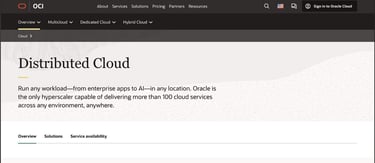
See, compared to the applications Oracle Cloud usually handles, running a Minecraft server takes next to no resources. Their ‘Always Free’ plan offers an enormous 24GB of RAM (which you can allocate as needed), along with a CPU more than powerful enough to handle a server for you and your friends.
Pros
- 24GB of RAM is way more than you need for even the beefiest modpacks
- CPU is more than capable of handling small servers
- Free service is actually free
Cons
- Requires a lot of technical know-how
- No Minecraft-specific support
- Credit card required
The problem with Oracle Cloud is that, again, it is not a Minecraft host. There is no automated installation, no built-in admin control panel, and no customer support aimed at Minecraft players. While Oracle provides official instructions on how to get set up, you’re going to need some technical knowledge.
Plus, if you’re a younger reader looking to set up a server, here’s the not-so-great news: you’ll need a credit card. It won’t be charged as long as you stay within the Always Free limits, but a $1 verification hold will be placed on it to confirm it’s real.
Also, you really need to make sure that you’re staying within those free limits: Oracle offers a $300 credit for new users, but that’s only valid for the first month, and prices scale up quickly. Keep that in mind, or else your ‘free server’ will turn expensive faster than a creeper can ruin your day.
Other Cloud Hosts
Oracle Cloud isn’t the only option for this style of Minecraft server host. GitHub Codespaces and Google Cloud are also valid options. Just keep in mind that these servers are not for the faint of heart: what you save in money, you pay for in time, effort, and potential frustration.
5. MineStrator
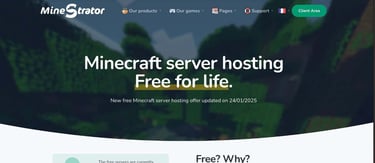
For a dedicated hosting solution, MineStrator’s free plan offers a pretty tasty deal. You can get 4GB of RAM, a 4GB SSD, and a pretty decent CPU, along with automatic load balancing and a dedicated interface.
Pros
- Solid hardware for a free offering
- Intuitive interface
- Easy to upgrade to a paid solution
Cons
- Server restarts every two hours
- Requires monthly renewal
- Minimal support for free plans
This is where the limitations of free hosting become apparent. You see, Oracle can get away with basically giving away free servers because it’s a multinational corporation trying to attract developers for other corporations. Compared to what a business might need, a Minecraft server for a few friends is a drop in the bucket.
With dedicated hosts, a Minecraft server is their bucket. They don’t have unlimited resources, and their product is the ability to conveniently set up a server. You’re trading power for the ability to launch a server without hours of setup.
MineStrator is very upfront about these limitations. They say right on the sign-up page that a free plan can’t handle a massive modpack. However, for smaller modpacks, this is a solid starting point. Try starting with lightweight modpacks, then scale up to a flexible paid plan when you’re ready for something beefier.
6. Eternal Hosting
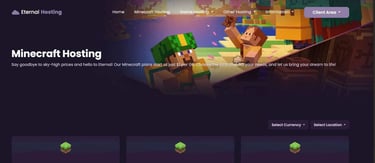
Eternal Hosting’s free offering is much beefier than most, offering 6GB of RAM and a very robust CPU. That’s more than enough to run lighter modpacks, including Cobblemon, Better Minecraft, and All of Create. All you need to start is a Discord account.
Pros
- Excellent hardware
- Easy-to-use control panels
- 100% uptime
Cons
- Ad-supported
- Server requires daily renewal
Eternal Hosting requires daily maintenance for its free plan. You need to renew your server every day using their credit system. Fortunately, getting credits is easy — it only takes 3 minutes — though the daily task can become a bit of a hassle.
Eternal Hosting’s free plan is also ad-supported. This is the case for a lot of free Minecraft hosts, so get used to it now. You’ll have to turn off your ad blocker to use it, which means potentially exposing yourself to shady advertisements.
While Eternal Hosting doesn’t directly do anything sketchy, there’s always some level of risk involved when you expose yourself to ads. This is true for any ad-supported host, so keep that in mind moving forward.
7. Aternos
Aternos is a darling among the Minecraft community, as offering free Minecraft hosting is their entire business. They don’t offer any paid plans: there’s not even an option to donate money. All you need is a Google account, and you’re good to go.

Pros
- No credit card required
- Natively supports all popular mod loaders, including Arclight
- Link your Google Drive account for extra storage
Cons
- Ad-supported
- Mods and plugins must be installed through control panel
Aternos can only provide its services for free because of advertisements, and it will remind you of this fact. Trying to access the control panel with an ad blocker active will show you a huge red screen, and make you wait three seconds before continuing. As with any ad-supported host, you risk exposing yourself to trackers, malware, and other shady things when looking at any advertisement, no matter how benevolent the host’s intentions are.
Aternos boasts a large, albeit limited, selection of supported mods and plugins. You can’t mix modpacks, so if you’re aiming to use a smaller mod, you might face some challenges. While you won’t receive as much RAM and processing power as a paid server, the resources provided are still quite decent. They even offer extra RAM for modded servers.
8. MCServerHost
Another robust free option, MCServerHost offers 4GB of RAM and solid performance in exchange for an ad-supported experience that is much less intense than what you’ll find elsewhere. In fact, their free offering is just as powerful as their entry-level plan but is missing extra features such as backups and advanced DDoS protection.

Pros
- Minimal ads
- Hardware is sufficient for lighter modpacks
- Freemium model allows for free upgrades
Cons
- Minimal documentation
- Pricing structure, while affordable, is slightly confusing
One of the issues you’ll encounter with MCServerHost is the lack of documentation. It could be because they’re a young service, but their documentation page is empty at the time of writing. They do have an active Discord you can use for support, but your mileage will definitely vary there.
Their pricing structure is also unusual. Rather than a traditional subscription, you pay for your server in credits and can earn additional credits through referrals, special events, and giveaways on Discord. You’ll be told how many credits you’ll need per month when making a server, and you can purchase any amount you please. Prices are listed as credits per hour, so it can take a bit of mental math to know how much you’re paying for.
The good news is that, by earning credits, you can squeeze out some extra upgrades for your server at no cost, though it’ll take some work. If you can tolerate a freemium model and the dreaded Discord documentation, MCServerHost is one of the best options currently available.
9. AxentHost
With an hourly credit model and 24/7 uptime, you’re paying for every single hour of the month. This is great for large community servers, but let’s be honest: You’re not going to run a large community server on a free hosting plan. AxentHost’s disposable server model means that you only spend credits when actually using the server, making it great for scheduled play sessions.

Pros
- Credits are only spent while server is online
- Freemium model allows for free upgrades
- Supports multiple other games, including Terraria and Vintage Story
Cons
- Ad-supported
- Disposable server model not suitable for 24/7 use (but you can work around that)
The downside is that because the server is offline when not in use, the world doesn’t update at all when everyone is offline. The game can’t tick when it’s not online, so things like automated farms will stop working. This isn’t any different from how single-player works, but it can be a problem for some modpacks.
The bigger issue is that the server admin needs to wake up the server, so a disposable model is really only good for scheduled play sessions. If you’re not the admin, you can’t log in on a whim. It is possible to get 24/7 uptime by optimizing coins, but that means a lot of ads and surveys are in your future.
What To Look For in a Minecraft Server Host
When looking for a free Minecraft service, there are three main specs to consider: CPU, RAM, and server software.
CPU
The CPU (or central processing unit) is the most important spec, since it lets the server handle the calculations needed to simulate a Minecraft world. See, Minecraft usually updates itself about 20 times per second. These updates are called ticks, and they represent the flow of time in your Minecraft world.
Next time you’re in creative mode on version 1.20.3 or later, try entering ‘/tick rate 10‘ into the chat window. You’ll see everything start moving in slow motion. It’s a neat effect, but playing like that for a while can get pretty annoying.

If your server’s CPU isn’t up to par, you’re going to notice a reduction in tick rate. Worse, since this is due to hardware strain rather than a console command, it’ll be a weird, laggy, inconsistent drop in tick rate. Not fun.
To avoid this problem, you’ll want a server that runs on a newer CPU. Gigahertz (GHz), which many servers proudly advertise, actually doesn’t matter that much. There’s more that goes into it, but generally speaking, a newer CPU is always preferable.
RAM
Random-access memory (RAM) is the other performance bottleneck. RAM is what stores the game’s working data; whenever you interact with something, you’re actually interacting with data loaded in RAM.
Your Minecraft world is divided into chunks, or 16×16 squares, that run from the very top of the world to the void beneath the bedrock. To interact with a chunk, it needs to be loaded into RAM.
The game automatically loads chunks around players in a sort of radiating wave: the chunk you’re in is fully loaded, while adjacent chunks are only partially loaded. Beyond a certain distance, the world isn’t loaded at all.

Because multiplayer servers have more players and thus have more chunks loaded, they tend to need more RAM to keep up with demand. However, mods add an extra wrinkle to the equation, as they can add a lot more things to keep track of.
A vanilla Minecraft server can usually get by on about 1GB of RAM. Modded servers are a bit more complicated, especially with newer versions of the game. They can add a lot to keep track of, including complex machinery and entirely new dimensions!
For particularly beefy modpacks, like All The Mods, you might need 8GB or more! Keep that in mind when looking for a hosting solution, since not many free hosts can handle something that chunky. Try limiting yourself to a lightweight modpack or looking for a paid plan with more RAM.
Server Software
This might come as a shock, but Minecraft Java Edition doesn’t natively support mods. If you just load the vanilla server software from Mojang, you’ll be stuck with a vanilla Minecraft experience. If you want to run a modded server, you’ll need to use software that can support it.
There are a lot of options out there, such as Spigot, Paper, Purpur, and Pufferfish. However, most of these servers only support plugins, not mods. That means that, while they can affect things on the server side, they can’t add textures or change fundamental game mechanics.
For mods, you’ve got three options. The first, and most simple, is to see if your preferred modpack has a server pack. A lot of modpacks you can find on CurseForge, Modrinth, and FTB have server packs, and many Minecraft hosts allow you to install them directly from those platforms.

Otherwise, you’ll need to install one of the mod loaders on your server. The big four are Forge, NeoForge, Fabric, and Quilt. Aside from Fabric and Quilt, these mod loaders aren’t cross-compatible with one another, so you’ll need to choose the one for your preferred modpack. Some software supports both plugins and mods, so consider those if you want to mix and match.
Finally, while you can install mods on Minecraft Bedrock Edition, it’s not really designed for it, and not a lot of people mod for it. On CurseForge, for instance, Bedrock only has around 2,000 mods listed, compared to the nearly 200,000 mods Java has. Buying the game on PC gives you both Java and Bedrock Edition, so make sure you’re getting a server for the right one!
What is a Minecraft Mod?
Mods, short for modifications, are community-built changes to a video game. They can tweak how a game functions, introduce new gameplay elements, or entirely change the base gameplay.
Minecraft has a very robust modding community and various ways you can change how the game functions. Here’s a quick overview:
- Mod: Software installed on the player’s computer (client side), which changes how the game functions. When playing online, many mods need to be installed on both the client and server sides to work.
- Modpack: A group of mods designed to work together as a cohesive experience.
- Mod Loader: Software that provides a framework for Minecraft modding. You need a mod loader to use most mods.
- Data Pack: A file that tells Minecraft how its various elements should behave. Like a mod, Data Packs can introduce new features to the game, but do so by manipulating existing game elements. They’re not as powerful as mods or plugins. Data Packs are directly installed in a Minecraft world, whether it is hosted on a server or a local machine.
- Plugins: Plugins are software installed on a server that change how the game functions. They’re midway between Mods and Data Packs in terms of power, as while they can introduce new code and gameplay elements, they can’t make changes that are as far-reaching as mods.
- Resource Pack: A set of textures, models, and sounds that change how Minecraft looks and sounds. These are installed on the player’s client. While some data packs and server plugins require you to install resource packs to properly see game elements, mods typically do not.
- Shader Pack: A set of shaders meant to be used with mods such as Optifine, which change how Minecraft renders light, shadow, and particle effects. Shader packs are responsible for the high-definition Minecraft screenshots and videos you may have seen in the past.
- Addons: The name that Minecraft Bedrock Edition uses for mods. These work differently from Java Edition mods, and are usually offered through the Bedrock-exclusive Minecraft Marketplace.
What’s the Difference Between Mod Loaders?
The fact that Minecraft has so many mod loaders can be confusing to newcomers. Why not just use one?
The reason Minecraft’s modding community is spread out is that all mod loaders are community-made — Mojang and Microsoft have nothing to do with them. The actual history of mod loaders is filled with community drama that’s beyond the scope of this article, but the short version is that Minecraft mods tend to use one of two loaders: Forge or Fabric.
Different mod loaders take different approaches to modding, and modders choose the best framework for their situation. Here’s a breakdown of the most popular mod loaders.
- Forge: The original mod loader, Forge allows for near-total modification of how Minecraft works, but can be complicated to program. Forge mods tend to introduce significant changes to how Minecraft looks and plays.
- NeoForge: A fork of Forge that began in 2023. NeoForge was made by the majority of the same people who created Forge, and has many of the same benefits. However, it’s meant to be easier to make mods.
- Fabric: A mod loader designed as an alternative to Forge. Fabric is more lightweight than Forge and NeoForge, making it a good choice for servers, but it can’t modify as much of the game’s functionality. However, it is easier to code and tends to update more quickly than alternatives.
- Quilt: A fork of Fabric, Quilt is more modular and can run Fabric mods in addition to native ones. However, it currently lacks the same level of support as the other modloaders.
What’s the Difference Between Server Software?
Minecraft server software isn’t as divided as Minecraft mod loaders. Most server plugins are built on Bukkit, which was the original Minecraft plugin server API. Over the years, Bukkit has been replaced by its successor, Spigot, and its various forks, like Paper, Purpur, and Pufferfish.
Of these, Paper is the most widely used, but many admins are pivoting to newer software like Purpur. Regardless of which you choose, servers forked from Bukkit and its derivatives can typically support the same plugins, with some exceptions.

Arclight is a server implementation that supports Bukkit plugins, as well as mods from
Forge, NeoForge, and Fabric. However, it is currently in development, and different versions may not support every mod loader.
Sponge is another server software that stands apart from Bukkit. It features its own plugin system, known as Ore, and is also compatible with Forge or NeoForge plugins. Thanks to the NeoForge team, it has recently been updated to support the latest versions of Minecraft.
Fabric, in addition to being a mod loader, is a common server implementation. It’s popular among more technical players, as it doesn’t change the behavior of things like Redstone contraptions. Fabric does not support Bukkit or Ore plugins but does support Fabric mods.
Finally, Minecraft’s default server software doesn’t support plugins or mods and is strictly for a vanilla experience.
What’s the Difference Between Bedrock and Java Edition?
Minecraft Java Edition is the original version of Minecraft, and the most widely modded. The vast majority of mods are only available for Java. Minecraft Java runs on Windows, macOS, and Linux.
Minecraft Bedrock Edition is a more recent version of Minecraft built in C++. It runs on a wider variety of hardware, including mobile devices and game consoles. However, its modding support is limited. Most Bedrock mods (called Add-ons) are available through Mojang’s official marketplace and may require additional purchases using Minecoins.

Java and Bedrock edition players can join the same server using specific plugins, but generally, these servers aren’t mod-friendly. While Bedrock edition offers many fun and unique experiences, it’s quite different and mostly outside the scope of this article.
How Can I Run a Modpack on a Weaker Server?
Many free servers offer limited RAM, which can make running big modpacks an issue. There are ways to get around this, but they won’t ever perform as well as a paid option.
Still, if you’re limited to free hosting, here are some tips.
- Make your world offline: Load up a new instance of Minecraft with all of your mods installed, then enter a world in creative mode. It’s important that you have your mods installed first. Otherwise, the world won’t generate with the changes they add!
- Set up a world border: Use the ‘/worldborder’ command to set a border at the bounds of your world. A 10,000 × 10,000 border is usually enough, but you might want to go as low as 5,000 if your server is particularly weak.
- Pregenerate the chunks: Use a mod like Chunk-Pregenerator to generate all the chunks up to the world border. It’ll take a while, especially for larger worlds, but it’ll be worth the trouble. You could do this manually, but flying around all three dimensions until you visit every single chunk is not exactly fun. Plus, you’d ruin the joy of exploration!
- Upload your world to your server: Most servers allow you to upload entire worlds. Since your world was generated offline, you don’t need to worry about chunk generation slowing down your server, making things much more efficient.
Here are some other tips on how to optimize your free server.
- Stick to lighter modpacks: Most mod hosting sites have sections for lightweight mod packs, which can be run on weaker hardware. If you can, try to avoid big, kitchen sink mod packs in favor of these more optimized experiences.
- Use mods and plugins to optimize your server: There are many mods designed to make the game run more smoothly, such as by changing how entities spawn and how certain blocks work. Mods that convert entities into blocks, such as Cagerium, are also useful.
- Avoid mods that make things worse: As cool as that Immersive Portals mod looks, you really shouldn’t be using it on a free server. Things that load extra chunks, including immersive portals, chunk loaders, or mods that add additional dimensions beyond the base three, can seriously slow things down.
- Avoid doing things that strain the server: Large mob farms, complex Redstone machines, and constantly updating entities can put a strain on your hardware. Even things like using chests instead of barrels can create lag. Be responsible, and your fellow players will thank you.
Onward to Adventure!
Whether you’re looking to overhaul the game completely or just add a few tweaks, modding Minecraft can take your game to the next level. There’s almost no limit to what you can do, from exploring distant planets and performing arcane rituals to turning your home into a cozy bakery. No matter what you’re looking for, there’s a Minecraft mod for your needs.
HostingAdvice.com is a free online resource that offers valuable content and comparison services to users. To keep this resource 100% free, we receive compensation from many of the offers listed on the site. Along with key review factors, this compensation may impact how and where products appear across the site (including, for example, the order in which they appear). HostingAdvice.com does not include the entire universe of available offers. Editorial opinions expressed on the site are strictly our own and are not provided, endorsed, or approved by advertisers.
Our site is committed to publishing independent, accurate content guided by strict editorial guidelines. Before articles and reviews are published on our site, they undergo a thorough review process performed by a team of independent editors and subject-matter experts to ensure the content’s accuracy, timeliness, and impartiality. Our editorial team is separate and independent of our site’s advertisers, and the opinions they express on our site are their own. To read more about our team members and their editorial backgrounds, please visit our site’s About page.