


When I was in college, I never had enough space on my hard drive. Between PDFs of textbooks, pages of school assignments, and a Steam backlog I still haven’t cleared, every byte of storage was precious. That’s why file hosting services were such a lifesaver.
There’s a problem, though. While I can afford to pay for a few extra terabytes now, that wasn’t an appealing option for college me, and it’s probably not one for reading-this-right-now you either. Luckily, there is no shortage of free file hosting out there if you know where to look.
Whether you’re a storage-starved student, a small business, or just someone looking for a bit of extra digital space, the right free file hosting plan can save you tons of time and money. So if you’re tired of sifting through your phone, trying to figure out what photos to delete (again), take a look at some of our top picks for storing your data in the cloud.
Key Takeaways
- File hosting services are cheaper than ever, with many services offering 10GB or more of storage for free. For those with a little bit to spend, you can get additional storage for pennies a day.
- If you’re already paying for common services like Microsoft Office or Proton Mail, you may already have access to cloud storage you’re not using.
- Whether you need live collaboration tools or added security, there’s a free or cheap file hosting plan out there that can meet your needs.
- Navigate This Article:
1. Google Drive/Google One
The Big G itself, Google Drive is one of the most widely used file hosts out there, and sets the industry standard for what a host should be. The interface is intuitive, the free storage limits are generous, and it integrates so seamlessly with Google’s other products that you might not even realize you’re using different products.
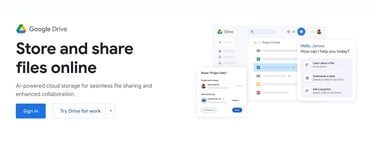
Google Drive offers 15GB of free storage to anyone with a Google account, and has a maximum bandwidth of 750GB per day. In short, the odds of hitting that upload limit are vanishingly small for a free user, and pretty tough for most paid users.
There’s no free way to expand your Google Drive storage, but you can raise your limit to 100GB for $1.99 a month. Google also includes 2TB of storage with its premium Google One plan, which also includes access to advanced AI features.
- Free Storage: 15GB (Shared across Google services)
- Premium Storage: 100GB – 30TB
- Max File Size: 5TB
- Max Bandwidth: 750GB
- Live Collaboration: Yes
- File Expiration: Two years, if over storage limit
- Availability: Web, Windows, macOS, iOS, Android
Unfortunately, that integration with other Google products comes with a sneaky cost: your Drive storage is shared across all Google products, including Docs and Gmail. Even your spam folder counts toward this limit, so if you’re not on top of your inbox, expect to lose some valuable space.
Pros
- Easy to use.
- Integrates with other Google services, as well as other popular software.
- Supports file versioning and automatic file syncing.
Cons
- Does not natively support FTP/SFTP.
- No end-to-end encryption (E2EE) or password protection for files.
- Storage is shared across all Google services, including Gmail.
2. MEGA
If you just want a secure place to store your files and aren’t concerned about things like app integration and collaboration tools, MEGA is the service you’re looking for.

Born from the ashes of Megaupload in 2013, MEGA prides itself on privacy and convenience. Users get 20GB of storage for free, with no file size or bandwidth limits. End-to-end encryption (E2EE) is also included, meaning that no one (not even MEGA) can read your files without the password.
For simple file storage, MEGA is one of the best in the business. However, things can get a bit more complicated for advanced use cases. Users expecting the cheap storage tier that services like Google Drive and OneDrive offer are in for some sticker shock: MEGA’s cheapest plan comes in at around $6 a month. For that, you get 2TB of storage, as well as access to MEGA’s VPN, encrypted chat, and password management services.
- Free Storage: 20GB
- Premium Storage: 2TB+
- Max File Size: Unlimited
- Max Bandwidth: Unlimited
- Live Collaboration: No
- File Expiration: Three months of inactivity
- Availability: Web, Windows, macOS, Linux, iOS, Android
MEGA lacks collaboration tools and doesn’t integrate with many other apps. It does have command line support, allowing you to make your own integrations, but that’s a feature limited to power users.
Pros
- Large amount of free storage with no need to engage in referral programs.
- No upload or download limits, and no maximum file size.
- Supports automatic backups and file sync.
- E2EE is included by default.
Cons
- Limited integration with other services.
- No entry-level paid tier. If 20GB isn’t enough, you have no choice but to pay for 2TB.
3. Microsoft OneDrive
For Windows users, Microsoft OneDrive is one of the best digital storage options, bar none. In fact, if you have a Windows device, you’re probably already using it, whether you realize it or not.

Part of Microsoft Office 365, OneDrive integrates seamlessly into your file system, automatically syncing with the cloud with no input on your end. By default, it can back up your Desktop, Documents, and Pictures folders, but you can set it to automatically back up any folder you like. Provided you have the space, of course.
Storage is where things get dicey. By default, free users get a minuscule 5GB of storage. Until recently, you could boost that to 15GB through their referral program, but Microsoft quietly ended that program. Besides, with how ubiquitous Windows and Microsoft Office are, you’d be hard-pressed to find anyone who needs a referral.
- Free Storage: 5GB
- Premium Storage: 100GB – 1TB
- Max File Size: Unlimited
- Max Bandwidth: Unlimited
- Live Collaboration: Yes
- File Expiration: Two years of inactivity
- Availability: Web, Windows, macOS, iOS, Android
The good news is that, if you have a Microsoft Office 365 subscription, you’re likely already paying for OneDrive. This stretches the definition of ‘free,’ but if you’re already paying for 365, that’s anywhere from 100GB to 1TB you’re sitting on.
Pros
- Direct integration with Windows, allowing for seamless backups.
- Unlimited file size and bandwidth.
- Included in Microsoft Office 365, so there’s a good chance you’re already a premium member and don’t realize it.
Cons
- Plans with more than 1TB of storage are only available through Business and Enterprise plans.
- No E2EE support.
- No native FTP support.
4. Filen.io
While not the most recognizable name on our list, Filen.io represents an enticing deal in free file hosting, especially for the privacy-minded.

Filen offers 10GB of free storage to all new users, which can be bumped up to 20GB if you sign up through a referral link. You can bump that up to a whopping 50GB by referring three other people, representing one of the largest free storage offerings on this list.
The free plan includes unlimited uploads and bandwidth, file syncing, E2EE, and robust command line tools for power users — including native Rclone support, added in early 2026, making Filen compatible with virtually any workflow that uses cloud storage.
The paid options are also intriguing. Filen uses a stacking model for its services, so you can combine multiple storage plans into a single package and cancel them independently of one another. This also stacks with your free plan, allowing you to add an extra 50GB on top of anything you purchase.
- Free Storage: 10-50GB
- Premium Storage: 100GB+
- Max File Size: Unlimited
- Max Bandwidth: Unlimited
- Live Collaboration: No
- File Expiration: Three months of inactivity for free, three years of inactivity for life
- Availability: Web, Windows, macOS, Linux, iOS, Android
For €1.99, you can get 200GB a month of storage, which is double the industry standard for that price. They also offer lifetime plans, allowing you to get larger amounts of storage for a one-time fee.
Pros
- Generous free storage plan with unlimited bandwidth and uploads, and built-in E2EE.
- Paid storage plans stack, and lifetime plans are available.
- Offers direct download links.
Cons
- Smaller company that lacks the track record of bigger names like Google and MEGA.
- Larger free storage plans are dependent on referrals.
5. pCloud
If the lifetime offerings and stackable storage of Filen appeal to you, pCloud might be tempting. However, even if you stick to the free options, pCloud has a lot to offer.

pCloud accounts have a low initial storage limit of 2GB, but that can be boosted to 8GB just by trying it out. You can reach a maximum free limit of 10GB with referrals. While not as generous as some other offerings, it’s nothing to sneeze at.
One of pCloud’s advantages over other services is the ability to create branded links, which can be used to make portfolios and simple websites. Free users can make one branded link, while paid users get unlimited branded links.
In terms of paid services, pCloud has a slightly higher entry point than most alternatives at €4.99 a month for 500GB. This is a better value proposition than the standard $1.99 for 100GB, but only if you need the extra storage space to begin with.
- Free Storage: 2-10GB
- Premium Storage: 500GB+
- Max File Size: Unlimited
- Max Bandwidth: Unlimited
- Live Collaboration: No
- File Expiration: 12 months of inactivity for free accounts
- Availability: Web, Windows, macOS, Linux, iOS, Android
If you’ve got some extra cash now, but don’t want to pay long-term for storage, pCloud also offers lifetime storage plans of up to 10TB, and you can combine multiple plans for even more storage. However, these will make a pretty sizable dent in an individual’s budget.
Pros
- Long expiration dates on free accounts, decent amount of free storage.
- Good value for paid storage, plus stackable lifetime storage.
- Supports branded download links.
Cons
- Getting 10GB of free storage means jumping through hoops.
- The minimum paid option is more expensive than most alternatives.
- E2EE is limited to paid customers only.
6. Proton Drive
If you’re concerned about privacy, Proton Drive might be the most appealing option on this list. It’s the Swiss bank account of cloud storage. Literally, they’re based in Switzerland and everything.

Proton is better known for its email and VPN services, which are beloved by privacy advocates the world over. Proton Drive uses the same E2EE technology to encrypt every file uploaded to its platform, making it impossible for anyone without the password to see what you’ve uploaded.
Proton Drive only supports 5GB of free storage, and the only way to gain more is to spend the $4.99 a month minimum for a premium account. Proton Drive is a bit pricier than its alternatives, but higher tiers include bundled access to ProtonVPN and ProtonMail.
- Free Storage: 5GB
- Premium Storage: 200GB – 3TB
- Max File Size: Unlimited
- Max Bandwidth: Unlimited
- Live Collaboration: Documents only
- File Expiration: 12 months of inactivity for free accounts.
- Availability: Web, Windows, macOS, Linux, iOS, Android
While Proton Drive isn’t the only service on this list that offers E2EE encryption, they’re the only one that combines it with live collaboration tools. This makes it perfect for industries where privacy compliance is a big deal since you can keep things secure without sacrificing the convenience of a shared document. Unfortunately, it doesn’t support spreadsheets at the time of writing.
Pros
- Best-in-class E2EE and privacy tools.
- Built-in collaboration tools.
- Bundled with popular VPN and encrypted email services
Cons
- Low initial storage limit.
- Paid options are more expensive than some alternatives.
- Somewhat slower upload and download speeds than competitors.
7. iDrive
iDrive’s free storage options are about on par with the other entries on this list. What makes it really stand out is its absurdly generous paid options, offering 100GB at just $2.95 a year.

This isn’t an introductory offer, either: You can stay on that plan indefinitely or upgrade to a slightly more expensive 500GB plan at $9.95 a year. Even larger plans are inexpensive, coming in at $9.95 a month for 5TB. Discounts are available for the first year if you buy an annual plan, saving you even more.
Unfortunately, iDrive also faces frequent complaints about archaic software, slow upload speeds, and being focused on Windows machines. Linux users will have to email the team directly if they want access to iDrive’s CLI, as there is otherwise no native support.
- Free Storage: 10GB
- Premium Storage: 100GB – 20TB
- Max File Size: Unlimited
- Max Bandwidth: Unlimited
- Live Collaboration: No
- File Expiration: None, but files will be deleted when subscription ends
- Availability: Web, Windows, macOS, iOS, Android
iDrive is primarily a backup service, and its software and services are geared toward whole device backups. They’ll even send you a fresh hard drive in the event of data loss, provided you have one of the higher-tier plans.
Pros
- Offers the most affordable paid plans.
- Files are kept in perpetuity, as long as your plan doesn’t expire.
- Will send you a physical hard drive containing your data if you have a 5TB+ plan.
Cons
- Free offerings are lackluster compared to some alternatives.
- Will delete excess files immediately upon subscription ending.
- Archaic software, no Linux support.
8. Dropbox
Dropbox is such a big name in file hosting that I’d be remiss not to mention it. It also offers some unique features that make it stand out among its competitors.

One of the biggest perks of Dropbox is its robust set of collaboration tools. In addition to the traditional text-based collaboration, Dropbox also supports video and audio collaboration through Dropbox Replay.
Unfortunately, this is an article about free file hosting, and Dropbox’s free services are pretty lackluster. New users start with just 2GB, and the cheapest paid plan is $11.99 a month for 2TB. While you can get a little extra storage through referrals, the service is so well-established that you’ll struggle to hit the hypothetical 18GB limit.
- Free Storage: 2GB – 18GB
- Premium Storage: 2TB – 3TB
- Max File Size: Unlimited
- Max Bandwidth: 20GB
- Live Collaboration: Yes
- File Expiration: None, but files will be deleted when subscription ends
- Availability: Web, Windows, macOS, Linux, iOS, Android
Dropbox really shines when you combine it with other apps. Not only does it sync with commonly used tools, including Adobe Creative Cloud, Autodesk, and HubSpot, but it also integrates with Google Workspace, Microsoft Office, and AWS. The DBX platform allows you to make your own apps or to use one of the many apps designed by fellow Dropbox users.
Pros
- Large number of integrations.
- Strong file collaboration tools.
Cons
- Free offerings are very limited.
- No entry-level plan.
Paid Alternatives
Looking for something more specialized? Consider looking at a paid service.
One of the drawbacks of free services is that they tend to be generalized. They’re great for storing your photos and documents, but if you’re dealing with a more specific use case, general isn’t going to cut it.
Here are a few paid services to consider if you need something better tailored to your needs.
Best for HIPAA, GDPR, and PIPEDA Compliance: Sync.com
Privacy laws are serious business, and violating them can lead to serious consequences, even if you didn’t intend to. One of the easiest ways to accidentally violate a privacy law is by uploading protected information to the internet, even if you don’t intend to share it.

Moreover, just having E2EE doesn’t mean something is compliant with privacy laws. For instance, HIPAA also has provisions against the unauthorized alteration and deletion of protected health information. Without those integrity controls, you can’t legally use those services.
Sync.com prides itself on following security and privacy best practices, making it one of the few HIPAA, GDPR, and PIPEDA-compliant hosting services. It follows the System and Organization Controls (SOC) framework, which is the current gold standard for data protection.
- Free Storage: 5GB-26GB
- Premium Storage: 200GB+
- Max File Size: Unlimited
- Max Bandwidth: Unlimited
- Live Collaboration: Yes
- File Expiration: 90 days after subscription ends
- Availability: Web, Windows, macOS, iOS, Android
All Sync plans are SOC 2, GDPR, and PIPEDA compliant. However, only plans at the Solo Professional tier and above are HIPAA-compliant, so keep that in mind if you work in healthcare.
Pros
- SOC 2, HIPAA, GDPR, and PIPEDA compliant.
- Supports live collaboration.
Cons
- HIPAA compliance only available on more advanced paid plans.
- Not available on Linux.
Best for Folder Sync: SugarSync
File hosting services are great for storing individual folders, but sometimes you need to back up a lot more than that. SugarSync takes the common folder syncing feature that most cloud storage has, and applies it on a much larger scale.

SugarSync allows you to designate any folder on your computer as a synced folder. Once you do so, an identical copy will be created on any linked devices, with all your files in the same relative place. This means you can effortlessly access the same file system from as many devices as you like.
Want to access your work files on the go? You can do that. Want to perfectly copy your old file structure on a brand-new PC? Piece of cake. You can even have multiple users work on the same file structure.
- Free Storage: None, but there are free trials available.
- Premium Storage: 100GB+
- Max File Size: Unlimited
- Max Bandwidth: 300MB through web app, unlimited otherwise.
- Live Collaboration: No
- File Expiration: Immediately after subscription ends.
- Availability: Web, Windows, macOS, iOS, Android
One area SugarSync is lacking is live collaboration. While the folder syncing system it provides is excellent for asynchronous collaboration, users can’t collaborate on the same file in real time.
Pros
- Sync any number of folders across devices.
- Seamlessly allows multiple people to work in the same drive.
Cons
- Not available on Linux.
- No live collaboration.
Best for Backups: ElephantDrive
ElephantDrive takes a human approach to data storage, positioning itself as the more sentimental alternative to services like MEGA and Google Drive. Don’t be fooled, however: this service is just as good at backing up essential documents as it is for securing your wedding videos.

Designed for long-term file storage, ElephantDrive can integrate with local backup solutions, like network-attached storage (NAS), to create redundant copies of your data. Plans also come with subaccounts, allowing multiple people to access the same drive.
- Free Storage: None, but there are free trials available.
- Premium Storage: 1TB+
- Max File Size: 10-200GB, depending on plan.
- Max Bandwidth: Unlimited
- Live Collaboration: No
- File Expiration: Immediately after subscription ends.
- Availability: Web, Windows, macOS, Linux, iOS, Android
ElephantDrive also offers a concierge service for more advanced plans and priority support for business users. The price structure is also relatively straightforward, though it can be more expensive than other options.
Pros
- Integrates with NAS devices for redundant backups.
- Subaccounts are included with all plans.
- Live support and concierge service.
Cons
- No entry-level plan.
- More expensive than alternatives.
Frequently Asked Questions (FAQs)
What is a File Hosting Service?
File hosting services are, as the name implies, meant to host your files online. This makes it easier to share files, restore them from backup, or collaborate across long distances. Most file hosting services will accept any sort of file, but they work best with images, documents, presentations, and the like.
Most of the file hosting services on this list are designed for personal use, making them perfect for hosting photos, videos, music, and documents. However, they also offer business and enterprise plans with additional space and collaboration tools, making them ideal for more specialized use cases.
Are File Hosting Services the Same As Backup Services?
Backup services copy critical files to an external or remote hard drive. In the event of data loss, including from device failure or a natural disaster, you can restore your data from that external drive. Anyone who has had a computer die on them while working on a difficult project understands the importance of regular backups.

Most file hosting services are not full backup services. There’s simply not enough space on a typical plan to store your entire hard drive, and many of them aren’t configured to host a full drive image. However, you can use them to back up individual files and folders.
All the services on this list support folder syncing, which allows you to save a copy of a chosen folder to the cloud. In addition to letting you access these files remotely, they can also be used to restore lost data. Some services, like OneDrive, will even import your documents for you when switching devices.
I find that folder syncing is enough for my needs, since I don’t deal with any particularly complex files in my day-to-day. However, if you work with sensitive files, host a local server, or generally want to preserve the exact state of your hard drive, you’re going to need a backup. Look at iDrive, or try other backup software like Backblaze or Carbonite.
Is it Safe To Use File Hosting to Store Sensitive Documents?
That depends on what sort of documents we’re talking about. If it’s something like your graduate thesis or your 5,000-page fan fiction novel, you’re probably fine. However, when it comes to personally identifying information, things get a bit more complicated.
If you’re storing things like personal legal documents, you’ll want to choose a service with End-to-End Encryption (E2EE). That means that your files are encrypted on your device and remain encrypted while in storage. A lot of file hosting services, like Google Drive and Dropbox, do not do this, meaning anyone who gains access to your account has access to your files.
With E2EE, that file will only be decrypted after you download it and use your private key to decode it. Services like MEGA and Proton Drive offer this service by default, while others limit it to paid users.
E2EE doesn’t make a service HIPAA-compliant on its own. The service also needs version control, and the ability to prevent unauthorized data tampering.
If you’re in an industry with privacy regulations, like healthcare, you’ll want to confirm that your storage system is in compliance with all local laws. E2EE does not necessarily make a service compliant with laws such as HIPAA, so check to see if your host offers that service before uploading any protected information. Some services may only offer industry-compliant hosting to paid customers.
What Is the Difference Between File Hosting and File Sharing?
Generally, file hosting services are designed for the long-term storage of files, while file-sharing services provide a link that allows someone to download a specific file. Both involve uploading files and offer the ability to share links to files, but file-sharing services are often focused on short-term sharing. Links will expire after a short time or a certain number of uses, and the file will be deleted from the server.
Many file hosting services allow you to share files, and some offer single-use or password-protected links. You can even create direct download links through third-party tools, though very few services offer this directly.
Can I Combine Multiple File Hosting Services?
As a matter of fact, you can! Utilities like Rclone allow you to control multiple cloud hosting services (including Filen, which added native Rclone support in early 2026) from a command line interface, and software such as RcloneView can provide a GUI for those who aren’t comfortable with CLIs. You can even mount your remote drives as if they were installed on your computer.
Storage Doesn’t Need to be Spendy
There are plenty of free and cheap file hosting solutions out there, and no need to limit yourself to just one. By taking advantage of introductory offers, you can gain gigabytes of storage without spending a penny. So next time you feel like you need to clear out your hard drive, you can breathe a little easier.
HostingAdvice.com is a free online resource that offers valuable content and comparison services to users. To keep this resource 100% free, we receive compensation from many of the offers listed on the site. Along with key review factors, this compensation may impact how and where products appear across the site (including, for example, the order in which they appear). HostingAdvice.com does not include the entire universe of available offers. Editorial opinions expressed on the site are strictly our own and are not provided, endorsed, or approved by advertisers.
Our site is committed to publishing independent, accurate content guided by strict editorial guidelines. Before articles and reviews are published on our site, they undergo a thorough review process performed by a team of independent editors and subject-matter experts to ensure the content’s accuracy, timeliness, and impartiality. Our editorial team is separate and independent of our site’s advertisers, and the opinions they express on our site are their own. To read more about our team members and their editorial backgrounds, please visit our site’s About page.