
What is Softaculous and How Do I Use It?

Writer: PJ Fancher

PJ Fancher, Contributing Expert

PJ is a professional web developer with more than 20 years of experience. His background began with writing small web applications using Perl, PHP, and MySQL in 1998. He has well-rounded experience with all aspects of web development, from server and database configuration to scripting, styling, design, and SEO.

Editor: Lillian Castro

Lillian Castro, Senior Editor

Lillian Castro brings more than 30 years of editing and journalism experience to our team. She has written and edited for major news organizations, including The Atlanta Journal-Constitution and the New York Times, and she previously served as an adjunct instructor at the University of Florida. Today, she edits HostingAdvice content for clarity, accuracy, and reader engagement.

Reviewer: Cristian Lopez

Cristian Lopez, News Manager

Cristian Lopez uses his Business Marketing background from the University of Illinois at Chicago to create comfortable environments for customers, clients, and colleagues to share their thoughts and ideas openly. From interviewing tech leaders to conducting UX market research projects, Cristian knows the importance of storytelling — a key variable for innovation and inspiration. His goal at HostingAdvice is to wow readers on the ever-evolving nature of the tech industry and bring his audience the most reliable and exciting content on all things hosting.

Disclosure: When you purchase through links on our site, we often earn referral fees from partners. For more information, see our ad disclosure and review policy.

Follow Us:
2.7k
1k

Some web-enabled applications, like WordPress, need little introduction. Powerful and easy to use, many blogging and eCommerce applications have become immensely popular. Of course, there’s still that small matter of their installation.

In WordPress’s own description of its “Famous 5-Minute Install,” users are instructed to unzip the WordPress package, create a database with a MySQL user with correct privileges, rename and edit a .php file, upload the WordPress files to the right web directory, create a blog directory, and (finally) run a WordPress installation script.

And that (says WordPress) is the quick version!

Isn’t there a less painful option to get applications like this installed?

Enter 1-Click Application Installation:

That is what Softaculous sets out to do. Softaculous automates the installation of web applications to a website through the use of predefined scripts.

Installations are launched from the website administration area. Softaculous runs within the cPanel control panel for example, as well as other website control programs, such as DirectAdmin, H-Sphere, Interworx, and Plesk.
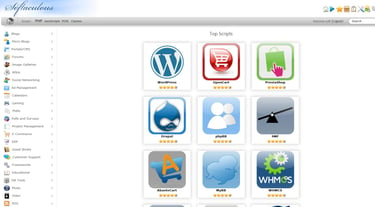
Softaculous installation scripts cover a wide range of web applications. Categories include ad management, blogging, content management, CRM, customer support, eCommerce, ERP, and more. Currently, 325 scripts are available.

Installation of a web application through Softaculous is designed to be a 1-click process, after filling in any necessary information on the install tab for the application concerned. Softaculous then automatically organizes database configuration, user permissions, web server files, and installation.

Getting Started:

Does that also mean Softaculous itself is easy to install? Ah, if only Softaculous itself could use the 1-click installation it offers for everything else…

We’ll give credit where credit is due, though: Softaculous has made efforts to make its own installation relatively straightforward.

If you’re doing this yourself, a little basic knowledge of Linux system administration will help. Installation can then be as simple as typing in three one-line commands.

On the other hand, if your web hosting provider already provides Softaculous, you won’t have to worry about installation.
Using Softaculous to Install Applications:

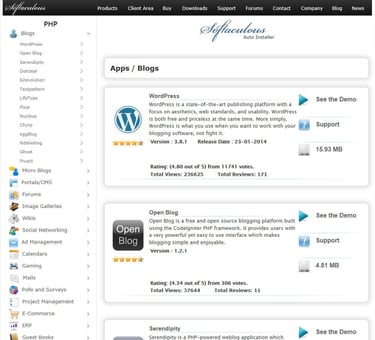
To start installing with Softaculous, first log into the Softaculous application via cPanel, as an example. Then, choose an application from the list on the left-hand side of the screen.

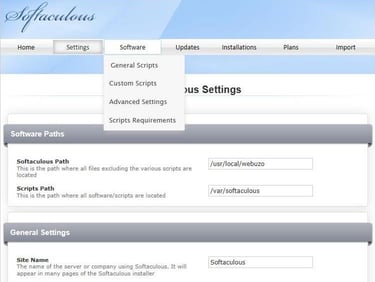
Softaculous policy is to update its application options to reflect the latest stable versions. User options in Softaculous allow the language to be changed, the screen display of side menus to be adjusted, and the default time zone to be redefined.

Many of the applications are associated with scripts written in standard PHP, although Softaculous also offers some JavaScript, Perl, and PHP class functionality for the more technically-minded.
Tell Others What You Think:

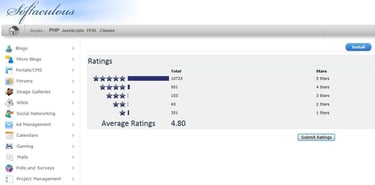
This quick and easy installation of web applications is already a good thing, but Softaculous goes further. They provide demo screens (“See the Demo”) of the different applications, so users can get an idea of what the web application looks like. Secondly, users can rate and review the different applications to provide additional information to help future customers choose.
As a final note, Softaculous isn’t the only web application installer available. Installatron and Fantastico, for example, also offer installation capabilities. Comparing functionality or independent user reviews should help you decide which solution suits you best.

(Softaculous 4.4.1)

Photo Sources: zebrapp.com

Advertiser Disclosure

HostingAdvice.com is a free online resource that offers valuable content and comparison services to users. To keep this resource 100% free, we receive compensation from many of the offers listed on the site. Along with key review factors, this compensation may impact how and where products appear across the site (including, for example, the order in which they appear). HostingAdvice.com does not include the entire universe of available offers. Editorial opinions expressed on the site are strictly our own and are not provided, endorsed, or approved by advertisers.

Our Editorial Review Policy

Our site is committed to publishing independent, accurate content guided by strict editorial guidelines. Before articles and reviews are published on our site, they undergo a thorough review process performed by a team of independent editors and subject-matter experts to ensure the content’s accuracy, timeliness, and impartiality. Our editorial team is separate and independent of our site’s advertisers, and the opinions they express on our site are their own. To read more about our team members and their editorial backgrounds, please visit our site’s About page.

About the Author

PJ Fancher
Contributing Expert

PJ Fancher is a professional web developer with more than 20 years of experience. His background began with writing small web applications using Perl, PHP, and MySQL in 1998. He has well-rounded experience with all aspects of web development, from server and database configuration to scripting, styling, design, and SEO. Today he brings his passion for web development to the team at Digital Brands Inc., helping to develop unique, high-quality, highly-optimized websites. He is ready to share his extensive knowledge and experience with the world of web hosting.

« BACK TO: BLOG

Meet the Experts

Our team of experts with a combined 50+ years of experience in web hosting serve insight and advice to more than 20 million users!

We Know Hosting

$

4

8

,

2

8

3

spent annually on web hosting!